
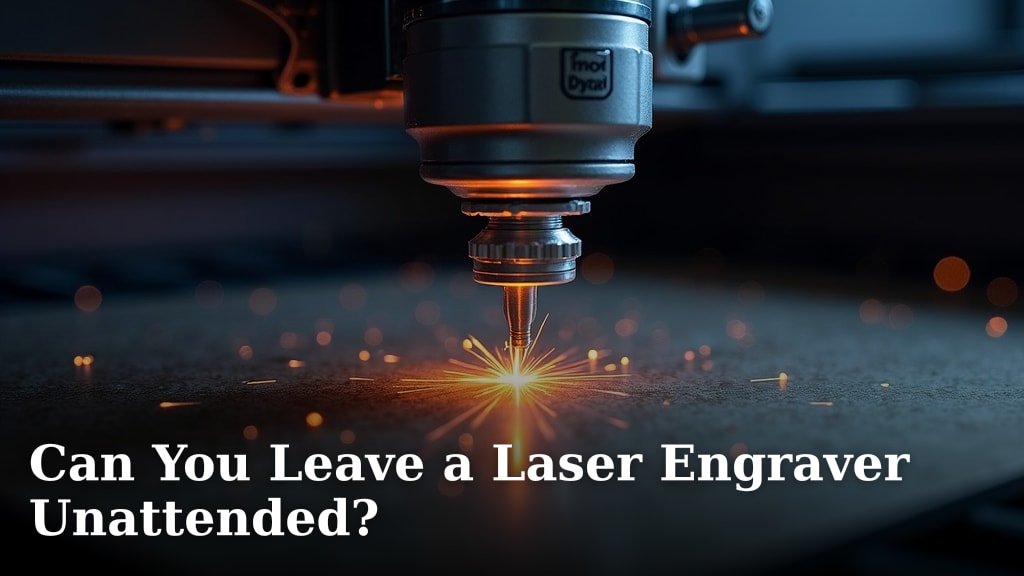
No, you generally should not leave a laser engraver unattended while it’s running. While it might seem tempting to step away, doing so carries significant risks like fires and damage to your machine or materials. Safety should always be your top priority.
Think of your laser engraver like a powerful tool that needs your focus. We found that leaving it unattended significantly increases the chances of unexpected issues, from minor mistakes to major accidents. Your watchful eye is the best safety feature you have when operating this equipment.
- Never leave your laser engraver running by itself.
- Fires are a real risk with unattended laser engraving.
- Always stay nearby and keep an eye on the process.
- Have a fire extinguisher handy, just in case.
- Regular maintenance can prevent many problems.
Let’s walk through exactly why this is so important and what you can do to ensure safe operation.
It’s a question many laser engraver owners ponder: can you just set it and forget it? While the allure of multitasking is strong, the straightforward answer is no, you should not leave your laser engraver running unattended. We’ve researched this topic thoroughly, and the consensus is clear. Safety and proper operation demand your presence. Think of it as babysitting a very powerful, very precise, and sometimes unpredictable tool.
Your Laser Engraver: A Watchful Eye is Essential
Leaving your laser engraver to run on its own is never a good idea. Your attention is the most critical safety component. It’s not just about preventing accidents; it’s about ensuring the quality of your work and the longevity of your machine. Your focus is your best safeguard.
Why Your Presence Matters So Much
Laser engraving involves a concentrated beam of energy. This energy interacts with your material in specific ways. Sometimes, these interactions can lead to unexpected outcomes. Your watchful eye can spot these issues early. This prevents them from becoming bigger problems. We found that even experienced users rarely leave their machines unattended for extended periods. Our guide explains when you need safety glasses for a laser engraver.
Consider the materials you’re working with. Some materials are more flammable than others. A small flare-up can quickly escalate into a fire if no one is there to notice. Even a slight miscalculation in your design or settings can lead to errors. You can catch these before they ruin your workpiece. A quick check can save you time and materials.
Many experts stress that understanding your specific laser and materials is key. What works for wood might be different for acrylic or fabric. Without your direct supervision, even minor deviations can cause major damage. We’ve heard stories where a tiny ember turned into a serious fire. This highlights the need for constant vigilance.
Potential Risks of Unattended Operation
When you leave your laser engraver running by itself, you’re opening the door to several risks. These aren’t minor inconveniences; they can be costly and dangerous. Our research points to a few key areas of concern that you should be aware of.
The Fire Hazard
This is arguably the biggest and most immediate risk. Laser engraving generates heat. Some materials can ignite when exposed to this heat, even if they aren’t directly hit by the laser beam. Think of sawdust or small debris accumulating near the engraving path. A tiny spark can catch, and without you there, that spark can become a raging fire. Many laser fire incidents research points to materials like paper, cardboard, and certain plastics as particularly susceptible. Your presence allows you to immediately shut down the machine if you see any smoke or flames.
Damage to Your Machine
An unattended machine can also suffer damage. What if the material shifts or moves during the engraving process? This can cause the laser head to crash into the workpiece. This can bend or break parts of your machine. Or, consider a software glitch. It could cause the laser to fire erratically. This can lead to unintended cuts or burns. These kinds of accidents are costly to repair and can put your engraver out of commission for a while. We found that mechanical failures are often exacerbated when no one is around to catch them.
Ruined Materials and Workpieces
Beyond fire and machine damage, there’s the risk of simply ruining your project. A laser engraver requires precise settings. Even a slight bump or vibration could cause the engraving to go off track. This results in a flawed or unusable product. If you’re engraving custom items for clients, this can lead to significant disappointment and lost revenue. Your attention ensures the engraving stays exactly where you intended it to be.
Air Quality and Fumes
Engraving many materials produces fumes. Some of these fumes can be harmful if inhaled. While most machines have ventilation systems, they are most effective when you’re present to monitor their performance. You can ensure the exhaust is properly venting and not recirculating harmful particles. If your ventilation system fails unexpectedly, you need to be there to shut things down immediately. Leaving it unattended means you might not know about a ventilation issue until it’s too late.
Best Practices for Safe Laser Engraving Operations
So, if you can’t leave it unattended, what can you do? The key is to implement a set of safe operating procedures. These practices will help you minimize risks and maximize your engraving success. Researching safety protocols is a smart move for any laser engraver owner.
Always Stay Nearby and Alert
The golden rule: never walk away from a running laser engraver. This means staying in the same room or immediately adjacent space. You should be able to see and hear the machine at all times. This allows for quick intervention if anything goes wrong. Think of it as being on active duty while your machine is working. Many safety guidelines stress this point above all others. Your active monitoring is non-negotiable.
Prepare Your Workspace Thoroughly
Before you even start the laser, ensure your workspace is ready. Clear any flammable materials from the vicinity of the engraver. This includes paper, rags, solvents, and extra stock. Make sure your ventilation system is functioning correctly and that all connections are secure. A clean and organized workspace is a safer workspace. We found that a cluttered area is a breeding ground for potential hazards.
Understand Your Materials and Settings
Know what you’re engraving. Research the specific material’s properties. Some materials are perfectly safe, while others can produce toxic fumes or ignite easily. Ensure your laser settings (speed, power, frequency) are appropriate for the material. Incorrect settings are a common cause of problems. Many online forums and manufacturer guides offer detailed material compatibility charts. Always consult these resources before engraving.
Keep a Fire Extinguisher Handy
This is a non-negotiable safety measure. Have a fire extinguisher specifically rated for electrical fires (Class C) or a multi-purpose dry chemical extinguisher (ABC) readily accessible. Keep it within arm’s reach of your engraving station. Know how to use it before you need it. This preparedness can be the difference between a minor incident and a major disaster. Many emergency response guides recommend having these accessible for any high-energy tool operation.
Perform Regular Maintenance
A well-maintained machine is a safer machine. Regularly clean your laser optics, check your exhaust fan, and inspect all electrical connections. Ensure there are no loose parts or signs of wear and tear. Follow the manufacturer’s recommended maintenance schedule. This proactive approach can prevent many potential failures. We found that consistent maintenance dramatically reduces the likelihood of unexpected issues.
Consider a Camera or Remote Monitoring (With Caveats)
While not a substitute for being present, some users opt for a camera system to monitor their engraver remotely. This allows them to check in from another room. However, this should only be used as a supplement to, not a replacement for, physical presence. You can’t physically intervene if the camera shows a problem. If you use a camera, ensure it’s reliable and that you check it frequently. This is more about an early warning system than true unattended operation. Some experts suggest using this only for very low-risk materials or short, well-understood jobs.
Here’s a quick checklist to keep your engraving sessions safe:
- Always stay in the same room or nearby.
- Clear flammable items from your workspace.
- Ensure your ventilation is working perfectly.
- Have a suitable fire extinguisher accessible.
- Double-check your material settings before starting.
- Perform regular machine maintenance.
Conclusion
When it comes to your laser engraver, your attention is your most powerful tool. We’ve covered how leaving it unattended poses real dangers, from igniting fires to damaging your machine and ruining your projects. The risks are simply too high to ignore. Your presence ensures you can react to any unexpected flare-ups or mechanical hiccups. Prioritize safety by always staying nearby and prepared.
Make it a habit to always keep your workspace clean, your ventilation system running, and a fire extinguisher within easy reach. By following these best practices, you’ll protect yourself, your equipment, and your creations. So, before you hit start on your next project, remember to commit to active supervision for a safe and successful engraving experience.
Frequently Asked Questions
What’s the absolute minimum distance I can be from my laser engraver while it’s running?
The safest bet is to stay in the same room where you can clearly see and hear your laser engraver at all times. While some might think being just outside the door is okay, it’s really not recommended. Your immediate presence allows for quick reactions to any smoke or unusual noises.
Are there specific materials that are more prone to catching fire when left unattended?
Yes, definitely. Materials like thin paper, cardboard, foam, and certain plastics can ignite very quickly. Even fabrics can be a fire risk. It’s wise to research the flammability of any material before engraving it, especially if you can’t maintain constant supervision.
If I have a camera watching my laser engraver, is that enough to step away?
A camera can be a helpful early warning system, but it’s not a substitute for being physically present. You can’t physically put out a fire or stop a machine malfunction if you’re not there. Use cameras to supplement, not replace, your active monitoring.
What kind of fire extinguisher should I have on hand for my laser engraver?
You’ll want a fire extinguisher rated for electrical fires (Class C) or a multi-purpose dry chemical extinguisher (ABC). Keep it within arm’s reach of your engraving station. Knowing how to use it before an emergency arises is just as important as having it.
How often should I perform maintenance on my laser engraver to prevent issues?
Regular maintenance is key. Cleaning your optics, checking your exhaust fan, and inspecting electrical connections should be done frequently, often before each major project. Always follow the manufacturer’s recommended maintenance schedule for your specific machine. This prevents many potential failures.
