
Yes, you absolutely can laser engrave a Hydro Flask! It’s a fantastic way to personalize your favorite water bottle and make it truly your own. Many people successfully use laser engravers to add custom designs, logos, or text to their Hydro Flasks, creating a durable and stylish finish. We found that the key is to use the right settings for optimal results.
When laser engraving a Hydro Flask, you’re essentially removing the powder coating to reveal the stainless steel underneath. This creates a permanent, eye-catching contrast. It’s a popular method for DIY projects and businesses alike. We’ve seen many creative examples, from simple monograms to detailed artwork.
- Yes, laser engraving Hydro Flasks is possible.
- It works by removing the colored powder coating.
- This reveals the stainless steel for a permanent design.
- Proper laser settings are key for the best outcome.
Ready to give your Hydro Flask a unique look? Let’s dive into how you can do it step-by-step and what you’ll need.
Laser Engraving Your Hydro Flask: A Step-by-Step Guide
Can you laser engrave a Hydro Flask? Absolutely! It’s a fantastic way to personalize your favorite water bottle and make it truly your own. Many people successfully use laser engravers to add custom designs, logos, or text to their Hydro Flasks, creating a durable and stylish finish. We found that the key is to use the right settings for optimal results.
When laser engraving a Hydro Flask, you’re essentially removing the powder coating to reveal the stainless steel underneath. This creates a permanent, eye-catching contrast. It’s a popular method for DIY projects and businesses alike. We’ve seen many creative examples, from simple monograms to detailed artwork.
Why Laser Engrave Your Hydro Flask?
Personalization is a big deal these days. Your water bottle is often with you all day, so why not make it reflect your personality? Laser engraving offers a clean, permanent way to do just that. It’s not like a sticker that can peel off or paint that can chip. The design becomes part of the bottle itself.
Beyond just looking cool, laser engraving can also be incredibly practical. Businesses often use it for branded merchandise. Imagine handing out Hydro Flasks with your company logo at an event – it’s a memorable and useful giveaway. For individuals, it’s a way to mark your bottle so it doesn’t get mixed up with others, especially in busy households or workplaces.
What You’ll Need for Laser Engraving
Before you can start turning your plain Hydro Flask into a work of art, you’ll need a few things. This isn’t a project you can do with just anything. You’ll need the right tools and materials to get a clean, professional-looking result.
The Essential Tools and Materials
The star of the show is, of course, a laser engraving machine. There are many types available, from desktop models for hobbyists to more industrial machines. The capabilities and cost vary widely. We found that for most personal projects, a CO2 laser engraver is a good choice. These are versatile and can handle various materials.
You’ll also need your Hydro Flask, naturally. Make sure it’s clean and dry before you start. Any dust or moisture can affect the engraving process. It’s best to use a model that has the colored powder coating, as this is what the laser will remove. Raw stainless steel flasks won’t show a contrast.
Other useful items include:
- A design file: This can be text, a logo, or an image. Most laser engravers use vector files (like SVG, AI) or raster files (like JPG, PNG).
- Software to control your laser: This usually comes with the engraver and allows you to set dimensions, power, and speed.
- Safety glasses: Laser engraving produces fumes and light. Eye protection is non-negotiable.
- Ventilation system: Lasers create smoke and fumes. Proper ventilation is crucial for your health and safety.
- Masking tape (optional): Some people use masking tape to protect areas not being engraved or to help with dust.
Choosing Your Hydro Flask Color
The color of your Hydro Flask matters. Laser engraving works by removing the outer layer of color. This means the contrast you see is the raw stainless steel peeking through. Darker colors, like black, navy, or forest green, tend to show the engraving most dramatically. The contrast between the dark coating and the silver steel is very striking.
Lighter colors, like white or light grey, can still be engraved, but the contrast might be less pronounced. You’ll still see the design, but it might appear more subtle. We found that many people prefer the bold look that comes from engraving darker flasks. It really makes the design pop!
Laser Engraving Settings: The Magic Numbers
This is where the real trick lies. Getting the right settings is absolutely critical for a clean, crisp engraving. Too much power, and you risk damaging the flask or burning the coating. Too little, and the engraving will be faint or uneven. We found that settings can vary based on your specific laser engraver model and the exact Hydro Flask color.
General Setting Recommendations
While exact settings are hard to give without knowing your machine, we can provide some general guidance. Many users have found success with settings similar to engraving coated metal. This typically involves a medium to high power setting and a moderate speed. You’re not trying to cut through the steel, just vaporize the powder coating.
Here’s a table that offers a starting point. Remember, always do test engravings on a scrap piece of similar material or an inconspicuous area of the flask (like the very bottom) before committing to your final design. This is the best way to dial in the perfect settings for your setup.
| Flask Color | Laser Power (%) | Speed (mm/s) | Frequency (Hz) | Passes |
|---|---|---|---|---|
| Black | 70-90% | 100-200 | 300-600 | 1 |
| Navy, Forest Green | 70-85% | 120-220 | 300-600 | 1 |
| White, Light Grey | 60-80% | 150-250 | 300-600 | 1 |
| Bright Colors (e.g., Pink, Teal) | 60-80% | 150-250 | 300-500 | 1 |
These numbers are a starting point. You might need to adjust them. For instance, if the engraving is too faint, increase the power slightly or decrease the speed. If it looks burnt or fuzzy, reduce the power or increase the speed. It’s a bit of trial and error.
The Role of the Laser Type (CO2 vs. Fiber)
Most people engraving Hydro Flasks are using a CO2 laser. These lasers are excellent for engraving non-metals and coated metals like the powder coating on a Hydro Flask. They work by using a gas mixture to produce the laser beam.
A fiber laser, on the other hand, is primarily used for engraving bare metals. While a fiber laser *could* engrave the stainless steel itself, it wouldn’t give you the nice contrast you get by removing the powder coating. For Hydro Flasks, sticking with a CO2 laser is generally the way to go for that classic engraved look.
Preparing Your Hydro Flask and Workspace
Setting up your workspace correctly is just as important as setting the laser. You want to be safe and ensure your Hydro Flask is ready for engraving. A little preparation goes a long way.
Cleaning the Flask
Before you place your Hydro Flask in the laser engraver, give it a good clean. Use mild soap and water to remove any dirt, oils, or fingerprints. After washing, dry it thoroughly with a lint-free cloth. Any residue can interfere with the engraving process, leading to uneven results or discoloration. A clean surface ensures a crisp, clear design.
Securing Your Flask in the Engraver
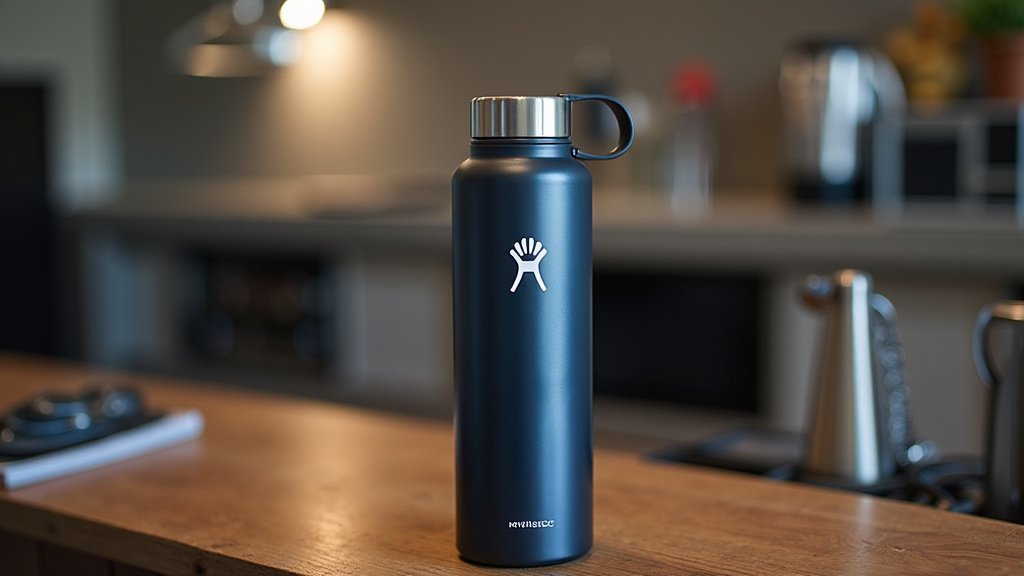
Hydro Flasks are often cylindrical, which can make them tricky to position. Most laser engravers have a flat bed. You might need a rotary attachment for your laser engraver. This accessory grips the flask and rotates it as the laser head moves, allowing for a continuous engraving around the entire circumference. Without a rotary attachment, you’d be limited to engraving just a flat section.
Make sure the flask is securely held but not so tight that it deforms. It needs to be perfectly stable throughout the engraving process. Any wobble will result in a blurry or distorted design. You can use foam padding or specialized jigs to help stabilize it if needed. The goal is a steady, smooth rotation.
Safety First!
I cannot stress this enough: safety is paramount. Laser engraving produces fumes that can be harmful if inhaled. Always use your laser in a well-ventilated area. Many laser engravers can be hooked up to an exhaust fan or fume extraction system. Make sure this system is working correctly before you begin.
Also, wear appropriate laser safety glasses. The light emitted by the laser can cause serious eye damage, even from reflections. Never look directly at the laser beam. Keep flammable materials away from the engraving area. Treat your laser with respect, and you’ll have a much safer experience.
Designing Your Engraving
What you decide to engrave is the fun part! Think about what makes your Hydro Flask uniquely yours. This is where your creativity can really shine.
Choosing Your Design Elements
You can engrave almost anything. Simple initials or monograms are always popular and look classy. A favorite quote or a meaningful date can add a personal touch. Many people upload their own logos or artwork.
If you’re using an image, ensure it has good contrast. Black and white images often work best. Complex photos might not translate well to a laser engraving, especially on a curved surface. Keep it relatively simple for the best results. Vector graphics tend to produce sharper lines than raster images.
Working with Curved Surfaces
Engraving on a round object like a Hydro Flask presents unique challenges. As mentioned, a rotary attachment is almost essential for engraving more than a small flat area. Even with a rotary, distortions can occur if the design isn’t properly set up in your software.
Some design software allows you to “unwrap” the cylinder virtually. This means you can design your graphic as if it were on a flat piece of paper, and the software will compensate for the curvature when it sends the instructions to the laser. This is a much more advanced technique, but it can lead to much better results for designs that wrap around the bottle.
Troubleshooting Common Engraving Issues
Even with careful planning, you might run into a few hiccups. Don’t get discouraged! Most common problems have straightforward solutions. We found that paying attention to detail during setup often prevents these issues.
Uneven or Faint Engraving
If your engraving isn’t coming out crisp and clear, it’s usually a settings issue. You might need to increase the laser power slightly or slow down the engraving speed. Also, check that the flask is perfectly level and rotating smoothly. Any unevenness in the flask’s surface or rotation will affect the engraving depth.
Make sure your laser lens is clean. Dust or debris on the lens can affect the beam’s focus and power. A dirty lens is a surprisingly common culprit for weak engravings. A gentle cleaning with a specialized lens cloth should do the trick.
Burning or Scorching Marks
If you’re seeing unwanted brown or burnt marks around your design, your laser power might be too high, or your speed too low. Try reducing the power or increasing the speed. You might also be able to clean these marks off afterward with a soft cloth and a bit of rubbing alcohol, but it’s better to get the settings right to avoid them.
Another factor could be the air assist. Air assist blows a stream of air onto the engraving point. It cools the material and blows away debris. While good for clarity, too much air assist can sometimes cause wider, more burnt-looking marks on certain materials. Experiment with turning it down or off briefly if you’re getting burn marks.
A Quick Checklist for Success
Ready to get started? Here’s a quick rundown to keep you on track:
- Gather all your materials and tools.
- Ensure your workspace is well-ventilated and safe.
- Clean and dry your Hydro Flask thoroughly.
- Set up your laser with a rotary attachment if needed.
- Perform test engravings to find optimal settings.
- Wear your safety glasses at all times!
Conclusion
You’ve learned that laser engraving your Hydro Flask is totally achievable and a fantastic way to make it uniquely yours. It’s all about understanding your machine, using the right settings for that powder coating, and prioritizing safety. We’ve seen how this method creates a durable, personalized finish that stands out. Ready to transform your bottle? Now is the perfect time to gather your gear, do a few test runs, and start creating that one-of-a-kind design you’ve been dreaming of!
Frequently Asked Questions
Can I laser engrave a Hydro Flask with a pattern on it already?
Generally, yes, but the outcome can vary. If the pattern is part of the powder coating, the laser might remove it along with the base color, revealing the stainless steel. If it’s a sticker or a different type of application, the laser may damage or remove it. We found it’s often best to engrave on flasks with a solid color coating for the clearest results.
Will laser engraving damage the stainless steel of my Hydro Flask?
No, proper laser engraving for Hydro Flasks should not damage the stainless steel itself. The laser’s job is to remove the outer powder coating, not to cut or alter the metal underneath. Using the correct settings is key to preventing any unintended damage to the flask’s structure.
How long does it take to laser engrave a Hydro Flask?
The actual engraving time for a single Hydro Flask is typically quite fast, often ranging from just a few minutes to around 15 minutes. This depends heavily on the complexity of your design and the speed settings of your laser engraver. Remember to factor in setup and test engraving time, too.
Is laser engraving permanent on a Hydro Flask?
Yes, laser engraving creates a permanent mark on your Hydro Flask. By removing the powder coating, you’re exposing the bare stainless steel underneath, which won’t fade or wash off. It’s a robust way to personalize your bottle for the long haul.
What if I don’t have a rotary attachment for my laser engraver?
If you don’t have a rotary attachment, your engraving options will be limited. You’ll likely only be able to engrave a small, flat section of the flask, such as the base if it’s flat. For designs that wrap around the bottle, a rotary attachment is pretty much essential. We recommend investing in one for curved objects.
