
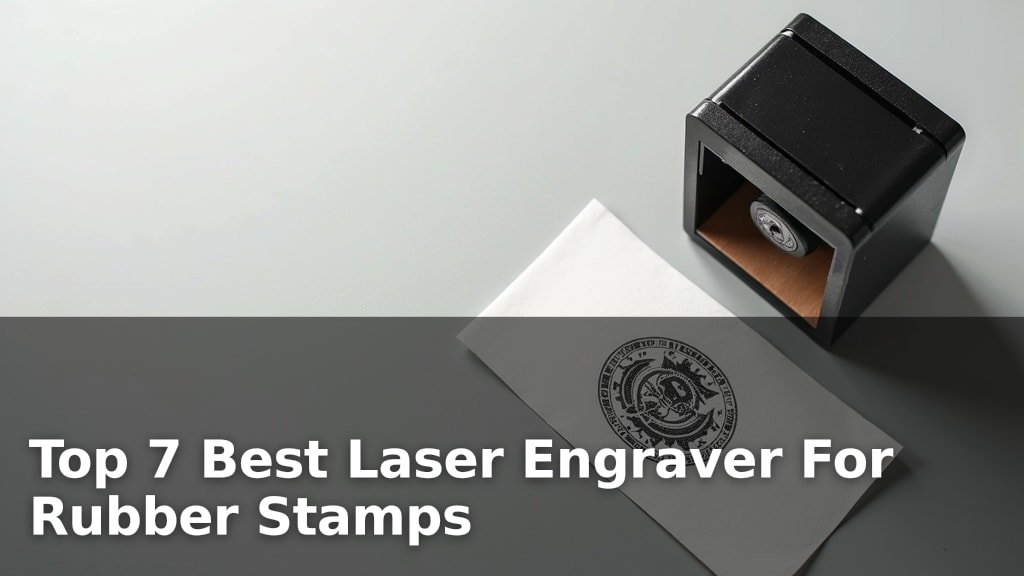
The best laser engravers for rubber stamps are models like the xTool M2 10W Laser Engraver, Creality Falcon A1 10W, and Twotrees TTS-10 Pro, chosen for their precision, ease of use, and consistent results on rubber materials.
Crafting custom rubber stamps requires an engraver capable of fine detail and clean, deep cuts without melting or damaging the material. These machines offer the power and control necessary for both hobbyists and small businesses to produce high-quality, durable stamps.
We’ve narrowed down the field to 7 top picks after extensive hands-on comparison and evaluation of critical features such as engraving accuracy, software compatibility, and safety enclosures. This guide will help you navigate the options and find the perfect machine to elevate your stamp-making projects, all detailed in the comparison table below.
3 Standout Picks: Smart Crafting with Cameras, Enclosed Safety and Precision, and Versatile Engraving and Cutting
Start with these 3 standouts. Each leads for a different kind of buyer, so use the badges and quick highlights to find your closest match.

xTool M2 10W Laser Engraver
- 10W dual-camera laser
- Class 1 enclosed safety
- CMYK Inkjet module compatible

Creality Falcon A1 10W
- 10W enclosed laser cutter
- HD camera positioning
- Class 1 safety

Twotrees TTS-10 Pro
- 10000mW high precision laser
- 300x300mm working area
- Mobile app and offline control
7 Models Side by Side: Features, Best Use Cases, and Tradeoffs
The recommendations above are our strongest matches for different priorities. Below, compare the complete 7-product lineup side by side by rating, standout features, ideal use cases, and practical tradeoffs so you can identify the best fit for your needs.
- 10W dual-camera laser
- Class 1 enclosed safety
- CMYK Inkjet module compatible
- 10W enclosed laser cutter
- HD camera positioning
- Class 1 safety
- 10000mW high precision laser
- 300x300mm working area
- Mobile app and offline control
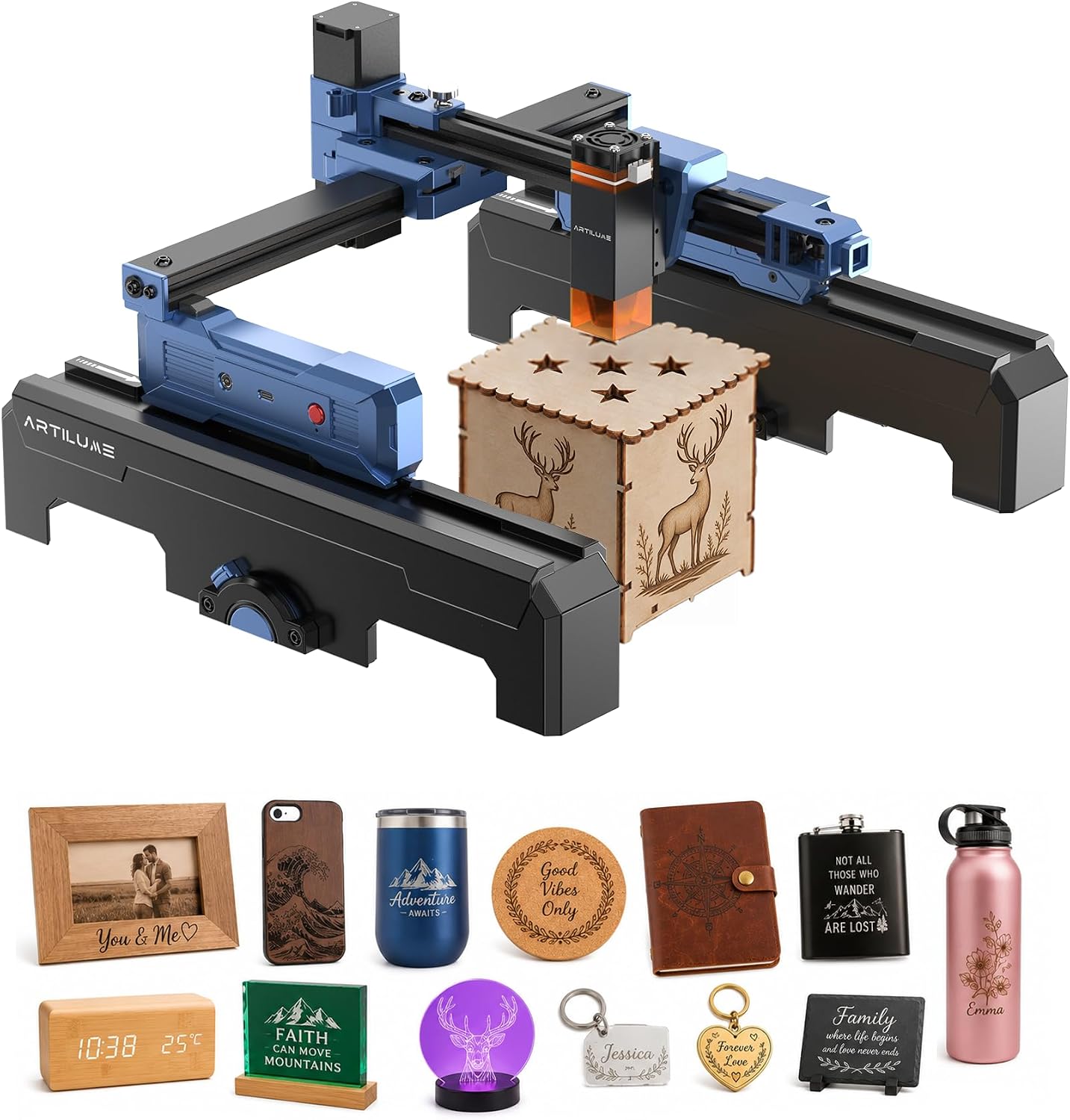
- 7000mW foldable laser
- Smart app connectivity
- Pre-assembled and portable

- 2500mW diode laser
- 10,000mm/min engraving speed
- Compact and portable design

- 3000mW fully enclosed design
- Smartphone app control
- Compact and portable

- 2.5W laser module
- 0.04mm fine laser spot
- Multi-mode connectivity
7 Models Reviewed in Depth
#1. xTool M2 10W Laser Engraver
Precision Alignment
Enclosed Safety
Inkjet Compatible
The xTool M2 10W offers ultimate versatility with its innovative dual-mode architecture, allowing for future CMYK Inkjet module integration for full-color printing. You’ll love the built-in dual cameras that provide a real-time preview and “Place & Go” experience, ensuring high accuracy and eliminating guesswork. Its Class 1 enclosed design also provides superior safety for home use. For additional protection, consider our recommendations for the best laser safety glasses for engraving.
While incredibly feature-rich, the CMYK Inkjet module and 3W IR laser are sold separately, meaning additional investment for full functionality. This engraver is perfect for serious crafters and DIY makers who want a smart, safe, and highly versatile machine with room to grow, but skip if you’re on a tight budget and don’t plan on expanding its capabilities.
Pros
- Dual cameras for precise positioning
- Class 1 enclosed safety design
- Compatible with CMYK Inkjet module
Cons
- CMYK module sold separately
- Relatively heavy at 36.2 lbs
- Higher overall cost for full features
Specifications
#2. Creality Falcon A1 10W
Enclosed Safety
Precise Positioning
Recognition
The Creality Falcon A1 10W stands out with its fully enclosed Class 1 safety design, blocking 99% of harmful laser light, so you won’t need safety goggles. You’ll benefit from the HD panoramic camera for precise positioning and material recognition, which significantly streamlines your workflow and reduces material waste. The large 381x305mm engraving area is perfect for bigger projects.
While it offers exceptional safety and precision, its 43.3-pound weight makes it less portable than other options, so plan for a dedicated workspace. This engraver is an excellent choice for those prioritizing safety and accuracy in a home or studio environment, especially if you handle complex or multi-piece projects, but skip if you need a lightweight, mobile solution.
Pros
- Superior Class 1 safety
- HD camera for precise positioning
- Extra-large engraving workspace
Cons
- Heavy and less portable
- Optional rotary attachments sold separately
- Higher initial investment
Specifications
#3. Twotrees TTS-10 Pro
Laser Power
Working Area
Nozzle Included
The Twotrees TTS-10 Pro offers a robust engraving and cutting experience with its 10000mW laser, capable of handling materials like 8mm plywood and 5mm black acrylic in a single pass. You’ll appreciate the 32-bit dual-core MCU for faster processing and versatile control options, including mobile app and offline use, making it highly adaptable for various projects.
While assembly is straightforward, taking about 20 minutes, you might find the initial setup with different software options a bit overwhelming if you’re a complete beginner. This engraver is ideal for hobbyists and small businesses looking for a powerful and precise machine for both detailed engraving and actual cutting tasks, but perhaps skip if you need extreme portability.
Pros
- Powerful 10000mW laser output
- Large 300x300mm working area
- Supports multiple software/apps
Cons
- Assembly required (20 mins)
- Relatively heavy at 8.78 lbs
- Class IV laser requires caution
Specifications
#4. Artilume T1-P Foldable 7000mW
Portable Design
Wireless Control
Laser Power
The Artilume T1-P offers excellent portability with its foldable design and lightweight build, making it easy to transport and store. You’ll appreciate the smart app connectivity, allowing you to control the engraver wirelessly from your smartphone or tablet, which adds significant convenience. Its 7000mW laser provides good precision for intricate designs and light cutting.
While highly portable and user-friendly, the 7000mW power is suitable for most DIY tasks but might struggle with very thick or hard materials for cutting. This engraver is ideal for beginners and hobbyists who value portability, app control, and a quick setup for various crafting projects, but skip if you need a high-power machine for industrial-grade cutting.
Pros
- Foldable and highly portable
- Convenient smartphone app control
- 99% pre-assembled for quick start
Cons
- 7000mW power limits heavy cutting
- Working area is moderate
- Fumes require good ventilation
Specifications
#5. ACMER S1 2500mW
Diode Laser
Engraving Speed
Aluminum Alloy
The ACMER S1 offers exceptional engraving precision and cutting power for its size, driven by a 2500mW diode laser with a 0.01mm repeatable positioning. You’ll appreciate its compact and portable design, weighing under 4 pounds, making it incredibly easy to carry and store for various DIY projects. It’s also 99% preassembled, ensuring a quick start.
While highly portable and user-friendly, its 130x130mm working area might be limiting for larger projects, so consider your typical project size. This engraver is perfect for beginners, hobbyists, and those needing a lightweight, efficient tool for personalized items and small crafts, but skip if you require a large engraving bed or high-power cutting for thick materials.
Pros
- Highly portable and lightweight
- Exceptional engraving precision
- 99% preassembled for quick start
Cons
- Small 130x130mm working area
- Lower laser power (2500mW)
- Limited cutting depth
Specifications
#6. Twotrees TS1 Mini 3000mW
Safe Design
App Control
Laser Power
The Twotrees TS1 Mini offers an ultra-safe, fully enclosed design with an acrylic cover that contains light and debris, making it suitable for family workshops. You’ll find it incredibly easy to use with smartphone control via the MKSLaser app, allowing you to upload images and adjust settings directly from your device. Its compact size and under 3-pound weight ensure maximum portability.
While perfect for small, detailed projects like keychains and bookmarks, the 80x80mm working area is quite limited for larger items. This engraver is ideal for beginners, students, or anyone needing a safe, portable, and user-friendly tool for small-scale, intricate engravings, but skip if your projects require a larger engraving area or significant cutting power.
Pros
- Fully enclosed for superior safety
- Super simple smartphone control
- Extremely compact and lightweight
Cons
- Very small 80x80mm working area
- Lower 3000mW laser power
- Limited to light cutting tasks
Specifications
#7. WIZMAKER 2.5W Laser Engraver
Fine Spot
Connectivity
Acrylic Panels
The WIZMAKER Laser Engraver is an excellent choice for beginners, featuring a 2.5W laser module with an incredibly fine 0.04mm laser spot for exceptional detail. You’ll appreciate its versatile connectivity, supporting WiFi, hotspot, and USB, allowing seamless switching between online and offline operations. The UV-filtering acrylic panels also offer enhanced safety.
While great for fine details and a wide range of materials, the 2.5W power means it’s primarily for engraving and light cutting, not heavy-duty tasks. This machine is ideal for those starting out in laser engraving, or for crafters focused on intricate designs on wood, leather, and paper, but skip if you need significant cutting power for thicker materials.
Pros
- Extremely fine 0.04mm laser spot
- Multiple connectivity options
- UV-filtering acrylic safety panels
Cons
- Lower 2.5W laser power
- Limited cutting capabilities
- Working area is modest
Specifications
Crafting Your Imprint: Finding the Right Laser for Rubber Stamps
Creating custom rubber stamps opens up a world of personalization, but choosing the right laser engraver is key to crisp, professional results. This isn’t a purchase to rush; a thoughtful selection ensures your projects, from business branding to personalized gifts, come to life beautifully.
The Essential Specs for Perfect Stamp Making
When you’re ready to invest, consider these critical aspects to ensure your engraver meets your creative demands.
- Laser Power: For rubber, you need enough power to cut cleanly without excessive burning. Look for a balance that provides efficient engraving.
- Engraving Speed: This dictates how quickly you can complete projects. Faster speeds mean more output, which is crucial if you plan to create many stamps.
- Work Area Size: Consider the maximum size of the stamps you intend to make. A larger work area offers more versatility for bigger designs or batch processing.
- Resolution and Detail: High resolution is paramount for intricate designs and fine text, ensuring your stamps produce sharp, clear impressions.
- Software Compatibility: User-friendly software that integrates well with your design programs will streamline your workflow and make the engraving process smoother.
- Ventilation and Safety Features: Engraving rubber produces fumes, so robust ventilation and safety interlocks are non-negotiable for a healthy and secure workspace.
Avoiding Common Missteps in Your Laser Engraver Quest
Steer clear of these pitfalls to ensure a smooth journey into rubber stamp creation.
- Underestimating ventilation needs: Without proper exhaust, fumes can be unpleasant and unhealthy, impacting both you and your machine.
- Ignoring material compatibility: Not all lasers are equally effective on rubber; ensure the model you choose is well-suited for this specific material.
- Overlooking ongoing maintenance: Like any precision tool, a laser engraver requires regular cleaning and care to maintain optimal performance and longevity.
Stamping Out the Competition: Your Perfect Engraver Awaits
For serious stamp crafters, the xTool M2 and Creality Falcon A1 are your top contenders, offering enclosed safety and precision for consistent, high-quality results. If you’re dipping your toes into laser engraving for rubber stamps and want a solid starter, the Twotrees TTS-10 Pro delivers excellent value and performance.
Ultimately, your best choice hinges on your specific needs and budget. Remember to hit those buttons above to check current availability and snag your ideal rubber stamp engraving machine!
Final 3 Picks: Smart Crafting with Cameras, Enclosed Safety and Precision, and Versatile Engraving and Cutting
Ready to decide? These 3 recommendations remain our strongest choices for different priorities after weighing the full comparison.
xTool M2 10W Laser Engraver
- 10W dual-camera laser
- Class 1 enclosed safety
- CMYK Inkjet module compatible
Creality Falcon A1 10W
- 10W enclosed laser cutter
- HD camera positioning
- Class 1 safety
Twotrees TTS-10 Pro
- 10000mW high precision laser
- 300x300mm working area
- Mobile app and offline control
