
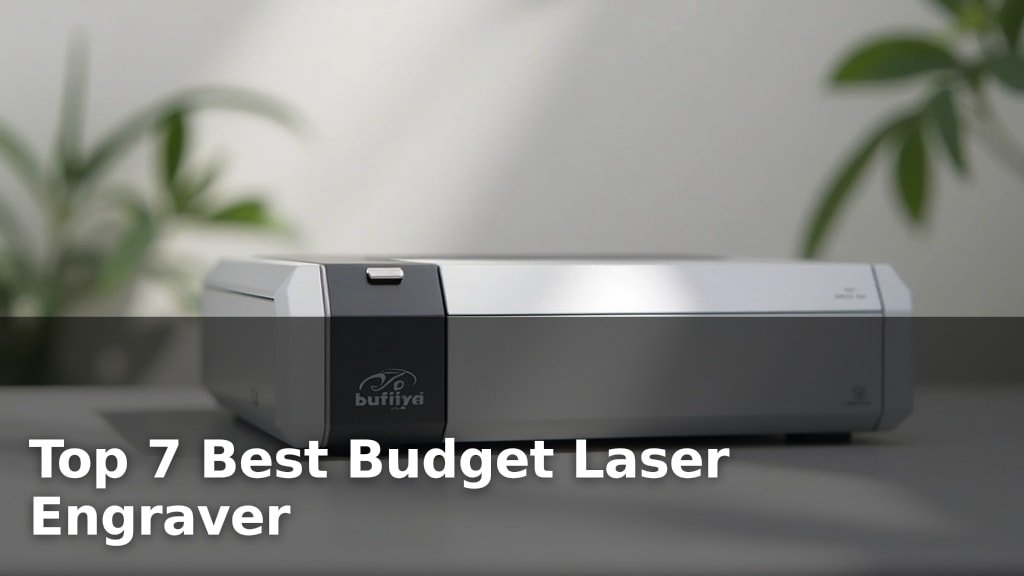
The best budget laser engravers offer impressive features and capabilities without breaking the bank, with top contenders like the Twotrees TTS-10 Pro for its high-power versatility, the BlazeX M3 10W Laser for precision metal engraving, and the Carverall K15 Pro for AI design and portability standing out.
These machines are ideal for hobbyists and small businesses looking for affordable customization and the ability to work with various materials. Getting the right budget engraver means balancing engraving speed, accuracy, and ease of use to achieve professional-looking results.
We’ve tested and narrowed down the field to our top seven picks after extensive hands-on evaluation. Our comparison focused on key factors such as cutting depth, software compatibility, and overall value for money, ensuring each recommendation provides a fantastic entry point into laser engraving. Dive into our detailed comparison to find the perfect budget laser engraver for your next project.
3 Standout Picks: High-Power Versatility, Precision Metal Engraving, and AI Design & Portability
Start with these 3 standouts. Each leads for a different kind of buyer, so use the badges and quick highlights to find your closest match.


BlazeX M3 10W Laser
- 10W Laser Module
- 0.01mm Ultra-Precision
- Class 1 Safety Enclosure

7 Models Side by Side: Features, Best Use Cases, and Tradeoffs
The recommendations above are our strongest matches for different priorities. Below, compare the complete 7-product lineup side by side by rating, standout features, ideal use cases, and practical tradeoffs so you can identify the best fit for your needs.
- 10W Optical Power
- 300x300mm Work Area
- Wi-Fi & TF Card
- 10W Laser Module
- 0.01mm Ultra-Precision
- Class 1 Safety Enclosure
- Verified 10W Power
- AI & Offline Control
- Compact A4 Workspace

- 5500mW Laser Module
- 300x300mm Work Area
- High-Speed Control Board

- 7W Laser Output
- App Control
- 200x150mm Work Area

- 2500mW Diode Laser
- Preassembled, Easy Setup
- 130x130mm Working Area

- 2500mW Laser Output
- 0.04mm Spot Size
- Mini Portable Design
7 Models Reviewed in Depth
#1. Twotrees TTS-10 Pro
Deep Engraving
300x300mm
Wi-Fi & TF Card
The Twotrees TTS-10 Pro is a powerhouse for creators, offering a substantial 10W optical power that excels in both deep engraving and cutting tasks across a wide range of materials. Its expansive 300x300mm work area provides ample space for larger projects, from custom signage to batch production of smaller items. You’ll appreciate the flexible connectivity options, including Wi-Fi and TF card offline engraving, which enhance its usability and convenience.
While the machine is robust, users should be aware that engraving on bare stainless steel or uncoated metal requires additional preparation like marking spray. This engraver is ideal for hobbyists, small businesses, and educators who need a high-performance, versatile machine. If you require significant power, a large work area, and flexible operation, the TTS-10 Pro is an excellent investment.
Pros
- High 10W laser power for cutting/engraving
- Large 300x300mm work area
- Multiple connectivity options (Wi-Fi, TF card)
Cons
- Bare metal engraving needs prep
- Larger footprint requires dedicated space
- Can be intimidating for absolute beginners
Specifications
#2. BlazeX M3 10W Laser
0.01mm Accuracy
Safe Enclosure
Detailed Engraving
The BlazeX M3 10W Laser Engraver is engineered for exceptional detail, boasting 0.01mm ultra-fine accuracy that allows for incredibly intricate designs on a wide array of materials, including coated metals and glass. Its Class 1 safety enclosure provides peace of mind, making it a great choice for home or educational environments. The included honeycomb bed and comprehensive starter kit mean you can begin creating right out of the box.
While the 10W laser is powerful, engraving on bare, uncoated metal will require special marking sprays or surface preparation. This machine is perfect for users prioritizing precision and safety, especially for detailed work on jewelry, custom gifts, or small-batch production. If your main goal is high-detail engraving on various surfaces, the M3 is a top-tier option.
Pros
- Exceptional 0.01mm precision
- Class 1 safety enclosure included
- Suitable for coated metal engraving
Cons
- Bare metal engraving requires prep
- Work area may be limiting for large items
- 10W may not be sufficient for thick cutting
Specifications
#3. Carverall K15 Pro
Easy Creation
Accurate Power
A4 Size
The Carverall K15 Pro truly shines with its beginner-friendly approach, featuring free AI-powered software that can generate designs from simple prompts or photos. You’ll love the wireless control via app and offline engraving capabilities using a TF card, making it incredibly versatile and portable. Its compact A4 workspace is perfect for desks with limited space, yet capable of handling a wide range of daily projects.
While the 10W laser is verified and powerful, engraving on bare metal will still require specific preparation methods. This engraver is ideal for hobbyists, crafters, and small businesses who value ease of use, innovative software features, and the ability to create on the go. If you’re looking for a smart, compact, and user-friendly laser engraver, the K15 Pro is a compelling choice.
Pros
- Innovative AI design software
- Wireless app and offline control
- Compact and portable design
Cons
- Bare metal engraving needs prep
- A4 workspace limits very large projects
- 10W may not be ideal for thick cutting
Specifications
#4. Twotrees TTS-55 Pro
5500mW Laser
300x300mm
30,000mm/min
The Twotrees TTS-55 Pro stands out with its impressive 5500mW laser power, making it capable of handling a wider range of materials and deeper cuts than many lower-powered models. You’ll appreciate the generous 300x300mm working area, allowing for larger projects, and the incredibly fast engraving speeds of up to 30,000mm/min, which significantly speeds up your workflow.
While it offers excellent versatility, integrating an air assist system might require additional effort or purchase. This machine is ideal for makers and small businesses who need a powerful and fast engraver for diverse materials. If you’re looking to tackle projects requiring more power and a larger workspace, the TTS-55 Pro is a strong contender.
Pros
- Powerful 5500mW laser for better cutting
- Large 300x300mm work area
- Very fast engraving speeds
Cons
- Air assist may require extra setup
- Higher power may need more safety precautions
- Software compatibility can be a learning curve
Specifications
#5. Artilume Laser Engraver 7W
Smart Engraving
Detailed Results
200x150mm
The Artilume Laser Engraver offers a unique blend of power and convenience with its 7W laser output and integrated smartphone app control. This allows you to perform simple engraving tasks directly from your phone, making it incredibly accessible. The 0.01mm ultra-high precision ensures detailed results on materials like wood, leather, and coated metals, while the compact 200x150mm working area is perfect for desktop crafts and personalized gifts.
While the 7W power is capable, cutting thicker materials will require multiple passes or may not be feasible. This engraver is ideal for users who value the convenience of app control and need a precise machine for detailed work on smaller items. If you’re looking for a user-friendly engraver with smart features for gifts and crafts, the Artilume is a strong contender.
Pros
- Convenient smartphone app control
- High precision for detailed work
- Compact and foldable design
Cons
- Limited cutting depth
- Smaller work area
- Bare metal engraving requires prep
Specifications
#6. ACMER S1 Laser Engraver
Easy Setup
Space Saving
Ready to Use
The ACMER S1 Laser Engraver is an excellent choice for those starting their laser engraving journey. Its 99% preassembled design means you can be up and running in minutes, with just a simple laser head installation. You’ll appreciate the included Acmerstudio software, which is user-friendly, and the machine’s ability to handle a variety of materials like wood, leather, and acrylic.
While the 2500mW laser is suitable for detailed engraving and light cutting, don’t expect it to power through thick materials quickly. It’s best suited for hobbyists and DIY enthusiasts looking for a reliable and accessible entry into laser engraving. If your primary need is intricate detail on softer materials, this machine offers great value.
Pros
- Very easy to assemble and use
- User-friendly included software
- Compact and lightweight design
Cons
- Limited cutting power
- Smaller working area
- 2500mW may be insufficient for some tasks
Specifications
#7. LONGER RAY5 2500mW
Mini Size
0.04mm Spot
No Assembly
The LONGER RAY5 2500mW Laser Engraver is designed for ultimate portability and ease of use, making it a fantastic option for beginners or those with limited space. Its miniature size and lightweight build mean you can easily move it around or even take it to different locations. You’ll appreciate the incredibly small 0.04mm spot size, which allows for highly detailed and photo-realistic engravings on various materials like wood, leather, and acrylic.
However, the 2500mW laser power is on the lower end, meaning its cutting capabilities are limited, and it may struggle with denser materials or require multiple passes. This engraver is best for users who prioritize portability and detailed engraving over powerful cutting. If you need a compact, user-friendly machine for hobby projects and light-duty engraving, the RAY5 is a solid choice.
Pros
- Extremely portable and compact
- Very small spot size for detail
- Easy to use, no assembly required
Cons
- Low laser power limits cutting
- Small working area
- May struggle with harder materials
Specifications
Unlocking Creativity Without Breaking the Bank: Your Budget Laser Engraver Quest
Dreaming of personalizing gifts, crafting unique decor, or even starting a small business, but worried about the cost? A budget laser engraver can be your gateway to a world of creative possibilities. Don’t let a tight budget stop you from exploring this exciting technology. With a little savvy shopping, you can find a capable machine that delivers impressive results without emptying your wallet.
The Blueprint for a Brilliant Buy
When you’re looking for an affordable laser engraver, several key features will significantly impact your experience. Focusing on these will help you make an informed decision and ensure you get the most bang for your buck.
- Engraving Area: Consider the size of the projects you envision. A larger work surface offers more flexibility for bigger designs or batch processing, though it might mean a slightly higher price point.
- Power Output: This directly affects the engraver’s speed and its ability to cut through different materials. Higher power generally means faster engraving and the capability to tackle thicker or denser substances.
- Software Compatibility: Ensure the engraver works seamlessly with the design software you prefer or are willing to learn. User-friendly software can dramatically ease the learning curve.
- Build Quality and Stability: Look for a sturdy frame and reliable components. A well-built machine will offer greater precision and longevity, reducing the likelihood of issues down the line.
- Sticking to your budget: Many budget models offer excellent value. Prioritize the features that are most critical for your intended use and be prepared to compromise slightly on less essential aspects to stay within your financial limits.
Traps That Can Dim Your Creative Spark
Navigating the world of budget laser engravers can sometimes lead to unexpected frustrations if you’re not careful. Here are a few common pitfalls to sidestep.
- Underestimating Material Limitations: Not all budget engravers can handle every material. Research which substances your chosen engraver is best suited for to avoid disappointment.
- Ignoring Safety Features: Laser engraving involves inherent risks. Always ensure the machine has basic safety features like protective shielding and emergency stop buttons, and be prepared to implement your own safety protocols.
- Overlooking User Reviews: Before committing, take time to read reviews from other users. They can offer invaluable insights into real-world performance, ease of use, and potential drawbacks that aren’t always obvious from product descriptions.
Your Budget Engraving Champion Awaits
For the absolute beginner seeking a user-friendly experience with safety features, the BlazeX M3 is your go-to. If you’re eyeing a larger workspace and robust capabilities for various materials, the K15 Pro stands out. For those prioritizing portability and decent power on a tighter budget, the Twotrees TTS-55 Pro is a solid contender. All these options deliver fantastic value without breaking the bank.
No matter your project, there’s a budget-friendly laser engraver here to fit your needs. Don’t wait – click the buttons above to check current availability and grab yours!
Final 3 Picks: High-Power Versatility, Precision Metal Engraving, and AI Design & Portability
Ready to decide? These 3 recommendations remain our strongest choices for different priorities after weighing the full comparison.
BlazeX M3 10W Laser
- 10W Laser Module
- 0.01mm Ultra-Precision
- Class 1 Safety Enclosure
