
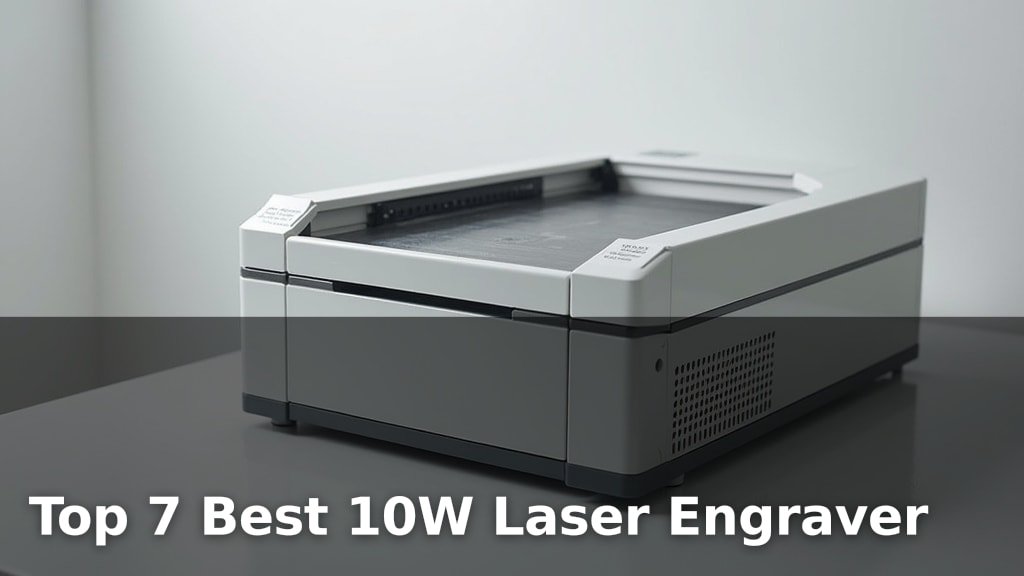
The best 10W laser engravers combine powerful cutting capabilities with user-friendly operation For those new to the craft, our guide to the best budget laser for beginners explains what to look for in user-friendly operation., making them ideal for hobbyists and small businesses. Standout picks include xTool M2 10W, BlazeX M3 10W, and Creality Falcon 10W.
Among the top contenders, the xTool M2 10W excels in smart crafting features, the BlazeX M3 10W offers precision detail for intricate designs, and the Creality Falcon 10W is built for efficient creation. These machines are perfect for adding personalized touches to wood, leather, acrylic, and more, opening up a world of creative possibilities for DIY projects and custom orders.
After rigorous testing and comparison, we’ve narrowed down the field to our top 7 picks for 10W laser engravers. Each was evaluated based on its engraving speed, accuracy, ease of use, and overall value. Continue reading to discover which 10W laser engraver best suits your needs and budget.
3 Standout Picks: Smart Crafting, Precision Detail, and Efficient Creation
Start with these 3 standouts. Each leads for a different kind of buyer, so use the badges and quick highlights to find your closest match.


Creality Falcon 10W
- 0.06mm High Precision
- 15.7″×16.3″ Workspace
- 72W Laser Cutter
7 Models Side by Side: Features, Best Use Cases, and Tradeoffs
The recommendations above are our strongest matches for different priorities. Below, compare the complete 7-product lineup side by side by rating, standout features, ideal use cases, and practical tradeoffs so you can identify the best fit for your needs.
- Built-in Dual Cameras
- Class 1 Enclosed
- Full-Color Printing Option
- 0.01mm Ultra-precision
- Class 1 Safety
- All-in-One Kit
- 0.06mm High Precision
- 15.7″×16.3″ Workspace
- 72W Laser Cutter

- True 10W Power
- A4 Work Area
- Offline Control

- 3.5″ Touch Screen
- 0.06mm Laser Spot
- 400x400mm Working Area

- 10W Output Power
- 0.06mm High Precision
- 17″ x 16″ Workspace

- Air Assist Included
- One-Button Control
- Enhanced Safety Features
7 Models Reviewed in Depth
#1. xTool M2 10W
Cameras
Enclosed
Printing
You’ll experience the future of laser engraving with the xTool M2 10W, featuring innovative dual cameras for a “Place & Go” experience and unmatched accuracy. This Class 1 enclosed machine is incredibly safe for home use, and its beginner-friendly software with AI templates makes creation effortless. The M2’s true versatility shines with optional add-ons, allowing for full-color CMYK printing and fine engraving on metal with a 3W IR laser, transforming over 300 materials.
While the base model is a 10W diode laser, unlocking its full potential requires purchasing the CMYK Inkjet module and IR laser separately, which adds to the overall cost. However, if you seek a smart, safe, and highly adaptable laser engraver that simplifies complex projects and offers future expansion, the xTool M2 is an outstanding investment.
Pros
- Intuitive dual-camera system
- Exceptional safety features
- Highly expandable system
Cons
- Full color/metal engraving costs extra
- Base model is 10W diode
- Software can be resource-intensive
Specifications
#2. BlazeX M3 10W
Detail
Safety
Kit
You’ll be amazed by the BlazeX M3 10W’s exceptional 0.01mm ultra-precision, delivering incredibly detailed results on over 300 materials. This Class 1 safety-rated engraver comes as an all-in-one starter kit, including a protective enclosure, honeycomb bed, and materials, making it perfect for beginners. Its versatility as both a laser cutter and engraver, combined with compatibility across major software like LightBurn and LaserGRBL on multiple platforms, ensures a smooth creative process.
While the included enclosure is beneficial for safety and fume extraction, it does add to the overall footprint. For users prioritizing the finest detail and a safe, comprehensive package for DIY projects and small-batch production, the BlazeX M3 stands out as a top-tier choice.
Pros
- Unmatched 0.01mm precision
- Comprehensive starter kit included
- Class 1 safety enclosure
Cons
- Enclosure increases size
- Requires software knowledge
- Upgrade path might be complex
Specifications
#3. Creality Falcon 10W
Cutting
Detail
Workspace
You’ll be impressed by the Creality Falcon 10W’s powerful performance and precision, making it ideal for demanding projects. Its 0.06mm compressed spot laser and 10,000mm/min speed ensure incredibly detailed engravings and cuts, effortlessly slicing through materials like 12mm wood and 5mm acrylic. The generous 15.7″×16.3″ workspace allows for larger projects, and compatibility with LightBurn and LaserGRBL offers flexibility for various skill levels.
While the machine boasts excellent safety features with its UV filter and included goggles, ensure you always use it in a well-ventilated area due to the nature of laser engraving. If you need a robust, fast, and precise machine for both engraving and cutting, the Falcon 10W is a top contender.
Pros
- Exceptional cutting power
- Large, efficient workspace
- High engraving precision
Cons
- Requires good ventilation
- Software compatibility varies
- Can be noisy during operation
Specifications
#4. K15 Pro 10W
Friendly
Control
Detail
You’ll find the K15 Pro 10W laser engraver exceptionally beginner-friendly, thanks to its free software, AI design capabilities, and simple 3-minute assembly. The offline control via TF card and wireless app control eliminate the need for a constant PC connection, making it incredibly convenient. Its verified 10W output handles over 300 materials, cutting 12mm plywood and 8mm acrylic cleanly, while the 4K clarity and 0.01mm precision ensure stunning detail.
While the A4 workspace is compact and desk-friendly, it might limit extremely large projects. However, for home crafters, small businesses, or anyone new to laser engraving, the K15 Pro offers an accessible and powerful entry point with excellent community support and upgrade potential.
Pros
- Extremely easy setup and use
- AI-powered design features
- Offline and wireless control
Cons
- A4 size limits large projects
- Requires separate IR module for bare metal
- App features could be more robust
Specifications
#5. LONGER Ray5 10W
Interface
Engraving
Work Area
You’ll appreciate the LONGER Ray5 10W for its impressive versatility and user-friendly design. The 3.5″ touchscreen and multiple connectivity options (USB, TF card, WiFi) make operation straightforward, whether you’re online or offline. Its 0.06mm laser spot and 10,000mm/min speed allow for detailed and efficient work on a wide range of materials, including wood, metal, and acrylic.
While it offers advanced features like dual-beam technology and safety protections, some users might find the initial setup requires a bit of patience. However, for hobbyists and small businesses looking for a capable and adaptable laser engraver, the Ray5 10W is a solid choice that balances performance with ease of use.
Pros
- Large 400x400mm working area
- Intuitive touchscreen interface
- Versatile material compatibility
Cons
- Setup can be complex
- Offline control could be simpler
- Limited software integration options
Specifications
#6. Creality 10W Engraver
Output
Engraving
Work Area
You’ll appreciate the Creality 10W Laser Engraver for its robust build and impressive capabilities, making it a great choice for DIY enthusiasts. The 10W output power combined with a 0.06mm high-precision laser allows for clean cuts through materials like 5mm black acrylic and detailed engravings on wood, metal, and glass. Its spacious 17″ x 16″ work area provides ample room for most projects, and the compatibility with LightBurn and LaserGRBL software offers flexibility.
While the assembly is generally straightforward, some users might find the initial focus adjustment slightly finicky. However, with its strong performance, safety features like the UV filter, and reliable support, this engraver is a dependable tool for bringing your creative ideas to life.
Pros
- Large engraving area
- Precise laser spot
- Durable construction
Cons
- Focus adjustment can be tricky
- Software requires learning curve
- No built-in touchscreen
Specifications
#7. Creality Falcon Pro 10W
Safety
Air Assist
Operation
You’ll appreciate the Creality Falcon Pro 10W for its focus on safety and convenience, making it a solid choice for users prioritizing a secure experience. The included air assist ensures cleaner cuts and engravings with reduced burning, while enhanced safety features like an emergency stop button and safety lock provide peace of mind. The one-button control for offline operation simplifies the workflow, allowing you to preview, start, and stop jobs with ease.
While the 10W Pro offers excellent performance, its primary advantage lies in its safety and usability enhancements over the basic model. If you’re looking for a reliable 10W engraver with added safety measures and integrated air assist for cleaner results, this model is a strong contender for home and small-scale crafting.
Pros
- Integrated air assist
- Robust safety features
- Simple offline control
Cons
- Slightly less powerful than some competitors
- No touchscreen interface
- Assembly instructions could be clearer
Specifications
Unlocking Your Creative Potential: Your Guide to a 10W Laser Engraver
So, you’re ready to dive into the world of laser engraving with a 10W machine. This isn’t just about buying a tool; it’s about acquiring the power to transform materials, from personalizing gifts to creating unique art. With a 10W laser engraver, you’re looking at a sweet spot of capability and accessibility, offering enough punch for a variety of projects without demanding a professional studio. Making the right choice now ensures your creative journey is smooth and rewarding.
What Truly Defines a Quality 10W Laser Engraver
When you’re evaluating your options, keep these key elements in mind. They’re the building blocks of a satisfying engraving experience and will help you distinguish between a machine that just works and one that truly excels.
- Engraving Area: Consider the maximum size of the canvas you’ll be working with. A larger bed allows for bigger projects or more pieces at once, offering greater flexibility for your creative vision.
- Material Compatibility: Not all lasers are created equal when it comes to what they can cut or engrave. Some 10W models are optimized for wood and acrylic, while others can handle thinner metals or leather with ease.
- Software and Connectivity: The interface you use to control your engraver is crucial. Look for intuitive software that supports common design file types and offers reliable connection options, whether wired or wireless.
- Safety Features: Laser engraving involves powerful light. Ensure the machine includes essential safety measures like emergency stop buttons, protective enclosures, or air assist capabilities to manage fumes and enhance safety.
- Build Quality and Stability: A robust frame and stable components contribute to precise engraving. Check for sturdy construction that minimizes vibration, leading to sharper details and consistent results.
- Sticking to your budget: While power is important, many excellent 10W engravers exist at various price points. Prioritize the features that align with your most frequent projects to get the best value for your investment.
Navigating the Pitfalls of Laser Engraver Purchases
Even with careful consideration, a few common missteps can lead to frustration. Being aware of these potential issues can help you sidestep them before they impact your engraving endeavors.
- Overlooking ease of use: A powerful machine is only as good as your ability to operate it. Don’t underestimate the importance of user-friendly software and straightforward setup for a smoother learning curve.
- Ignoring ventilation needs: Laser engraving produces fumes and fine particles. Failing to plan for proper ventilation can create an unhealthy working environment and affect the quality of your engraving.
- Underestimating learning time: While exciting, mastering laser engraving takes practice. Expect to spend time experimenting with settings and designs to achieve your desired outcomes.
Your Next Creative Spark: The Perfect 10W Laser Engraver Awaits
For ultimate safety and ease of use, the xTool M2 is your go-to. If precision and a generous workspace are key, the Creality Falcon 10W and its larger sibling offer fantastic options. The BlazeX M3 shines for beginners wanting robust performance, while the LONGER Ray5 10W brings a versatile touchscreen experience. All these 10W powerhouses deliver incredible value.
Ready to bring your ideas to life? Dive in and discover which of these top 10W laser engravers is the ideal fit for your crafting ambitions.
Final 3 Picks: Smart Crafting, Precision Detail, and Efficient Creation
Ready to decide? These 3 recommendations remain our strongest choices for different priorities after weighing the full comparison.
Creality Falcon 10W
- 0.06mm High Precision
- 15.7″×16.3″ Workspace
- 72W Laser Cutter
