
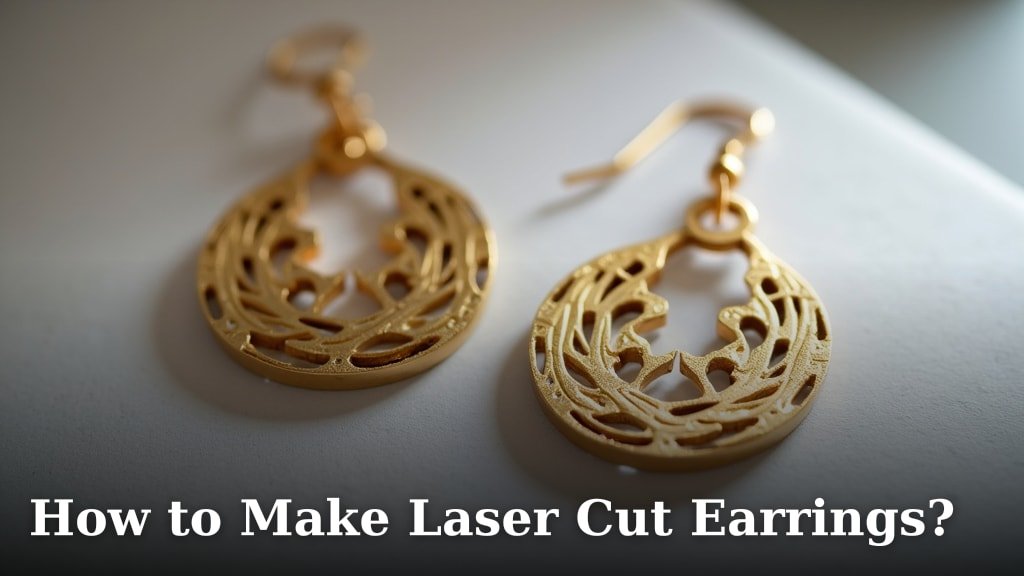
Making your own laser cut earrings is totally doable and a fun way to get creative. You can create unique designs that stand out without needing a huge budget or advanced skills. It’s a rewarding craft that lets you express your personal style through custom jewelry.
This popular crafting method allows for incredible detail and precision. You can work with a variety of materials, from wood to acrylics, opening up endless possibilities for your jewelry creations. Many crafters discover that laser cutting is surprisingly accessible for creating professional-looking pieces at home.
- Laser cut earrings offer customization.
- You can use different materials for varied looks.
- It’s a beginner-friendly way to create unique jewelry.
- Achieve precise and detailed designs easily.
Ready to bring your earring ideas to life? Let’s walk through exactly how to make your own beautiful laser cut earrings step by step.
Creating Your Own Laser Cut Earrings
Making laser cut earrings at home is a fun and accessible craft. You can create unique jewelry with professional-looking results. This guide will walk you through the process step by step.
Getting Started with Your Laser Cutter
Before you can make earrings, you need access to a laser cutter. You might own one, or you can use a local makerspace or online service. Many services let you upload your designs and they’ll cut them for you.
Understanding Laser Cutter Basics
Laser cutters work by directing a powerful laser beam onto a material. This beam precisely cuts or engraves your design. Think of it like a super-powered, very accurate hot knife. You control the laser’s power, speed, and focus to get different results.
Choosing Your Material Wisely
The material you choose affects the look and feel of your earrings. Popular options include:
- Wood: Offers a natural, rustic charm. Plywoods like Baltic Birch are common.
- Acrylic: Comes in a huge range of colors and finishes (glossy, matte, glitter).
- Leather: Creates a soft, flexible earring.
- Paper/Cardstock: Good for very lightweight, delicate designs.
Always check the laser cutter’s compatibility with your chosen material. Some materials can produce harmful fumes when lasered. Always research safety data sheets for the material you plan to use.
Safety First with Laser Cutting
Laser cutters are powerful tools. Always follow safety guidelines. Never leave the machine unattended while it’s running. Ensure good ventilation to remove any smoke or fumes produced. Wear safety glasses designed for laser use to protect your eyes from stray reflections.
Designing Your Earring Patterns
Your design is key to amazing earrings. You can create your own designs from scratch or adapt existing graphics. The detail you can achieve with a laser cutter is incredible.
Design Software Options
You’ll need software to create or edit your designs. Many programs work well:
- Vector Graphics Software: Programs like Adobe Illustrator, Inkscape (free), or Affinity Designer are ideal. They create designs using mathematical paths, which lasers follow perfectly.
- CAD Software: Computer-Aided Design software like Fusion 360 or TinkerCAD can also be used.
- Online Design Tools: Some laser cutting services offer simple online design tools.
For earring designs, you’ll typically be working with lines and shapes. Think about the size of your earrings and how they will hang. Most laser cutters work with files like SVG, AI, DXF, or PDF. These vector formats ensure clean cuts.
Tips for Designing Earring Shapes
Keep your design simple for your first few projects. Consider the earring finding placement. You’ll need a small hole or loop to attach jump rings and ear hooks. Ensure your design is symmetrical if that’s the look you want. Also, think about the overall weight of the earring. Very large or thick pieces might be too heavy to wear comfortably.
Preparing Your Design for the Laser Cutter
Once your design is ready, you need to prepare it for the laser cutter software. This usually involves setting line colors for different actions.
Understanding Cut vs. Engrave Settings
Laser cutter software allows you to assign actions to different colors in your design. A common practice is:
- Red lines: Typically set for cutting through the material.
- Black lines: Often used for engraving (scoring the surface).
You’ll need to know the correct settings for your specific material and laser cutter. This usually involves a combination of power and speed. For example, cutting thicker wood requires more power and slower speed than engraving a light mark on acrylic.
Exporting Your Design File
Save your design in a format the laser cutter software understands. SVG files are excellent because they preserve vector data. If you’re using an online service, they will usually specify which file types they accept.
Operating the Laser Cutter
This is where your design comes to life! The exact steps can vary based on your machine, but the general process is similar.
Setting Up the Laser Cutter
Ensure the laser cutter is clean and the lens is free of debris. Place your material flat on the laser cutter bed. Secure the material if necessary, especially if it’s thin or prone to warping. Focus the laser beam according to the manufacturer’s instructions. This is a critical step for a clean cut.
Loading Your Design and Settings
Import your design file into the laser cutter’s software. Assign the correct cut and engrave settings for your material. It’s a good idea to do a small test cut on a scrap piece of your material first. This helps you fine-tune the settings without wasting a larger piece.
Running the Laser Cutting Job
Once everything is set, start the laser cutting job. The machine will begin cutting and engraving your earring designs. Stay nearby and monitor the process, especially for the first few times. You want to ensure it’s cutting correctly and there are no unexpected issues.
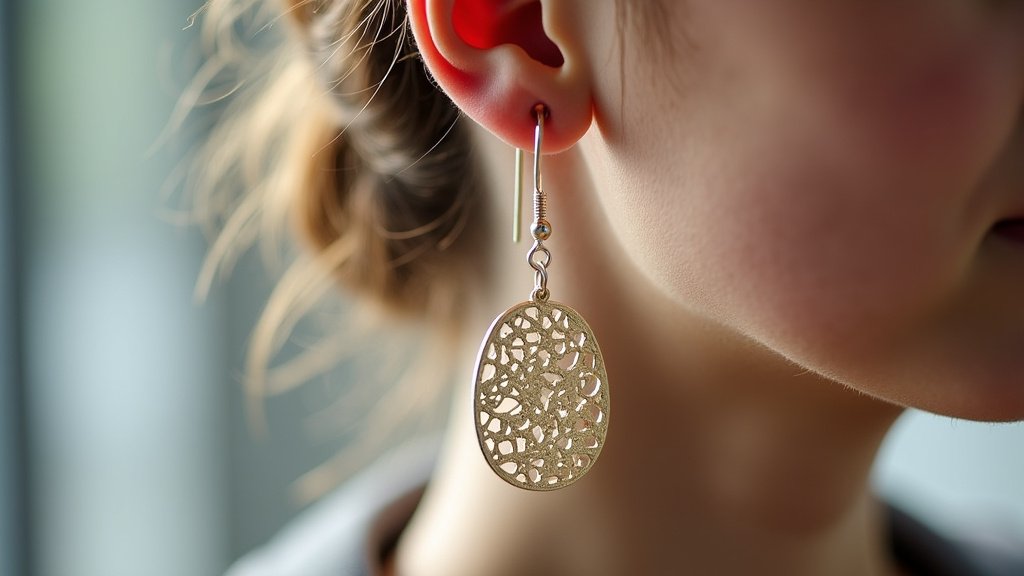
Finishing Your Laser Cut Earrings
After the laser has finished its work, you’ll have your earring pieces. Now it’s time for the final touches.
Removing and Cleaning Your Pieces
Carefully remove your cut pieces from the laser bed. Some materials might have a slight residue or smell. You can often wipe them clean with a damp cloth or a mild cleaner appropriate for the material. For wood, light sanding might be needed to smooth any rough edges. For acrylic, a plastic cleaner is best.
Assembling Your Earrings
This is the fun part! You’ll need basic jewelry-making findings:
- Jump Rings: Small metal rings to connect parts.
- Earring Hooks or Posts: The part that goes through your ear.
- Pliers: Two pairs are usually best for opening and closing jump rings.
Use your pliers to open a jump ring. Attach it through the hole in your laser cut piece. Then, attach the ear hook or post to the same jump ring. Close the jump ring securely. Repeat for the second earring.
Adding Embellishments
Want to add extra flair? You can glue on small rhinestones, paint sections of your earrings, or add tassels. Many crafters enjoy experimenting with different embellishments to make their designs truly one-of-a-kind.
A Quick Checklist for Your First Pair
To recap, here’s what you’ll need to keep in mind:
- Choose your material and understand its properties.
- Design your pattern in vector software.
- Prepare your file with clear cut and engrave lines.
- Know your laser cutter’s safety procedures.
- Test your settings on scrap material.
- Assemble with appropriate jewelry findings.
Conclusion
You’ve learned how to bring your unique earring visions to life using a laser cutter! From choosing the right material to mastering design software and final assembly, the process is achievable and incredibly rewarding. You can now create stunning, personalized jewelry that perfectly reflects your style. Don’t be afraid to experiment with different designs and materials. Your next beautiful pair of earrings is just a laser cut away!
Frequently Asked Questions
What if I don’t own a laser cutter?
No problem at all! You can still make laser cut earrings by using a local makerspace or an online laser cutting service. Many of these services allow you to upload your own designs and they’ll do the cutting for you.
How do I know which laser settings to use for different materials?
Settings depend heavily on your specific laser cutter and the material’s thickness and type. It’s always best to consult your laser cutter’s manual and perform test cuts on scrap pieces of your material first to find the optimal power and speed.
Can I use any kind of acrylic for laser cutting earrings?
Generally, yes, but you should avoid PVC-based plastics as they can produce toxic fumes when lasered. Cast acrylics and extruded acrylics in various colors and finishes are excellent choices for earring designs.
My laser cut wood pieces have a slightly burnt edge. How can I fix this?
A little charring is common with wood. You can easily clean this up with a gentle scrub using a damp cloth and a bit of mild soap, or by very lightly sanding the edges with fine-grit sandpaper once the pieces are cool.
What’s the best way to make sure my earring holes are in the right place?
When designing, make sure to add small circles or holes where you want your jump rings to attach. These should be sized appropriately for your jump rings and placed strategically so the earring hangs correctly.
