
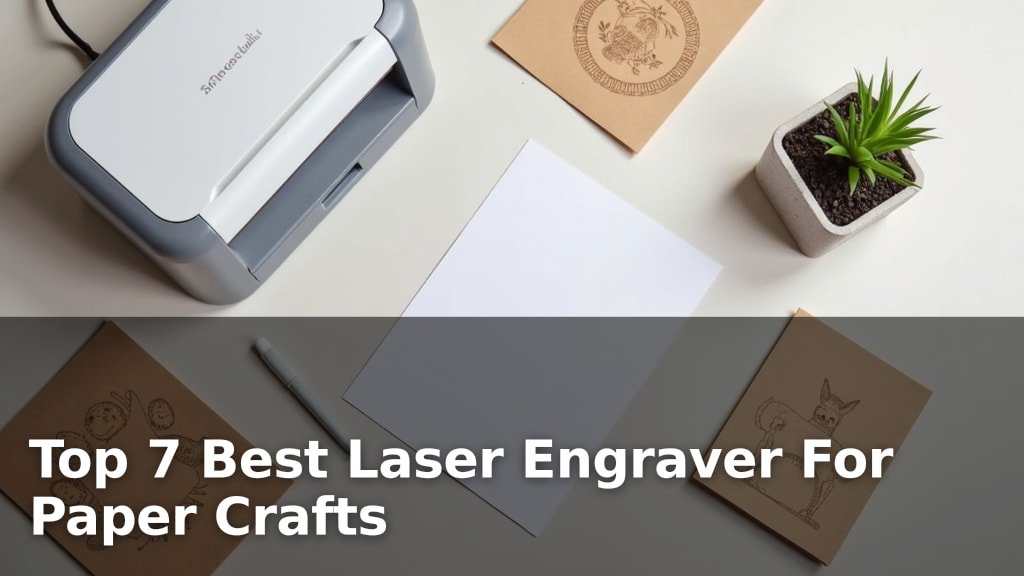
The best laser engravers for paper crafts are the xTool M2 20W and the xTool M2 10W, chosen for their precision, ease of use, and ability to handle detailed designs.
Laser engraving opens up a world of possibilities for paper crafters, allowing for intricate cuts, stunning textures, and personalized embellishments that go far beyond traditional methods. Whether you’re creating custom invitations, unique scrapbooking elements, or delicate paper art, the right machine can elevate your projects to a professional level.
After extensive testing, we’ve narrowed down the field to seven top-performing laser engravers, evaluating each on factors like engraving quality, material compatibility, and user-friendliness. We considered machines suitable for both hobbyists and more experienced crafters, ensuring a range of options to suit different needs and skill levels. Below, you’ll find our detailed comparison of the best laser engravers for your paper crafting endeavors.
3 Standout Picks: Advanced Paper Projects, High-Power Paper Crafts, and Full-Color Paper Crafts
Start with these 3 standouts. Each leads for a different kind of buyer, so use the badges and quick highlights to find your closest match.


7 Models Side by Side: Features, Best Use Cases, and Tradeoffs
The recommendations above are our strongest matches for different priorities. Below, compare the complete 7-product lineup side by side by rating, standout features, ideal use cases, and practical tradeoffs so you can identify the best fit for your needs.
- 20W Laser Power
- Dual Cameras
- CMYK Inkjet Printer
- 20W Laser Power
- Dual Cameras
- Class 1 Enclosed
- CMYK Inkjet Printer
- Dual Cameras
- Class 1 Enclosed

- Dual Cameras
- Class 1 Enclosed
- Beginner Software

- Foldable Design
- App Control
- 7W Laser Power

- 7000mW Laser
- Foldable Design
- App Control

- 3500mW Laser
- Preassembled
- 0.01mm Precision
7 Models Reviewed in Depth
#1. xTool M2 20W
High Power
Inkjet Printer
Camera Vision
The xTool M2 20W stands out for its combination of high laser power and integrated CMYK inkjet printing, making it exceptionally versatile for complex paper crafts. You can achieve faster, deeper cuts with the 20W laser and add stunning full-color graphics seamlessly, all within a safe, enclosed Class 1 environment.
This model is ideal if you’re looking to push the boundaries of paper crafting with both intricate laser work and vibrant printed designs. While it represents a significant investment, the all-in-one functionality and robust performance justify the cost for serious creators aiming for professional-quality results.
Pros
- Powerful 20W laser
- Seamless color printing
- Advanced safety features
Cons
- Premium price point
- Requires ample space
- Learning curve for advanced features
Specifications
#2. xTool M2 20W
Laser Power
Inkjet Printing
Enclosed Safety
The xTool M2 20W is a powerhouse for paper crafters, offering significantly more cutting capability than its 10W counterpart. This higher power allows for faster cutting and the ability to handle slightly thicker materials with ease, while still maintaining the impressive features like dual cameras and a Class 1 enclosure.
You’ll find the integrated CMYK inkjet printer incredibly useful for adding vibrant, full-color designs directly to your paper crafts. While it’s a premium option, the increased power and versatility make it an excellent investment for serious hobbyists and small businesses focused on detailed, colorful paper projects.
Pros
- Faster cutting speeds
- Handles thicker materials
- Full-color printing integration
Cons
- Higher cost
- May be overkill for simple tasks
- Larger footprint
Specifications
#3. xTool M2 10W
Inkjet Printing
Camera System
Enclosed Safety
The xTool M2 10W is an impressive all-in-one machine for paper crafters, especially if you want to incorporate full-color printing directly into your laser projects. Its integrated CMYK inkjet printer and dual cameras make for a seamless workflow, allowing for precise placement and vibrant designs.
You’ll appreciate the Class 1 enclosure for safety and the beginner-friendly xTool Studio software. While it excels at paper, cardstock, and felt, consider if the 10W laser is sufficient for your needs beyond lighter materials. It’s a fantastic choice for detailed, colorful creations.
Pros
- Integrated full-color printing
- Smart dual-camera system
- Beginner-friendly software
Cons
- 10W laser may limit thicker materials
- Inkjet module is key for color
- Higher price point
Specifications
#4. xTool M2 Basic
Camera System
Enclosed Safety
Friendly Software
The xTool M2 Basic offers a robust laser engraving experience with its smart dual-camera system and Class 1 safety enclosure, making it a great choice for home crafters. The “Place & Go” feature simplifies material positioning, and the included xTool Studio software is intuitive for beginners.
While this model doesn’t include the CMYK inkjet module, it can be added later, allowing for future upgrades to full-color printing. If you prioritize precise laser work on paper, cardstock, and other craft materials without immediate need for color printing, this is a solid, safe option.
Pros
- Accurate positioning with dual cameras
- Safe, enclosed design
- Expandable with inkjet module
Cons
- Inkjet module not included
- Requires software for advanced use
- Can be pricey
Specifications
#5. Artilume T1-P
Portable Design
Phone Control
Laser Module
The Artilume T1-P is designed for ultimate portability, featuring a unique foldable structure that makes it incredibly easy to store and transport. You can control it directly from your phone via a dedicated app, which is perfect for quick projects or when a computer isn’t readily available. The 7W laser is capable of detailed engraving and light cutting on paper and similar craft materials.
While its portability and app control are major advantages, the 7W laser might struggle with thicker materials or require multiple passes for deeper cuts. It’s an excellent choice for crafters who need a compact, user-friendly engraver for on-the-go projects or small workspaces, but perhaps not for heavy-duty cutting.
Pros
- Highly portable and foldable
- Convenient app control
- Space-saving design
Cons
- Limited cutting power
- Smaller working area
- App features may be basic
Specifications
#6. Artilume T1
Space Saving
Wireless Control
Laser Power
The Artilume T1 offers a compelling blend of portability and functionality for paper crafters. Its standout feature is the foldable design, making it exceptionally easy to store and move, perfect for small studios or shared maker spaces. You can conveniently control it via a smartphone app or traditional desktop software like LightBurn.
While the 7W laser is suitable for detailed engraving on paper and cardstock, don’t expect it to power through thick materials quickly. It’s a great entry-level option for hobbyists who value space-saving design and wireless control, but those needing high-speed or heavy-duty cutting might need to look elsewhere.
Pros
- Extremely portable and foldable
- Wireless app control
- Good for light materials
Cons
- Limited cutting power
- Smaller work area
- App functionality basic
Specifications
#7. TOIREISX Z1
Friendly Setup
Laser Power
Quick Start
The TOIREISX Z1 is a user-friendly laser engraver designed for beginners tackling paper crafts and similar DIY projects. It arrives almost fully assembled, with just a quick laser head installation, and includes eye protection for enhanced safety. The 3500mW laser offers decent precision for detailed work on materials like paper, leather, and wood.
While it’s a good starting point, the 3500mW laser power is on the lower end, meaning cutting capabilities will be limited, especially for denser materials. If you’re looking for an affordable, easy-to-set-up engraver primarily for etching and light cutting on paper, this is a solid choice, but manage expectations regarding power.
Pros
- Very easy setup
- Good for beginners
- Affordable price point
Cons
- Lower laser power
- Limited cutting ability
- Smaller work area
Specifications
Etch Your Vision: Finding the Perfect Laser Engraver for Paper Crafts
Embarking on paper crafts with a laser engraver opens a world of intricate detail and professional finishes. From delicate lace patterns to personalized stationery, the precision of a laser can elevate your projects beyond what scissors and blades can achieve. Choosing the right machine, however, involves more than just picking the shiniest model; it requires understanding how its capabilities align with your creative ambitions and practical needs.
The Precision Palette: Key Features for Paper Artisans
When selecting a laser engraver for your paper crafting endeavors, several core elements deserve your keen attention. These factors will directly influence the quality of your results and the ease of your workflow.
- Engraving Area Size: Consider the maximum dimensions of the materials you typically work with. A larger bed offers more flexibility for bigger projects or for arranging multiple smaller items efficiently.
- Power Output: The laser’s wattage affects its ability to cut through different paper thicknesses and its engraving speed. Higher power can handle denser materials and cut faster, but may require more delicate control for very thin papers.
- Resolution and Accuracy: For fine details and crisp lines crucial in paper crafts, look for a machine with high resolution and precise movement. This ensures your designs are rendered with the sharpness they deserve.
- Software Compatibility and Ease of Use: The accompanying software is your interface with the machine. Ensure it’s intuitive for your skill level and compatible with the design programs you already use.
- Safety Features: Laser engraving involves powerful light sources. Prioritize machines with built-in safety mechanisms like enclosed designs, emergency stop buttons, and proper ventilation to protect yourself and your workspace. Prioritize machines with built-in safety mechanisms like enclosed designs, emergency stop buttons, and proper ventilation, and consider purchasing laser safety glasses.
Navigating the Nuances: Common Shopper Stumbles
Steering clear of common missteps can save you time, money, and creative frustration. Be mindful of these potential pitfalls as you shop.
- Overlooking Material Limitations: Not all lasers are equally adept at handling various paper types. Researching specific paper densities and textures against a machine’s capabilities is vital.
- Underestimating Ventilation Needs: Laser engraving, even on paper, can produce fumes and fine dust. Failing to plan for adequate ventilation can lead to a less-than-ideal working environment.
- Ignoring Post-Purchase Support: A responsive customer service team and readily available documentation can be invaluable when you encounter technical questions or need troubleshooting assistance.
Your Paper Crafting Laser Engraver Awaits!
For intricate designs on paper, the xTool M2 series, particularly the 20W model, stands out for its color printing capabilities and precise engraving. If portability and a strong laser are your priorities, the Artilume T1-P or the similar T1 Foldable Laser Engraver offer excellent power. For smaller projects and budget-conscious crafters, the TOIREISX Z1 delivers impressive detail.
No matter which you choose, these machines are ready to elevate your paper crafting game. Don’t wait – hit those buttons to check current availability and start creating!
Final 3 Picks: Advanced Paper Projects, High-Power Paper Crafts, and Full-Color Paper Crafts
Ready to decide? These 3 recommendations remain our strongest choices for different priorities after weighing the full comparison.
