
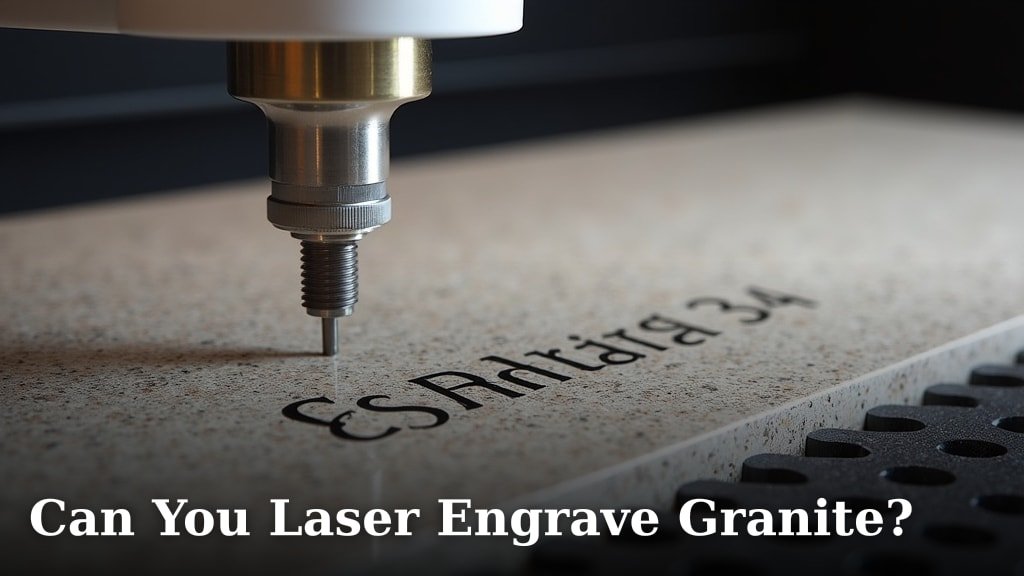
Yes, you can laser engrave granite, but it’s not as simple as engraving wood. Laser engraving granite requires a Our guide to laser engraving granite tiles covers settings and pro tips.powerful CO2 laser and careful calibration. The intense heat of the laser vaporizes a tiny amount of the granite surface, creating your design. It’s a fantastic way to add permanent, high-detail personalization to this durable stone.
Many people wonder if granite is too tough for laser engraving. While it’s one of the hardest natural stones, research shows it responds well to the right laser settings. You’ll often see this technique used for memorial markers, custom tiles, and decorative pieces. Getting the correct power and speed is key to achieving clean results without damaging the laser or the stone.
- Laser engraving granite is possible with the right equipment.
- You’ll need a powerful CO2 laser and precise settings.
- The process involves vaporizing a small amount of the stone.
- It’s great for memorials, tiles, and custom decor.
- Calibration is crucial for best results.
Ready to see how it’s done? Let’s walk through the key considerations and what you’ll need to successfully laser engrave granite.
“`htmlExploring Laser Engraving on Granite Surfaces
You’re probably wondering if your powerful laser engraver can handle a material as tough as granite. The answer is a resounding yes, with the right approach! Granite might seem like an impossible material for laser engraving. It’s known for its incredible hardness and durability. However, research confirms that with the proper setup, you can achieve beautiful, permanent markings on this stone.
Think of it like this: even the toughest materials can be transformed with the right tools and techniques. Laser engraving granite uses a high-powered laser to vaporize a microscopic layer of the stone’s surface. This creates your design by altering the color and texture of the granite. It’s not about cutting through it, but rather making a precise mark. This method is perfect for creating lasting impressions.
What You’ll Need for Granite Engraving
Before you dive in, let’s make sure you have the right equipment. Granite is a dense material. It requires a laser that can deliver enough power to make an impact. This isn’t a job for a low-wattage hobby laser. You’ll need a machine with some serious muscle.
The Right Laser Machine
For laser engraving granite, you’ll generally need a high-power CO2 laser engraver. We’re talking about lasers typically rated at 80 watts or higher. Lower-powered machines might struggle to create a visible mark. They could even overheat or get damaged trying. Many laser enthusiasts have found success with machines in the 100-150 watt range. This gives you enough power for effective engraving.
Ventilation is Non-Negotiable
When you vaporize granite, you create dust and fumes. Proper ventilation is absolutely essential for your safety. You need a robust exhaust system to carry away these particles. This protects your lungs and keeps your laser equipment clean. Always ensure your workspace is well-ventilated. Consult your laser manufacturer’s guidelines on ventilation requirements.
Focusing Lens and Air Assist
The focusing lens on your laser plays a big role. A standard 2-inch focal length lens is often recommended for granite. This helps concentrate the laser beam effectively. An air assist system is also critical. It blows a steady stream of air onto the engraving area. This cools the surface and blows away debris. It helps produce cleaner results and prevents soot buildup.
Material Preparation
You’ll want to start with a clean piece of granite. Any dirt or oils can interfere with the engraving process. Wiping it down with a lint-free cloth and some isopropyl alcohol usually does the trick. This ensures a clean surface for your laser to work on.
Understanding the Laser Engraving Process on Granite
Engraving granite isn’t quite like engraving wood or acrylic. The process is a bit different, and the results can vary depending on the type of granite. You’re essentially altering the surface, not melting or vaporizing it entirely.
How the Laser Interacts with Granite
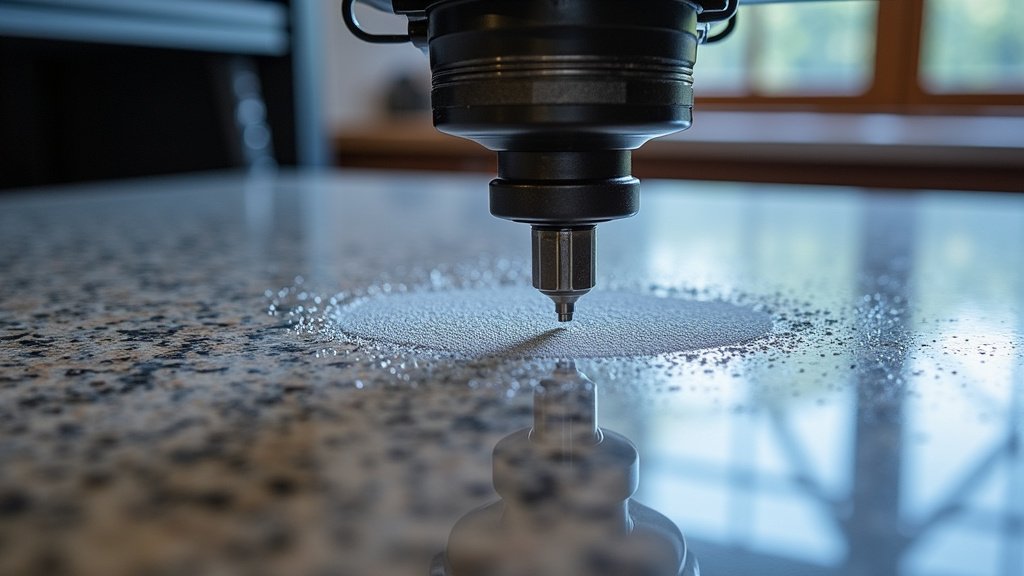
When the high-powered laser beam hits the granite, it heats the surface very rapidly. This intense heat causes a microscopic amount of the material to sublimate or vaporize. It also causes a chemical reaction in some granites. This reaction changes the color of the stone where the laser has passed. The result is a marked area that appears lighter or darker than the surrounding stone.
Color Variations and Etching Depth
The color of the resulting engraving depends heavily on the mineral composition of the granite. Darker granites often produce lighter, more visible etchings. This is because the laser beam might cause a chemical reaction that whitens the surface. Lighter granites might show a darker or more subtle mark. The depth of the engraving is typically very shallow. You’re only removing a tiny fraction of a millimeter from the surface. This makes the engraving durable and resistant to wear.
Choosing the Right Granite for Engraving
Not all granites are created equal when it comes to laser engraving. Some types engrave more cleanly and with higher contrast than others. Generally, darker, more uniformly colored granites tend to yield the best results. Granites with a lot of quartz or feldspar can engrave well. Very dark, almost black granites can be tricky. They might not show enough contrast. Very light, speckled granites can also be challenging to get a clear mark on.
Testing is Key
It’s always a good idea to test your settings on a scrap piece of granite before tackling your main project. This allows you to experiment with different power levels, speeds, and resolutions. You can see how your specific laser interacts with that particular stone. Different manufacturers even have slightly different compositions. What works for one brand might need adjustment for another.
Optimizing Laser Settings for Granite
Finding the sweet spot for your laser settings is essential for successful granite engraving. This is where calibration really shines. Too much power, and you risk damaging your laser or the granite. Too little power, and you won’t get a clear mark. Speed and resolution also play a big part.
Power, Speed, and DPI
We found that a common starting point for granite engraving involves using high power and a relatively slow speed. For a 100-watt laser, you might start with 50-70% power. Your speed could be around 100-200 mm/s. The Dots Per Inch (DPI) setting also matters. A higher DPI can create finer detail but takes longer. A lower DPI might be faster but results in a coarser look. Many experts suggest a DPI between 300 and 600 for granite.
Common Settings Range (Example)
Here’s a general idea of settings you might see, but remember, these are just starting points:
| Setting | Typical Range for Granite (100W Laser) |
|---|---|
| Power | 50-70% |
| Speed | 100-200 mm/s |
| DPI (Dots Per Inch) | 300-600 |
| Focus Offset | Slightly above standard focal length (e.g., +0.5mm to +1.5mm) |
Note: Always adjust your focus. Granite is often thicker than your standard material. You might need to adjust your focus offset slightly. This is typically a small positive number, meaning you’re focusing slightly above the material’s surface.
The Importance of Test Engraves
This cannot be stressed enough: perform test engraves. Use a small scrap piece of the exact granite you plan to use. Create a test pattern with various power and speed combinations. Also, test different DPI settings. This iterative process will help you dial in the perfect settings. You’ll see what looks best for contrast and detail. What looks good on one piece of granite might be too faint or too aggressive on another.
Designing for Granite Engraving
Your design choices can make a big difference in how well they engrave on granite. Some designs translate better than others.
High Contrast and Bold Designs
Designs with strong contrast and clear lines tend to work best. Intricate details with very fine lines can sometimes get lost. This is especially true if the granite has a busy pattern. Think about what will stand out on the stone’s natural texture. Simple logos, bold text, and clear graphics are often excellent choices.
Vector vs. Raster Engraving
For granite, raster engraving is almost always the method you’ll use. This is similar to how an inkjet printer works, moving the laser back and forth line by line. Vector engraving, which follows lines and curves, is generally not suitable for creating a surface mark on stone. Raster engraving allows you to fill areas with dots, creating shaded effects and depth.
File Types and Resolution
You’ll typically use bitmap images (like JPEGs or PNGs) for raster engraving. Ensure your image has a high resolution. A resolution of 300 DPI or higher is usually recommended for your source file. This helps ensure crisp details in the final engraving.
Post-Engraving Care and Finishing
Once your laser has finished its work, there are a few steps to take. These will help protect your engraving and make it pop.
Cleaning Up the Engraved Area
After engraving, there will likely be some fine dust residue. Gently clean the engraved area with a soft brush or a damp cloth. Avoid using abrasive cleaners. You want to remove any loose particles without scratching the granite. A bit of water or mild soap can help. Make sure to dry it thoroughly.
Enhancing the Engraving
To make your granite engraving truly stand out, consider using a color filler or sealant. Some people like to fill the engraved lines with metallic paint, epoxy, or even just a dark wax. This contrast can really make the design pop, especially on lighter granite. A clear sealant can also protect the engraving and add a subtle sheen.
Taking these steps will ensure your granite project looks professional and lasts for years to come. It’s all about combining the right tools, settings, and a little bit of artistic flair!
Common Challenges and How to Overcome Them
Even with the best intentions, you might run into a few hiccups. Knowing what to expect can help you troubleshoot.
Low Contrast Engravings
If your engraving isn’t showing up well, it’s often due to the granite type or insufficient laser power. Try using a darker piece of granite if possible. You can also increase your laser’s power or slow down the speed. Performing a test with a slightly different focus offset can sometimes help too.
Chipping or Cracking
Granite is hard, but it can be brittle. If you’re experiencing chipping around the engraved area, your laser settings might be too aggressive. Try reducing the power slightly or increasing the speed. Using an air assist that’s too strong can also sometimes contribute to this. Make sure your air assist is well-calibrated.
Uneven Engraving
An uneven engraving usually points to an issue with the granite surface itself or the laser’s beam quality. Check if the granite is perfectly flat and clean. Ensure your laser’s optics (mirrors and lens) are clean. Sometimes, a slight adjustment to your focus can even things out.
Here’s a quick checklist to keep in mind:
- Use a high-power CO2 laser (80W+).
- Ensure excellent ventilation.
- Test settings on scrap material first.
- Start with dark, uniform granite.
- Clean up and consider fillers/sealants after engraving.
- Adjust focus for material thickness.
Conclusion
You’ve learned that laser engraving granite is absolutely achievable with the right setup. It requires a powerful CO2 laser and careful attention to settings. Remember, the key is to vaporize a tiny surface layer, not to cut through. By understanding your equipment, preparing your material, and performing test engraves, you can create stunning, permanent designs on this durable stone. So, gather your gear, start experimenting with those settings, and get ready to personalize your granite projects like never before!
Frequently Asked Questions
What kind of laser do I need to engrave granite?
You’ll need a high-power CO2 laser, typically rated at 80 watts or higher. Lower-powered machines usually struggle to make a visible mark on granite. Lasers in the 100-150 watt range are often recommended for effective results.
Can I engrave on any type of granite?
While you can engrave on many types, darker, uniformly colored granites generally produce the best contrast and clearest results. Very light or highly speckled granites can be more challenging to get a distinct mark on.
What are the best laser settings for granite?
Settings will vary, but a common starting point involves using high power and a slower speed. For a 100W laser, try 50-70% power at 100-200 mm/s with a DPI between 300-600. Always perform test engraves to find your sweet spot.
How do I make the engraving stand out more?
After engraving and cleaning, you can use a color filler or sealant. Metallic paints, dark waxes, or epoxies can fill the engraved lines for increased contrast, especially on lighter granite. A clear sealant also protects the design.
Is laser engraving granite safe for my health?
It’s essential to have proper ventilation. Laser engraving granite creates dust and fumes that you shouldn’t inhale. Ensure your workspace has a robust exhaust system to carry away these particles for your safety and equipment longevity.
