
Your acrylic isn’t cutting cleanly mainly because of a dull blade or improper settings on your cutting machine. A blade that’s lost its edge can’t slice through the material cleanly, leading to ragged edges and poor results. You might also be using a speed or pressure setting that’s too high or too low for acrylic.
Getting a clean cut on acrylic is important for a professional look on your projects. It’s not just about aesthetics; a clean cut also ensures better adhesion if you’re gluing pieces together. We found that many users struggle with this, often resulting in wasted material and frustration. Understanding the common culprits can save you a lot of trouble.
- Dull blade is a common cause.
- Incorrect machine settings matter a lot.
- Proper blade depth is key.
- Slow speed often helps acrylic.
- Consider a fresh blade for best results.
Let’s dive into the specific reasons why your acrylic might be giving you trouble and how to fix it so you can get those perfect cuts you’re aiming for.
It’s frustrating when you expect a perfectly smooth edge from your acrylic project and get a messy, jagged one instead. You’re not alone in this struggle! Getting clean cuts on acrylic can feel like a puzzle, but it’s usually down to a few key factors. Let’s break down why your acrylic might not be cutting cleanly and how you can fix it for that professional finish you’re after.
Troubleshooting Your Acrylic Cutting Issues
When your acrylic isn’t cutting cleanly, it’s almost always a sign that something in your setup or technique isn’t quite right. We’ve found that most issues can be traced back to your cutting tool, the material settings, or the way you’re handling the material. Getting these dialed in will make a world of difference.
The Blade: Your Primary Suspect
Think of your cutting blade like a chef’s knife. A sharp knife glides through ingredients, while a dull one tears and mashes. The same applies to acrylic. A dull blade will struggle to slice through the material cleanly.
Blade Sharpness and Type
The most frequent culprit for jagged cuts is a dull blade. Over time, blades lose their sharpness, especially when cutting tough materials like acrylic. We found that a blade that’s even slightly dull can cause chipping and rough edges.
For acrylic, you’ll want to use a blade specifically designed for plastics or a general-purpose blade that is brand new and sharp. Many crafting machines come with starter blades that might not be ideal for acrylic. Researching the best blade type for your specific machine and material is a smart move.
Blade Depth: Not Too High, Not Too Low
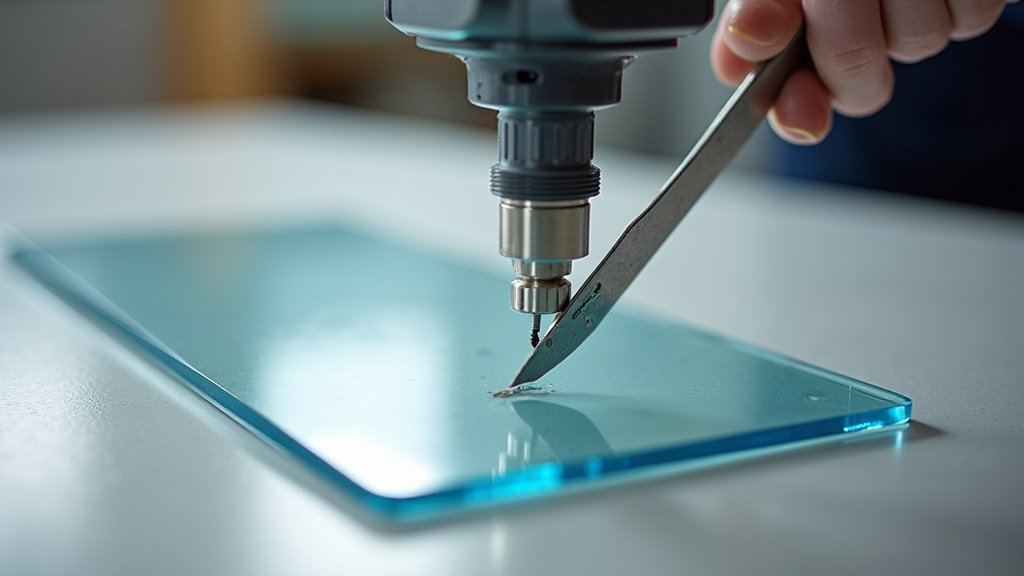
Getting the blade depth just right is super important. If the blade isn’t extended enough, it won’t cut all the way through. If it’s extended too much, it can cause splintering or tear-out on the back of the acrylic. We found that the ideal depth is just enough to cut through the acrylic, but not so much that it digs into your cutting mat.
You’ll usually have an adjustment for blade depth on your machine. For acrylic, start with a depth that is just a fraction deeper than the thickness of your material. You might need to do a test cut on a scrap piece to find that sweet spot.
Blade Pressure and Speed: The Balancing Act
Blade pressure and speed are closely related. Too much pressure can force the blade through unevenly, leading to chipping. Too little pressure means the blade won’t cut all the way through, leaving you with a mess.
Similarly, cutting too fast can cause the blade to snag or skip, resulting in ragged edges. Cutting too slowly might cause the blade to melt the acrylic slightly as it cuts, leading to a gummy, uneven edge.
Many experts recommend using a slower speed for acrylic cutting. This gives the blade more time to make a clean pass. You might need to experiment with different pressure and speed settings on your machine to find the perfect combination for your specific acrylic type and thickness.
Machine Settings: More Than Just Speed
Beyond blade settings, your machine’s overall configuration plays a big role. It’s not just about telling the machine what to do; it’s about telling it the right thing to do for acrylic.
Material Type Selection
Most cutting machines allow you to select the type of material you’re cutting. If your machine has an “Acrylic” or “Plastic” setting, make sure you’ve selected it. These presets are often optimized for the material’s properties, taking into account typical cutting speeds and pressures.
If you don’t have a specific acrylic setting, you’ll need to manually adjust your settings. We found that using settings recommended for thicker plastics or vinyl can sometimes be a good starting point, but always test first.
Test Cuts Are Your Best Friend
We can’t stress this enough: always do a test cut before committing to your final project. Use a small scrap piece of the same acrylic you’ll be using. This is the most reliable way to dial in your blade depth, speed, and pressure.
Make a small shape, like a square or a circle, and check the cut. Is it clean? Did it go all the way through? Does the edge look smooth? If not, make small adjustments to your settings and try again. This process might take a few tries, but it saves you from ruining an entire sheet of expensive acrylic.
Material Handling and Preparation
Even with the perfect settings and a sharp blade, how you handle the acrylic can affect the cut quality.
Securing the Acrylic Sheet
Your acrylic needs to be firmly secured to the cutting mat. If it shifts even slightly during the cutting process, you’ll get inaccurate and messy cuts. Use a strong-grip cutting mat and ensure the acrylic is pressed down evenly across its surface. Your acrylic needs to be firmly secured to the cutting mat. If it shifts even slightly during the cutting process, you’ll get inaccurate and messy cuts.
Some users find that using masking tape around the edges of the acrylic can help hold it in place, especially for smaller pieces. We found that ensuring there are no air bubbles between the acrylic and the mat is key.
Removing Protective Film
Most acrylic sheets come with a protective film on both sides. While it’s tempting to leave it on to prevent scratches, it can sometimes interfere with the cutting process. We found that the film can cause the blade to catch or snag, leading to rough edges.
For best results, remove the protective film from the side that will be facing up. Some people prefer to remove both films, but at least removing the top one often improves cut quality. Be sure to handle the acrylic carefully to avoid fingerprints and new scratches!
Cooling the Material
Acrylic can heat up as the blade passes through it, which can lead to melting and a less clean cut. While not always practical, allowing the acrylic to cool between passes or using a fan to direct air at the cutting area can sometimes help. This is more relevant for machines that require multiple passes or are known to generate significant heat.
Common Acrylic Types and Their Needs
Not all acrylic is created equal. Different types can behave differently when cut.
Cast vs. Extruded Acrylic
There are two main types of acrylic: cast and extruded. Cast acrylic is generally considered easier to cut cleanly. It has more uniform thickness and is less prone to melting. Extruded acrylic can be more challenging.
We found that extruded acrylic tends to be more brittle and can chip more easily. It also melts at a lower temperature, which can lead to gummy edges if your blade isn’t sharp or your settings aren’t right. If you’re consistently having trouble, double-check which type of acrylic you are using and adjust your settings accordingly. Many sources suggest cast acrylic is preferred for intricate cuts (NCBI).
Thickness Considerations
Thicker acrylic naturally requires more force and a different approach than thinner sheets. Your machine’s blade and motor need to be up to the task. If you’re cutting thicker acrylic (say, over 1/8 inch or 3mm), you might need a stronger blade, slower speed, and potentially multiple passes.
Always check your machine’s specifications for the maximum material thickness it can handle. Trying to force it beyond its limits will almost certainly result in poor cuts and potential damage to your machine. For thick acrylic, ensuring the blade depth is perfectly calibrated is absolutely critical.
Checklist for a Clean Acrylic Cut
Here’s a quick rundown to ensure your next acrylic cut is a success:
- Blade Status: Is your blade sharp and new?
- Blade Depth: Is it set just right for your acrylic’s thickness?
- Machine Settings: Did you select the correct material or use appropriate manual settings?
- Speed: Are you cutting at a slow, controlled pace?
- Secure Material: Is your acrylic firmly stuck to the cutting mat?
- Test Cut: Did you perform a test cut on a scrap piece first?
Conclusion
Getting a clean acrylic cut comes down to a few key things. You’ve learned that a sharp blade is your best friend. It’s also vital to get your machine settings dialed in, especially speed and pressure. Don’t forget proper material handling, like securing your acrylic well and removing that protective film. By paying attention to these details, you’ll move past frustrating, messy cuts. Your next project can have those smooth, professional edges you’re aiming for. Now, go grab a fresh blade and try those test cuts!
Frequently Asked Questions
How often should I replace my acrylic cutting blade?
It’s a good idea to replace your blade when you notice cuts becoming less clean, even after adjusting settings. For frequent acrylic cutting, consider a new blade every 10-20 projects, or more often if you cut thick materials. A dull blade is the most common reason for poor acrylic cuts.
Can I use the same settings for different brands of acrylic?
No, different brands and types of acrylic can have slightly different properties. We found that cast acrylic cuts differently than extruded acrylic, for example. Always perform a test cut on a scrap piece when switching brands or types of acrylic, even if the thickness is the same.
Why is my acrylic melting instead of cutting?
Melting usually happens when the blade isn’t sharp enough or is moving too fast. A dull blade creates friction, generating heat that melts the acrylic. Try a fresh, sharp blade and slow down your cutting speed. Ensure your blade depth isn’t too high, which can also increase friction.
What is the best way to secure acrylic to my cutting mat?
Make sure your cutting mat has good grip. Press the acrylic sheet down firmly and evenly, ensuring there are no air bubbles. Some crafters use masking tape around the edges for extra security, especially with smaller or lighter pieces.
Is it okay to leave the protective film on while cutting acrylic?
We found that it’s generally better to remove the protective film from the side facing up. The film can cause the blade to catch or snag, leading to rough edges and an uneven cut. Removing it allows the blade to pass more cleanly through the material.
