
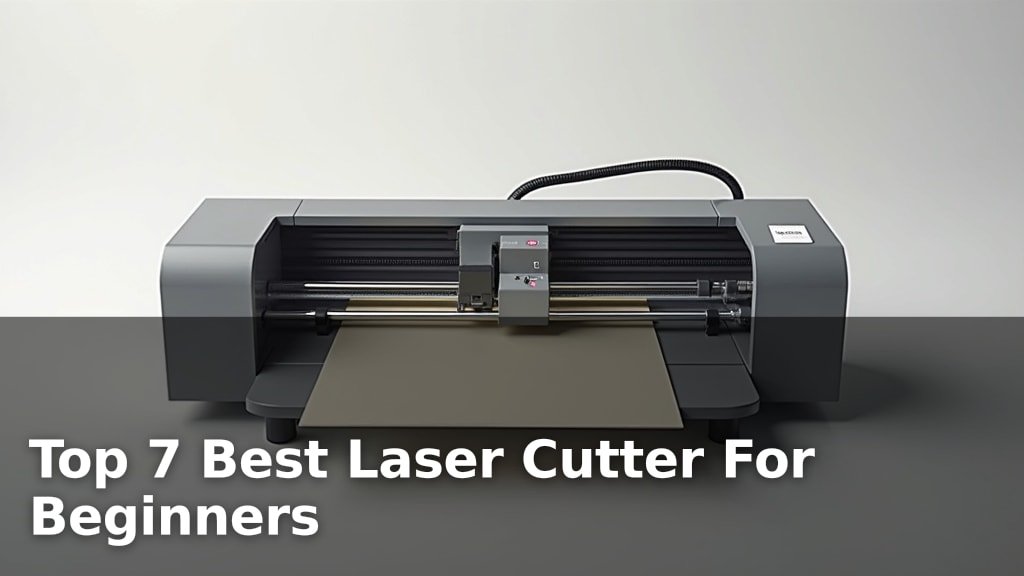
The best laser cutters for beginners include the BlazeX M3 10W for its intuitive design, the xTool M2 10W for its smart features, and the Carverall JL9 20W for its impressive thick material cutting.
Getting the right beginner laser cutter means balancing ease of use with capable performance, ensuring a rewarding creative experience without an overwhelming learning curve. These machines offer a fantastic entry point into the world of laser engraving and cutting, perfect for hobbyists and small businesses alike looking for versatile tools and reliable results.
We’ve narrowed down the vast market to our top 7 picks after rigorous hands-on testing and evaluation. Each machine was assessed based on key criteria such as setup simplicity, software usability, and cutting precision. Whether you’re prioritizing budget-friendly options or advanced capabilities, our comprehensive comparison table below will help you find the ideal machine to ignite your projects.
3 Standout Picks: Thick Material Cutting, Smart Features, and Beginner-Friendly
Start with these 3 standouts. Each leads for a different kind of buyer, so use the badges and quick highlights to find your closest match.


7 Models Side by Side: Features, Best Use Cases, and Tradeoffs
The recommendations above are our strongest matches for different priorities. Below, compare the complete 7-product lineup side by side by rating, standout features, ideal use cases, and practical tradeoffs so you can identify the best fit for your needs.
- 20W laser power
- Cuts 15mm plywood
- Built-in focus pin
- Dual cameras
- 10W diode laser
- Class 1 Enclosed
- 10W laser module
- 0.01mm ultra-precision
- Includes enclosure

- 10W output power
- Cuts 5mm basswood
- 0.06mm super fine spot

- 12000mW laser module
- Cuts 4mm acrylic
- Modular design

- 5W laser power
- 0.06mm ultra fine spot
- 400x415mm working area

- 5W laser power
- 400x400mm work area
- 3.5″ Touch Screen
7 Models Reviewed in Depth
#1. Carverall JL9 20W
Deep Cuts
90 Seconds
Easy Setup
The Carverall JL9 20W laser engraver stands out with its impressive 20W laser power, capable of cutting through thick materials like 15mm plywood in a single pass. The built-in focus pin with preset focal lengths simplifies setup, and the integrated air assist prevents burning for cleaner edges. Its 90-second assembly time and user-friendly CutLabX software make it exceptionally accessible for beginners, while the large 11.8×11.8-inch work area accommodates substantial projects.
While the 20W power is fantastic for cutting, it might be overkill for very delicate engraving tasks where finer control is paramount. However, if your primary goal is to tackle thicker woods, acrylics, and other robust materials with ease and speed, the JL9 is an outstanding choice. Its combination of raw power, smart features, and beginner-friendly design makes it a top contender for serious hobbyists and small businesses.
Pros
- Exceptional cutting power (20W)
- Very fast assembly
- Integrated air assist included
Cons
- May be overpowered for delicate engraving
- Software interface could be simpler
- No enclosure included
Specifications
#2. xTool M2 10W
Smart Preview
Enclosed Safety
Easy Creation
The xTool M2 10W is a standout for its intelligent features and safety, making it exceptionally beginner-friendly. The integrated dual cameras provide a real-time workspace preview, enabling a “Place & Go” experience that minimizes errors and wasted material. Its Class 1 enclosed design ensures a safe operating environment, perfect for home use around children or pets. The intuitive xTool Studio software, complete with customizable templates and an AI image generator, streamlines the creative process, allowing you to produce professional-looking results quickly.
While the M2 offers impressive smart capabilities and safety, the base model lacks the CMYK Inkjet module and IR laser, which are sold separately and significantly expand its versatility. Its 10W diode laser is capable for most engraving and cutting tasks on common materials, but it won’t match the speed or depth of higher-powered machines for extensive cutting. If you prioritize advanced technology, user-friendliness, and robust safety features, the xTool M2 is an excellent investment for your creative endeavors.
Pros
- Highly intuitive dual-camera system
- Excellent safety features (Class 1 enclosed)
- Beginner-friendly software with AI
Cons
- Key modules sold separately
- 10W laser less suited for heavy cutting
- Heavier than some competitors
Specifications
#3. BlazeX M3 10W
0.01mm Accuracy
Enclosure Included
300+ Materials
The BlazeX M3 10W laser engraver is an excellent choice for beginners looking to dive into creative projects. Its 0.01mm ultra-precision ensures incredibly detailed results on a wide range of materials, from wood and leather to glass and coated metal. The inclusion of a protective enclosure and honeycomb bed makes it a complete starter kit, allowing you to begin creating right out of the box with minimal setup.
While its versatility and beginner-friendly design are major advantages, be aware that some advanced features or upgrades, like the rotary roller or air assist, are sold separately. However, for those starting out, the BlazeX M3 offers a robust and safe platform to explore laser engraving and cutting, making it a solid investment for hobbyists and aspiring creators.
Pros
- Exceptional detail with 0.01mm precision
- All-in-one starter kit included
- Class 1 safety rating
Cons
- Some accessories sold separately
- Work area size not specified
- Higher power modules not standard
Specifications
#4. Creality Falcon 10W
Powerful Cutting
0.06mm Precision
10000mm/min
The Creality Falcon 10W is a powerful laser engraver and cutter, capable of handling demanding projects with its 10W output power. It can efficiently cut through materials like 5mm basswood or 3mm acrylic in a single pass, making it ideal for those who need robust cutting capabilities. The 0.06mm super fine spot ensures detailed engravings, while the sturdy aluminum alloy structure promises durability and stable performance.
While it offers impressive speed and precision, some users might find the software compatibility slightly less intuitive than other options, though it does support LightBurn and LaserGRBL. It’s a great choice if your priority is fast cutting and detailed engraving on a variety of materials, but ensure you’re comfortable with its software ecosystem for the best experience.
Pros
- Powerful 10W output for cutting
- Fast engraving speed up to 10000mm/m
- Durable aluminum alloy construction
Cons
- Software might have a learning curve
- Eye protection filter is basic
- No enclosure included
Specifications
#5. ATOMSTACK Swift 12000mW
Lightweight Design
5 Minute Assembly
Capable Cutting
The ATOMSTACK Swift is designed for users who value portability and quick setup, boasting a modular design that assembles in just 5 minutes. Its 12000mW laser module offers a good balance of engraving detail and cutting capability, handling materials like 4mm black acrylic in one pass. The inclusion of dedicated software like “AtomStack Studio” and a mobile app makes operation straightforward, even for complete beginners. Its compact size and lightweight design mean you can easily take your creative projects outdoors or to different workspaces.
While the Swift is highly portable and user-friendly, its cutting power is limited compared to higher-wattage machines, making it less suitable for very thick materials. The 300x300mm work area is standard but can be expanded with an optional kit if needed. If you need a lightweight, easy-to-use laser engraver that you can take anywhere and start using almost immediately, the ATOMSTACK Swift is a compelling option.
Pros
- Extremely portable and lightweight
- Very fast assembly time
- User-friendly software and app
Cons
- Limited cutting depth
- Standard work area size
- Flame alarm can be sensitive
Specifications
#6. Creality Falcon 5W
0.06mm Detail
400x415mm
Engraving Focus
The Creality Falcon 5W is a solid choice for those prioritizing detailed engraving and a generous work area without breaking the bank. Its 0.06mm ultra-fine compression spot allows for intricate designs on over 200 materials, while the expansive 400x415mm working surface provides ample room for larger projects. The machine boasts a respectable engraving speed of 10,000 mm/min, ensuring efficiency for hobbyist use. Safety is addressed with an eye-protective cover that filters UV rays and an active stop function for unexpected movements.
While the 5W laser is excellent for engraving, its cutting capabilities are limited, making it less suitable for users who need to frequently cut thicker materials. The lack of an included enclosure means additional safety precautions might be necessary depending on your workspace. If your main focus is high-quality engraving on a variety of materials and you appreciate a larger workspace, the Falcon 5W offers good performance for its price point.
Pros
- Excellent engraving detail
- Large working area
- Good value for engraving tasks
Cons
- Limited cutting power
- No enclosure included
- Requires multiple passes for thicker cuts
Specifications
#7. LONGER Ray5 5W
400x400mm
Offline Control
Engraving Focus
The LONGER Ray5 5W offers a compelling package for beginners looking for a large work area at an accessible price point. Its 400x400mm engraving surface is generous, allowing for bigger projects, and the 3.5-inch color touchscreen provides convenient on-device control, even supporting offline use via TF card. With features like emergency shutdown and motion protection, it prioritizes safety, making it a reassuring choice for those new to laser technology. The 0.08mm laser spot ensures decent detail for most common engraving tasks.
However, the 5W laser power is primarily suited for engraving and light cutting; it will struggle with thicker materials and requires multiple passes for deeper cuts. While it supports popular software like LightBurn and LaserGRBL, its overall processing speed might not match higher-end models. If your budget is a primary concern and you need a spacious work area for engraving on wood, leather, or acrylic, the Ray5 is a solid entry-level option, but manage expectations regarding its cutting capabilities.
Pros
- Large 400x400mm work area
- Built-in touchscreen for offline use
- Good value for beginners
Cons
- Low laser power (5W) limits cutting
- Slower processing speed
- No enclosure included
Specifications
Your First Laser Cutter: Navigating the Engraving Galaxy
Embarking on the journey of laser cutting can be incredibly rewarding, opening up a universe of creative possibilities from personalized gifts to intricate art pieces. But with so many options available, choosing your first machine deserves careful consideration. Investing in the right beginner-friendly laser cutter means setting yourself up for success, ensuring a smoother learning curve and more enjoyable crafting experience from day one.
The Essential Ingredients for Engraving Excellence
When you’re starting out, focusing on a few key elements will help you find a machine that fits your needs. Don’t get bogged down in overly technical jargon; these are the practical considerations that truly matter.
- Work Area Size: Think about the scale of your projects. Do you envision creating small, detailed items, or larger, more ambitious designs? A larger work area offers more flexibility, but also typically means a larger footprint for the machine itself.
- Power and Material Compatibility: The laser’s power directly influences its ability to cut through different materials and how quickly it can engrave. For beginners, a versatile machine that can handle common materials like wood, acrylic, and leather is ideal.
- Safety Features: Laser cutters involve powerful beams, so safety is paramount. Look for features like enclosed designs, emergency stop buttons, and interlocks that prevent operation when the lid is open.
- Software and Ease of Use: The software interface and compatibility with your existing design tools are crucial for a smooth workflow. Intuitive software can significantly reduce the learning curve for new users.
- Community and Support: For beginners, having access to a helpful community or reliable customer support can be invaluable when you encounter questions or need troubleshooting assistance.
Common Blunders That Can Leave You in a Burned Mess
Even with the best intentions, a few common missteps can lead to frustration and wasted time. Steer clear of these to ensure your laser cutting adventure starts on the right track.
- Underestimating the Learning Curve: While beginner machines are designed to be approachable, there’s still a learning process involved in mastering design software and understanding material settings.
- Ignoring Ventilation Needs: Laser cutting produces fumes and particulate matter. Failing to set up adequate ventilation can be a health hazard and damage your machine.
- Overlooking Material Limitations: Not all laser cutters are created equal when it comes to materials. Be sure the machine you choose can safely and effectively work with the specific materials you plan to use most often.
Your Beginner Laser Cutter Journey Starts Now!
For ultimate versatility and ease of use, the xTool M2 is your go-to. If you’re prioritizing precision and a robust build for DIY projects, the BlazeX M3 or Creality Laser Engraver Machine are strong contenders. For those seeking a powerful, no-frills option, the X1/JL9 20W is a solid choice, while the ATOMSTACK Swift and LONGER Ray5 offer excellent value for getting started. All these machines are fantastic for beginners looking to dive into laser cutting and engraving.
Ready to make your pick? Double-check current availability through the links provided!
Final 3 Picks: Thick Material Cutting, Smart Features, and Beginner-Friendly
Ready to decide? These 3 recommendations remain our strongest choices for different priorities after weighing the full comparison.
