
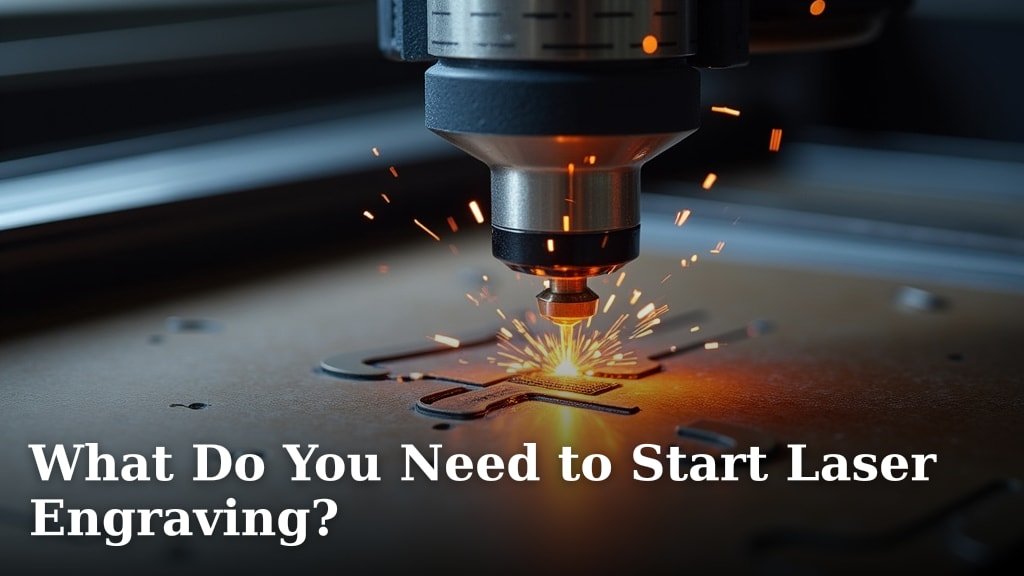
To start laser engraving, you’ll need a laser engraver machine, design software, a computer, and the right materials. You also need a safe workspace and proper ventilation. We found these items are essential for any beginner.
Getting into laser engraving opens up a world of creativity. Think about all the personalized gifts or custom decor you can make. The initial setup might seem like a lot, but we found it’s quite manageable once you know the basics. You’ll be creating amazing projects in no time.
- A laser engraver is your main tool.
- You need software to create your designs.
- A computer connects everything.
- Materials like wood or acrylic are crucial.
- Safety gear and good ventilation are non-negotiable.
Ready to turn your ideas into tangible creations? Let’s walk through exactly what you need to get your laser engraving journey started.
Essential Gear for Your Laser Engraving Journey
To begin laser engraving, you’ll definitely need a laser engraver, some design software, a computer, and suitable materials. You’ll also need to set up a safe workspace with good ventilation.
Choosing Your First Laser Engraver
The laser engraver itself is the heart of your new hobby. These machines vary a lot in price and capability. We found that understanding the different types helps you pick the right one for your budget and goals.
Diode Lasers vs. CO2 Lasers
When you start looking, you’ll mainly see two types: diode and CO2 lasers. Diode lasers are usually more affordable and compact. They are great for beginners and can engrave on materials like wood, leather, and some acrylics. However, they aren’t powerful enough for cutting thicker materials or working with clear acrylic or glass.
CO2 lasers are more powerful and versatile. They can engrave and cut a wider range of materials, including glass and clear acrylic. They are faster and have a larger work area. But, they are also more expensive, larger, and require more maintenance, like water cooling systems. For a beginner, we often recommend starting with a diode laser to learn the ropes without a huge upfront investment. Our guide to the best budget laser for beginners can help you choose an affordable option to start your engraving journey.
The Brains Behind the Machine: Software and Computer
Your laser engraver needs instructions, and that’s where software and your computer come in. Think of the software as your creative workshop and the computer as the control center.
Design Software Options
You’ll need software to create or edit the designs you want to engrave. Many laser engravers come with their own basic software, which is a great starting point. Some popular options we’ve come across include LightBurn, which is widely loved for its user-friendly interface and powerful features. Other designers often use Adobe Illustrator or Inkscape (a free alternative) to create intricate vector graphics.
For beginners, we found that starting with the software included with your machine is best. Once you get comfortable, you can always upgrade to more advanced programs if your projects demand it.
Computer Requirements
Luckily, you don’t need a super-powered gaming PC to run most laser engraving software. A standard desktop or laptop that’s a few years old should work perfectly. We recommend having at least 8GB of RAM and a stable operating system like Windows 10/11 or macOS. A reliable USB port is also a must for connecting to your engraver.
Materials: What Can You Engrave?
This is where the fun begins! The variety of materials you can engrave is vast. Your choice of material will often dictate the type of laser you need, or vice versa.
Here’s a quick look at common materials and what to expect:
| Material | Ease of Engraving (Beginner) | Common Uses |
|---|---|---|
| Wood | Very Easy | Signs, decor, coasters, personalized gifts |
| Plywood | Easy | Similar to wood, often cheaper |
| Acrylic (Opaque) | Easy | Signage, keychains, light-up displays |
| Leather | Medium | Wallets, journals, patches |
| Slate | Medium | Coasters, plaques |
| Anodized Aluminum | Medium | Tags, business cards |
| Cardboard/Paper | Easy | Stencils, prototypes |
We suggest starting with inexpensive materials like scrap wood or cardboard. This lets you practice your designs and settings without wasting costly supplies. You’ll quickly get a feel for how different materials react to the laser. You can also explore our recommendations for the best wood for laser cutting to find ideal materials for your projects.
Safety First: Protecting Yourself and Your Space
This isn’t just a suggestion; it’s a rule. Laser engravers use powerful beams of light that can cause serious injury if not handled properly. Safety should always be your top priority.
Eye Protection
Always wear certified laser safety glasses specific to your laser’s wavelength. The small glasses that sometimes come with cheaper machines might not be sufficient. We found that investing in a good pair of safety glasses is non-negotiable. Don’t look directly at the laser beam, even with glasses on. The CDC warns about the serious risks to vision from direct laser exposure.
Ventilation System
Engraving materials creates smoke and fumes. These fumes can be harmful to breathe in. We strongly recommend working in a well-ventilated area. This means having an exhaust fan that vents outside. Some machines come with an enclosure and fan, but often you’ll need to augment it with an inline fan and ducting. An air purifier with a carbon filter can also be a good addition, especially if you can’t vent directly outside.
Many experts say that proper ventilation not only protects your lungs but also keeps your machine cleaner, extending its lifespan.
Fire Safety Precautions
Lasers generate heat, and sometimes, materials can catch fire. It’s rare but it happens. Always supervise your machine while it’s running. Have a fire extinguisher (a small CO2 or ABC type) or a fire blanket within arm’s reach. We also found it’s a good idea to keep a spray bottle of water nearby for small flare-ups.
Essential Accessories and Tools
While not strictly necessary to make your first engrave, these items will make your life much easier and improve your results.
- Air Assist: This blows a stream of air directly at the laser’s focal point. It helps clear away smoke and debris, resulting in cleaner cuts and engraves, and reduces flare-ups.
- Work Holding Clamps: These keep your material flat and secure. Any movement can ruin an engraving.
- Measuring Tools: A ruler, caliper, or tape measure is essential for accurate placement of your designs.
- Cleaning Supplies: Isopropyl alcohol and lint-free cloths are great for cleaning lenses and mirrors on your machine, as well as preparing materials.
- Honeycomb Bed: This elevates your material, providing better airflow underneath and protecting your work surface.
Getting Started Checklist
To help you keep track, here’s a quick checklist of what you’ll want to have before you hit that start button:
- Laser engraver (assembled and ready)
- Computer with design software installed
- Appropriate safety glasses
- Ventilation system in place
- Fire extinguisher nearby
- Practice materials (e.g., scrap wood)
Conclusion
Starting your laser engraving journey is exciting. You’ve seen that a laser engraver, design software, and a computer are your core tools. We found that pairing these with the right materials and, most importantly, a safe, ventilated workspace sets you up for success.
Remember that safety isn’t optional; it’s fundamental. With your gear and safety measures in place, you’re ready to learn and create. Now, take that first step, choose your machine, and start practicing. You’ll be amazed at what you can make!
Frequently Asked Questions
Is laser engraving a profitable hobby?
Yes, laser engraving can be quite profitable. Many people turn their creations into small businesses, selling personalized items or custom decor. We found that the initial investment pays off as you hone your skills and build a customer base.
Can I laser engrave on metal?
Most diode lasers cannot directly engrave on bare metal. You typically need a CO2 laser with a Cermark spray or a fiber laser for effective metal engraving. For beginners, we recommend sticking to materials like anodized aluminum.
How long does a laser engraver last?
The lifespan of a laser engraver varies by type and maintenance. Diode lasers generally last thousands of hours, while CO2 laser tubes might need replacement after 1,000-10,000 hours, depending on their power and usage. Proper cleaning and care extend your machine’s life.
Do I need special power for a laser engraver?
For most beginner diode laser engravers, a standard household electrical outlet (110V/120V in the US) is sufficient. Larger, more powerful CO2 lasers might require a dedicated circuit or a 220V outlet. Always check your machine’s specific power requirements.
What’s the easiest material to start laser engraving with?
We found that natural wood and plywood are among the easiest materials for beginners. They engrave well, are readily available, and are forgiving if your settings aren’t perfect. Cardboard is also great for practice and testing.
