
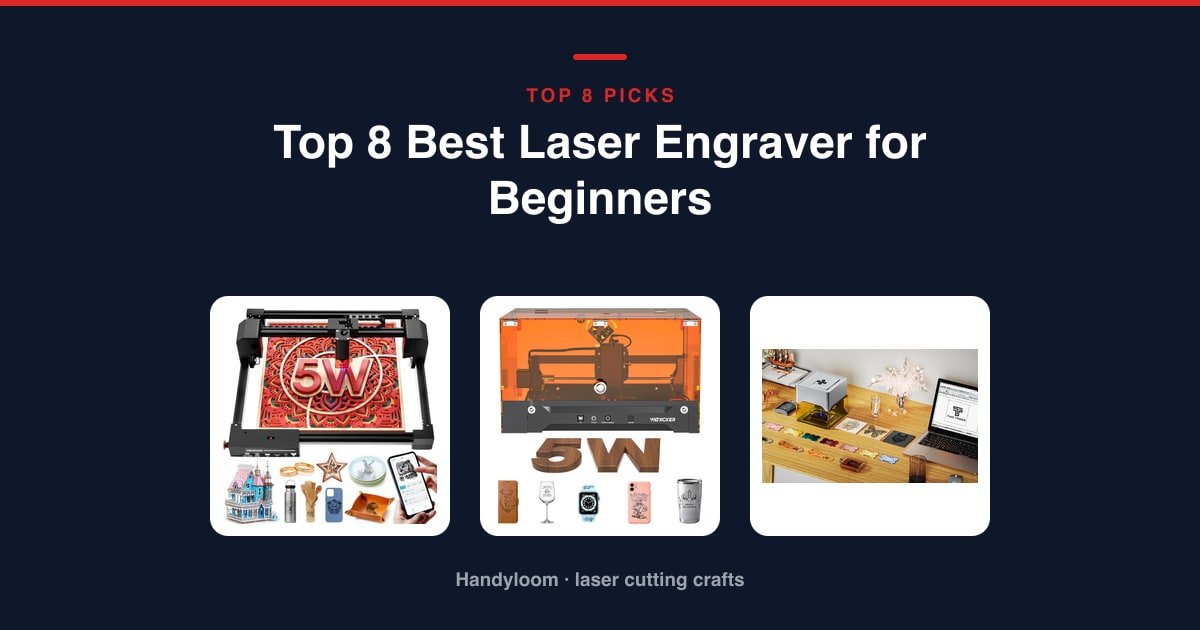
The best laser engraver for beginners is the Woxcker L2 Flex, and the reason is the box around the beam, not the laser inside it. It’s rated Class 1, it ships assembled, and it’s one of the few cheap machines that pairs that rating with a real 360-degree enclosure.
As an Amazon Associate, I earn from qualifying purchases.
If your budget is tight and you don’t mind setting up goggles and a vent, the ACMER S1 is the machine the most first-timers have already lived with.
This guide is safety-first. It tells you the exact eye-protection number to buy, why two machines both badged “40W” are not the same tool, and which of these listings carry a safety label that doesn’t match the hardware.
Quick Picks: The Best Beginner Laser Engravers at a Glance
Here are the three headline picks, then the rest of the lineup mapped to the buyer each one suits. For a broader take, see our roundup of the best laser engravers for home use.

Woxcker L2 Flex
Class 1 output behind a real 360-degree enclosure, and it arrives assembled.
See it on Amazon
ACMER S1
The biggest owner following here by far, almost fully built, with free AI design software. Open Class 4, so goggles and ventilation are the price of entry.
See it on Amazon
Twotrees TTS-55 Pro
A 300x300mm work area for less than most compacts here, with an air-assist nozzle and laser shield in the box.
See it on Amazon- Brand-name step-up for cutting: the Creality Falcon 10W pushes through 5mm basswood in one pass on a big bed.
- Compact bed with real safeguards: the Carverall K15 Pro ships goggles and tilt auto-shutoff on a near-A4 work area.
- No-desk handheld: the LaserPecker LP2 is portable, plug-and-play, and comes with a rotary roller for tumblers.
- Enclosed step-up: the Woxcker 10W Enclosed keeps the sealed Class 1 setup but doubles the bed and the power.
- Tiniest enclosed portable: the Twotrees TS1 Mini weighs about 1kg and runs from your phone, with a class-label caveat.
Every pick below gets a score out of 10 for beginner safety, what it can cut, day-to-day use and the owner verdict. We haven’t lab-tested these machines; the score is a plain rubric applied to published specs and owner feedback.
The 8 Best Laser Engravers for Beginners in 2026
Here’s each machine in detail, in rank order.
Woxcker L2 Flex 5W: Safest first machine overall
This is the machine to hand a true beginner, and the enclosure is why. It’s rated Class 1, and unlike most cheap diodes it has a sealed 360-degree box to back that rating up, keeping the beam, fumes and dust away from curious hands.
It marks beautifully and barely cuts. Five watts handles 3-5mm MDF on a 150x200mm bed, about the size of a paperback. Think tags, coasters and small plaques.
It arrives assembled and stows on a shelf. It weighs about 3 pounds, LightBurn, LaserGRBL or CutLabX will all drive it, and the modular head swaps to 1W, 5W or 10W later.
Safety: Class 1 with a genuine full enclosure, the safest pairing here for a first-timer. The box does the protecting, so keep it closed while the beam is on.
- Cheapest fully enclosed Class 1 machine here
- Sealed 360-degree box holds fumes and dust and cuts noise
- Pre-assembled and light enough to put away between projects
- Sharp 0.01mm detail on wood, leather, acrylic and coated metal
- Modular head swaps to 1W, 5W or 10W as you grow
- 5W tops out around 3-5mm MDF, so it’s no serious cutter
- 150x200mm bed is small next to the open-frame machines
- Newer model with a thinner owner following than the veterans
- Laser Type
- Diode, modular
- Output
- 5000 mW (5 W)
- Work Area
- 150 x 200 mm
- Precision
- 0.01 mm
Best for: a true first-timer who wants the safest, simplest start with nothing to assemble.
ACMER S1: Best-proven budget pick
This is the machine the most beginners have already run. It has the biggest owner following in this lineup by a wide margin, and it arrives almost completely built.
The head clips on in about a minute, and the free ACMER Studio app adds AI design tools on top of LightBurn and LaserGRBL support.
The catch a beginner needs to hear: it’s an open Class 4 machine with no enclosure. Goggles and real ventilation are the price of entry.
The 130x130mm bed is the smallest desktop here, and 3.5 watts limits single-pass cutting to thin stock.
Safety: Class 4 and open to the room, the most exposed setup here. Wear wavelength-matched OD5+ glasses, vent it outside, and never leave it running alone.
- The largest owner following of any machine in this lineup
- Arrives about 99% built; the head clips on in roughly a minute
- Free ACMER Studio adds AI design plus LightBurn and LaserGRBL
- Light at about 2kg and easy to carry or store
- Engraves and cuts wood, bamboo, leather, plastic and PCB
- Open Class 4 machine with no enclosure, so goggles and ventilation are mandatory
- 130x130mm bed is the smallest desktop area here
- Lowest average owner rating of the machines that made our list
- Output
- 3500 mW (3.5 W diode)
- Work Area
- 130 x 130 mm
- Precision
- 0.04 mm spot
- Max Speed
- 10,000 mm/min
Best for: a budget beginner who’s happy to set up goggles and a vent in exchange for the most road-tested machine here.
Twotrees TTS-55 Pro: Biggest work area for the money
This is the most work area your money buys in a first machine. A 300x300mm bed on an open frame, for less than most of the compacts here cost.
It ships with a metal air-assist nozzle and a red laser shield on the module, extras you’d normally buy separately.
It’s an open Class II frame, so the shield helps but doesn’t replace glasses or a vent. You’ll build it from a frame kit, too.
Built-in Wi-Fi and offline TF-card jobs mean no laptop tether, and it drives from free LaserGRBL or paid LightBurn.
Safety: Class II and open-framed. The red shield on the head cuts glare but is not eye protection, so wear OD5+ glasses and vent the fumes outside.
- 300x300mm bed is by far the largest here, rare at this price
- Ships with a metal air-assist nozzle and a red laser shield
- Built-in Wi-Fi plus offline TF-card jobs, no laptop tether needed
- Runs free LaserGRBL or LightBurn on Windows, macOS and Linux
- Strong owner rating for an open-frame machine at this price
- Open Class II frame with no enclosure; goggles and ventilation required
- You assemble it from a frame kit rather than lifting it out ready to go
- The air pump and hose to feed the nozzle aren’t in the box
- Output
- 5500 mW (5.5 W)
- Work Area
- 300 x 300 mm
- Laser Spot
- 0.08 x 0.46 mm
- Max Speed
- 30,000 mm/min
Best for: a beginner with a ventilated corner who wants the most room to grow for the least money.
Creality Falcon 10W: Brand-name step-up for cutting

Buy this when you want to cut, not just engrave. Ten watts of output pushes through 5mm basswood or 3mm black acrylic in a single pass, on a roomy 17x16in bed.
It’s a name-brand machine with a year of parts support behind it, and it drives from LightBurn or free LaserGRBL.
One heads-up before you order: a near-identical Falcon 10W sits on Amazon under a different product code. Confirm you’re on this exact model.
It’s a Class IIIa open frame; the anti-UV acrylic blocks most UV light but is no substitute for goggles.
Safety: Class IIIa and open-framed, a step below the Class 4 machines but still an eye hazard. Wear OD5+ glasses and vent it; the UV filter is a bonus, not your protection.
- 10W output cuts 5mm basswood or 3mm black acrylic in one pass
- Large 17x16in bed handles full sign blanks and batch jobs
- Sharp 0.06mm spot with fine repositioning for detail work
- Known brand with LightBurn support and a year of parts backing
- Anti-UV acrylic on the module blocks most UV light
- Class IIIa open frame, so eyewear and ventilation are still required
- A look-alike Falcon 10W under another code means you must confirm the model
- Needs 10-20 minutes of assembly, more than the pre-built compacts here
- Output
- 10,000 mW (72 W machine)
- Work Area
- 17 x 16 in
- Precision
- 0.06 mm spot
- Max Speed
- 10,000 mm/min
Best for: a beginner ready to cut thin wood and acrylic who wants a recognizable brand and a bigger bed.
Carverall K15 Pro: Compact bed with real safeguards
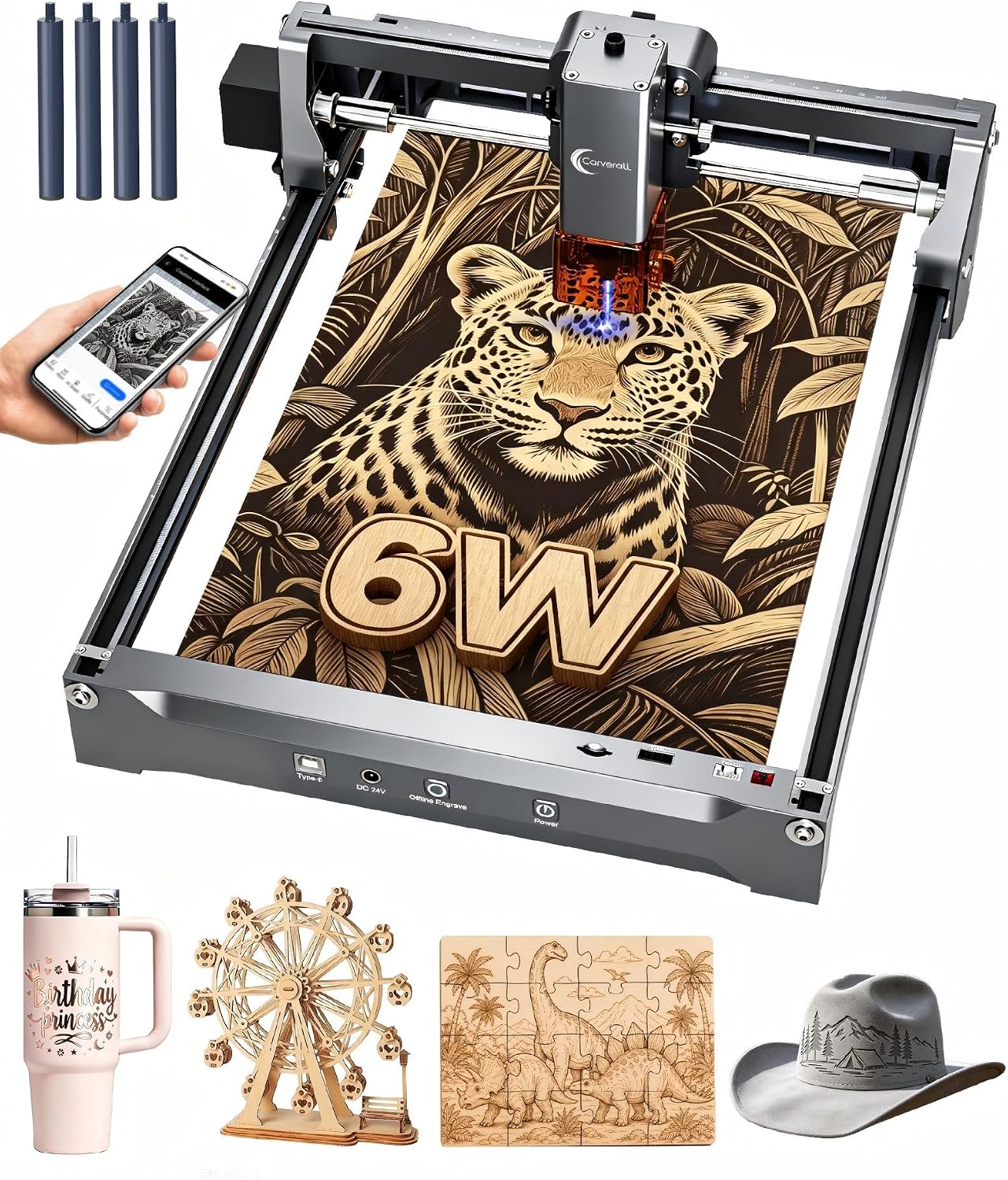
An A4 bed is the size most beginners should have bought first. At 11.8×7.9in it takes a notebook cover or a small board without eating your whole desk.
It comes with real safeguards in the box: safety goggles, plus tilt protection that cuts the laser if the machine gets knocked over.
To be straight about it: the name carries a Class 1 badge, but nothing in the specs describes an enclosure. Treat it as open and wear the included goggles every time.
Setup is about five minutes with six screws, and an optional 1W infrared head is the one route here to marking bare metal; read our guide to the best infrared laser for metal first.
Safety: the Class 1 badge isn’t backed by a described enclosure, so don’t treat it as sealed. The included goggles and tilt auto-shutoff are the real safeguards.
- Ships with safety goggles and tilt auto-shutoff, real physical safeguards
- Near-A4 11.8×7.9in bed fits under a desk or in a cabinet
- Assembles in about five minutes with six screws, no belts
- One-touch focus and repeat-job memory ease beginner setup
- Optional 1W IR head adds bare-metal marking later
- Carries a Class 1 badge with no enclosure described, so treat it as open
- No live price when we last checked, so confirm it’s available first
- 6W needs several passes for 8mm plywood or 5mm acrylic
- Output
- 6000 mW (6 W)
- Work Area
- 11.8 x 7.9 in
- Precision
- 0.01 mm
- Max Speed
- 15,000 mm/min
Best for: a small-space beginner who wants goggles and shut-off safeguards in the box and a clear path to metal later.
LaserPecker LP2: No-desk handheld pick

This is the pick for someone who doesn’t want a machine on the desk at all. It’s handheld and plug-and-play, with nothing to build or house.
An electric rotary roller comes in the box, so tumblers, pencils and other round objects are covered from day one.
Two honest limits: it doesn’t publish a laser class, and it’s by far the priciest option here. It does ship safety glasses, which is a real plus.
The engraving width is small, about 4in even in its extended mode, and it won’t mark shiny bare metal without pre-treatment.
Safety: no laser class is published, so you can’t check a rating before buying. Wear the included glasses, keep the beam on the work, and never point it at anyone.
- Handheld and plug-and-play, with nothing to assemble or enclose
- Electric rotary roller included for tumblers and round objects
- Safety glasses come in the box
- Connects easily to a phone or PC with several resolution options
- Compressed 0.05mm spot for fine detail
- No laser class is published, so you can’t verify a rating first
- By far the most expensive machine in this lineup
- Small 4in engraving width, even in extended mode
- Design
- Handheld / portable
- Precision
- 0.05 mm spot
- Working Distance
- 11 cm
- Rotary
- Roller included
Best for: a beginner short on space who wants to engrave tumblers and small items with zero setup.
Woxcker 10W Enclosed: Room to grow without losing the enclosure

This is the top pick’s bigger sibling. Same Class 1 rating and 360-degree enclosure, but a larger 300x300mm bed and twice the power at 10 watts.
It’s the strongest of the enclosed machines here, and it assembles from five modules with no belts to tension.
The choice between this and the L2 Flex is size and budget, not safety. This one costs more and takes more desk.
Safety: Class 1 with a genuine 360-degree enclosure, the same safe pairing as our top pick. Keep the cover closed in use.
- Class 1 rating backed by a real 360-degree enclosure
- 300x300mm bed, far larger than our compact top pick
- 10W output, the strongest of the enclosed machines here
- Five-module assembly with no belt tensioning
- Fast engraving with fumes, light and noise contained
- Second most expensive machine here after the handheld
- Bigger footprint than the compact enclosed machines
- Newer model with a smaller owner following than the veterans
- Output
- 10,000 mW (10 W)
- Work Area
- 300 x 300 mm
- Precision
- 0.01 mm
- Enclosure
- 360-degree
Best for: a beginner who wants the sealed Class 1 safety of our top pick with far more room to work.
Twotrees TS1 Mini: Tiniest enclosed portable, with a caveat

The smallest, most portable machine here, and the one that needs the clearest warning. It’s about 1kg with a fully enclosed acrylic cover, and it drives from a phone over Bluetooth.
The catch: it’s labeled Class 4, the most hazardous class, even though it’s enclosed and sold for family and classroom use. The enclosure and goggles are doing the safety work, and it’s not a machine to leave with a child unsupervised.
The 80x80mm bed is the smallest here by far, fitting only small gifts, and 3 watts is the lowest power of the group.
Safety: labeled Class 4 despite the enclosure and family framing. Keep the cover closed, wear the included goggles, and supervise it around kids.
- Tiniest footprint here at about 1kg, genuinely portable
- Fully enclosed acrylic cover contains light, debris and fumes
- Safety goggles included in the box
- Bluetooth phone control needs no laptop tether
- Strong owner following for such a small machine
- Labeled Class 4 despite the enclosure and family/classroom marketing
- 80x80mm bed is the smallest here, fitting only small gifts
- 3W adjustable output is the lowest power in this lineup
- Output
- 3000 mW (3 W, adjustable)
- Work Area
- 80 x 80 mm
- Precision
- 0.1 mm
- Connectivity
- Bluetooth app
Best for: a beginner who wants a tiny, enclosed, portable unit and understands it’s a Class 4 laser under the friendly label.
Beginner Laser Engraver Comparison Table
Here’s the whole lineup side by side, with the safety-first split spelled out under the table.
| Photo | Machine | Best for | Score | Buy |
|---|---|---|---|---|
|
Woxcker L2 Flex 5W | Safest first machine overall | 8.9/10 | Check price |
|
Woxcker 10W Enclosed | Room to grow without losing the enclosure | 8.5/10 | Check price |
|
Twotrees TS1 Mini | Tiniest enclosed portable | 7.5/10 | Check price |
|
Carverall K15 Pro | Compact bed with real safeguards | 7.3/10 | Check price |
|
Twotrees TTS-55 Pro | Biggest work area for the money | 6.8/10 | Check price |
|
ACMER S1 | Best-proven budget pick | 5.9/10 | Check price |
|
Creality Falcon 10W | Brand-name step-up for cutting | 5.8/10 | Check price |
|
LaserPecker LP2 | No-desk handheld pick | 5.6/10 | Check price |
Scroll sideways to see every column.
The safety picture is what separates these machines for a first-timer:
- Enclosed with a Class 1 rating: Woxcker L2 Flex and Woxcker 10W Enclosed. The beginner default.
- Enclosed but labeled Class 4: Twotrees TS1 Mini. Safe with the cover shut, but not the eye-safe toy the marketing suggests.
- Class 1 badge, no enclosure described: Carverall K15 Pro. Use it as an open machine with the included goggles.
- Open frame, goggles and ventilation required: ACMER S1, Twotrees TTS-55 Pro and Creality Falcon 10W.
- No class published, glasses in the box: LaserPecker LP2.
Two rules of thumb: an enclosed Class 1 machine is the safest beginner default, while an open frame buys you the biggest bed per dollar but adds mandatory goggles and a vent.
How to Choose Your First Laser Engraver
Three things decide whether a first machine fits your life. A bigger bed means bigger projects but more desk space and, usually, more assembly. Software is rarely a barrier, since free LaserGRBL or the brands’ own apps drive nearly every pick. And setup ranges from a five-minute compact to a frame kit you build. For the full version, see our complete laser engraver buying guide.
Why Two “40W” Lasers Are Not the Same Machine
The wattage on a diode listing is almost always the electrical power the diode’s supply draws, not the light coming out of the lens, and the two can differ by a lot.
Mr Beam’s own dreamcut, for example, runs a 90W power supply to produce about 10W of optical output, close to a nine-to-one gap on a single real product.
Module makers note the same pattern across marketplaces: listings claiming 15-40W often deliver only 3-5W of real cutting power. Compare optical output, not the “machine power” headline.
You can see both numbers in this lineup: the ACMER S1 pairs a 3.5W diode with a 36W machine figure, and the Creality Falcon lists 10W of output against 72W of machine power.
Laser Classes and Enclosures, Decoded
Class 1 means the finished product is eye-safe in normal use, almost always because a sealed enclosure contains the beam. Class 2 and Class IIIa are low-power visible lasers where your blink reflex offers some protection, but goggles are still smart.
Class 4 is the most hazardous tier: both the direct beam and its reflections can injure eyes and skin, and it can ignite materials. A class rating only means something alongside an enclosure.
That’s why the labels matter here: the TS1 Mini is enclosed yet labeled Class 4, and the Carverall wears a Class 1 badge with no enclosure described.
Eye Protection: The OD Number Every Beginner Guide We Checked Skips
Every machine in this lineup is a blue diode laser, around 450-455nm. To protect your eyes at that wavelength you need orange, red or dark-green lensed glasses rated at least OD5+, and OD6+ if you’ll ever look toward an open-frame beam directly.
Wavelength is not a detail you can hand-wave: CO2 lasers work at 10,600nm, fiber lasers near 1,064nm, and glasses rated for one wavelength do nothing for another. Treat any “universal laser glasses” claim with suspicion.
Three picks here ship glasses in the box: the Carverall K15 Pro, the LaserPecker LP2 and the Twotrees TS1 Mini. Even then, check the OD and wavelength printed on the frame before you trust them. For the rest of the kit, see our full laser engraving safety equipment checklist.
Setting Up Safely: Ventilation and the One Material You Must Never Cut
A Ventilation Setup You Can Actually Copy
You don’t need a lab. Run 4-inch flexible aluminum ducting, kept as short and straight as you can, from the machine to an inline exhaust fan, and vent it through a window insert.
Short and straight matters because every bend and every extra foot of duct steals airflow. Aluminum, not plastic, because the exhaust is warm and full of resin.
One quick check: hold a hand near the exhaust port while the machine runs; weak suction means the fan is undersized and fumes are staying in the room. For the deeper version, see whether you need ventilation for a laser engraver.
Why “Never Cut PVC” Is Not Boilerplate
The rule sounds like fine print until you know the mechanism. Lasering PVC or any unidentified vinyl releases hydrochloric acid and dioxins.
That acid corrodes lenses, mirrors, metal rails and electronics on contact. One documented case showed visible corrosion on exposed parts after only five minutes of exposure.
A vent fan doesn’t save you, because the gas reaches your optics before the exhaust. If you can’t confirm a plastic is safe, don’t put it under the beam.
Who Should Skip a Beginner Diode Laser Entirely
The kindest thing a buying guide can do is tell you when the whole category is wrong for you.
- You need to cut sheet metal or thick hardwood regularly. That’s CO2 or fiber territory, a different class of machine, not a different model. Start with the difference between diode and CO2 lasers.
- You live in an apartment with no window or balcony to vent to. Without an exhaust path, an open diode is not safe to run indoors.
- You’re not willing to budget for eye protection and ventilation on top of the machine. Those aren’t optional extras; they’re part of the real cost.
What You Can Make With Your First Laser
Even the smallest machine here earns its keep. Here’s what’s realistic on your first weekend:
- Engraved wood signs, coasters and plaques, on any pick in this lineup.
- Keychains, tags and bookmarks, ideal for the small-bed compacts.
- Engraved tumblers and cylinders, thanks to the LaserPecker LP2’s included rotary roller.
- Multi-pass cuts in thin plywood and acrylic, best on the 10W machines.
One honest limit: none of these engrave bare, shiny metal without a coating or spray first. For more, see our list of beginner laser engraving project ideas.
Frequently Asked Questions
How much should a beginner spend on a laser engraver?
Most solid first machines here land in the low-to-mid hundreds. Budget a bit more for glasses and ventilation, and treat the handheld option as a convenience premium rather than a capability jump.
Can a beginner laser engraver cut metal?
No. Diode machines in this class engrave coated or treated metal only. Cutting metal outright needs a fiber laser, which is a different category of tool.
Do I need to buy LightBurn to get started?
No. Free LaserGRBL, or the brands’ own free apps, runs nearly every pick here. LightBurn is a popular paid upgrade once you outgrow the basics.
Is an enclosed or open-frame machine better for a first laser?
Enclosed is the beginner default, because it contains the beam, fumes and debris. Open frames buy a bigger bed for the money but make goggles and ventilation mandatory.
How thick can these machines cut wood?
Roughly 3-5mm on the 5-6W picks, per their listings, and about 5mm basswood in one pass on the 10W Creality. Thicker stock takes multiple passes.
Are laser engravers safe to use at home?
Yes, with the right setup: an enclosed Class 1 machine, or an open frame plus wavelength-matched OD5+ glasses, ventilation to a window, and no unattended running.
