
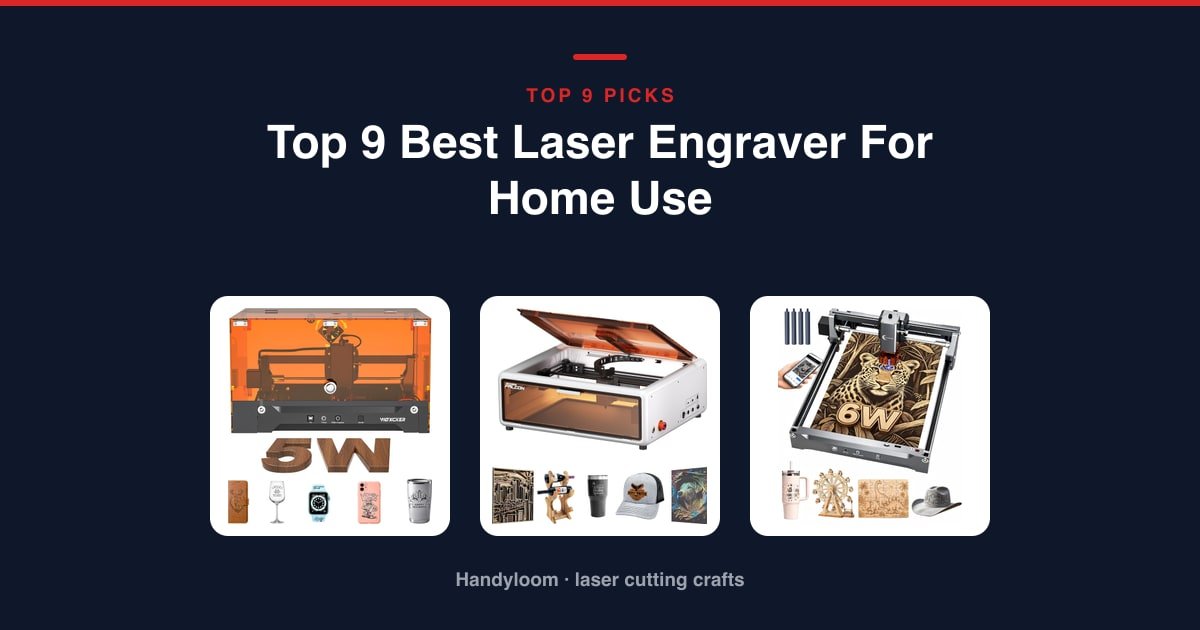
Most home laser engravers are the same machine underneath: a blue diode on a belt, the same free software, a bed somewhere between a coaster and a cutting board. What actually separates them is whether there’s a box around the beam.
On that test, the Woxcker L2 Flex is the best laser engraver for home use. It’s rated Class 1, and unlike most cheap machines it has the sealed enclosure to back that up, at the lowest price of any Class 1 machine here.
If children or pets share the house, spend up for the Creality Falcon A1. Interlocked doors, auto-lock and an emergency stop are worth the extra money when you can’t watch the machine every second.
As an Amazon Associate, I earn from qualifying purchases.
Four things decide whether a laser can live in your house:
- Where the smoke goes
- How loud it is, for an hour at a time
- How much desk it takes, plus duct clearance
- Who else is in the room
Every machine here gets a score out of 10 on those same four things, weighted the way a household actually feels them. The full scoring method sits further down the page.
The nine best home laser engravers at a glance

Woxcker L2 Flex
The cheapest sealed Class 1 machine here. It marks better than it cuts.
See it on Amazon
Creality Falcon A1
Dual-door enclosure, auto-lock, emergency stop, camera placement. The heaviest and priciest here.
See it on Amazon
Twotrees TS1 Mini
157 x 157 x 167 mm, enclosed, phone-driven. Coaster-sized bed, still Class 4.
See it on Amazon| Photo | Machine | Best for | Score | Buy |
|---|---|---|---|---|
|
Woxcker L2 Flex 5W | Home use overall | 8.7/10 | Check price |
|
Creality Falcon A1 10W Enclosed | Enclosed machine for a family home | 8.2/10 | Check price |
 |
Carverall K15 Pro 6W | All-rounder | 7.8/10 | Check price |
 |
Longer Ray5 5W | Running jobs without a laptop | 7.7/10 | Check price |
|
Twotrees TS1 Mini 3W | The smallest room in the house | 7.7/10 | Check price |
 |
Twotrees TTS-55 Pro 5.5W | Big bed on an open frame | 7.4/10 | Check price |
 |
Creality Falcon 10W | Cutting through thick wood | 6.9/10 | Check price |
 |
Atomstack A20 Pro V2 20W | Most cutting power | 6.3/10 | Check price |
 |
LaserPecker LP2 with Roller | Tumblers | 6.1/10 | Check price |
Scroll the table sideways to see every column.
One thing before the reviews: an enclosure and a safety rating don’t always come as a pair. The plain-English safety table further down the page shows which of these machines actually has a box around the beam.
Woxcker L2 Flex: Best laser engraver for home use overall
This is the machine we’d put in an ordinary house, and the reason is the box, not the laser. It’s rated Class 1, and unlike most cheap machines it actually has the sealed enclosure to back that up.
The 360-degree enclosure keeps fumes, dust and curious fingers away from the beam, and takes the edge off the noise. Only one other machine here pairs a real enclosure with a Class 1 rating, and it costs several times as much.
It marks beautifully and cuts barely at all. Five watts handles 3-5 mm MDF on a 150 x 200 mm bed, which is about the size of a paperback. Think tags and small plaques, not panels.
It arrives assembled and goes back on a shelf. Nothing to square up, 14.29 x 11.61 x 8.27 inches, and LightBurn, LaserGRBL or CutLabX will all drive it.
Flaws but not dealbreakers. It’s new to the market, so there aren’t many owner reviews behind it yet. And the add-ons that make it so flexible (IR head, rotary, air assist, purifier) all cost extra.
If your work is bigger than a paperback, the TTS-55 Pro gives you a 300 x 300 mm bed and no enclosure at all.
Safety: Class 1 with a genuine full enclosure, the pairing that earns it the apartment slot. One heads-up: the swappable 1064 nm head costs extra, so out of the box it won’t mark bare metal.
- Cheapest fully enclosed Class 1 machine here
- Enclosure holds fumes and dust, and cuts noise
- Pre-assembled and light enough to stow away
- LightBurn, LaserGRBL and CutLabX, desktop and mobile
- Brand new, so there’s little owner history yet
- 5 W tops out at 3-5 mm MDF, so it’s no serious cutter
- IR head, rotary and air assist all cost extra
- Laser Type
- Diode, modular
- Output
- 5000 mW (5 W)
- Work Area
- 150 x 200 mm
- Precision
- 0.01 mm
Best for: a flat or shared house, where a sealed machine is the condition of owning one.
Creality Falcon A1: Best enclosed machine for a family home
Creality Falcon A1 10W Enclosed
Buy this if somebody who can’t be trusted around a laser lives in your house. It’s the only machine here with an enclosure, an auto-lock and an emergency stop all built in, and the cover filters 99% of the laser radiation.
It’s also the only one that’s pleasant to aim. A pre-calibrated camera shows the whole bed, so you place your artwork on screen instead of jogging the head by eye. CoreXY motion runs to 600 mm/s.
Flaws but not dealbreakers. It can’t cut acrylic, mirror-finish metals are off the menu, and at 44.2 lb it takes over a bench for good.
If cost rather than safety is your problem, the L2 Flex gets you the same sealed Class 1 pairing on a smaller bed.
Safety: it carries two ratings, and both are true. Class 1 as a sealed unit, Class 4 for the 10,000 mW module inside. That’s what a Class 1 enclosure means: the box does the work. Open it mid-job and you’re standing in front of a Class 4 laser.
- Dual-door Class 1 enclosure; cover filters 99% of radiation
- Auto-lock, emergency stop and smoke control built in
- CoreXY at 600 mm/s with camera placement
- Material presets, but LightBurn still supported
- Costs multiples of every open frame here
- Can’t cut acrylic, and mirror-finish metals are off-limits
- 44.2 lb and nearly 26 in wide, so it needs a permanent bench
- Laser Type
- Diode
- Output
- 10,000 mW (10 W)
- Work Area
- 381 x 305 mm
- Max Speed
- 600 mm/s
Best for: a family home, where the machine has to be safe when you’re not watching.
Carverall K15 Pro: Best all-rounder, and the clearest route to metal
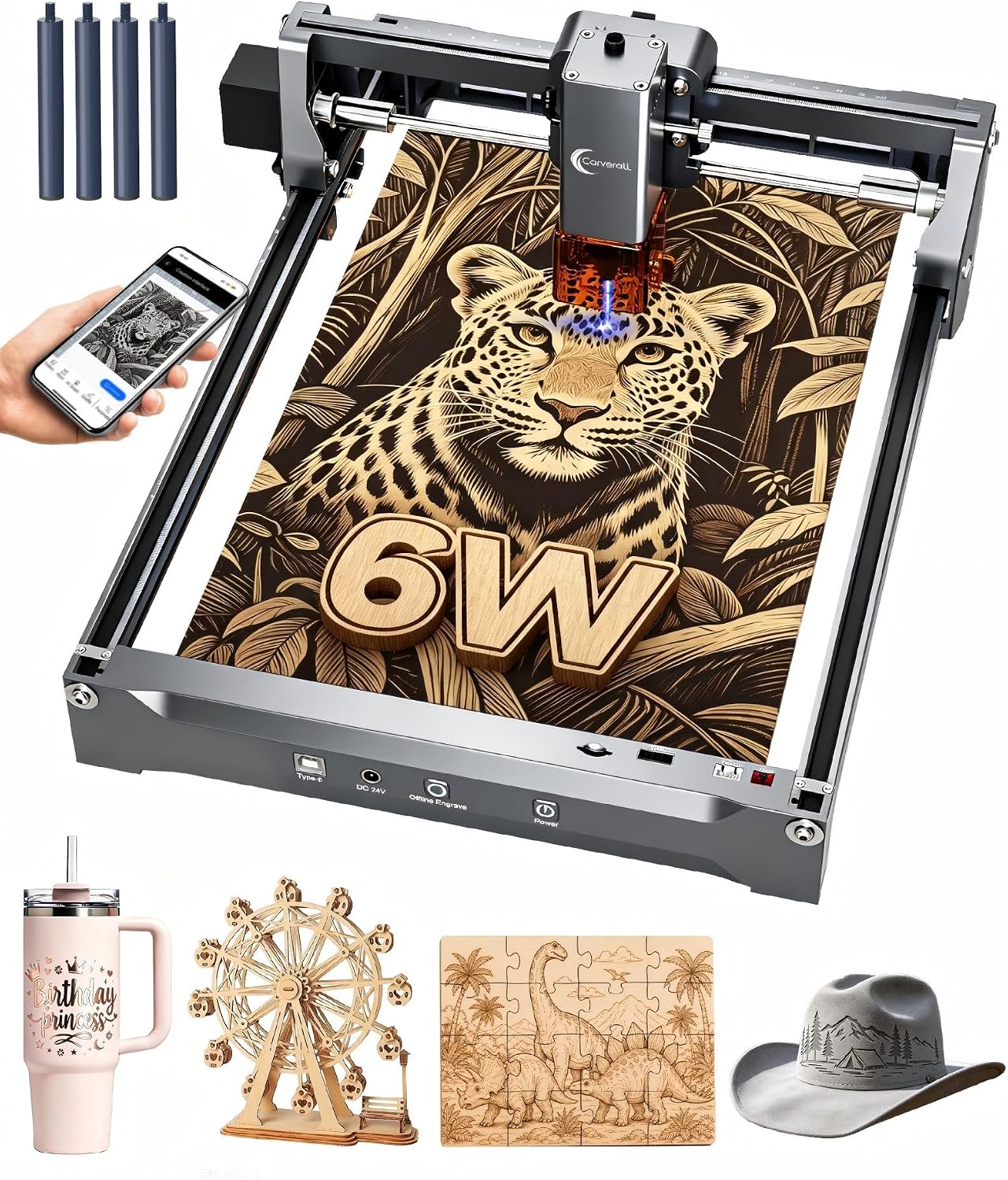
An A4 bed is the size most people should have bought in the first place. At 11.8 x 7.9 inches it takes a notebook cover or a chopping board without swallowing a desk, and four heightening columns lift the gantry over gift boxes and skateboards.
The real draw is the optional 1 W infrared head. It’s the only route in this lineup to marking bare, uncoated metal without buying a second machine.
That head is a separate purchase, and as shipped the K15 Pro doesn’t mark bare metal. If metal is the goal, read our guide to choosing an IR laser head for marking metal first.
Flaws but not dealbreakers. Six watts means 8 mm plywood takes several passes, and the honeycomb, pump and rotary are extras.
Safety: it wears a Class 1 badge, but there’s no enclosure on this machine, and Class 1 without a box has nothing to back it up. Treat it as an open-frame laser and keep the goggles on. They come in the box, along with tilt protection that shuts the laser off if it’s knocked.
- Optional IR head, the only path here to uncoated metal
- A4 bed and columns take tall objects
- One-touch focus, repeat-job memory, five-minute assembly
- Free CutLabX, plus LightBurn and TF-card jobs
- Class 1 badge with no enclosure to back it up
- 6 W is modest: 8 mm plywood needs several passes
- Bare-metal marking costs extra on top
- Laser Type
- Diode, optional IR
- Output
- 6000 mW (6 W)
- Work Area
- A4, 11.8 x 7.9 in
- Precision
- 0.01 mm
Best for: an A4 machine now, with metal marking kept open as an upgrade later.
Longer Ray5 5W: Best for running jobs without a laptop
A long raster job shouldn’t cost you your laptop for the evening. Load the file onto a TF card, pick it on the 3.5-inch touchscreen, press start and walk off with the computer. Every other open frame here wants a cable or a phone in range.
Its protections are the most complete of the open frames. Emergency shutdown, motion protection and overheat detection are standard, with covers and goggles in the box, on a 400 x 400 mm bed.
Flaws but not dealbreakers. Five watts on a bed this size means patience, and Longer doesn’t say how thick it can cut, so plan on some test pieces. Want this frame size with real cutting power? The Falcon 10W has it, and no touchscreen.
Safety: it’s rated Class II, open frame, with goggles and covers in the box. Alongside the TTS-55 Pro this is the mildest rating among the open frames. Still, read the class section below before you put much faith in a roman numeral.
- Touchscreen plus TF-card running ties up no computer
- 400 x 400 mm bed on an entry-level frame
- Emergency shutdown, motion protection, overheat detection
- Covers and goggles supplied
- 5 W means more passes than the 10 W and 20 W machines
- Top speed is a third of the Twotrees TTS-55 Pro’s
- No enclosure, and air assist isn’t included
- Laser Type
- Diode
- Output
- 5000 mW (5 W)
- Work Area
- 400 x 400 mm
- Laser Spot
- 0.08 x 0.08 mm
Best for: anyone who resents losing a laptop to an hour-long raster.
Twotrees TS1 Mini: Best for the smallest room in the house
If your workshop is a table that gets cleared before dinner, nothing else here competes. 157 x 157 x 167 mm, enclosed, no assembly, auto-focus, driven from a phone. It lives on a shelf.
The bed is the price of that. Eighty millimetres square with 30 mm of height: coasters, tags and keyrings, not a cutting board.
Three watts at 3,000 mm/min suits fine detail and rules out real cutting. Want enclosed but book-sized? The L2 Flex is the step up.
Safety, and the most useful lesson in this roundup: it’s fully enclosed, sold for family and classroom use, and still rated Class 4. An enclosure is not a certification. Twotrees built the box, put goggles in it, and didn’t call it Class 1. Wear those goggles every time, and read the class section below before trusting any badge.
- Enclosed acrylic cover contains light and debris
- Small and light enough to live on a shelf
- No assembly, goggles included, auto-focus head
- Phone control over Bluetooth, or LightBurn over USB
- 80 x 80 mm bed with 30 mm of height; coasters, not cutting boards
- Rated Class 4 despite the enclosure, so goggles stay on
- 3 W at 3,000 mm/min is the slowest, weakest combo here
- Laser Type
- Diode
- Output
- 3000 mW (3 W)
- Work Area
- 80 x 80 mm
- Machine Size
- 157 x 157 x 167 mm
Best for: a dorm, a small flat, or a table packed away every evening.
Twotrees TTS-55 Pro: Best big bed on an open frame
This was our top pick until we started scoring the box rather than the bargain. It’s still the strongest entry-level frame here: a 300 x 300 mm bed that swallows a cutting-board blank, Wi-Fi and TF-card running, an air-assist nozzle included, and 30,000 mm/min.
What it has no version of is containment. A red shield on the module and nothing else, which is exactly what our scoring penalises. It’s rated for 5 mm plywood, 3 mm acrylic and 0.7 mm leather: it marks widely and cuts thin.
Flaws but not dealbreakers. Air assist is supported rather than supplied, and there’s a frame to assemble. If you can’t control who walks in, take the L2 Flex instead.
Safety: it’s rated Class II, but it’s an open frame with only a shield on the module, and goggles don’t come in the box. Wavelength-matched eyewear and a ventilated room are requirements here, not suggestions.
- 300 x 300 mm bed takes a full cutting-board blank
- Air-assist nozzle and laser shield included
- Wi-Fi plus offline TF card frees your computer
- Free LaserGRBL or paid LightBurn
- No enclosure, and goggles don’t come in the box
- 5.5 W is the lowest output of the open frames
- Pump and hose cost extra, and it needs assembly
- Laser Type
- Diode
- Output
- 5500 mW (5.5 W)
- Work Area
- 300 x 300 mm
- Max Speed
- 30,000 mm/min
Best for: a bench near a window, in a room you can shut other people out of.
Creality Falcon 10W: Best for cutting through thick wood
Most entry-level diodes mark wood and pretend to cut it. This one is rated to cut 12 mm wood board and 5 mm black acrylic in a single pass, on the largest bed here, from a 0.06 mm spot.
What you give up is refinement and reassurance. No air assist, no camera, no presets, and a bed that owns a whole desk. Creality also doesn’t publish a laser class for it, which is what costs it points on our score.
Safety, read this one carefully: Creality doesn’t publish a laser class for this machine, and we won’t guess one for it. Treat it as a high-power open laser: goggles on, room ventilated, nobody else present. Goggles do come in the box, and the module’s anti-UV filter blocks 97% of UV.
- Rated for 12 mm wood board in one pass
- Largest work area here; big panels fit whole
- Goggles included and an anti-UV filter on the module
- SD-card offline jobs plus LightBurn and LaserGRBL
- Creality doesn’t say what laser class it is
- Completely open frame at 10 W
- No air assist, camera or presets, and it hogs a whole desk
- Laser Type
- Diode
- Output
- 10 W (72 W machine)
- Work Area
- 400 x 415 mm
- Laser Spot
- 0.06 x 0.06 mm
Best for: a garage or spare room where you cut through stock rather than decorate it.
Atomstack A20 Pro V2: Most cutting power, and the biggest safety obligation
Twenty watts is double the output of anything else here, and that’s the whole pitch. Linear guides rather than belts, 0.01 mm accuracy, a one-year warranty and a rated 10,000-hour laser life. If you sell your work and the bottleneck is pass count, this fixes it.
It also scores lowest of any gantry machine here on home safety, deservedly. Class 4 at 20,000 mW, and the only containment is a cover that lifts straight off. Without a room you can close, buy the Falcon 10W.
Safety: Class 4 at 20,000 mW behind a removable magnetic cover. That’s the least contained high-power setup here. Glasses, limit switches and a tilt alarm are included; none of them is an enclosure. It wants a dedicated room with a door you can close.
- 20,000 mW, double the next most powerful machine
- Linear guide motion rather than belt-and-wheel
- Glasses, cover, limit switches and tilt alarm included
- 10,000-hour rated lifespan, one-year warranty
- Class 4 with only a removable cover between you and it
- 400 mm/s engraving trails the enclosed Falcon A1
- Atomstack doesn’t publish a work-area size, only a shipping size
- Laser Type
- Diode
- Output
- 20,000 mW (20 W)
- Laser Spot
- 0.08 x 0.1 mm
- Accuracy
- 0.01 mm
Best for: a dedicated room with extraction and a door. Without one, buy the Falcon 10W.
LaserPecker LP2: Best for tumblers, cylinders and market stalls
Everything else here drags a head along a rail; the LP2 steers the beam with mirrors. That buys engraving speeds up to 1,417 in/min, and the electric roller is in the box, so tumblers work on day one.
The money buys speed and portability, not a bed. Trolley mode stretches the length to 196 inches at a 4-inch width, it needs a fixed 11 cm distance, and cutting is limited to wood and paper under 0.2 inches. Pale material has to be painted black first.
It cannot engrave pure or shiny metal at all. LaserPecker points those buyers to the LP3 or LP4 instead.
Safety: LaserPecker doesn’t publish a laser class for it. It’s an open galvo head you can use handheld, so the included glasses and cover are mandatory, and it’s the worst machine here to walk away from mid-job.
- Galvo speed no gantry here approaches
- Electric rotary roller included for cylinders
- Genuinely portable, with a 12-month warranty
- Glasses, electric stand and cover included
- Can’t engrave pure or shiny metal at all
- Cutting tops out at wood and paper under 0.2 in
- Fussy setup: it needs a fixed 11 cm working distance
- Laser Type
- Galvo
- Max Speed
- 1417 in/min
- Laser Spot
- 0.05 mm
- Resolution
- 1K / 1.3K / 2K
Best for: drinkware at home, and a machine you can carry to a market stall.
The machines we looked at and did not pick
A shortlist is only worth something if things were left off it. The near misses:
- Twotrees TTS-10 Pro. A punchier sibling of the TTS-55 Pro, but under the hood it’s the same machine sold under a second name, so it doesn’t get a second spot.
- Longer Ray5 2500mW. The obvious cheaper entry point, and it shares its review pool with another Ray5 we’d already rejected.
- Creality’s older 10W frame. Same spec sheet as the Falcon 10W, rated lower by owners, and a weaker cut: 5 mm basswood against 12 mm wood board.
- Woxcker 10W enclosed. Best-rated candidate in the pool, on a small owner base, sitting in the dead ground between the L2 Flex and the Falcon A1.
- ACMER S1, in three wattages. All three fell short of our quality bar, and three versions of one machine is padding, not choice.
Also screened out: a rotary engraving pen with no laser in it, ZnSe lenses, molybdenum mirrors, a honeycomb bed and marking powder. They rank for “engraver”. None is a machine.
How we picked and scored these nine machines
We haven’t run these nine machines ourselves, and we won’t pretend we have. What we did was read every listing the way a careful buyer would.
Anything rated below our bar was out. Anything with only a handful of owner reviews was out, relisted copies of the same machine only got one spot, and anything that wasn’t actually a laser engraver (the pens, the lenses) went straight in the bin.
Two consequences. There’s no cheaper pick than the TS1 Mini, because the listings below it duplicated machines already covered. And there’s no CO2 or true fibre machine, because none cleared the bar.
What the score out of 10 actually is
Every score here is ours, not Amazon’s, and it isn’t a test result. A star average tells you whether buyers liked the box that arrived, not whether the thing inside belongs in your spare room.
Two machines here sit within a couple of tenths of each other on stars, yet one is sealed and Class 1 and the other is an open Class 4 frame. So each is scored on a fixed weighting:
- Home safety, 35%. Its safety class, whether it has a real enclosure, and what the maker is willing to put in writing. A Class 1 badge with no enclosure behind it gets capped, because marketing copy is not a safety feature.
- What it can cut, 25%. Output and work area, normalised against this lineup.
- Living with it, 20%. Offline running, footprint, assembly, software choice.
- Owner verdict, 20%. The Amazon rating, pulled toward the group average when the sample is small.
Every input is a recorded listing field, so the same lineup always produces the same numbers. Where you see measured on this page, an instrument was involved and the source is named. It was never us.
Diode, CO2, fibre, UV or galvo: which laser belongs in a house
Diode: why nearly every home machine is one
A blue diode at 450-455 nm is cheap, air-cooled and needs no water loop, which is why eight of these nine are diodes. Wood, MDF, leather, slate, cork, paper, dark acrylic and coated metal all mark well.
Clear acrylic passes the light through, glass is unreliable, and bare metal reflects it. That’s physics, not a flaw. For the full type-by-type comparison, see our breakdown of the difference between a diode and a CO2 laser.
CO2: better at cutting, harder to live with
A CO2 tube at 10,600 nm cuts clear acrylic cleanly and gets through thicker wood in fewer passes, but brings water cooling, a bigger cabinet and a mandatory duct. No CO2 machine cleared our quality bar. The CO2 gear that did rank well was all parts: lenses, mirrors, a honeycomb bed.
One correction, since readers arrive with the name: the original Glowforge Basic is discontinued and no longer on the current Glowforge spec page. The lineup is now Pro, Plus HD and Plus, with Aura and Spark below them as 6 W diodes.
UV: precise, cold, and not a home machine
UV lasers run at roughly 355 nm and mark by breaking molecular bonds rather than burning, which suits coatings a diode would scorch. Specialist kit; it stays in industry.
Fibre, IR heads and galvo: the metal question
True fibre is the answer for bare metal, and none cleared the bar. The only fibre-adjacent product that surfaced was marking powder. What exists at this level is a 1064 nm infrared head as a paid add-on, on the K15 Pro and the L2 Flex.
Plainly: no machine in this roundup marks bare, uncoated metal as shipped. Two get there with a separately purchased IR head; the LaserPecker LP2 cannot at all.
Galvo versus gantry: a gantry drags the head over the work, while a galvo steers the beam with mirrors. The galvo is faster, but works over a small fixed field.
Class 1 vs Class 4: what a laser safety rating does and does not cover
What Class 1 certifies, and what it says nothing about
Under IEC 60825-1, a Class 1 product is one where accessible optical radiation cannot exceed the maximum permissible exposure under all reasonably foreseeable conditions. That is the whole scope: an eye-and-skin rating, silent on smoke, particulate, VOCs and fire. A Class 1 badge does not reduce your ventilation requirement by one cubic foot per minute.
It also explains the Falcon A1’s paperwork: product Class 1, module Class 4, both true, because with the doors shut nothing is accessible. The enclosure is the certification. US products also fall under the FDA’s older scheme in 21 CFR 1040.10, where Class II means about a milliwatt.
What Class 4 obliges you to do at home
An uncovered 450-455 nm diode gantry is Class 4, which carries duties:
- OD5+ eyewear matched to 450-455 nm. Diode goggles protect you from nothing on a 10,600 nm CO2. Our guide to the safety gear a laser engraver actually needs covers optical density.
- Controlled access to the room while the beam is live.
- Attended operation, start to finish. New owners break this rule first.
- A tinted lid is not eyewear, and nor is a magnetic cover.
Fire burns houses down, and not one of these nine lists a flame sensor. The closest are the Ray5’s overheat detection and the Atomstack’s tilt alarm, and neither detects a flame. The fire watch is you.
Where our nine machines actually stand
Here’s where each machine lands, in plain words. No jargon, just what’s actually between you and the beam.
| Machine | Safety setup, in plain words |
|---|---|
| Woxcker L2 Flex | Fully enclosed, rated Class 1 |
| Creality Falcon A1 | Enclosed with locking doors, rated Class 1 |
| Carverall K15 Pro | Class 1 on paper, but no enclosure, so wear the goggles |
| Longer Ray5 5W | Open frame, Class II, goggles every time |
| Twotrees TS1 Mini | Enclosed, but Class 4 inside, so treat it with respect |
| Twotrees TTS-55 Pro | Open frame, Class II, goggles every time |
| Creality Falcon 10W | Open frame with no class rating, goggles are non-negotiable |
| Atomstack A20 Pro V2 | Partial cover, Class 4, this one belongs in a garage |
| LaserPecker LP2 | Handheld galvo, no enclosure, goggles come in the box |
Scroll the table sideways to see every column.
Trust a visible door, hinge and interlock over a badge on a product page.
Venting a laser engraver inside a house: the build, with real numbers
Every guide says ventilate; almost none says with what. Still deciding whether you need extraction? Start with whether a laser engraver needs ventilation.
The 4-inch duct build, specified
Four-inch duct is the de facto standard. Glowforge ships a 4 in x 8 ft hose in its accessory kit, and 8 ft is a fair limit before flexible duct’s ribbing eats your airflow. Past that, or with more than one tight bend, add an inline booster fan.
The shopping list is duct, two clamps and that fan. Put the fan at the window end: a fan that pulls holds the run under negative pressure, so a leaking joint draws air in instead of blowing smoke out.
The window insert, and the run-on rule nobody states
If you rent, a window insert replaces a wall vent and leaves no holes. Cut 6-12 mm plywood to the sash width and about 150 mm tall, cut a 4 in hole, fit a dryer-vent collar with a backdraught flap, drop the sash onto it and clamp on the duct.
Then the rule almost nobody publishes. Munoz, Schmidt, Suffet and Tsai measured emissions from a CO2 laser cutting acrylic for the Journal of Chemical Health & Safety in 2023 (UCLA): Characterization of Emissions from Carbon Dioxide Laser Cutting Acrylic Plastics. They measured ultrafine particulate in the 10-420 nm range peaking at roughly 18,000 particles/cm³, still climbing for the 20 minutes after the lid was opened.
That is a different laser and material from most of this lineup, so read those as CO2-and-acrylic figures, not diode figures. What transfers is the behaviour: ultrafine particulate does not settle and keeps arriving after the cut stops. The rule: run the extractor 3-5 minutes after the last cut before lifting the lid, then keep it running while you unload. The authors recommend exactly that as an administrative control.
Materials that must never go in the machine
- PVC and vinyl: never. They release hydrogen chloride, which corrodes rails and optics as thoroughly as it attacks your airway.
- MDF and plywood: with real extraction only. The binder releases formaldehyde; MDF is why a room smells for two days.
- Acrylic: with real extraction only. Releases methyl methacrylate, the sweet smell people mistake for harmless.
If your plan cannot handle MDF, your plan is a desk fan.
How loud is a laser engraver, really?
The pump is the problem, not the laser
The laser itself makes no noise. Almost everything you hear is moving air. xTool publishes 47 dB for the S1 40W and specs its Smoke Purifier at no more than 55 dB, but the air-assist pump sets your real floor. Hackaday’s independent Laser Air Assist Shootout measured common options at the machine and again at 5 ft:
- Simple Deluxe 1189 aquarium pump: 64 dB up close, 52 dB at 5 ft
- Sunrise-DeVilbiss 46502: 78 dB up close, 68 dB at 5 ft
- Small compressor regulated to 15 psi: 91 dB up close, 81 dB at 5 ft
- Small aquarium pump moving only 0.14 CFM: 46 dB up close, 35 dB at 5 ft
A 91 dB compressor next to a 47 dB machine is the thing you actually hear, and an enclosure does nothing about it because the pump lives outside the box. Before you unplug it, what air assist does on a laser engraver explains why you cannot: without it, cuts char and the lens fouls.
Budget for a quiet pump rather than a louder enclosure. Even then it is 45-55 dB continuously for the length of the job, a background hum your neighbour hears all evening.
How to choose: materials first, then bed, power, footprint and running cost
Start with materials, not wattage
Write down the five things you intend to make first; that list picks the machine. Clear acrylic, glass and bare metal are outside diode territory. Almost everything else on this page is not.
Bed size and wattage: what each step buys
- 80 x 80 mm: coasters, tags, keyrings
- 150 x 200 mm: small gifts, plaques, jewellery boxes
- A4: notebooks, chopping boards, small signs
- 300 x 300 mm: a full cutting-board blank
- 400 mm frames: panels and multi-part layouts
Wattage maps to passes: 3-5 W marks and cuts thin stock slowly, 6-10 W does plywood in one or two passes, 20 W is a production tool with a matching safety obligation.
Will it fit? Footprint and clearance
Add roughly 6 in behind the machine for a duct elbow, and check lid-open height if it is enclosed.
| Machine | Size | Weight |
|---|---|---|
| Twotrees TS1 Mini | 157 x 157 x 167 mm | 2.97 lb |
| LaserPecker LP2 | 5.91 x 5.91 x 8.66 in | 10.21 lb |
| Woxcker L2 Flex | 14.29 x 11.61 x 8.27 in | 5.5 lb |
| Longer Ray5 5W | 12.2 x 23.6 x 5.9 in | 8.26 lb |
| Twotrees TTS-55 Pro | 19 x 6 x 6 in | 8.23 lb |
| Atomstack A20 Pro V2 | 22.83 x 9.84 x 6.69 in | 13.42 lb |
| Creality Falcon A1 | 25.98 x 19.69 x 9.84 in | 44.2 lb |
Scroll the table sideways to see every column.
Two of the nine, the Carverall K15 Pro and the Creality Falcon 10W, don’t share exact outer dimensions. Leave them extra margin when you plan the desk.
Running cost: a filter box is a subscription, a window is a one-off
A Glowforge Performance filter cartridge costs $249, rated by Glowforge at up to 100 hours of printing. xTool’s Smoke Purifier schedule is a pre-filter every 7-15 days, a middle filter every 2-3 months and a HEPA every 3-6 months. A window vent costs duct, clamps and possibly a booster fan, once.
Software: what runs on what
LightBurn is the paid standard and every gantry machine here supports it; the LP2 runs from its own app. LaserGRBL is the free Windows-only fallback. Four machines run jobs from a card with no computer attached, but only the Ray5 adds a touchscreen.
Do not buy one yet if your home looks like this
Some houses are not ready, and no machine fixes that. If one of these is yours, read whether laser engraving is safe indoors before you spend anything.
- You rent and cannot make a permanent or semi-permanent vent path. Workaround: the removable window insert above, if the lease allows it. If not, wait. No filter makes an unvented bedroom safe for MDF.
- The only room available is an interior basement or closet with no exterior wall, on a shared HVAC return. No workaround: a shared return distributes fumes to every bedroom. Wait until you have a garage.
- You cannot stay in the room for the whole job. Every manual requires attended operation, and new owners break that rule first. A camera is not attendance; it lets you watch a fire start from another room.
- The room’s smoke detector is interlinked with the rest of the house. There’s a workaround (relocate it, or fit a less nuisance-prone detector), but plan it before the machine arrives, not after the first 2 a.m. alarm.
- Nobody else in the household has agreed to the smell. Not a technical problem, and no fan solves it. Burnt MDF is distinctive and it lingers.
Frequently asked questions
Is it safe to run a laser engraver inside a house?
Yes, with an exhaust path outside, wavelength-matched eyewear and attended operation. Those conditions make it safe, not the machine: a Class 1 box with no venting is worse than a ducted open frame.
Do I have to vent a laser engraver out of a window?
Out of a window or a wall vent. A filter box is the alternative but it recurs: Glowforge rates a $249 cartridge at up to 100 hours of printing.
How loud is a laser engraver?
Roughly 47-55 dB for the machine on xTool’s published figures. Hackaday measured air-assist pumps from 46 dB to 91 dB, so the pump sets your real noise level.
What does Class 1 actually mean on a laser engraver?
Accessible optical radiation cannot exceed the maximum permissible exposure under IEC 60825-1. It is an eye-and-skin rating only, silent on smoke and fire.
Can a home laser engraver mark bare metal?
Not one in this lineup does it as shipped. The K15 Pro and L2 Flex offer a 1064 nm IR head as a separate purchase, and the LaserPecker LP2 cannot at all.
How much space does a desktop laser engraver need?
Its footprint plus about 6 in behind it for a duct elbow, and lid clearance if enclosed.
Can I use a laser engraver in an apartment?
Only with a fully enclosed machine, a removable window vent and a quiet air pump, and only if the lease permits the insert.
Do I need LightBurn or is the free software enough?
LaserGRBL is free, Windows-only and enough to start on any of the seven gantry machines here. LightBurn earns its licence once you are laying out multiple objects.
What is the cheapest laser engraver actually worth buying?
The Twotrees TS1 Mini. Everything cheaper was either the same machine relisted under another name, or a lower-wattage version that fell short of our quality bar.
The verdict: which one to buy
Three homes, three answers. If the machine has to share a flat or a wall with someone, the Woxcker L2 Flex is the cheapest way to get a real enclosure and a Class 1 rating in the same box, which is why it tops the page.
With children or pets around, the Creality Falcon A1 is worth every extra pound of weight and money for the interlocked doors, auto-lock and emergency stop. And if your room is a table that gets cleared, the Twotrees TS1 Mini is the smallest machine here that still does useful work.
Two caveats. The 20 W Atomstack A20 Pro V2 is the most capable cutter on the page and the one that most needs a room with a door. And whichever you choose, the vent plan is not optional. It decides whether the machine is still in use next year.
