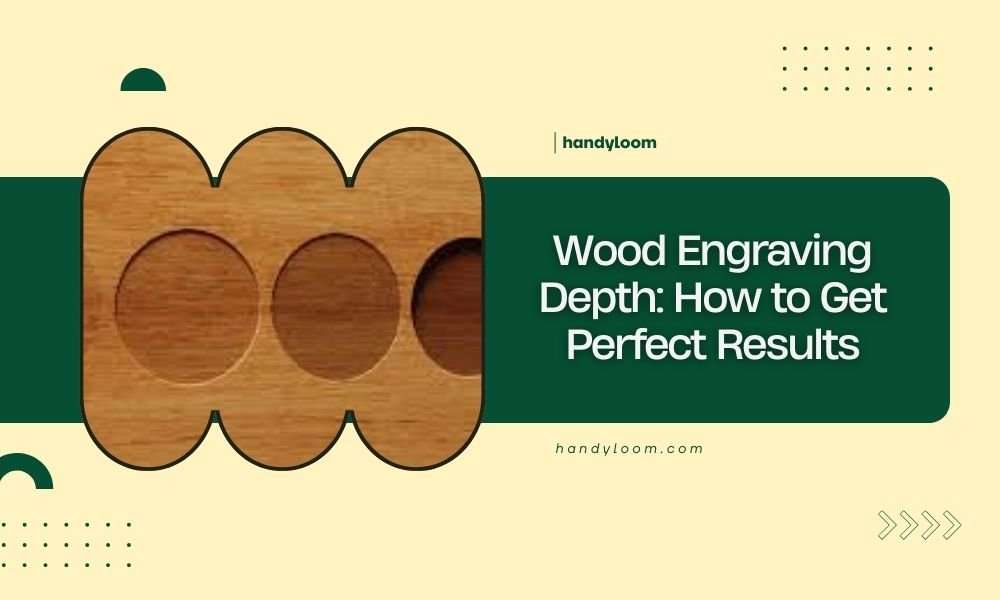
Wood engraving depth typically ranges from 0.001 to 0.030 inches, with most projects requiring 0.005 to 0.015 inches for clear, readable results.
The perfect wood engraving depth depends on your wood type, laser power settings, and desired visual contrast.
Understanding Wood Engraving Depth Basics
Getting the right engraving depth feels like finding the sweet spot on a guitar string. Too shallow, and your design disappears. Too deep, and you burn through your wood.
I found that most beginners worry about going too deep. But here’s the thing – shallow engravings cause more problems than deep ones. You can’t see them clearly, and they collect dust over time.
What Determines Perfect Depth
Your wood type matters most. Hardwoods like oak need deeper cuts than softwoods like pine. Dense woods resist laser penetration, while soft woods burn quickly.
Think of it like carving butter versus carving cheese. Each material needs different pressure and technique.
Wood Density Impact
Dense woods require higher power settings to achieve the same depth. Maple and cherry need 20-30% more power than basswood or poplar.
I researched laser cutting forums and found that most professionals test on scrap pieces first. They never jump straight into expensive wood without testing.
Grain Direction Effects
Wood grain affects engraving consistency. Laser beams follow the grain path, creating uneven depths across your design.
End grain engraves deeper than face grain. Plan your layout accordingly, or you’ll get patchy results.
Optimal Depth Settings for Different Woods
Each wood species has its own personality. Some cooperate beautifully, others fight you every step of the way.
| Wood Type | Recommended Depth | Power Setting | Speed Setting |
|---|---|---|---|
| Basswood | 0.008-0.012 inches | 40-60% | 800-1200 mm/min |
| Birch Plywood | 0.006-0.010 inches | 45-65% | 900-1300 mm/min |
| Cherry | 0.010-0.015 inches | 55-75% | 700-1000 mm/min |
| Oak | 0.012-0.018 inches | 60-80% | 600-900 mm/min |
Softwood Engraving Guidelines
Softwoods burn fast and deep. You’ll need lower power and faster speeds to control depth.
Pine and cedar can surprise you. They look uniform but have random resin pockets that burn differently. Test multiple spots on your wood before starting.
Dealing with Resin Issues
Resin creates deeper burns and darker colors. It’s not always bad – sometimes it adds character to your design.
Clean your lens more often when working with resinous woods. Resin smoke builds up quickly and affects laser performance.
Hardwood Depth Control
Hardwoods give you more control but require patience. They engrave evenly but need multiple passes for deeper cuts.
Maple produces beautiful contrast at 0.010-0.012 inches. Walnut looks great even at shallow 0.006-0.008 inches because of its natural color variation.
Multiple Pass Technique
Multiple shallow passes beat one deep pass every time. You get cleaner edges and better depth control.
Try three passes at 30% power instead of one pass at 90%. Your results will look more professional.
Laser Settings for Perfect Depth Control
Power, speed, and passes work together like a three-person dance. Change one, and you need to adjust the others.
Power Settings Strategy
Start with 50% power for your first test. Most woods respond well to mid-range power settings.
I found through research that jumping to high power too quickly burns your wood instead of engraving it cleanly.
Fine-Tuning Power Levels
Adjust power in 5-10% increments. Small changes make big differences in engraving depth.
Write down your settings for each wood type. You’ll forget what worked last time, and good settings are worth remembering.
Speed Considerations
Slower speeds create deeper engravings. But too slow causes burning and rough edges.
Find the speed where your laser cuts cleanly without charring. This sweet spot varies by wood type and laser power.
Speed and Quality Balance
Fast speeds save time but sacrifice depth consistency. Slow speeds give better control but increase project time.
For detailed work, slower speeds win. For large text or simple designs, faster speeds work fine.
Measuring and Testing Engraving Depth
You can’t improve what you don’t measure. Depth measurement separates hobbyists from professionals.
Digital Depth Gauges
Digital calipers with depth probes give accurate readings. They’re worth the investment if you do regular engraving work.
Measure at three different spots in your engraving. Depth varies more than you think, especially in natural wood.
Alternative Measuring Methods
Feeler gauges work for quick checks. They’re cheaper than digital tools and good enough for most projects.
Some crafters use their fingernail as a rough guide. If you can catch your nail in the engraving, it’s about 0.010 inches deep.
Creating Test Squares
Make test squares with different settings on scrap wood. Label each square with power, speed, and pass settings.
Keep your test squares as references. They’ll save you time on future projects with similar wood.
Test Pattern Design
Include text, lines, and solid fills in your test pattern. Each element behaves differently during engraving.
Fine text needs different depth than bold text. Solid areas burn deeper than line work at the same settings.
Common Depth Problems and Solutions
Even experienced engravers face depth issues. The key is recognizing problems early and knowing how to fix them.
Uneven Engraving Depth
Uneven depth usually comes from warped wood or dirty optics. Check your wood flatness and clean your lens.
Holddown pins help keep wood flat during engraving. Warped wood creates focus problems that cause depth variation.
Focus Issues
Wrong focus distance changes engraving depth across your project. Double-check focus before starting large projects.
Some lasers have auto-focus features. They’re helpful but not perfect – verify focus manually on important projects.
Too Shallow Engravings
Shallow engravings look weak and unprofessional. Increase power by 10-15% or slow down your speed.
Don’t be afraid to go deeper than you think you need. Most beginners err on the shallow side.
Contrast Enhancement
Dark stain or paint makes shallow engravings more visible. Sometimes finishing saves a shallow engraving.
Wipe stain into the engraving, then sand the surface clean. The engraving keeps the stain while the surface stays natural.
Advanced Depth Techniques
Once you master basic depth control, these advanced techniques add professional touches to your work.
Variable Depth Engraving
Vary engraving depth within one design for artistic effect. Use different grayscale values to control depth automatically.
Your laser software converts gray levels to power levels. Light gray equals shallow engraving, dark gray goes deeper.
Grayscale Mapping
Set up grayscale maps in your software. Map 10% gray to shallow depth, 90% gray to maximum depth.
Test your grayscale settings on scrap wood. Each laser interprets grayscale differently.
Conclusion
Perfect wood engraving depth comes from understanding your materials, testing your settings, and measuring your results. Start with conservative settings around 0.008-0.012 inches for most projects, then adjust based on your specific wood and desired outcome. Remember that multiple shallow passes often produce better results than single deep cuts, and keeping detailed notes of successful settings will save you time on future projects.
What’s the maximum safe engraving depth for most woods?
Most woods can handle 0.020-0.030 inches maximum depth before structural integrity becomes an issue. Going deeper risks burning through thin boards or creating weak spots that crack easily.
How do I prevent charring when engraving deep?
Use multiple passes at lower power instead of single high-power passes. Keep your laser moving fast enough to prevent heat buildup, and consider using air assist to blow away debris and cool the cut.
Why does my engraving depth vary across the same piece of wood?
Wood density varies naturally within the same board due to growth patterns, grain direction, and moisture content differences. Plywood tends to be more consistent than solid wood for this reason.
Can I fix an engraving that’s too shallow without starting over?
Yes, you can run the same design again at slightly higher power or slower speed to deepen shallow engravings. Just be careful with alignment to avoid double images or offset cuts.
What depth works best for paint-filled engravings?
Paint-filled engravings need 0.010-0.015 inches minimum depth to hold paint properly and allow for sanding the surface smooth. Shallower engravings don’t hold enough paint for clean finishing.