
Your laser is smoking a lot because it’s likely dealing with excess material buildup or you’re trying to cut through something too thick or at the wrong speed. This smoke is a visual cue that something isn’t quite right with your laser’s performance or settings. It’s often a sign that the laser beam is encountering more resistance than it should, leading to unwanted vaporized material.
Understanding why your laser is producing so much smoke is key to maintaining both its health and the quality of your projects. Sometimes, it’s simply a matter of routine cleaning, while other times, it might point to needing adjustments in your cutting parameters or even the type of material you’re using. We’ve found that addressing these issues promptly can prevent long-term damage.
- Smoking means buildup or incorrect settings.
- Check for material buildup on your laser lens.
- Ensure your laser’s speed and power are correct.
- Consider the material you are cutting.
- Proper ventilation is always important.
Let’s walk through exactly why this might be happening and what you can do to fix it.
What’s Causing All That Laser Smoke?
Seeing a lot of smoke come from your laser cutter can be alarming. It often feels like your machine is struggling. Think of it like a car engine sputtering; it’s a signal that something needs attention. This excessive smoke is usually a sign that the laser beam is interacting with the material in a less-than-ideal way. It means the energy is being converted into vaporized material and potentially unwanted byproducts rather than a clean cut or etch.
The good news is that understanding the common culprits can help you get back to smooth operation. We’ve found that most smoky laser situations can be traced back to a few key areas. These range from simple maintenance issues to how you’re using your laser cutter. Let’s break down the most frequent reasons your laser might be puffing out more smoke than usual.
Material Buildup: The Smudge on Your Lens
One of the most common reasons for excessive smoke is a dirty lens and mirrors. Over time, as your laser works, tiny bits of vaporized material can settle on the lens and mirrors. This residue acts like a smudge on a camera lens. It scatters the laser beam and reduces its power. When the beam isn’t as focused and powerful, it has to work harder to cut through your material.
This increased effort leads to more material vaporizing and burning. The result? More smoke. It’s like trying to read a book through a dirty windowpane; you need to squint, and it’s just not as clear. This is why regular cleaning is often the first and best solution.
Your Laser’s Optics: A Delicate Dance
Your laser cutter relies on a series of mirrors to direct the beam from the source to your material. The final mirror guides the beam through the lens, which focuses it to a tiny point. This focused point is where the magic of cutting and engraving happens.
When these optics are dirty, the beam doesn’t travel efficiently. It can become wider and less intense. This means more energy is needed to achieve the desired cut depth. The material essentially overheats in a wider area, creating more smoke and charring.
Cleaning Your Lens and Mirrors: A Step-by-Step Guide
Cleaning might sound simple, but it’s important to do it correctly. You don’t want to cause any damage. Always start with the least aggressive method.
- Gather your supplies: You’ll need special lens cleaning solution (often isopropyl alcohol), lint-free wipes or swabs specifically designed for optics, and maybe some compressed air.
- Address the lens first: If you have a removable lens, take it out carefully. Use a clean wipe with a small amount of cleaning solution to gently wipe the lens in a circular motion. Work from the center outwards.
- Clean the mirrors: For mirrors, use a similar technique. Be very gentle. You’re just trying to lift the debris, not scrub it off.
- Use compressed air: After wiping, you can use a puff of compressed air to remove any remaining particles.
- Inspect carefully: Look at the lens and mirrors under good light. If you still see residue, repeat the cleaning process.
Many laser manufacturers recommend cleaning your optics at least once a week, or more often if you notice a drop in cutting performance or an increase in smoke (Laser Engraver Maintenance Guide). Think of it as part of your routine, like flossing your teeth.
Material Properties and Laser Settings: A Balancing Act
The material you’re cutting plays a huge role in how much smoke your laser produces. Some materials simply vaporize more readily than others. On top of that, your laser’s settings—specifically speed and power—need to match the material you’re working with.
If your settings are off, you can cause unnecessary burning and smoking. It’s like trying to cook a delicate fish with a blowtorch; it’s going to end in a smoky mess. Finding the right balance is key to clean cuts and minimal smoke.
Understanding Your Material’s Behavior
Different materials react differently to the laser beam. For example:
- Acrylics: Often produce a bit of smoke and can sometimes melt slightly before vaporizing. The type of acrylic matters; cast acrylic generally cuts cleaner than extruded acrylic.
- Wood and Plywood: These materials are organic and contain moisture and resins. When heated, they will vaporize and burn, producing a significant amount of smoke and often a distinct smell. Plywood can also have glue layers that add to the smoke.
- Plastics (other than acrylic): Some plastics can release toxic fumes when cut. It’s vital to know what you’re cutting and ensure proper ventilation.
- Paper and Cardboard: These can char easily and produce a lot of fine particulate smoke if the laser is too slow or too powerful.
We’ve found that materials with higher resin content or moisture tend to smoke more. Always research your material beforehand. Many suppliers provide recommended laser settings for their products, which is a great starting point (Material Safety Data Sheets).
Optimizing Speed and Power Settings
This is where trial and error often come into play. If your laser is smoking too much, it could be:
- Too slow: The laser beam stays on one spot for too long, allowing the material to overheat and burn excessively. You might see charring around the edges of your cut.
- Too powerful: The laser beam is delivering more energy than necessary for that particular material or thickness. This can cause excessive vaporization and burning.
The ideal setting is often described as a “clean cut.” You want the laser to vaporize the material efficiently without charring or melting. Many laser users start with a recommended setting for their material and then make small adjustments.
If you’re cutting thicker materials, you might need to reduce your speed slightly or increase your power. However, for thinner materials, you’ll typically want to increase your speed or reduce power to avoid burning. Think of it like adjusting the heat on your stove; too high and you burn it, too low and it doesn’t cook.
Finding the Sweet Spot: Test Cuts Are Your Friend
Don’t be afraid to perform test cuts on a scrap piece of your material. This is the best way to dial in your settings. You can make a series of small squares or lines, varying the speed and power. Examine the results closely. Look for the setting that gives you a clean cut all the way through with minimal charring and smoke.
Many laser software programs allow you to create these test patterns easily. It’s a small step that can save you a lot of frustration and wasted material later on. We found that a good test cut often involves a speed that allows the material to vaporize cleanly without excess burning.
Ventilation: Clearing the Air is Crucial
Your laser cutter produces smoke and fumes as a byproduct of cutting and engraving. These aren’t just wisps of steam; they can contain harmful particles and gases. Proper ventilation is absolutely essential, not just for smoke reduction, but for your health and safety.
If your ventilation system isn’t working effectively, the smoke can’t escape the cutting area. This leads to it accumulating around the laser head, causing the machine to essentially re-cut through smoke. It also means those fumes linger in your workspace.
The Importance of a Good Exhaust System
A well-designed exhaust system pulls the smoke and fumes away from your laser cutter and expels them outside your building. This keeps your laser optics cleaner for longer and ensures a safer working environment. Think of it as a powerful vacuum cleaner specifically designed for your laser.
Research indicates that airborne contaminants from laser cutting can be harmful. The U.S. Consumer Product Safety Commission (CPSC) advises that laser cutting can release gases and particles that may irritate the lungs and eyes. A robust ventilation system is your first line of defense against this.
Checking Your Air Assist and Exhaust Fan
Your laser cutter likely has an air assist feature. This is a nozzle near the laser head that blows a stream of air onto the cutting point. Air assist has two main benefits: it helps to clear debris from the cutting path, and it cools the material slightly, reducing flaming and charring. If your air assist isn’t strong enough or is clogged, you’ll see more smoke and flame.
Similarly, check your exhaust fan and ducting. Is the fan running at full speed? Are the ducts kinked or blocked? A common issue we see is that the exhaust hose gets squashed or has debris building up inside. Regularly inspecting and cleaning your exhaust system is just as important as cleaning your optics.
Material Thickness and Single vs. Multiple Passes
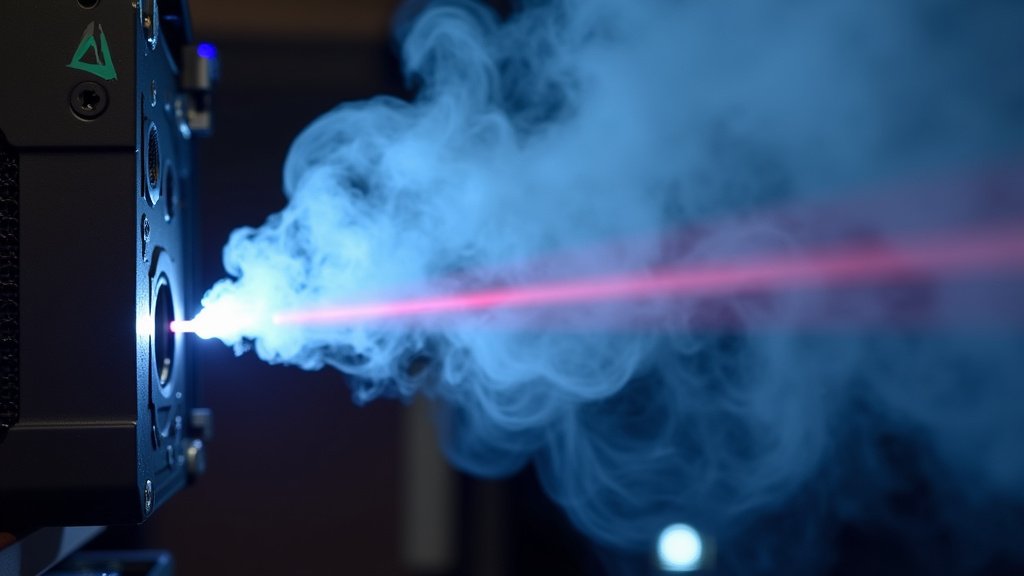
Trying to cut through a material that is too thick for your laser’s power or making a single pass when multiple passes would be better can lead to excessive smoking. Your laser has a limit to how much material it can vaporize cleanly in one go.
When you ask it to do too much at once, it struggles. This struggle manifests as burning, charring, and, of course, a lot more smoke. It’s like trying to drink a whole milkshake through a straw in one gulp; it’s just not going to happen smoothly.
Respecting Your Laser’s Limits
Every laser cutter has a maximum cutting thickness it can handle for a given material. Exceeding this limit means the laser beam won’t have enough power to fully penetrate the material. The beam gets absorbed or scattered before it reaches the other side.
If you’re trying to cut something particularly thick, you might need to lower your expectations slightly or accept that it will take longer and potentially produce more smoke. Always check the specifications for your laser model and the material you are using.
The Power of Multiple Passes
For thicker materials, or even some dense woods, using multiple passes is often a better approach than trying to blast through in one go. You can set your laser to make several shallower passes with slightly higher speed or lower power.
Each pass removes a small amount of material. This allows the laser to vaporize cleanly without overheating. It’s a more controlled process. Many experts recommend using multiple passes for materials over a certain thickness (Laser Cutting Best Practices). You’ll often find that this results in a cleaner edge and significantly less smoke.
Consider this: would you rather have one really smoky, charred pass that barely cuts through, or three cleaner passes that result in a smooth, perfect edge with much less smoke? The latter is usually the way to go for quality results.
Common Troubleshooting Checklist
If your laser is smoking excessively, here’s a quick checklist to help you diagnose the problem. We’ve found these steps cover most common issues:
- Clean your lens and mirrors: Is there any visible buildup?
- Check your material settings: Are the speed and power appropriate for the material and thickness?
- Verify your ventilation: Is the exhaust fan running? Is the ducting clear?
- Inspect your air assist: Is it blowing air strongly at the cutting point?
- Consider the material thickness: Is it within your laser’s capabilities for a single pass?
- Try multiple passes: For thicker materials, does this reduce smoke?
Conclusion
It’s clear that a smoky laser isn’t just an annoyance; it’s a signal. You’ve learned that everything from a dirty lens to incorrect speed settings can cause excessive smoke. Addressing material buildup, optimizing your settings, and ensuring proper ventilation are your best defenses. Don’t let that smoke cloud your judgment! Your next step is to grab your cleaning supplies and run a quick test cut on a scrap piece of material. A few minutes of maintenance can save you hours of frustration and keep your projects looking sharp.
Frequently Asked Questions
How often should I clean my laser lens and mirrors?
We recommend cleaning your laser’s optics at least once a week. If you notice a decrease in cutting quality or a significant increase in smoke, clean them more frequently. Regular cleaning prevents residue buildup that scatters the laser beam.
Can the type of material really make that big of a difference in smoke?
Absolutely. Materials like wood and plywood tend to smoke more due to their organic nature and resins. Other materials might melt or char easily. Always research your material’s properties before cutting to anticipate smoke levels.
My laser is smoking a lot on wood. What settings should I try?
For wood, start with recommended settings from your material supplier. If it’s smoking excessively, try increasing your speed slightly or reducing power. For thicker wood, consider using multiple, shallower passes instead of one deep cut.
What’s the role of air assist in smoke production?
Air assist blows a stream of air at the cutting point. This helps clear debris and cools the material, which reduces flaming and charring. If your air assist isn’t working effectively, you’ll likely see more smoke and potentially flames.
Is it safe to breathe in the smoke from my laser cutter?
No, it’s not safe. Laser cutting can release harmful particles and gases. Always ensure you have a well-functioning exhaust system that vents fumes outside your workspace. Your health and safety are paramount.
