
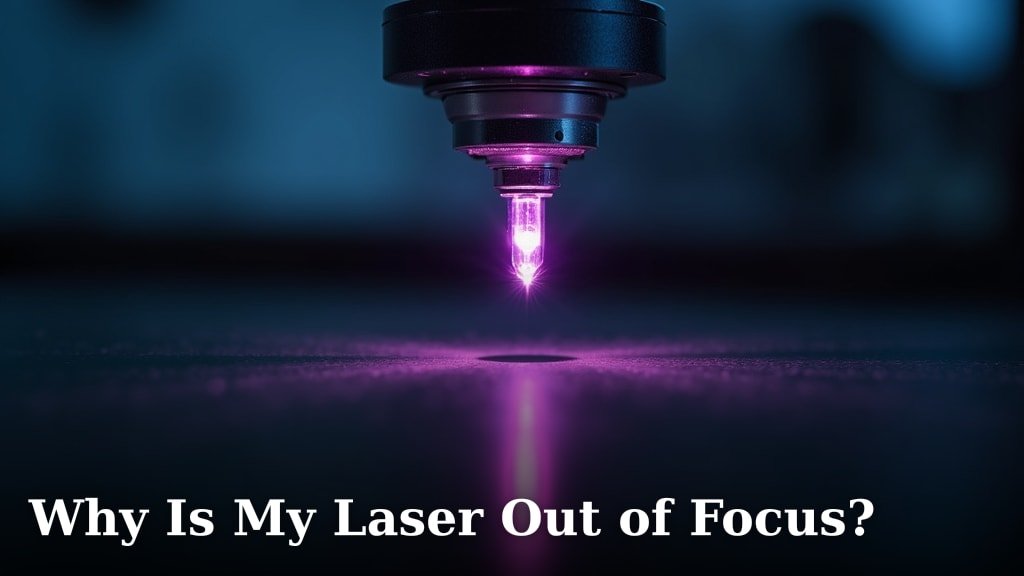
Your laser might be out of focus because of several common issues. Often, it’s due to a dirty lens, an improperly adjusted focus ring, or the wrong focal length being set for your material. We found that a fuzzy beam is usually a simple fix.
When your laser beam isn’t sharp, it won’t cut or engrave as effectively. This can lead to wasted time and materials. Many users report that misaligned optics or damage to the laser tube can also cause a defocused beam. Understanding the cause is the first step to fixing it.
- Dirty lens or mirrors are common culprits.
- Focusing mechanism might be misaligned.
- Incorrect distance between the laser and material.
- Potential damage to laser components.
- Material type can affect optimal focus.
Let’s look at why your laser beam might be losing its sharp point and what you can do about it.
“`htmlTroubleshooting Your Laser’s Focus Issues
Your laser beam is a tiny powerhouse of energy. When it’s not focused properly, that power gets spread out. This means your cuts won’t be as clean. Your engravings might look fuzzy instead of sharp. It can be really frustrating when your machine isn’t performing as expected. We understand how important it is to get that beam dialed in perfectly. Let’s figure out why your laser might be out of focus.
The good news is that most focus problems are quite common. They often stem from simple issues that are easy to fix. We’ve found that regular maintenance and a bit of attention to detail go a long way. Think of it like tuning up a musical instrument. You need to ensure all the parts are aligned and clean for the best sound. Your laser is no different!
The Lens: Your Laser’s Eyeglasses
The most common reason your laser beam isn’t sharp is a dirty lens. Your laser passes through a small lens right before it hits your material. This lens is critical for concentrating the beam into a tiny, powerful point.
Why a Dirty Lens Matters
Dust, smoke residue, and other debris can accumulate on the lens. Even a thin film can scatter the laser light. This prevents it from converging to a tight spot. It’s like trying to look through a smudged window. You won’t see clearly. Many users report that this is the first thing to check when focus seems off (Laser Safety Institute of America). Learn about cleaning your laser lens to resolve focus issues.
Imagine trying to thread a needle with a bent or dirty needle. It’s difficult, right? A dirty lens has a similar effect on your laser beam. It makes the beam “bent” or diffused. This leads to wider kerfs (cuts) and less precise engraving. You might notice your laser struggling to cut through materials it used to handle with ease. This is a strong indicator of a dirty lens.
How to Clean Your Laser Lens Safely
Cleaning your laser lens requires care and the right materials. You don’t want to scratch it. Scratches can permanently damage the lens. This can lead to costly replacements.
- Gather your supplies: You’ll need a specialized lens cleaning solution, lint-free wipes or swabs, and often compressed air. Always use products designed for optical lenses.
- Turn off the laser: Safety first! Make sure the laser machine is completely powered down and unplugged.
- Locate the lens: It’s usually at the very end of the laser head. You might need to unscrew a small housing.
- Gentle cleaning: Lightly spray the cleaning solution onto the wipe or swab. Gently wipe the lens in a circular motion. Avoid pressing too hard.
- Dry and inspect: Use a dry part of the wipe or a new one to remove any moisture. Hold the lens up to the light to check for any remaining smudges or debris.
We found that a quick wipe down before each session can prevent buildup. Many laser operators make this part of their routine. This simple step saves a lot of potential headaches later on.
Focus Adjustment: Finding the Sweet Spot
Even with a clean lens, your laser needs to be correctly focused for the specific material you’re using. This involves adjusting the distance between the laser nozzle and the material’s surface.
Understanding Focal Length
Every laser lens has a specific focal length. This is the distance at which the beam is narrowest and most powerful. For most hobby lasers, this is often around 2 inches (50mm) or 4 inches (100mm). The manufacturer provides this specification.
Your laser cutter or engraver likely has a mechanism to adjust this distance. This is often a focusing ring or a height adjustment on the laser head. You need to set this ring so that the laser’s focal point is right at the surface of your material, or slightly below for engraving.
Common Focus Adjustment Errors
The most common error is simply not setting the focus correctly for the material. If the material is too high or too low relative to the lens, the beam will not be focused. This is like trying to hit a bullseye with your eye too far from the target. It just won’t be as accurate.
Many users mistakenly believe that if the laser *can* hit the material, it must be in focus. That’s not quite right. A defocused beam will still hit the material, but it will be spread out. This leads to shallow cuts or blurry engravings. We recommend using the material’s thickness and the laser’s focal length to guide your adjustment.
Methods for Setting Focus
There are several reliable ways to ensure your laser is in focus. The “height gauge” or “focus block” method is very popular. This is a small tool, often supplied with your laser, that has a specific thickness. You place this block between the nozzle and the material. Then, you raise or lower the laser head until the nozzle just touches the block. This sets the correct distance.
Another method is the “drag chain” technique. You can attach a string or chain to the laser head. Lower the head until the chain just touches the material. This relies on gravity and a steady hand. For materials that can be easily marked, you can also do a quick test cut or engrave at different heights. You’ll see which height gives the sharpest result.
| Method | Description | Pros | Cons |
|---|---|---|---|
| Focus Block/Gauge | Uses a pre-measured block of material. | Precise and repeatable. | Requires the correct block for your lens. |
| Drag Chain | Uses gravity and a chain to set height. | Simple, no special tools needed. | Can be less precise than a block. |
| Test Engrave/Cut | Performing small tests at different heights. | Directly shows best results. | Uses material, requires interpretation. |
We found that consistency is key. Whichever method you choose, use it consistently for best results. If your laser has a motorized Z-axis, ensure its calibration is correct.
Material Matters: Not All Materials Are Equal
The type of material you are working with can also influence your laser’s focus. Different materials absorb laser energy differently.
Material Thickness and Density
A thicker material will require a different focus setting than a thin one. If your laser head is fixed, you might need to adjust the bed height. Or, if you have an adjustable head, you’ll adjust that. We’ve seen users forget to adjust the bed height after changing materials.
Denser materials might require a slightly different focal point than lighter ones. For example, engraving on hard acrylic might benefit from a slightly different focus than engraving on soft balsa wood. Researching the recommended settings for your specific material is always a good idea.
Reflective Materials Can Be Tricky
Highly reflective materials, like polished metal or some plastics, can be problematic. The laser beam can reflect back into the lens or optics. This can scatter the beam and cause focusing issues. It can also damage your laser. For these materials, special techniques or beam reducers might be necessary. Many experts advise against attempting to cut or engrave highly reflective surfaces without proper precautions (Trotec Laser).

Checking Your Optics Alignment
Your laser uses a series of mirrors to direct the beam from the laser tube to the cutting head. If these mirrors are not perfectly aligned, the beam can become distorted or weak by the time it reaches the lens. This can make it appear out of focus. If your mirrors are not perfectly aligned, the beam can become distorted, affecting focus.
Signs of Misalignment
A beam that hits the material off-center, or an oval-shaped beam instead of a perfect circle, can indicate misalignment. If your cuts are deeper on one side than the other, that’s another clue. You might notice the beam wandering across the material during a long engrave.
The Alignment Process
Aligning your mirrors is usually done with low-power pulsing or even by visual inspection. You’ll carefully adjust small screws on the mirror mounts. The goal is to ensure the beam travels in a straight line and hits the center of each mirror and the lens. This process can be delicate. It often requires patience and following specific instructions for your laser model. Many manufacturers provide detailed alignment guides. We recommend consulting yours before attempting this.
Is the Laser Tube the Problem?
Less commonly, the laser tube itself might be the source of your focus issues. The laser tube generates the beam. If it’s aging or damaged, the beam quality can degrade.
Age and Power Output
Laser tubes have a finite lifespan. As they age, their power output decreases. The beam quality can also suffer. A weakened beam might not cut effectively even if it is perfectly focused. You might notice it takes longer to cut materials or the cuts are shallower.
Damage to the Tube
Physical damage to the laser tube, such as cracks or leaks, will severely impact beam quality. If you suspect damage, do not operate the laser. Contact the manufacturer or a qualified technician immediately. Operating a damaged tube can be dangerous.
Laser Focus Checklist:
- Clean the lens and mirrors thoroughly.
- Verify the correct focal length for your lens.
- Set the focus distance accurately for your material.
- Check for debris or damage on the lens.
- Ensure mirrors are properly aligned.
- Consider material thickness and reflectivity.
By systematically checking these potential causes, you can often bring your laser back into sharp focus. This will help you achieve those clean cuts and crisp engravings you’re aiming for.
“`Conclusion
Getting your laser back into sharp focus often comes down to a few key areas. We’ve found that keeping your lens clean is the most common fix. Don’t forget to double-check your focus adjustment for each material you use, too. If those don’t solve it, a quick look at your mirror alignment can make a big difference. By systematically working through these steps, you’ll be back to achieving those precise cuts and crisp engravings in no time. Start by cleaning your lens today!
Frequently Asked Questions
How often should I clean my laser’s lens?
We recommend cleaning your laser lens regularly, ideally before each major project or at least once a week if you use it frequently. Even a thin layer of dust can degrade beam quality. Making it part of your routine will save you a lot of troubleshooting later.
Can the type of material really affect focus?
Absolutely. Thicker or denser materials require different focal distances than thinner, lighter ones. If you’re cutting thick wood, you’ll need to adjust your focus compared to engraving on thin acrylic. Always consult your material’s specifications for the best results.
My cuts are shallow on one side. Is my laser misaligned?
That’s a strong indicator of mirror misalignment. When mirrors aren’t perfectly angled, the beam can travel unevenly to the lens. This results in inconsistent power across your material, leading to uneven cuts. You’ll likely need to go through the mirror alignment process.
What’s the best way to check if my focus is correct?
A popular and effective method is using a focus block or gauge. This tool has a specific thickness that sets your laser head to the optimal distance from the material for its focal length. Alternatively, performing a small test engrave at different heights can visually show you where the beam is sharpest.
Is it possible my laser tube is causing the focus problem?
While less common, an aging or damaged laser tube can affect beam quality, making it appear out of focus. If your laser is old, has low power output, or you suspect physical damage, the tube itself might be the culprit. In such cases, professional inspection is recommended.
