
The main difference between raster and vector engraving is how the image is created and scaled: raster engraving uses pixels to create images, while vector engraving uses mathematical equations to define lines and shapes. Vector files can be scaled infinitely without losing quality, making them ideal for detailed logos and text.
You’ll find this choice matters for your project’s final look. We found that raster engraving is great for photos and shaded artwork, but it can pixelate if resized. Meanwhile, vector engraving excels at crisp, clean lines and is the best choice for simple graphics. Many experts say understanding this key difference helps you pick the right method for your needs.
- Raster engraving uses tiny dots (pixels) and works best for detailed images like photos.
- Vector engraving uses paths and lines, making it perfect for logos, text, and simple shapes.
- Vector files scale infinitely without losing quality, while raster files can become blurry.
- Choose raster for complex shading and vector for clean, bold designs.
- Your choice depends on the project’s complexity and desired finish.
Below, we break down everything you need to know about raster and vector engraving so you can pick the right one. Let’s walk through exactly how each method works and what to expect.
How Raster and Vector Engraving Actually Work
At its core, the way a laser interacts with your material is what sets these two methods apart. Raster engraving moves the laser head back and forth in a scanning pattern, like a printer laying down ink one line at a time. Vector engraving, on the other hand, traces along defined paths, drawing each line or shape as a single continuous motion.
Think of it like this. Raster is like shading a picture with a pencil, filling in tiny dots row by row. Vector is like drawing with a ruler and pen, creating sharp, clean outlines. Both produce beautiful results, but they shine in different situations.
Many experts say that understanding the motion behind each method helps you predict the final outcome on your workpiece. The laser doesn’t care which style you pick, but your design definitely does.
What Happens During Raster Engraving
During raster engraving, the laser fires in tiny pulses as it sweeps across the material from left to right. It moves down a fraction, then sweeps back again. Each pulse creates a small dot, and thousands of these dots combine to form your image.
This process is identical to how an inkjet printer works on paper. The result? Shading, gradients, and photo-like images come through beautifully. You get rich detail and smooth transitions between light and dark areas.
One thing to keep in mind: raster engraving can take longer for large images because the laser has to scan every pixel. The speed depends on the resolution and the size of your design. Higher resolution means more dots per inch, and that means more time.
How the Laser Moves in Raster Mode
The laser head travels in a raster pattern — horizontal passes that stack on top of each other. It’s predictable and repetitive. The power of the laser adjusts based on how dark each pixel should be. Darker areas get more energy, and lighter areas get less.
This is why raster engraving works so well for photographs and artwork with shading. The laser can vary its intensity pixel by pixel, creating a range of tones. We found that most laser engravers use between 300 and 600 DPI for raster work, which is plenty for most projects.
What Happens During Vector Engraving
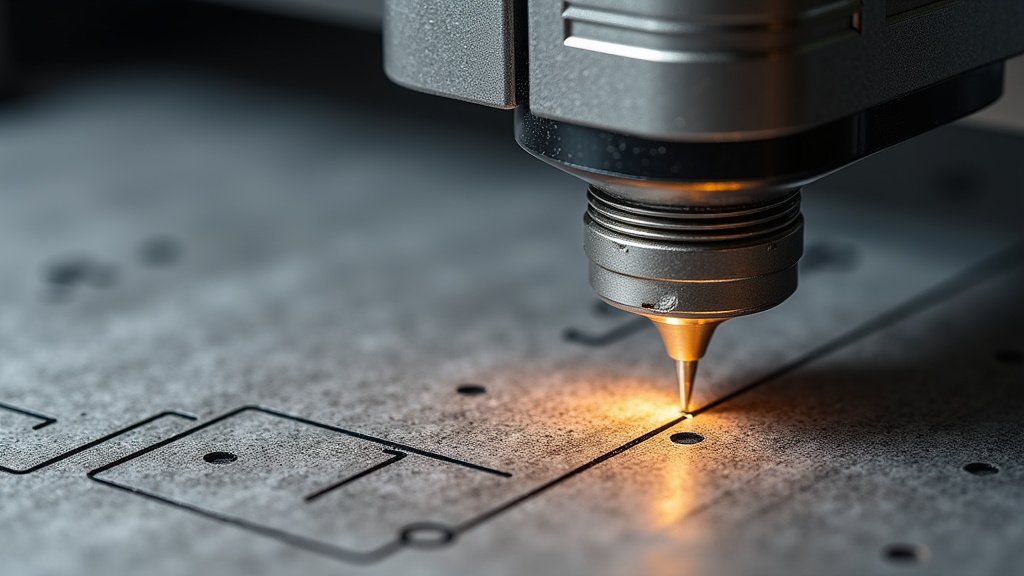
Vector engraving takes a completely different approach. Instead of scanning line by line, the laser follows the outline of your design. It traces along paths, edges, and curves as a continuous stroke.
Imagine tracing the edge of a shape with a fine-tip marker. That’s essentially what the laser does here. The result is crisp, sharp lines with no pixelation, no matter how large or small you scale the design.
Vector engraving is typically faster for simple designs because the laser only travels along the defined paths. There’s no need to fill in every pixel. For logos, text, and geometric shapes, this method is often the go-to choice.
How the Laser Traces Paths in Vector Mode
In vector mode, the laser follows mathematical curves and lines that your software defines. Each path is stored as a set of coordinates and equations, not as a grid of pixels. This means the file stays small and the output stays clean.
The laser can also vary its speed and power along each path, giving you different depths and line thicknesses. Many professionals use vector engraving for cutting and scoring as well, not just engraving. The same path-based approach works for cutting through materials like wood, acrylic, and paper.
Key Differences Between Raster and Vector at a Glance
When you’re standing at your workbench, it helps to see the differences laid out side by side. Here’s a quick comparison to keep in your back pocket.
| Feature | Raster Engraving | Vector Engraving |
|---|---|---|
| Image creation | Pixels in a grid | Paths and lines |
| Best for | Photos, shading, gradients | Logos, text, simple shapes |
| Scalability | Limited — can pixelate | Infinite — no quality loss |
| Speed | Slower for large images | Faster for simple designs |
| File types | JPG, PNG, BMP | SVG, AI, DXF |
| Laser movement | Back-and-forth scanning | Continuous path tracing |
| Line quality | Soft, detailed, photo-like | Sharp, clean, bold |
As you can see, each method has a clear strength. Neither one is “better” — it just depends on what you’re making. A detailed family photo? Raster. A company logo? Vector. Simple as that.
When Raster Engraving Is the Better Choice
Raster engraving shines when you need photo-realistic images or designs with lots of shading. It’s the method most people think of when they picture laser engraving, and it’s been around since the early days of the technology.
If your design includes gradients, textures, or fine details that vary in darkness, raster is the way to go. Think about engraving a portrait on wood, or a landscape on a metal plate. Those designs need the subtle tonal range that only raster can provide.
Many guidelines from laser manufacturers point to raster as the preferred method for photographic and artistic work (Epilog Laser). The technology has matured enough that modern machines produce impressive results at high resolutions.
Best Materials and Projects for Raster
Raster engraving works well on wood, acrylic, leather, and anodized aluminum. These materials respond nicely to the varying laser intensity, showing the full range of tones in your design.
Here are some common raster projects you might consider:
- Photo engravings on wooden plaques or glass awards
- Custom artwork with gradients and shading
- Detailed illustrations that need fine texture work
- Gray-scale designs that rely on tonal variation
- Complex patterns with many small details
One small drawback: raster engraving is not ideal for cutting through materials. If you need to cut, you’ll want to combine it with vector cutting or use vector engraving instead.
When Vector Engraving Steals the Show
Vector engraving is your best friend when you need clean, bold, and scalable designs. It excels at logos, monograms, text, and any design that relies on crisp outlines rather than shading.
Since vector files are built from math rather than pixels, they can be scaled up or down without any loss of quality. That’s a huge deal if you’re working on projects that need to be resized for different products or applications.
We found that vector engraving is especially popular for signage, branding materials, and simple decorative patterns. The lines come out sharp and consistent every time, which is exactly what you want for professional-looking results.
Best Materials and Projects for Vector
Vector engraving performs well on hardwood, metal, acrylic, and plastic. The sharp lines look great on smooth, hard surfaces where clarity matters most.
Some popular vector engraving projects include:
- Company logos on business cards or signs
- Custom text on jewelry, keychains, or plaques
- Geometric patterns for wall art or coasters
- Cut-out shapes using vector cutting
- Simple icons for awards or gift items
The speed advantage is real too. For a simple logo, vector engraving can finish in a fraction of the time it takes to raster the same design. That’s a win when you’re working on a batch of items.
File Formats You’ll Need to Know
Your choice between raster and vector often starts with the file format you use. Each format is designed for a specific purpose, and using the right one makes a big difference in the final result.
Raster files include JPG, PNG, BMP, and TIFF. These are pixel-based and work best for photos and detailed images. If you’re working with a scanned drawing or a digital photo, you’ll likely be using one of these formats.
Vector files include SVG, AI, DXF, and EPS. These are path-based and work best for logos, text, and simple shapes. Most design software like Adobe Illustrator or CorelDRAW can save to these formats.
Many laser engraving experts recommend using SVG for most vector projects. It’s widely supported, easy to edit, and produces clean results across different machines. According to research from the American Society of Mechanical Engineers, SVG has become one of the most reliable formats for scalable vector graphics in manufacturing and design (ASME).
What If You Have a Raster Image But Need Vector?
You can convert raster images to vector files using image tracing software. Programs like Adobe Illustrator, Inkscape, and CorelDRAW all offer tracing tools that automatically convert pixel-based images into vector paths.
However, the conversion isn’t always perfect. Complex photos with lots of shading may lose some detail when converted. Simple graphics and logos usually convert very well. We found that starting with a high-contrast raster image gives the best results when tracing.
Common Mistakes to Avoid When Choosing a Method
Making the wrong choice can lead to blurry engravings, wasted materials, or unexpected results. Here are a few pitfalls we’ve seen that are worth avoiding.
- Using raster for a simple logo — You’ll get a lower-quality result when vector would have been cleaner and faster.
- Using vector for a complex photo — You’ll lose the shading and texture that makes a photo look realistic.
- Ignoring resolution — Raster images at low resolution will look pixelated, no matter what.
- Forgetting to check file formats — Some machines won’t accept certain file types, so always check the requirements first.
- Skipping the test run — Always do a quick test on scrap material before
Conclusion
You now know the core difference: raster engraving paints with pixels for detailed shading, while vector engraving draws with math for crisp, scalable lines. Your choice hinges on your design’s complexity and desired finish. For photos and gradients, pick raster. For logos and clean text, choose vector.
Remember, vector files can scale infinitely without quality loss, making them incredibly versatile. We recommend starting your next project by assessing your design’s primary need. If it’s a bold logo, go vector. If it’s a detailed photo, go raster. A quick test on scrap material is always worth your time to confirm your choice.
Frequently Asked Questions
Can you convert a raster photo into a vector file for engraving?
Yes, you can use image tracing tools in software like Adobe Illustrator or the free Inkscape. The process works best with high-contrast, simple graphics. Complex photos with lots of shading will lose some detail during conversion.
What if my design needs both shading and crisp lines?
You can combine both methods in a single project. Many laser software programs let you assign vector paths for outlines and raster fills for shaded areas. This gives you the best of both worlds.
Is vector engraving always faster than raster?
For simple designs like text or logos, vector is generally faster because the laser traces direct paths. Raster can be slower for large, detailed images since it must scan every pixel line by line.
What file format should I use if I’m just starting out?
We found SVG to be the most user-friendly and widely supported vector format for beginners. For raster, standard JPG or PNG files are usually sufficient unless you need a transparent background.
Does the material type affect which method I should choose?
Absolutely. Raster engraving shows tonal variation beautifully on materials like wood and leather. Vector engraving produces the sharpest lines on smooth, hard surfaces like acrylic, metal, and coated materials.
