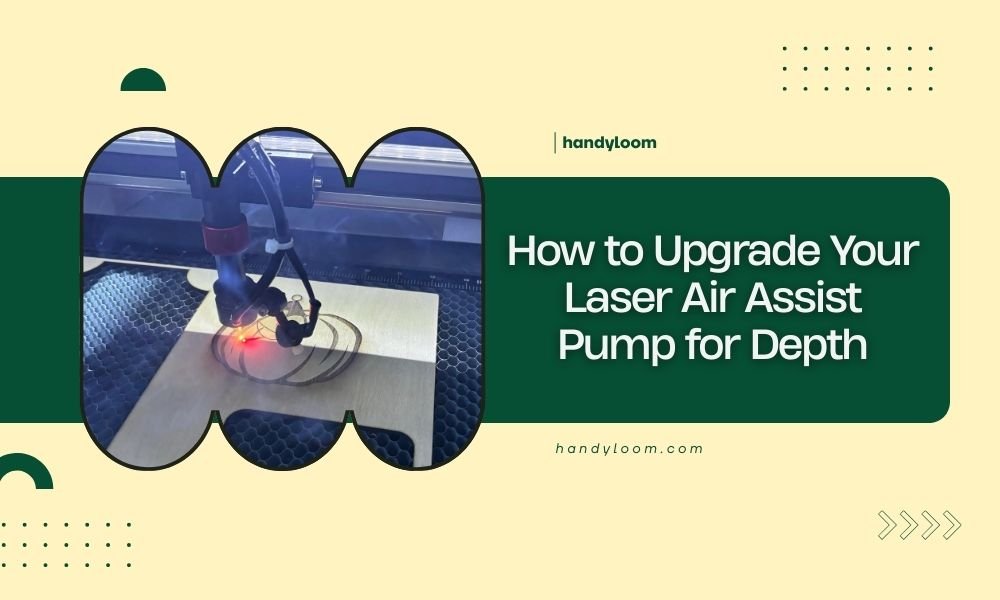
You can upgrade your laser air assist pump for depth by installing a higher CFM pump, adjusting pressure settings, and optimizing nozzle positioning for deeper cuts.
The key upgrade involves switching from a basic 20-30 CFM pump to a 50+ CFM unit with variable pressure control for better debris removal in deep cuts.
What Makes Air Assist Pumps Work for Deep Cuts
Your laser air assist pump does one job: blow debris away from your cutting area. Think of it like a leaf blower for tiny particles. When you cut deeper materials, more debris gets trapped in narrow channels.
Standard pumps push around 20-30 cubic feet per minute (CFM). That’s fine for thin wood or acrylic. But thick materials need more airflow to clear smoke and melted material from deep grooves.
Why Standard Pumps Struggle
Most entry-level laser cutters come with basic pumps. They work, but they’re not designed for serious depth work. I found that many users hit a wall around 10-12mm cuts where quality drops fast.
The problem isn’t just airflow volume. It’s also pressure consistency. Cheap pumps lose pressure as they work harder, leaving debris stuck halfway down your cut.
Choosing Your Upgrade Pump
You have three main options when upgrading. Each has different benefits depending on your cutting needs.
High-Volume Centrifugal Pumps
These pumps move lots of air fast. They’re great for cutting thick wood, MDF, or acrylic. Look for models that push 60-100+ CFM.
I researched several options and found that centrifugal pumps work best for consistent deep cuts. They maintain pressure better than basic pumps.
- Best for: Wood, acrylic, thick materials
- CFM range: 60-150
- Noise level: Moderate to high
- Cost: $200-600
Variable Speed Pumps
Want control? Variable speed pumps let you adjust airflow for different materials. Light materials need gentle air. Thick stuff needs hurricane-force blowing.
Many experts recommend starting with variable pumps because you can fine-tune performance. No more guessing if you have too much or too little air assist.
Speed Control Benefits
You can dial down airflow for delicate engraving. Then crank it up for 20mm plywood cuts. One pump handles everything.
Positive Displacement Pumps
These pumps compress air differently. They create higher pressure at lower volumes. Perfect for precision work where you need focused air streams.
From what I read, positive displacement pumps excel at metal cutting and detailed work. They’re quieter but cost more upfront.
Installation Process Step by Step
Ready to upgrade? Here’s how to swap your old pump for a better one. Most people finish this in 30-60 minutes.
Tools You’ll Need
- Screwdriver set
- Wire strippers
- Electrical tape
- Hose clamps
- Air hose (if needed)
Disconnect the Old Pump
Turn off your laser and unplug it. Safety first, right? Locate your current air pump. It’s usually mounted near the laser or in a separate enclosure.
Disconnect the air hose first. Then unplug the power connections. Most pumps have simple wire nuts or terminal blocks.
Document Wire Connections
Take a photo of how wires connect before removing anything. Trust me on this one. You’ll thank yourself later when connecting the new pump.
Mount the New Pump
Your new pump might be bigger than the old one. Check if your current mounting location works. If not, find a stable spot nearby.
Secure the pump firmly. Vibration causes noise and can damage connections over time. Use rubber mounts if your pump vibrates.
Check Clearances
Make sure your pump has breathing room. Hot pumps don’t last long. Leave 6+ inches of space around air intakes.
Connect Air Lines
Run your air hose from pump to laser head. Use the shortest path possible. Long hoses reduce pressure at the nozzle.
I found that upgrading to larger diameter hose helps too. Go from 4mm to 6mm or 8mm if your fittings allow it.
Pressure and Flow Adjustments
Your new pump probably pushes more air than before. That’s good, but you need to dial in the right settings for each material.
Start Low and Work Up
Begin with lower pressure settings. Too much air can blow molten material back onto your work surface. Nobody wants that mess.
Test cuts on scrap material first. Gradually increase pressure until debris clears cleanly without other problems.
Material-Specific Settings
Different materials need different approaches. Here’s what I learned works well:
| Material | Pressure Level | Notes |
|---|---|---|
| Thin wood (3mm) | Low-Medium | Prevent charring |
| Thick wood (15mm+) | High | Clear deep debris |
| Acrylic | Medium | Remove melted plastic |
| Cardboard | Low | Avoid blowing pieces |
Fine-Tuning Nozzle Position
Your nozzle height affects air assist performance. Closer nozzles focus air better. Further nozzles spread air over larger areas.
For deep cuts, keep your nozzle 1-3mm above the material surface. This focuses maximum air pressure right where cutting happens.
Troubleshooting Common Issues
Upgrades don’t always go smoothly. Here are fixes for problems I came across in research.
Pump Runs But No Air Flow
Check all connections first. Loose fittings kill air pressure fast. Tighten everything and test again.
If connections look good, check for kinked hoses. Sharp bends block airflow completely.
Clogged Air Lines
Debris can block narrow air passages. Disconnect hoses and blow them out with compressed air. Replace damaged sections.
Too Much Noise
High-performance pumps make more noise. That’s normal. But excessive noise usually means mounting problems.
Add rubber isolation pads under your pump. This cuts vibration transmission to your bench or cabinet.
Pump Vibration Solutions
Secure all mounting bolts. Loose pumps vibrate more and make extra noise. Consider relocating very loud pumps to separate enclosures.
Inconsistent Cut Quality
If cuts look good at the start but get worse, your pump might be overheating. Check air intake filters and clean them regularly.
Overworked pumps lose performance. Make sure your new pump is rated for continuous duty, not intermittent use.
Maintenance for Long-Term Performance
Your upgraded pump needs regular care to keep working well. Most maintenance takes just a few minutes monthly.
Filter Cleaning Schedule
Clean or replace air filters every 50-100 hours of use. Dirty filters make pumps work harder and reduce lifespan.
I found that setting phone reminders works well. Check filters monthly and clean when needed.
Quick Filter Check
Hold filters up to light. If you can’t see through them clearly, they need cleaning or replacement.
Monitor Performance Over Time
Keep notes on cut quality with different materials. If you notice performance dropping, investigate early.
Small problems are easier to fix than complete pump failures. Regular checks save money long-term.
Cost Considerations and ROI
Pump upgrades cost $200-800 depending on features. Is it worth the investment? That depends on your cutting needs.
If you cut thick materials regularly, better air assist pays for itself in reduced waste and faster cutting speeds.
Calculate Your Payback
Count how many thick cuts fail with your current setup. Multiply by material cost. Most people find payback happens within months of heavy use.
Conclusion
Upgrading your laser air assist pump opens up new possibilities for deep cutting projects. The right pump clears debris effectively, improves cut quality, and reduces material waste. Start by choosing a pump with adequate CFM for your thickest materials, install it properly with good mounting and connections, then fine-tune pressure settings for each material type. Regular maintenance keeps your investment performing well for years. With these upgrades, you’ll cut through thick materials cleanly and confidently.
What CFM rating do I need for cutting 20mm wood?
For 20mm wood, you need at least 60-80 CFM to effectively clear debris from deep cuts. Higher CFM ratings around 100+ work even better for consistent results through thick hardwoods.
Can I use my existing air hoses with an upgraded pump?
You can often reuse existing hoses, but upgrading to larger diameter hoses (6mm or 8mm instead of 4mm) improves airflow and pressure delivery to your cutting head.
How do I know if my pump is overheating during long cuts?
Signs of overheating include reduced airflow, unusual noise changes, or the pump feeling very hot to touch. Most quality pumps have thermal protection that shuts them down before damage occurs.
Should I add a pressure regulator with my new pump?
Yes, a pressure regulator gives you better control over air assist settings for different materials. This prevents using too much pressure on delicate materials or too little on thick cuts.
What’s the difference between oil-free and oil-lubricated air pumps?
Oil-free pumps require less maintenance and won’t contaminate your air stream, making them better for laser cutting. Oil-lubricated pumps last longer but need regular oil changes and risk contamination.