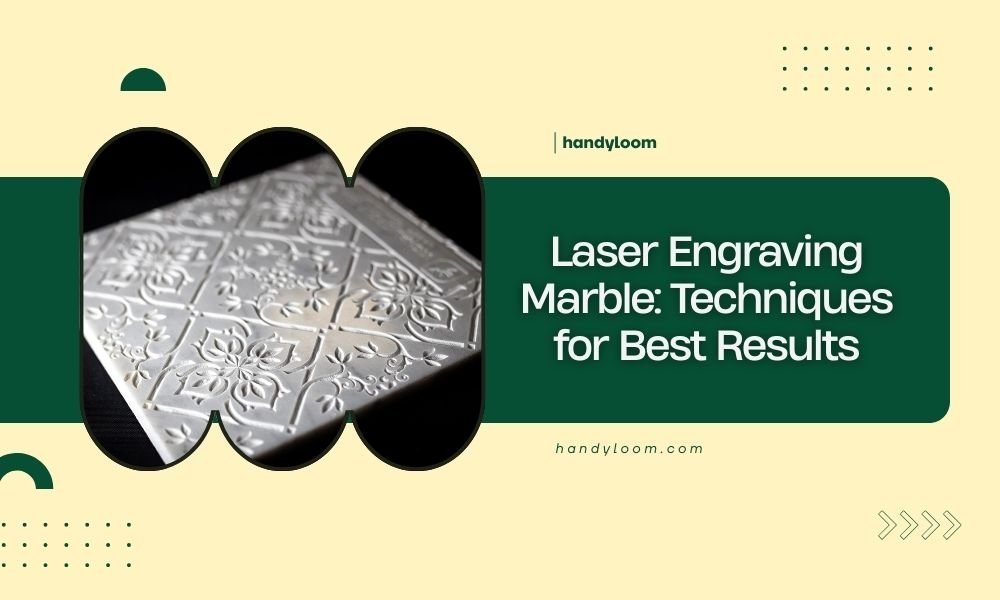
Laser engraving marble requires specific settings and techniques to achieve clean, detailed results without cracking or chipping the stone.
You’ll need low power settings (10-30%), multiple passes, and proper surface preparation to create professional-quality engravings on marble surfaces.
Getting Started with Marble Laser Engraving
Marble laser engraving opens up amazing creative possibilities. You can make custom headstones, decorative tiles, awards, and personalized gifts. But marble isn’t like wood or plastic. It needs special care.
Why? Marble is calcium carbonate. When you hit it with laser heat, it can crack or create rough edges. The good news? With the right approach, you’ll get beautiful results every time.
Choosing the Right Marble for Laser Work
Best Marble Types for Engraving
Not all marble works the same. From what I researched, these types give the best results:
- Carrara marble – smooth, fine grain, consistent color
- Calacatta marble – dramatic veining, high contrast
- Statuario marble – bright white with bold veins
- Thassos marble – pure white, minimal veining
Marble Characteristics That Matter
Look for these features when picking marble:
- Dense, compact structure
- Minimal natural cracks or fissures
- Consistent thickness (at least 1/4 inch)
- Polished or honed finish
Essential Equipment and Settings
Laser Types That Work Best
CO2 lasers work best for marble engraving. Fiber lasers can work too, but they’re trickier. CO2 lasers give you better control over heat and depth.
Recommended Laser Settings
Start with these settings and adjust based on your results:
| Power | Speed | Passes | Result |
|---|---|---|---|
| 10-15% | 50-70 mm/min | 3-5 | Light surface marking |
| 15-25% | 40-60 mm/min | 5-8 | Medium depth engraving |
| 25-30% | 30-50 mm/min | 8-12 | Deep engraving |
Why Multiple Passes Work Better
Think of it like peeling an onion. Each pass removes a thin layer. This prevents overheating and cracking. Single high-power passes often create messy results.
Surface Preparation Techniques
Cleaning Your Marble
Clean marble before engraving. Use mild soap and water. Avoid acidic cleaners – they can etch the surface. Dry completely before laser work.
Masking for Better Results
Many experts recommend masking tape over the engraving area. This reduces heat reflection and creates cleaner edges. Remove the tape immediately after engraving.
Best Masking Materials
- Low-tack masking tape
- Transfer tape
- Specialty laser masking film
Design Considerations for Marble
What Works Best on Marble
Some designs work better than others on marble:
- Bold, simple text (avoid thin serif fonts)
- High-contrast images
- Geometric patterns
- Logo designs with thick lines
Avoiding Common Design Mistakes
Skip these design choices that often fail on marble:
- Tiny text under 12pt
- Very detailed photographs
- Thin lines under 0.5mm
- Gradients or subtle shading
Vector vs Raster Graphics
Vector graphics usually work better for marble engraving. They create clean, sharp edges. Raster images can look muddy or unclear.
Step-by-Step Engraving Process
Before You Start
Check these items before hitting the start button:
- Marble is clean and dry
- Surface is level in the laser bed
- Focus is set correctly
- Test piece is ready
Running Your First Test
Always test on a scrap piece first. Use a small design element from your main project. This saves time and material if settings need tweaking.
What to Look for in Test Results
Good test results show:
- Clean, sharp edges
- Consistent depth
- No cracking or chipping
- Good contrast between engraved and non-engraved areas
Making Adjustments
If your test doesn’t look right, try these fixes:
- Rough edges? Lower power, increase passes
- Not deep enough? Add more passes or slightly increase power
- Cracking? Reduce power, slow down speed
- Uneven results? Check focus and bed level
Troubleshooting Common Problems
Dealing with Cracks and Chips
Cracks happen when marble heats up too fast. The stone expands unevenly and splits. Prevention is key – use lower power and more passes.
Fixing Uneven Engraving Depth
Uneven depth usually means focus problems. Check that your marble sits flat. Natural stone can have slight warping.
When Veining Causes Issues
Marble veins are different minerals. They engrave differently than the main stone. Accept this as part of marble’s natural beauty, or choose marble with minimal veining.
Post-Engraving Finishing
Cleaning After Engraving
Laser engraving leaves residue and dust. Clean gently with a soft brush and mild soap. Compressed air works well for getting dust out of deep engravings.
Enhancing Contrast
Want your engraving to pop? Try these contrast-enhancing techniques:
- Rub dark wax into engraved areas
- Use acrylic paint, then sand surface clean
- Apply colored epoxy for permanent fill
Sealing Your Work
Consider sealing finished pieces, especially for outdoor use. Stone sealers protect against staining and weather damage.
Safety Considerations
Ventilation Requirements
Marble creates fine dust when engraved. Good ventilation keeps this dust away from your laser optics and your lungs. I found that most professionals recommend dedicated extraction systems.
Protective Equipment
Always wear safety glasses rated for your laser wavelength. Dust masks help when handling marble before and after engraving.
Conclusion
Laser engraving marble takes patience and practice, but the results are worth it. Start with quality marble, use conservative laser settings, and always test first. Remember that multiple light passes beat single heavy passes every time. With these techniques, you’ll create stunning marble engravings that last for generations.
Can you laser engrave all types of marble?
Most marble types can be laser engraved, but denser, fine-grained marbles like Carrara work best. Very soft or heavily veined marble may chip or produce uneven results.
How deep can you engrave into marble with a laser?
Typical laser engraving depth in marble ranges from 0.5mm to 2mm. Going deeper requires many passes and risks cracking the stone.
Why does my marble crack during laser engraving?
Cracking happens when laser power is too high, causing rapid heating and thermal shock. Use lower power settings with multiple passes to prevent this problem.
What’s the difference between engraving polished vs honed marble?
Polished marble reflects more laser energy, requiring slightly higher power settings. Honed marble absorbs laser energy more evenly and often produces more consistent results.
How do you fill laser-engraved marble for better contrast?
Common filling methods include rubbing dark wax into grooves, using acrylic paint and sanding the surface clean, or applying colored epoxy for permanent results.