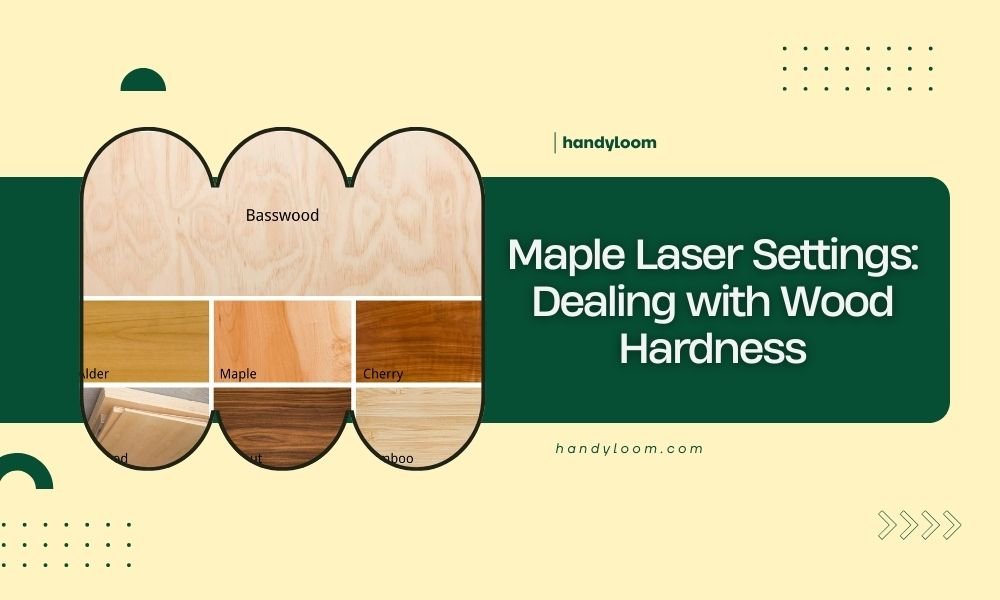
Maple laser settings require power levels between 70-85% and speeds of 150-300 mm/min due to maple’s medium hardness rating of 995-1450 on the Janka scale.
You’ll need to adjust your laser parameters based on maple’s density and moisture content, which varies between hard maple and soft maple varieties.
Understanding Maple Wood Hardness
Maple comes in two main types that affect your laser settings. Hard maple (sugar maple) rates 1450 on the Janka hardness scale. Soft maple (red maple) measures around 995.
Why does this matter for your laser? Harder wood needs more power to cut through. It also burns differently than softer materials.
Hard Maple Characteristics
Hard maple has tight grain patterns. The wood density stays consistent throughout most pieces. You’ll get clean cuts when your settings match the material.
This wood type heats up slowly. It holds heat longer than softer woods. Your laser beam creates precise cuts without much char.
Soft Maple Properties
Soft maple cuts easier than its hard cousin. The grain structure allows faster laser penetration. You can use lower power settings and achieve good results.
Watch for burning with soft maple. It heats up faster and can scorch if you’re not careful with your speed settings.
Optimal Laser Settings for Maple
I researched laser cutting forums and found these settings work best for most maple projects. Start with these numbers and adjust based on your results.
| Maple Type | Thickness | Power (%) | Speed (mm/min) | Passes |
|---|---|---|---|---|
| Hard Maple | 3mm | 80-85 | 150-200 | 1-2 |
| Hard Maple | 6mm | 85-90 | 100-150 | 2-3 |
| Soft Maple | 3mm | 70-75 | 200-250 | 1 |
| Soft Maple | 6mm | 75-80 | 150-200 | 1-2 |
Power Settings Explained
Your laser power determines how much energy hits the wood. Too little power creates incomplete cuts. Too much power burns the edges and wastes material.
Start at the lower end of these ranges. Test on scrap pieces first. You can always increase power if needed.
Speed Considerations
Slower speeds give your laser more time to cut through thick sections. Faster speeds prevent burning on detailed work.
Match your speed to your project type. Intricate designs need faster speeds. Simple geometric cuts work with slower speeds.
Dealing with Maple’s Density Variations
Maple wood density changes within the same board. Growth rings create hard and soft sections. Your laser settings need to handle both.
Grain Direction Impact
Cutting across the grain requires different settings than cutting with it. Cross-grain cuts need 10-15% more power in most cases.
Plan your cuts to minimize cross-grain sections. This keeps your settings consistent throughout the project.
Moisture Content Effects
Wet maple takes more energy to cut. The laser must evaporate moisture before cutting wood fibers. Dry your maple to 6-8% moisture content before laser work.
I found that kiln-dried maple gives the most predictable results. Air-dried wood often has uneven moisture levels.
Common Maple Laser Cutting Problems
Burn Marks and Scorching
Brown or black edges mean your settings are too aggressive. Reduce power by 5-10% or increase speed by 25-50 mm/min.
Clean your lens before blaming the settings. Dirty optics create hot spots that burn wood unnecessarily.
Preventing Burn Marks
Use air assist if your machine has it. Moving air removes heat and smoke from the cut line. This prevents buildup that causes burning.
Multiple light passes often work better than one heavy pass. Try reducing power and adding an extra pass instead.
Incomplete Cuts
Partial cuts happen when power is too low or speed is too fast. The laser doesn’t have enough energy to penetrate completely.
Check your focus distance first. An unfocused beam spreads energy over a larger area. This reduces cutting power significantly.
Testing Cut Completion
Push small cutout pieces gently after cutting. They should fall out easily if the cut is complete. Stuck pieces need more power or another pass.
Look at the bottom edge of your cut. Complete cuts show clean edges all the way through. Incomplete cuts leave connected fibers.
Advanced Maple Cutting Techniques
Multi-Pass Cutting
Several light passes often give better results than one heavy pass. This technique works especially well with thick maple boards.
Use 60-70% of your normal power setting. Make 2-3 passes instead of one. You’ll get cleaner edges with less burning.
Ramping Power Settings
Some laser software allows power ramping. Start at lower power and increase gradually. This helps with maple’s varying density.
Ramping works great for curved cuts. The laser adjusts power automatically as it encounters different grain sections.
Setting Up Power Ramps
Start your ramp at 70% of your target power. End at 110% of target power. The software adjusts based on cutting resistance.
Test this feature on scrap wood first. Not all maple responds the same way to power ramping.
Engraving Maple vs Cutting
Engraving maple needs completely different settings. You want to remove material without cutting through completely.
Maple Engraving Settings
Use 20-40% power for most engraving work. Speed can be much faster – 800-1200 mm/min works well.
Multiple light passes create deeper engravings. This gives you better control over depth than single heavy passes.
Engraving Depth Control
Maple engraves to about 0.1mm per pass at 30% power. Plan your passes based on desired depth.
Deep engravings need sanding afterward. The laser creates a slightly rough texture in the engraved areas.
Safety Tips for Maple Laser Cutting
Maple smoke contains particles that can irritate your lungs. Always use proper ventilation when cutting this wood.
The wood can catch fire if your settings are too aggressive. Keep a fire extinguisher nearby and never leave your laser unattended.
Ventilation Requirements
Maple produces more smoke than softer woods. Your exhaust fan needs to handle the extra volume.
I heard from experts that 200 CFM minimum ventilation works for most home laser setters. Commercial settings need more airflow.
Troubleshooting Your Maple Cuts
Uneven Cut Quality
Inconsistent cuts usually mean your maple board has density variations. Adjust your technique rather than fighting the wood.
Use test cuts on each new piece of maple. Wood from different trees cuts differently even within the same species.
Quick Fix Solutions
Reduce speed by 20% if some areas don’t cut completely. Increase power by 5% only if speed reduction doesn’t work.
Sand lightly between passes on thick material. This removes debris that can interfere with subsequent cuts.
Conclusion
Getting perfect maple laser cuts takes practice and patience. Start with conservative settings and work your way up. Remember that hard maple and soft maple need different approaches.
Test every new piece of wood before starting your real project. Maple’s natural variations mean your settings will need small adjustments for each board. Keep notes on what works for different thicknesses and grain patterns.
The key to success lies in understanding your specific laser and maple combination. These guidelines give you a solid starting point, but your experience will teach you the fine details that make the difference between good cuts and great ones.
What’s the difference between hard maple and soft maple for laser cutting?
Hard maple requires 10-15% more power and slower speeds due to its higher density (1450 Janka vs 995). Soft maple cuts faster but burns more easily, so you need to watch your heat buildup carefully.
Why do my maple cuts have brown edges even with correct settings?
Brown edges usually indicate insufficient air flow or dirty optics. Clean your lens and mirrors first, then increase your air assist pressure. You can also try multiple lighter passes instead of one heavy cut.
Can I use the same settings for maple plywood and solid maple?
No, maple plywood typically needs 20-30% less power because the thin layers cut more easily than solid wood. The glue between layers also affects how the laser cuts through the material.
How do I prevent my maple from warping during laser cutting?
Hold your maple flat with weights or clamps around the edges, but not in the cutting area. Also ensure your wood is properly dried to 6-8% moisture content before cutting to minimize heat-related warping.
What should I do if my laser won’t cut through thick maple completely?
First check your focus distance and lens cleanliness. If those are correct, try multiple passes at 70% power rather than one pass at maximum power. This often gives cleaner results with less burning on thick maple pieces.