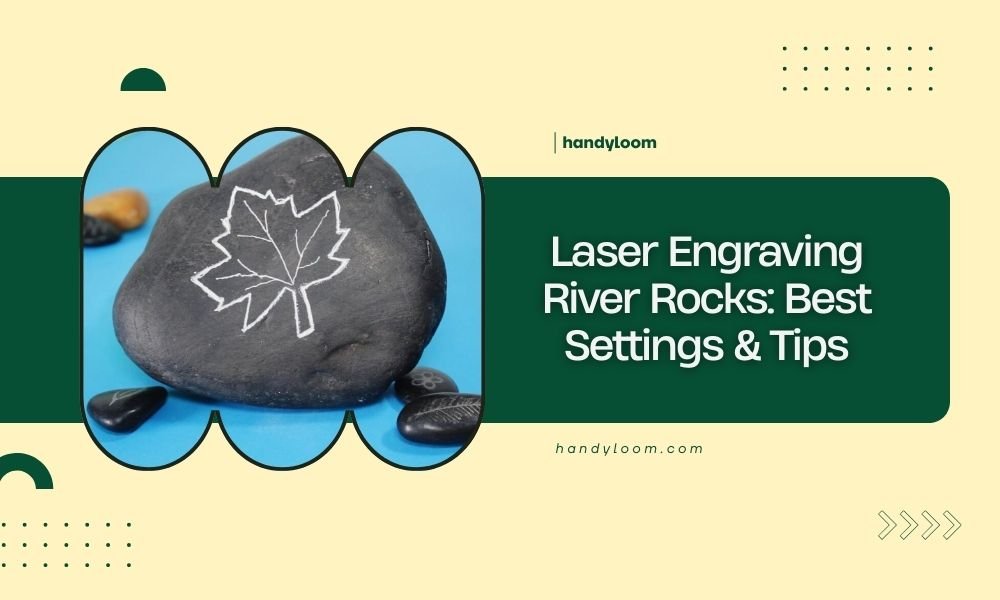
For laser engraving river rocks, use 70-80% power, 500-800 mm/min speed, and 300-600 DPI resolution for best results on most stone types.
Clean your rocks thoroughly and apply masking tape before engraving to prevent debris and achieve crisp, professional-looking designs every time.
Why River Rocks Make Perfect Engraving Projects
River rocks offer something special for laser crafters. Their smooth surfaces create beautiful canvases for your designs. You get natural variety in each piece.
I found that river rocks hold detail better than rough stones. The water-worn surface gives you consistent results. Plus, they’re free if you know where to look.
Best Rock Types for Laser Engraving
Not all rocks work the same way. Here’s what I learned works best:
- Granite – holds fine detail, dark burn contrast
- Slate – smooth surface, excellent for text
- Sandstone – soft, easy to engrave, light colored
- Basalt – very hard but creates stunning results
Avoid rocks with visible cracks or layers. They can split during engraving.
Rock Size and Shape Guidelines
Choose rocks between 2-6 inches for your first projects. Flat surfaces work better than curved ones. You want at least one smooth side for your design.
Round rocks look great but need careful positioning. Oval shapes give you more design space.
Essential Equipment and Materials
Laser Settings That Actually Work
Getting the right settings saves time and materials. I researched what works across different laser types:
| Rock Type | Power (%) | Speed (mm/min) | DPI |
|---|---|---|---|
| Granite | 80-90 | 500-700 | 300-500 |
| Slate | 60-70 | 600-800 | 400-600 |
| Sandstone | 50-60 | 700-900 | 300-400 |
| Basalt | 85-95 | 400-600 | 300-500 |
Fine-Tuning Your Power Settings
Start with lower power and increase gradually. Too much power creates rough edges. Too little won’t show up well.
Test on a hidden area first. Each rock behaves differently, even within the same type.
Speed vs Quality Trade-offs
Slower speeds give deeper engraving but take longer. Faster speeds work for surface designs. Match speed to your project goals.
Required Tools and Supplies
You’ll need more than just your laser. Here’s my complete list:
- Masking tape or transfer tape
- Soft brush for cleaning
- Isopropyl alcohol
- Safety glasses
- Ventilation or exhaust fan
- Level surface or jigs for positioning
Choosing the Right Masking Tape
Use low-tack masking tape to protect surrounding areas. Regular painters tape works well. Avoid duct tape – it leaves residue.
Rock Preparation Steps
Cleaning and Surface Prep
Clean rocks remove dirt and oils that affect engraving quality. Wash with soap and water first. Let them dry completely.
Use isopropyl alcohol for final cleaning. This removes any remaining oils from handling.
Dealing with Stubborn Dirt
Some rocks need extra cleaning. Try a soft brush with mild detergent. Avoid harsh chemicals that might change the rock surface.
Positioning and Securing Rocks
Wobbly rocks create uneven engraving. Use small wedges or putty to hold them steady. Your laser bed should stay level.
Mark your engraving area with light pencil lines if needed. This helps with design placement.
Creating Simple Positioning Jigs
Cut foam blocks to cradle round rocks. This keeps them from rolling during engraving. Cardboard works too for lighter rocks.
Design Tips for Stone Surfaces
What Works Best on Stone
Bold designs show up better than fine details. Think about contrast between the engraved area and natural stone color.
Text should be at least 12-point size for good readability. Sans-serif fonts work better than script styles.
Working with Natural Stone Colors
Light stones show dark engraving well. Dark stones need deeper engraving to create contrast. Plan your design around the natural color.
Vector vs Raster Engraving
Vector engraving cuts clean lines quickly. Raster engraving fills areas with texture. Most rock projects use raster for better coverage.
Combining Both Techniques
Use vector for outlines and raster for filling. This creates depth and visual interest in your designs.
Common Problems and Solutions
Uneven Engraving Depth
This usually means poor rock positioning or focus issues. Check that your rock surface is level with the laser focal point.
Some rocks have density variations. These create natural depth changes you can’t avoid.
Focus Adjustment Tricks
Use a focus gauge on the highest point of your rock. This ensures consistent beam focus across the engraving area.
Chipping and Rough Edges
Too much power or wrong speed causes chipping. Reduce power by 10% and try again. Some rocks are just more prone to chipping.
Minimizing Stone Damage
Multiple light passes work better than one heavy pass. This reduces heat stress on the stone.
Poor Contrast Results
Light engraving won’t show well on light stones. Increase power or use multiple passes for darker results.
Safety and Ventilation
Dust and Particle Management
Stone engraving creates fine dust. Use proper ventilation to remove particles from your work area.
Wear a dust mask when cleaning engraved rocks. Stone dust can irritate lungs if inhaled.
Exhaust System Requirements
Most home laser cutters need additional exhaust for stone work. The built-in fans might not handle stone dust well.
Finishing and Aftercare
Cleaning Engraved Rocks
Remove masking tape while the rock is still warm. This prevents tape residue buildup.
Brush away loose debris with a soft brush. Compressed air works well for detailed areas.
Sealing Options
Clear acrylic sealer protects outdoor projects. Indoor decorative pieces usually don’t need sealing.
Project Ideas and Applications
Personalized Garden Stones
Names, dates, and simple designs make great garden markers. Choose weather-resistant stones for outdoor use.
Memorial and Commemorative Pieces
River rocks make meaningful memorial stones. Keep designs simple and elegant for these special projects.
Gift and Craft Fair Items
Engraved rocks sell well at craft fairs. Popular items include inspirational quotes and pet memorial stones.
Conclusion
Laser engraving river rocks opens up endless creative possibilities. Start with the recommended settings of 70-80% power and 500-800 mm/min speed, then adjust based on your specific rock type and desired results.
Remember that preparation makes the biggest difference in your final results. Clean rocks thoroughly, secure them properly, and always test your settings on a small area first. With practice, you’ll create stunning engraved stones that showcase both nature’s beauty and your artistic vision.
Can I engrave rocks I find at the beach?
Yes, but beach rocks often contain salt residue that can damage your laser. Wash them thoroughly with fresh water and let them dry completely before engraving. Some beach stones are too soft or porous for good results.
How deep should my engraving go?
Aim for 0.1-0.3mm depth for most projects. Deeper engraving takes longer and may cause chipping. Surface engraving often provides enough contrast while preserving the stone’s integrity.
What happens if my rock cracks during engraving?
Stop immediately and remove the rock safely. Cracks usually indicate internal stress fractures or too much laser power. Reduce power by 15-20% and try a different rock. Some stones just aren’t suitable for laser work.
Do I need special software for rock engraving?
Most standard laser software works fine for rocks. LightBurn, LaserGRBL, and even basic CAD programs handle stone projects well. The key is adjusting your settings, not changing your software.
How long do engraved river rocks last outdoors?
Properly engraved granite and basalt can last decades outdoors. Softer stones like sandstone may show weather effects within 2-5 years. Sealing helps protect all stone types from moisture and freeze damage.