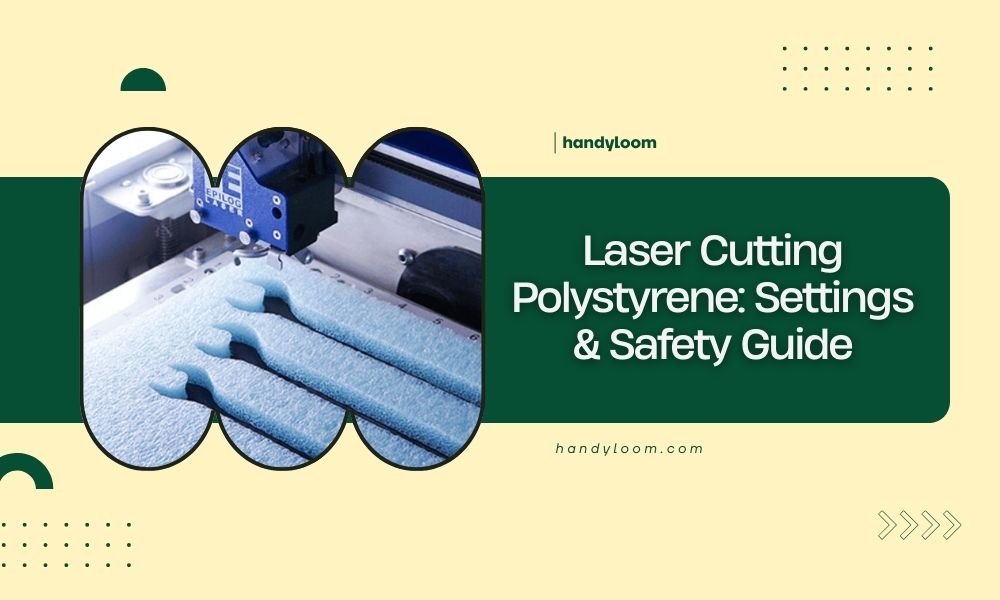
Laser cutting polystyrene requires specific settings: 10-20% power at 30-50mm/min speed with multiple passes to prevent melting and toxic fume release.
Always work in a well-ventilated area or use proper extraction systems when laser cutting polystyrene, as it releases dangerous styrene vapors that can harm your health.
What Makes Polystyrene Tricky to Laser Cut
Polystyrene foam melts easily under laser heat. Think of it like trying to cut butter with a hot knife – you get messy, melted edges instead of clean cuts.
The main challenge? Polystyrene has a low melting point around 240°F (116°C). Most CO2 lasers run much hotter than this, even at low power settings.
Why Regular Cutting Methods Don’t Work
High power settings turn your foam into a gooey mess. You’ll end up with:
- Melted, sealed edges that look terrible
- Burn marks and discoloration
- Warped or completely destroyed material
- Dangerous toxic fumes filling your workspace
Best Laser Settings for Polystyrene
I found through research that low power and multiple passes work best. Here’s what experts recommend:
| Material Thickness | Power Setting | Speed (mm/min) | Number of Passes |
|---|---|---|---|
| 1-3mm foam | 10-15% | 40-50 | 2-3 passes |
| 4-6mm foam | 15-20% | 30-40 | 3-4 passes |
| 7mm+ foam | 20-25% | 25-35 | 4-5 passes |
Fine-Tuning Your Settings
Start with the lowest power setting first. Run a small test cut on scrap material. Does it barely mark the surface? Good – that’s your starting point.
Increase power by 2-3% increments until you get a light cut. Then add more passes instead of more power.
Speed vs Power Balance
Faster speeds prevent heat buildup. Slower speeds with higher power create more melting. Always choose faster speeds with lower power when possible.
Safety Precautions You Must Follow
Polystyrene releases styrene gas when heated. This isn’t just unpleasant – it’s actually toxic to breathe.
Ventilation Requirements
Never cut polystyrene without proper ventilation. You need either:
- A fume extraction system connected to your laser
- Open windows with cross-ventilation
- An exhaust fan pulling air away from your work area
I came across safety guidelines that recommend treating styrene fumes like you would paint fumes – serious ventilation required.
Personal Protective Equipment
Wear safety glasses designed for your laser wavelength. A respirator mask helps too, but ventilation is still your main defense.
Fire Safety Considerations
Polystyrene can ignite if your settings are too aggressive. Keep a fire extinguisher nearby and never leave your laser unattended during cutting.
The melted material can also stick to your laser bed and cause damage. Use a sacrificial cutting mat underneath your polystyrene.
Step-by-Step Cutting Process
Ready to make your first cuts? Let’s walk through the process together.
Material Preparation
Clean your polystyrene surface with a dry cloth. Remove any dust or debris that could interfere with cutting.
Place your material flat on the cutting bed. Use weights or clamps at the corners if needed – but keep them away from your cut lines.
Bed Setup and Focus
Set your laser focus carefully. Polystyrene compresses easily, so don’t press too hard when measuring thickness.
Place a piece of cardboard or wood underneath as a backer. This prevents the melted material from sticking to your machine bed.
Test Cut Procedure
Cut a small square first – maybe 10mm x 10mm. This tests your settings without wasting material.
Check the edges. Are they clean and smooth? Or melted and rough? Adjust your settings based on what you see.
Making Adjustments
If edges are melted: Lower your power or increase speed.
If the cut didn’t go through: Add another pass instead of increasing power.
If you see brown burn marks: Your settings are too aggressive.
Common Problems and Solutions
Even with perfect settings, you might run into issues. Here’s how to fix them.
Melted or Sealed Edges
This happens when heat builds up in the material. Try these fixes:
- Reduce power by 5%
- Increase cutting speed by 10mm/min
- Add a small delay between passes
Incomplete Cuts
Don’t reach for the power dial right away. Instead, add one more pass at your current settings. This usually solves the problem without creating new ones.
Warping During Cutting
Heat can warp thin polystyrene sheets. Hold the material down with magnetic clamps placed strategically around your cut area.
You can also try cutting in sections. Make several partial cuts that don’t go all the way through, then do a final light pass to complete the cut.
Alternative Cutting Methods
Sometimes laser cutting isn’t the best choice for polystyrene projects.
Hot Wire Cutting
A hot wire foam cutter works great for thick polystyrene. It melts through cleanly without creating toxic fumes like laser cutting does.
Hot wire cutters cost less than laser time and give you smooth, professional edges on foam projects.
When to Choose Hot Wire Over Laser
Use hot wire cutting for:
- Thick foam blocks (over 10mm)
- Simple geometric shapes
- Large production runs
- Indoor work without ventilation
Mechanical Cutting Options
Sharp knives work well for thin polystyrene sheets. Use a fresh blade and make multiple light passes instead of trying to cut through in one stroke.
Conclusion
Laser cutting polystyrene takes patience and the right approach. Low power, multiple passes, and excellent ventilation are your keys to success. Start with conservative settings and work your way up slowly. Remember that safety comes first – those fumes are no joke. With practice, you’ll find the sweet spot where your cuts are clean and your workspace stays safe. Don’t rush the process, and always test your settings on scrap material first.
Can you laser cut expanded polystyrene foam safely indoors?
Only with proper fume extraction or excellent ventilation. Styrene vapors are toxic and need to be removed from your breathing space immediately. An exhaust fan or fume extraction system is required for indoor cutting.
What’s the thickest polystyrene you can laser cut effectively?
Most CO2 lasers handle up to 10mm polystyrene foam with multiple passes. Beyond that thickness, hot wire cutting becomes more practical and gives better results than laser cutting.
Why do my polystyrene edges look melted even at low power?
Your cutting speed might be too slow, allowing heat to build up. Try increasing speed to 50-60mm/min while keeping power at 15% or lower. Multiple fast passes work better than slow, powerful cuts.
Can you engrave details into polystyrene with a laser?
Light surface engraving works at very low power (5-8%) and high speed (80-100mm/min). Go deeper than surface level and you’ll create melted, messy results instead of clean engraved lines.
What type of polystyrene works best for laser cutting?
Extruded polystyrene (XPS) cuts cleaner than expanded polystyrene (EPS) foam. The denser structure melts more evenly and creates less mess. Avoid polystyrene with additives or coatings that might release additional toxic fumes.