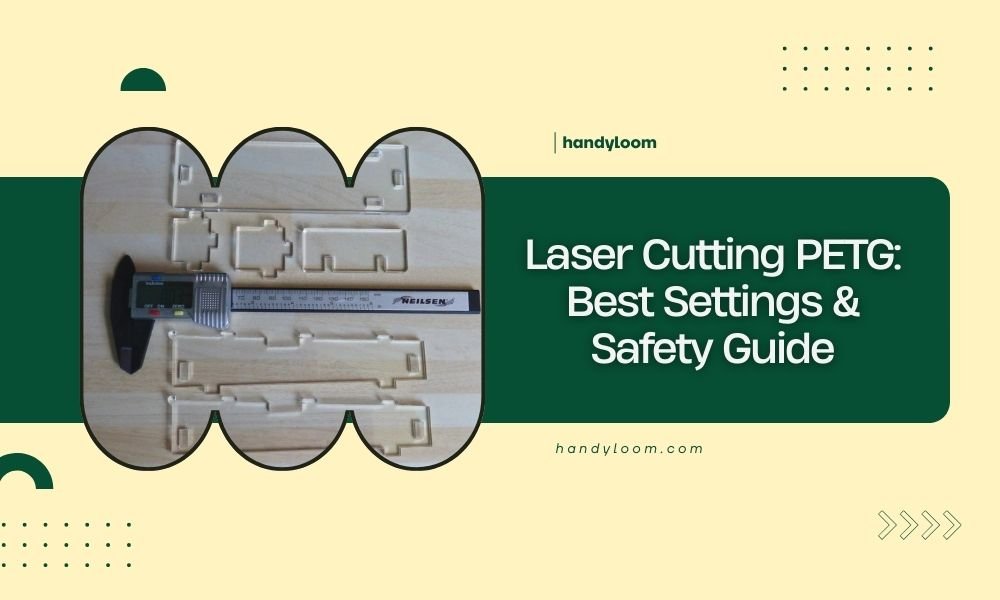
Laser cutting PETG requires specific power settings between 40-60% with speeds of 20-40 mm/s for clean cuts without melting.
PETG material needs proper ventilation and temperature control since it releases toxic fumes when heated above 250°C during laser cutting.
What Is PETG and Why Cut It With Lasers?
PETG stands for polyethylene terephthalate glycol. It’s a clear, strong plastic that’s easier to work with than regular PET bottles. You’ll find PETG everywhere – food containers, medical devices, and 3D printing filaments.
Why do crafters love laser cutting PETG? It cuts cleanly without cracking. The edges stay smooth. You can make detailed designs that would be impossible with scissors or knives.
Properties That Make PETG Laser-Friendly
PETG melts at around 230°C. This gives you a good working window before it gets too hot. The material doesn’t release chlorine gas like PVC does. That makes it safer for home workshops.
The plastic also has low shrinkage. Your cut pieces will stay the right size after cooling. This matters when you’re making parts that need to fit together.
Best Laser Settings for Cutting PETG
Getting the right settings takes some trial and error. Start with these baseline numbers and adjust from there.
Power Settings
For thin PETG (0.5-1mm): Use 40-50% power. Higher power will melt the edges and create messy cuts.
For medium thickness (1-3mm): Try 50-60% power. You might need multiple passes on the thicker end.
For thick PETG (3mm+): Start at 60% power with very slow speeds. Consider multiple light passes instead of one heavy cut.
Speed Recommendations
Slow and steady wins with PETG. Fast cuts create rough edges and incomplete penetration.
- Thin material: 30-40 mm/s
- Medium thickness: 20-30 mm/s
- Thick sheets: 15-25 mm/s
Frequency and Pulse Settings
High frequency (around 20kHz) works best for smooth cuts. Lower frequencies can cause the plastic to chip or crack.
If your laser has pulse settings, try short pulses with high frequency. This prevents too much heat buildup in one spot.
Material Preparation
Cleaning Your PETG
Clean sheets cut better. Use isopropyl alcohol to remove fingerprints and dust. Even small particles can cause the laser to scatter and create uneven cuts.
Securing the Material
PETG can warp slightly when heated. Use corner weights or magnets to keep it flat. Don’t press too hard – you don’t want to create stress points that could crack.
Masking Tape Tricks
Apply masking tape to both sides of your PETG. This prevents smoke stains and gives cleaner edges. Remove the tape while the plastic is still warm for easy peeling.
Safety Guidelines You Must Follow
PETG is generally safe to laser cut, but you still need precautions. I found that proper ventilation makes the biggest difference in workshop safety.
Ventilation Requirements
Always use an exhaust fan when cutting PETG. The material releases small amounts of formaldehyde and acetaldehyde when heated. These aren’t immediately dangerous, but you don’t want to breathe them regularly.
Point your exhaust away from windows and air intakes. Your neighbors won’t appreciate plastic fumes either.
Temperature Monitoring
Watch your bed temperature if you have monitoring. Keep it under 60°C to prevent warping. Higher temperatures can also increase toxic emissions.
Fire Safety
PETG doesn’t easily catch fire, but it can if you overheat it. Keep a CO2 fire extinguisher nearby. Water won’t work well on plastic fires.
Personal Protective Equipment
Safety glasses are essential. Laser reflections off clear PETG can be brighter than you expect. Even brief exposure can damage your eyes.
Nitrile gloves help when handling cut pieces. The edges can be sharp, and you might have residue from the cutting process.
Common Cutting Problems and Solutions
Melted or Rough Edges
This usually means too much power or too slow speed. Reduce power by 10% and try again. You can also increase speed slightly.
Sometimes the problem is dirty optics. Clean your lens and mirrors before adjusting settings.
Incomplete Cuts
Don’t just crank up the power. Try multiple passes at lower power first. This prevents overheating and gives cleaner results.
Check that your material is actually the thickness you think it is. PETG sheets can vary more than you’d expect.
Warping During Cutting
This happens when one area gets too hot too fast. Use a honeycomb cutting bed if possible. The air gaps help with cooling.
Cut complex shapes in sections. Let each area cool before moving to the next part.
Advanced Techniques
Engraving PETG
You can engrave text and designs into PETG without cutting through. Use very low power (10-20%) with high speed (50-80 mm/s).
Light engraving creates a frosted look that’s great for signs and labels.
Creating Living Hinges
PETG is flexible enough for living hinges. Make a series of parallel cuts about 80% through the material. Space them 1-2mm apart.
Test bend the hinge gently. If it’s too stiff, make the cuts slightly deeper.
Multi-Pass Techniques
For thick material, try three passes at 30% power instead of one at 90%. This prevents charring and gives smoother edges.
Let the material cool for 30 seconds between passes. This prevents heat buildup that could cause warping.
Maintenance and Care
Cleaning Your Laser After PETG
PETG creates more residue than paper or wood. Clean your lens and mirrors after every few hours of cutting.
Check your exhaust system regularly. Plastic particles can build up faster than organic materials.
Storage Tips
Store cut PETG pieces flat to prevent warping. Stack them with paper between layers to prevent scratching.
Keep unused sheets away from heat sources. Even warm storage areas can cause gradual warping.
| Material Thickness | Power Setting | Speed (mm/s) | Passes |
|---|---|---|---|
| 0.5mm | 40% | 35 | 1 |
| 1mm | 45% | 30 | 1 |
| 2mm | 55% | 25 | 1-2 |
| 3mm | 60% | 20 | 2-3 |
Conclusion
Laser cutting PETG opens up amazing creative possibilities. The key is starting with conservative settings and working your way up. Remember that slower, cooler cuts usually give better results than trying to blast through with high power.
Safety should always come first. Good ventilation and proper protective equipment aren’t optional – they’re essential for healthy crafting. With the right approach, you’ll be creating professional-looking PETG projects that last for years.
Take your time learning the material. Every laser behaves slightly differently, and your local humidity and temperature can affect results. Keep notes on what works so you can repeat successful cuts.
What thickness of PETG is best for beginners?
Start with 1-2mm thick PETG sheets. They’re forgiving with power settings and less likely to warp during cutting. Thinner material can melt easily while thicker sheets need more precise control.
Can you laser cut PETG on any type of laser cutter?
CO2 lasers work best for PETG cutting. Diode lasers can work but need much slower speeds and multiple passes. Fiber lasers aren’t recommended since they don’t absorb well in clear plastics.
How do you prevent PETG from sticking to the cutting bed?
Use a honeycomb cutting table or place thin aluminum sheets under your PETG. You can also elevate the material slightly with spacers to improve airflow and prevent melting onto the bed.
Is it safe to laser cut PETG indoors?
Yes, but only with proper exhaust ventilation. PETG produces fewer toxic fumes than many other plastics, but you still need to remove the vapors from your workspace. Never cut without ventilation running.
Why do my PETG cuts have yellow or brown edges?
Yellow or brown edges indicate too much heat. Reduce your power setting by 10-15% or increase cutting speed. Also check that your lens is clean – dirty optics can cause hot spots that burn the material.