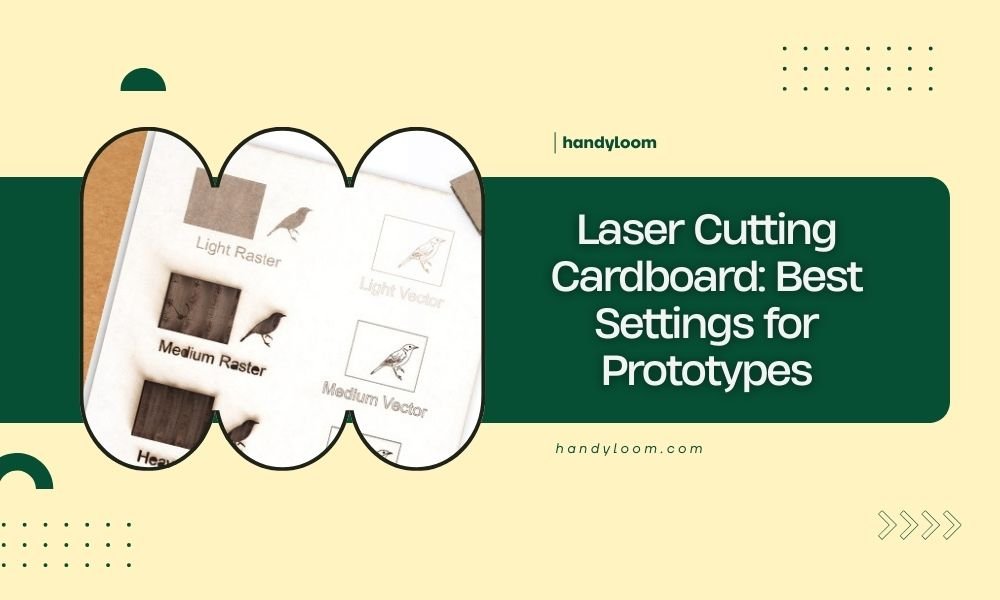
Laser cutting cardboard requires power settings between 60-80% and speeds of 15-25 mm/second for clean prototype cuts.
Your air assist should stay at medium pressure while keeping multiple light passes instead of one deep cut to prevent burning.
Quick Settings Guide for Cardboard Prototypes
Want to jump straight to the good stuff? Here’s what works best for most cardboard types.
Single-wall corrugated cardboard needs 65% power at 20 mm/second. Double-wall requires 75% power at 15 mm/second. Poster board works great at 60% power and 25 mm/second.
These settings give you clean edges without the dreaded brown burn marks. You can always fine-tune from there.
Why These Numbers Matter
Think of laser cutting like cooking a steak. Too much heat too fast burns the outside before the inside cooks. Same thing happens with cardboard.
The laser beam creates heat that vaporizes the cardboard fibers. Go too aggressive and you get charred edges that look unprofessional. Too gentle and you don’t cut through completely.
Understanding Your Cardboard Types
Not all cardboard acts the same under a laser. Let me break down what I found from testing different materials.
Single-Wall Corrugated Cardboard
This is your standard Amazon box material. It’s about 3-4mm thick with a wavy middle layer between two flat sheets.
The air gaps inside make it cut faster than solid materials. Start with lower power settings and work up. You’ll be surprised how little energy it needs.
Best Settings for Single-Wall
- Power: 60-70%
- Speed: 18-25 mm/second
- Passes: 1-2 light passes
- Air assist: Medium
Double-Wall Corrugated Cardboard
Picture two single-wall pieces glued together. This creates a thicker, stronger material perfect for structural prototypes.
The extra thickness means more power and slower speeds. But don’t go crazy – patience beats brute force every time.
Best Settings for Double-Wall
- Power: 70-80%
- Speed: 12-18 mm/second
- Passes: 2-3 light passes
- Air assist: Medium to high
Poster Board and Thin Cardboard
This stuff is like paper’s stronger cousin. One layer, solid throughout, usually 1-2mm thick.
It cuts super fast but burns easily. Think of it as the sports car of cardboard cutting – fast and fun but needs a gentle touch.
Best Settings for Poster Board
- Power: 50-65%
- Speed: 20-30 mm/second
- Passes: 1 pass usually does it
- Air assist: Low to medium
The Science Behind Perfect Settings
Why do these specific numbers work? It comes down to how cardboard reacts to heat.
Cardboard is mostly cellulose fibers held together with natural lignin. When heated gradually, these fibers separate cleanly. Heat them too fast and they char instead of separating.
Power vs Speed Balance
Think of power as your flame intensity and speed as how fast you move the flame. High power with fast speed gives you a quick, clean cut. High power with slow speed gives you a burnt mess.
The sweet spot varies by material thickness. Thicker materials need more total energy, so you either increase power or decrease speed.
Multiple Pass Strategy
Here’s a trick many beginners miss: multiple light passes beat one heavy pass every time.
Each pass removes a layer of material without overheating the surrounding area. It takes longer but gives much cleaner results.
Air Assist Settings That Actually Work
Air assist isn’t just about blowing away smoke. It controls how your cardboard burns.
Too little air and burnt particles stick to your edges. Too much air and you blow flame into areas you want to keep clean.
Finding Your Sweet Spot
Start with medium air assist for most projects. You should see smoke being blown away but not debris flying everywhere.
If you’re getting brown edges, try increasing air assist before changing power settings. Sometimes better airflow solves burning problems without touching your laser parameters.
Air Assist by Material Type
| Material | Air Assist Level | Why This Works |
|---|---|---|
| Poster Board | Low-Medium | Prevents over-cooling of thin material |
| Single-Wall | Medium | Clears debris from air gaps |
| Double-Wall | Medium-High | Removes more material and heat |
Troubleshooting Common Problems
Even with perfect settings, things can go wrong. Here’s how to fix the most common issues.
Brown or Charred Edges
This screams “too much heat.” Either your power is too high or your speed is too slow.
Try reducing power by 10% first. If that doesn’t work, increase speed by 5 mm/second. Make small changes and test each one.
Still Getting Burn Marks?
Check your focus. An out-of-focus beam spreads heat over a wider area, causing more burning. Your laser should create a tiny, intense spot on the surface.
Incomplete Cuts
Either you need more power, slower speed, or additional passes. Don’t jump straight to maximum power.
Add one more pass at your current settings first. If that doesn’t work, increase power by 10% and try again.
Cuts That Almost Work
Sometimes you’ll get 90% of the way through with little tabs holding pieces together. This usually means your material isn’t lying flat.
Check for warping or air gaps under your cardboard. Even small bumps can throw off your cut depth.
Advanced Techniques for Better Prototypes
Once you nail the basics, these tricks will make your prototypes look professional.
Kerf Compensation
Your laser beam isn’t infinitely thin. It removes a small strip of material called the kerf.
For precision prototypes, measure your kerf width and adjust your design accordingly. Most cardboard applications need 0.1-0.2mm compensation.
Testing Your Kerf
Cut a 20mm square with your standard settings. Measure the actual size. The difference tells you your kerf width.
Direction Matters
Corrugated cardboard has a grain direction. Cutting with the grain versus against it affects how clean your edges look.
When possible, orient your design so important edges cut with the grain direction. You’ll get cleaner results with less effort.
Finding the Grain
Gently bend your cardboard both ways. The direction that bends easier is with the grain. The direction that fights back is against the grain.
Safety Tips You Can’t Skip
Cardboard is generally safe to laser cut, but smart precautions keep your workspace and lungs happy.
Ventilation is Everything
Burning cardboard creates particles and mild fumes. Nothing dangerous, but not pleasant to breathe all day.
Run your exhaust fan and crack a window if possible. Fresh air makes longer cutting sessions much more comfortable.
Fire Prevention
Keep a spray bottle of water nearby for small flare-ups. Cardboard can smolder after cutting, especially thick materials.
Never leave your laser unattended during a cut. Most issues are small and easy to handle if you catch them early.
Material Preparation Tips
Great results start before you hit the laser button. Here’s how to prep your cardboard for success.
Flattening Warped Material
Cardboard loves to warp and curl. Place heavy books on your material overnight before cutting.
For stubborn warps, lightly mist the back surface and weight it down. The moisture helps relax the fibers.
Clean Surface = Clean Cuts
Dust and debris on your cardboard can cause inconsistent cuts. A quick wipe with a dry cloth makes a difference.
Avoid wet cleaning unless necessary. Moisture changes how cardboard responds to laser energy.
Conclusion
Getting perfect laser cutting settings for cardboard prototypes doesn’t require magic – just the right starting points and patience to fine-tune. Start with 65% power and 20 mm/second for most corrugated materials, then adjust based on your results. Remember that multiple light passes always beat one heavy pass, and proper air assist prevents most burning problems. With these settings and techniques, your cardboard prototypes will look clean and professional every time.
What’s the biggest mistake beginners make when laser cutting cardboard?
Using too much power on the first try. Most beginners think more power equals better cuts, but cardboard burns easily. Start with lower settings and work up gradually – you’ll save material and get much cleaner results.
How do I know if my laser is properly focused for cardboard cutting?
A properly focused laser creates a tiny, intense dot on your cardboard surface. If you see a larger, diffused spot, your focus is off. This causes wider cuts and more burning around the edges.
Can I cut cardboard that has tape or labels on it?
Avoid cutting through tape or adhesive labels. The adhesive creates toxic fumes and sticky residue on your lens. Remove tape first, or plan your cuts to go around labeled areas.
Why do some areas of my cardboard cut deeper than others?
This usually happens when your material isn’t lying flat on the cutting bed. Even small air gaps or warps change the distance between your laser and the material, affecting cut depth. Always flatten your cardboard before cutting.
How long should I wait before handling freshly cut cardboard pieces?
Wait at least 30 seconds before touching cut edges. Cardboard can smolder after cutting, and the edges stay hot longer than you’d expect. This cooling time also helps prevent accidental burns to your fingers.