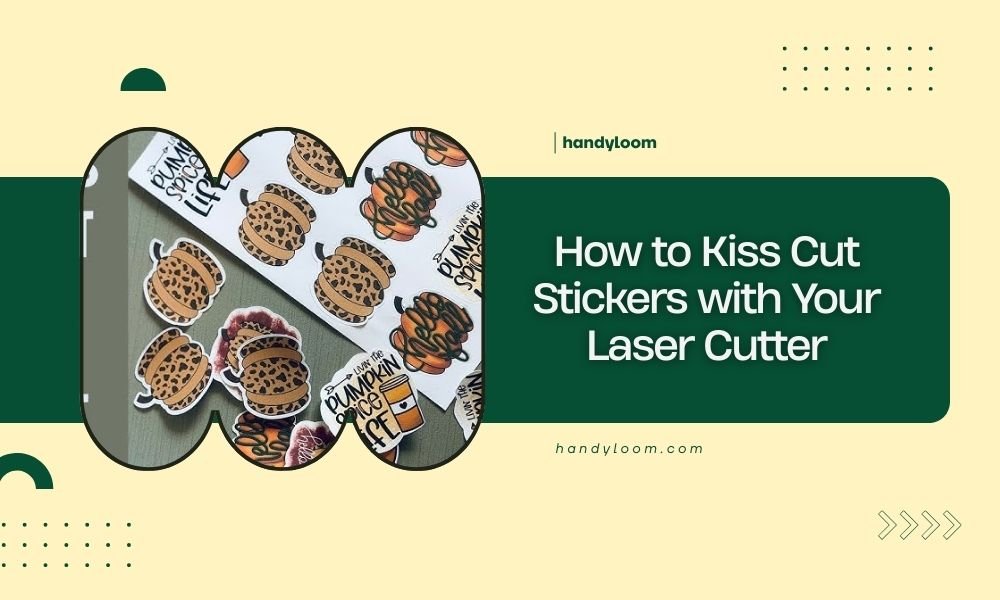
Kiss cut stickers are created by cutting through only the sticker material while leaving the backing paper intact, making them easy to peel and apply.
You can kiss cut stickers with your laser cutter by adjusting the power settings to cut shallow enough that the laser penetrates the vinyl but stops at the backing paper.
What Are Kiss Cut Stickers?
Think of kiss cut stickers like a gentle tap instead of a punch. The laser “kisses” the material by cutting through the top vinyl layer but leaving the backing paper untouched.
This creates stickers that stay on their backing until you’re ready to peel them off. It’s the same technique used for those laptop stickers you buy online.
Why Choose Kiss Cutting Over Die Cutting?
Kiss cutting gives you more control than traditional die cutting. You can create custom shapes without expensive dies or tools.
Your laser cutter becomes a precision knife that can make any design you imagine. Plus, you keep your stickers organized on their backing sheets.
Benefits of Laser Kiss Cutting
- No tooling costs for custom shapes
- Perfect for small batches or prototypes
- Clean, precise edges every time
- Easy to weed out unwanted material
- Stickers stay aligned and protected
Materials You Need for Kiss Cut Stickers
Not all sticker materials work the same way. I researched which materials give the best results for laser kiss cutting.
Best Vinyl Types for Kiss Cutting
Adhesive vinyl works best because it has a clear difference between the top layer and backing paper. The laser can sense this change and stop cutting at the right depth.
Removable vinyl is perfect for beginners. It’s forgiving if you make mistakes with your power settings.
Recommended Vinyl Thickness
Stick with vinyl between 3-5 mils thick. Thinner materials might tear during weeding. Thicker ones need more precise power control.
Backing Paper Quality Matters
Look for vinyl with sturdy backing paper. Cheap backing tears easily when you adjust your power settings.
Paper backing works better than plastic backing for most laser cutters. The laser can detect the material change more easily.
Setting Up Your Laser Cutter
Getting your settings right is the secret to perfect kiss cuts. Start conservative and work your way up.
Power Settings for Kiss Cutting
Begin with 20-30% power if you normally cut at 100%. You want just enough power to cut the vinyl without burning the backing.
Speed matters too. I found that slower speeds around 10-15 mm/s give you better control over the cut depth.
Test Cuts Are Your Friend
Always run a test cut on a small corner first. Try to peel the vinyl. If it doesn’t lift easily, increase power by 5% and test again.
Focus and Bed Height
Set your focus to the top surface of the vinyl, not the backing paper. This gives you the sharpest cut through the material layer.
Keep your material flat against the cutting bed. Any warping can cause uneven cut depths.
Step-by-Step Kiss Cutting Process
Ready to make your first kiss cut stickers? Here’s the exact process I use every time.
Step 1: Design Preparation
Create your design with clean, simple lines. Avoid tiny details that might not weed cleanly.
Set your line thickness to hairline or 0.001 inches in your design software. This tells the laser to cut, not engrave.
Step 2: Material Loading
Place your vinyl face-up on the cutting bed. Smooth out any bubbles or wrinkles with your hands.
Use masking tape to secure the corners if your material keeps lifting.
Step 3: Running Your Test
Cut a small square in one corner first. Try to weed it out with a weeding tool or your fingernail.
The vinyl should peel away cleanly, leaving the backing paper intact. If you see backing paper damage, reduce your power.
Step 4: Full Cut Execution
Once your test looks good, run your full design. Don’t walk away – watch for any smoke or burning smells.
Good kiss cuts produce minimal smoke and no char marks on the backing.
Troubleshooting Common Issues
Even experienced users run into problems. Here’s how to fix the most common kiss cutting issues.
Cuts Going Too Deep
If you’re cutting through the backing paper, reduce power by 5-10%. Also check that your material is laying flat.
Vinyl Not Cutting Through
Increase power gradually or slow down your cutting speed. Some vinyl brands need different settings than others.
Uneven Cut Depth
This usually means your bed isn’t level or your material is warped. Check both before adjusting laser settings.
Backing Paper Burning
Lower your power and increase cutting speed. Burning happens when the laser dwells too long in one spot.
Weeding and Finishing Your Stickers
Kiss cutting is only half the job. Proper weeding makes your stickers look professional.
Weeding Tools You Need
A good weeding tool helps you lift vinyl corners without damaging the backing. Craft knives work in a pinch.
Tweezers help with tiny pieces that are hard to grab with your fingers.
Weeding Technique
Start at one corner and peel slowly. The vinyl should lift in one piece if your cut depth is right.
Work at an angle, not straight up. This reduces the chance of tearing.
Advanced Kiss Cutting Tips
Once you master basic kiss cutting, these advanced techniques will improve your results.
Multiple Pass Cutting
For thick vinyl, try two passes at lower power instead of one high-power pass. This gives you more control.
Registration Marks
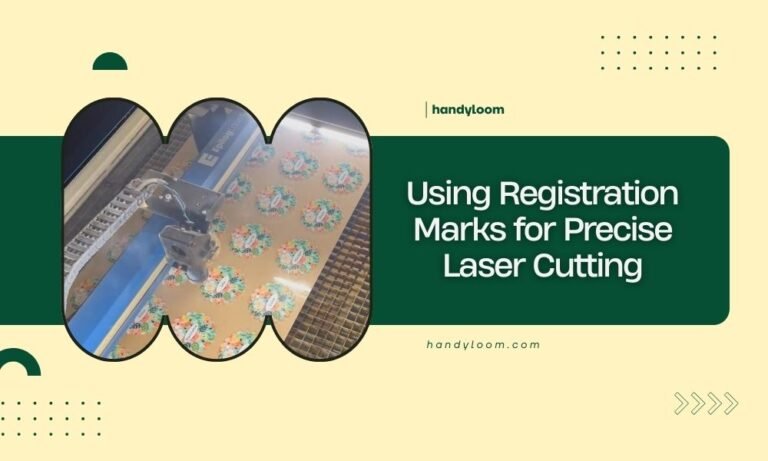
Add small registration marks to your design corners. These help you align multiple colors or layers perfectly.
Batch Production Settings
Save your successful settings for each vinyl type. This saves time when you’re making large quantities.
| Vinyl Type | Power % | Speed (mm/s) | Passes |
|---|---|---|---|
| Removable Vinyl | 25-30% | 10-12 | 1 |
| Permanent Vinyl | 30-35% | 8-10 | 1 |
| Thick Craft Vinyl | 20-25% | 15 | 2 |
Safety Considerations
Laser cutting vinyl produces some fumes, even with kiss cuts. Always use proper ventilation.
Never leave your laser unattended during cutting. Kiss cuts can turn into full cuts quickly if something goes wrong.
Conclusion
Kiss cutting stickers with your laser cutter opens up endless creative possibilities. Start with simple designs and conservative power settings while you learn your machine’s personality.
Remember that every vinyl brand and laser cutter combination is slightly different. Keep notes on what works best for your setup. With practice, you’ll be creating professional-quality stickers that rival anything you can buy online.
Can I kiss cut any type of sticker material?
Most adhesive vinyl works well for kiss cutting, but avoid materials without clear backing separation like thin decal papers or metallic films that reflect laser energy.
How do I know if my cut depth is perfect?
The vinyl should peel away easily with a weeding tool while the backing paper remains completely intact with no visible cut marks or burns.
Why are my kiss cut edges rough or melted?
Rough edges usually mean your power is too high or cutting speed is too slow, causing the laser to burn rather than cleanly cut the vinyl material.
Can I kiss cut multiple stickers at once?
Yes, you can cut entire sheets of stickers in one pass, but make sure your design spacing allows for easy weeding and that your laser bed is large enough.
What’s the smallest detail size I can kiss cut?
Most laser cutters can handle details as small as 1-2mm, but very tiny features become difficult to weed cleanly from the backing paper.