
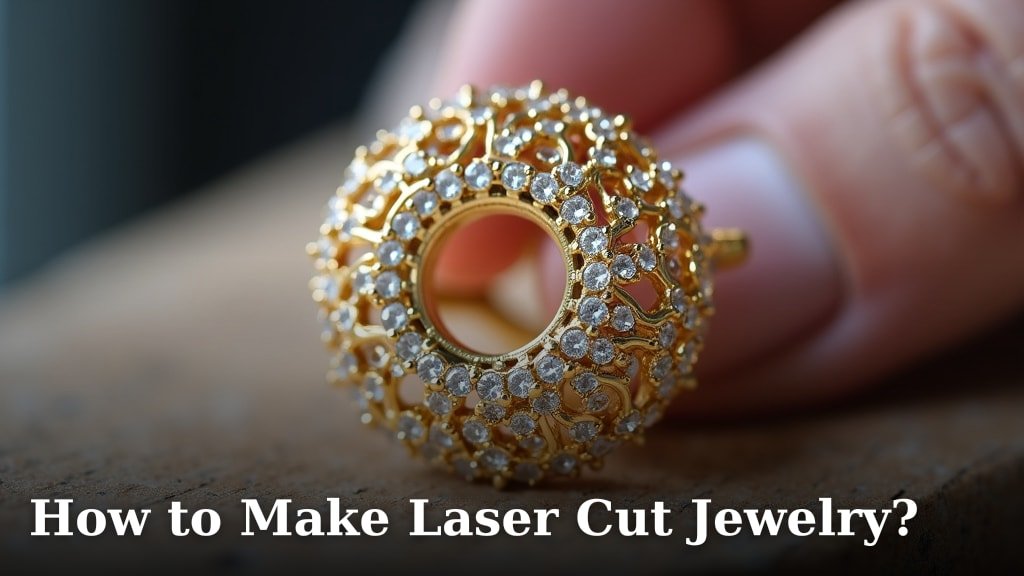
You absolutely can make beautiful laser cut jewelry at home! With the right tools and a little practice, you can create stunning pieces from various materials like acrylic, wood, and even leather. It’s a fun way to express your creativity and make unique gifts or even start a small business designing and selling your own wearable art.
Laser cutting technology has become much more accessible. Many hobbyists and small businesses are now using desktop laser cutters to produce amazing designs. The precision of a laser cutter allows for incredibly detailed work, bringing your jewelry visions to life with professional-quality results and impressive speed.
- Laser cutters can work with many materials.
- You’ll need design software and a laser cutting machine.
- Safety precautions are important when using lasers.
- The process involves designing, cutting, and finishing your jewelry.
Ready to start creating? We’ll walk you through the essential steps to get your laser cut jewelry projects off the ground, from design to the final polish. This guide reviews the best laser engraver for jewelry.
Getting Started with Laser Cut Jewelry Creation
Creating your own laser cut jewelry at home is more accessible than you might think. It allows for incredible precision and detail. You can turn simple materials into wearable art. This guide will help you navigate the process from start to finish.
Many hobbyists and small businesses now use desktop laser cutters. These machines offer professional-quality results. They can work with a variety of materials, giving you lots of creative freedom.
Essential Tools and Materials for Your Jewelry Projects
Before you can start cutting, you’ll need the right equipment and supplies. Having these ready will make your jewelry-making experience much smoother.
The Laser Cutter: Your Primary Tool
The heart of your operation is the laser cutter. For home use, desktop models are usually the best bet. They come in various power levels and bed sizes. Consider your budget and the types of materials you plan to cut.
Some popular brands offer user-friendly interfaces. We found that models with a good amount of online support and tutorials are excellent for beginners. Researching reviews can help you pick the right machine for your needs.
Design Software: Bringing Your Ideas to Life
You’ll need software to create or modify your jewelry designs. Many options are available, ranging from free vector graphics programs to professional CAD (Computer-Aided Design) software.
Vector Graphics Software
Programs like Inkscape or Adobe Illustrator are excellent for creating designs. They work with vectors, which are mathematical paths that the laser cutter follows. This ensures crisp, clean cuts.
You can draw your own shapes or modify existing ones. Learning the basics of these programs is key to creating unique designs. Many online tutorials can guide you through this learning curve.
CAD Software (Optional but Powerful)
For more complex, three-dimensional designs, CAD software might be beneficial. Programs like Fusion 360 or Tinkercad allow for more intricate modeling. However, for simple jewelry shapes, vector graphics software is usually sufficient.
Materials for Your Designs
The choice of material significantly impacts the look and feel of your jewelry. Here are some popular options:
- Acrylic: Comes in a dazzling array of colors and finishes. It’s lightweight and easy to engrave.
- Wood: Offers a natural, warm aesthetic. Plywoods and hardwoods can be laser cut for beautiful results.
- Leather: Great for a bohemian or edgy look. You can cut intricate patterns and shapes.
- Delrin/POM: A durable plastic that’s excellent for mechanical components or sturdy jewelry.
Always check the manufacturer’s recommendations for your specific laser cutter. Some materials can produce toxic fumes when cut.
Safety Gear: Your Top Priority
Safety is paramount when working with lasers. Never skip these essential precautions.
- Safety Glasses: Always wear laser-rated safety glasses. These protect your eyes from stray beams.
- Ventilation System: Laser cutters produce fumes. Ensure your machine is properly vented outdoors or use an air filtration system. Many sources suggest that adequate ventilation is critical for respiratory health (CDC).
- Fire Extinguisher: Keep a suitable fire extinguisher nearby. Lasers can ignite materials.
Always follow the manufacturer’s safety guidelines for your laser cutter.
Designing Your Laser Cut Jewelry: From Concept to Cut File
Your design is where your creativity truly shines. This stage involves translating your ideas into a format the laser cutter can understand.
Conceptualizing Your Jewelry Piece
Think about the type of jewelry you want to make: earrings, pendants, bracelets, or charms. Consider the overall style – minimalist, geometric, ornate, or natural. You might want to sketch out your ideas first.
Look for inspiration online or in fashion magazines. What shapes and patterns are trending? What materials would best suit your design? Don’t be afraid to experiment with different forms.
Creating Your Design File in Software
Once you have a concept, it’s time to create it in your chosen design software. Remember, laser cutters work with vector paths.
Setting Up Your Document
Set your document’s units to millimeters or inches, depending on your preference. Keep your design elements clean and well-defined. Avoid overlapping lines where possible, as this can confuse the laser cutter.
Designing for Cutting and Engraving
Most laser cutters can both cut through material and engrave designs onto the surface. For cutting, you’ll use a hairline stroke (usually red or blue, depending on your software and machine settings). For engraving, you’ll use fill areas or different stroke colors.
Many tutorials explain how to set up your file for specific laser cutter software. We found that using different layers for cutting and engraving helps keep your design organized.
Preparing Your File for the Laser Cutter
Before sending your design to the laser, you need to export it in a compatible format. Common file types include SVG, DXF, and AI.
Double-check your design for any stray points or open paths. These can cause errors during the cutting process. Ensure all shapes are closed and ready to go. This step is crucial for accurate and clean cuts.
Operating Your Laser Cutter: The Cutting Process
Now it’s time to use your laser cutter. This stage requires careful setup and monitoring.
Setting Up Your Laser Cutter
Place your chosen material onto the laser cutter bed. Ensure it’s flat and secure. Many machines have honeycomb beds that provide support.
You’ll need to set the correct power and speed settings for your material. These vary greatly depending on the material type and thickness. Check the laser cutter’s manual or online resources for recommended settings. We found that starting with a lower power and slower speed is safer for test cuts.
Performing the Cut
Once your settings are dialed in, you can send the design file to the laser cutter. The machine will then begin cutting or engraving your jewelry pieces. Keep an eye on the process to ensure everything is going smoothly.
It’s a good idea to run a small test cut on a scrap piece of material first. This helps you confirm that your settings are correct before cutting your actual jewelry pieces. This can save you a lot of wasted material and time.
Finishing Your Laser Cut Jewelry
Once the laser has finished cutting, your jewelry pieces are almost ready. A bit of post-processing will make them shine.
Cleaning and Polishing
After cutting, your pieces might have a slight residue or soot, especially with wood. Gently clean them with a damp cloth or a specialized cleaner. For acrylic, a soft cloth and some acrylic polish can remove minor scratches.
Sandpaper can be used for wood to smooth edges. For acrylic, you might want to flame polish edges for a smooth, melted look, but this requires practice and safety precautions. Researching the best cleaning methods for your specific material is highly recommended.
Assembling Your Jewelry
Now it’s time to turn your cut pieces into wearable jewelry. You’ll need basic jewelry-making findings:
- Earring hooks
- Jump rings
- Necklace chains
- Clasps
- Pliers (round-nose and chain-nose)
Use jump rings and pliers to attach your laser-cut charms or shapes to earring hooks, chains, or bracelet bands. Take your time with assembly to ensure a professional finish. Strong, secure connections are important.
Optional Embellishments and Coatings
You can further enhance your jewelry with paints, sealants, or glazes. For wooden pieces, a clear coat can protect the wood and give it a nice sheen. Metallic paints can add a pop of color to acrylic or wood.
Consider adding small beads or charms to complement your laser-cut elements. The possibilities are endless! Many crafters find that a bit of hand-painting adds a unique touch to their laser-cut designs.
Troubleshooting Common Laser Cutting Issues
Even with careful preparation, you might encounter some hiccups. Here are a few common problems and how to address them.
Inconsistent Cuts
If your laser isn’t cutting all the way through, check your power and speed settings. Ensure your lens is clean and your machine is properly calibrated. Sometimes, a material batch can be inconsistent, too.
Engraving Blurring
Blurry engraving often points to an issue with focus. Make sure your laser’s focal length is set correctly for the material thickness. Dust on the lens can also cause this. Cleanliness is key.
Material Charring or Burning
Excessive charring usually means your laser is set too hot or moving too slowly. Adjust your power and speed settings. Ensure your ventilation is working effectively to remove smoke promptly. Some materials, like certain woods, are naturally more prone to charring.
We found that keeping a log of your settings for different materials is extremely helpful. This creates a reference guide for future projects.
A Checklist for Your First Laser Cut Jewelry Project
Ready to dive in? Use this quick checklist to make sure you’re prepared:
- Have your laser cutter set up with proper ventilation.
- Obtain appropriate safety glasses.
- Choose your design software and practice basic functions.
- Select your desired materials (acrylic, wood, etc.).
- Create or find a simple design file (SVG, DXF).
- Gather necessary jewelry findings for assembly.
Conclusion
You’re now equipped with the knowledge to create your own stunning laser cut jewelry. You’ve learned about the essential tools, the design process, safe operation of your laser cutter, and the finishing touches that bring your pieces to life. Remember, practice makes perfect, especially with laser settings and design software. Don’t be afraid to experiment with different materials and designs. Your journey into laser cut jewelry creation starts now – so grab your materials and begin designing your first wearable masterpiece!
Frequently Asked Questions
What are the most beginner-friendly materials for laser cut jewelry?
Acrylic and wood are excellent choices for beginners. Acrylic is vibrant, lightweight, and cuts cleanly, while wood offers a natural, warm aesthetic that’s easy to work with. Both materials are forgiving and offer great results with basic laser settings.
How do I prevent my laser cut jewelry from looking “homemade”?
Achieving a professional look comes down to precision in design and finishing. Ensure your designs are clean and well-defined in your vector software. Pay close attention to sanding and polishing edges, and use quality jewelry findings for assembly. Careful attention to detail makes a big difference.
Is it safe to laser cut jewelry in my home?
Yes, it can be safe if you follow proper precautions. Always use your laser cutter in a well-ventilated area, ideally with an exhaust system venting outdoors. Wear laser-rated safety glasses, and keep a fire extinguisher nearby. Never leave the machine unattended while it’s operating.
How much does a beginner laser cutter for jewelry cost?
The cost of beginner-friendly desktop laser cutters can range from a few hundred dollars to around $1,000 or more, depending on features and power. While the initial investment can seem high, consider it for the creative potential and the ability to make custom pieces.
Can I sell jewelry I make with a laser cutter?
Absolutely! Many people start small businesses creating and selling laser cut jewelry. Once you’ve mastered the process and developed a unique style, you can sell your creations online, at craft fairs, or through local boutiques. Remember to check any local regulations for selling handmade goods.
