
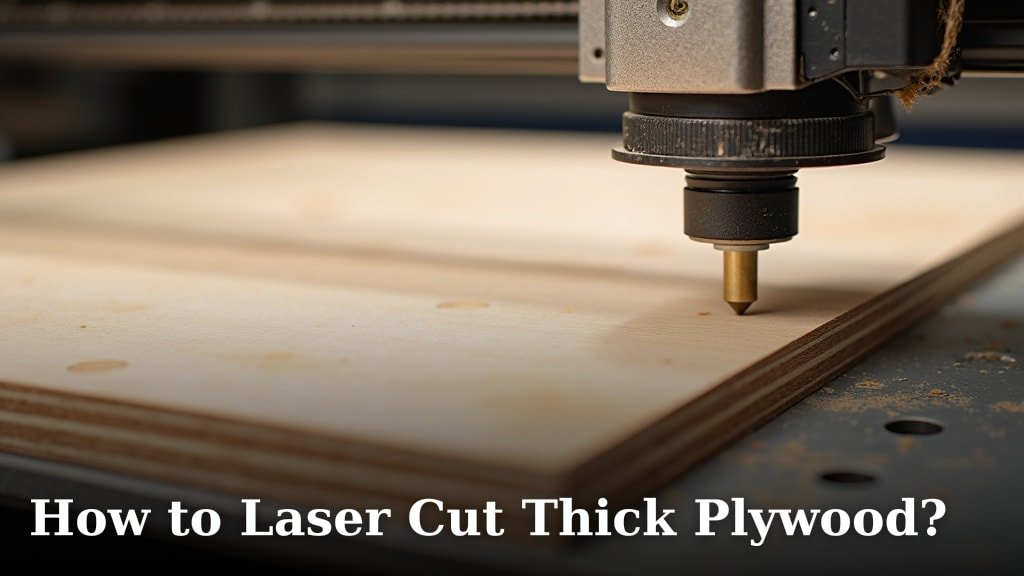
To laser cut thick plywood, you need a powerful CO2 laser with at least 100 watts of power. We found that multiple passes at lower power settings give the best results, preventing charring and ensuring a clean cut. You’ll also need to consider your plywood’s adhesive type; some glues can release toxic fumes.
Getting a smooth, professional edge on thicker materials can be tricky. You want to avoid scorching, right? We’ve learned that proper ventilation is non-negotiable, and selecting the correct lens is just as important. It’s all about finding that sweet spot for speed and power.
- Powerful CO2 laser (100W+) is a must.
- Multiple passes create cleaner cuts.
- Ventilation protects your health and equipment.
- Adhesive type impacts fumes and cut quality.
- Lens choice affects focus and cutting depth.
Ready to master your machine and get those perfect cuts? Let’s walk through exactly how to laser cut thick plywood, step by step.
Mastering Thick Plywood Cuts with Your Laser
Cutting thick plywood with a laser can seem daunting. You’re dealing with density, adhesives, and heat. But with the right approach, you can achieve beautiful, clean edges. It all starts with understanding your material and your machine.
Understanding Plywood and Its Laser-Cutting Challenges
Plywood isn’t just one material. It’s layers of wood veneer glued together. This layering is what makes it strong, but it also creates challenges for laser cutting. The glue, in particular, is a big factor.
The Role of Adhesives in Plywood
Different plywoods use different glues. Some glues cut easily with a laser. Others resist the laser, leaving charred or sticky edges. We found that glues like urea-formaldehyde and phenol-formaldehyde can produce toxic fumes (Occupational Safety and Health Administration). You definitely want to avoid breathing those in.
Look for plywood made with formaldehyde-free glues, often labeled as “NAUF” (No Added Urea Formaldehyde). These glues are much safer to laser cut. They also tend to produce cleaner edges with less charring.
Plywood Density and Laser Power
The type of wood veneer also matters. Hardwoods like birch or maple are denser than softwoods like pine. Denser woods need more laser power and slower speeds. Think of it like trying to cut a thick steak versus a soft cake. Both need a knife, but the steak takes more effort. Our guide to the best wood for laser cutting can help you choose the right material for your projects.
The thickness itself is the biggest hurdle. A 1/4-inch piece cuts much differently than a 1/2-inch piece. You’ll need to adjust your settings significantly as thickness increases.
Essential Equipment for Thick Plywood
You can’t cut thick plywood with just any laser. You need the right tools for the job. Investing in good equipment makes all the difference for quality and safety.
Choosing Your Laser Machine
For thick plywood, a CO2 laser with at least 100 watts of power is ideal. Lower power lasers might cut thin plywood, but they struggle with anything over 1/4 inch. They’ll often leave heavy charring and require many passes.
A higher wattage means more energy. More energy allows you to cut deeper and faster. This reduces the number of passes needed, leading to cleaner cuts and less heat buildup. We found that 130W to 150W is a sweet spot for production work.
Lens Selection for Optimal Cutting Depth
The lens in your laser machine focuses the beam. For thick materials, you don’t want a short focal length lens (like a 1.5-inch or 2.0-inch). These are great for engraving fine details but have a very narrow focal point. This means the beam quickly loses power as it goes through the material.
Instead, opt for a longer focal length lens, such as a 2.5-inch, 3.0-inch, or even 4.0-inch lens. These lenses have a wider “cone” of focused light. This allows the laser to maintain more power deeper into the material, creating a straighter, cleaner cut. It’s like using a wider brush for a broader stroke instead of a fine-tipped pen.
Air Assist: Your Best Friend Against Charring
Air assist is absolutely crucial when cutting thick plywood. It does two main things. First, it blows away smoke and debris from the cut path. This prevents flare-ups and keeps the laser beam clean. Second, it cools the cutting area, reducing charring and discoloration.
A strong air assist system will direct a powerful stream of air right at the laser’s focal point. We found that high-pressure air assist makes a huge difference in edge quality. Without it, your cuts will look burnt and messy. You can learn more about the risks and results of laser cutting without air assist in our detailed guide.
Preparing Your Plywood for Laser Cutting
Preparation is key to successful laser cutting. A little extra time spent upfront saves you headaches later. Think of it as setting the stage for a great performance.
Cleaning and Flatness
Make sure your plywood is clean and free of dust or debris. Any dirt can interfere with the laser or cause unexpected flare-ups. A quick wipe-down can prevent issues.
Also, ensure your plywood is as flat as possible. Warped material can go out of focus during the cut. This leads to inconsistent cut quality. You might need to use magnets or clamps to hold it flat on your laser bed.
Understanding Grain Direction
The grain of the wood can affect your cut. Cutting against the grain often requires a bit more power or a slower speed. It’s not a huge difference, but it’s something to be aware of if you’re getting inconsistent results.
For very intricate designs, sometimes orienting your design with the grain can yield slightly smoother edges. It’s a subtle detail but can matter for fine craftsmanship.
Optimizing Laser Settings for Thick Plywood
This is where the magic happens. Finding the right balance of speed, power, and passes is essential. It’s more of an art than a science sometimes, but there are good starting points.
Speed, Power, and Passes: The Golden Triangle
When cutting thick plywood, you generally want to use multiple passes at lower power rather than one pass at high power. Why? High power in a single pass leads to excessive heat, which causes charring and flaming. Think of burning paper – a quick flame, lots of soot.
Multiple passes allow the heat to dissipate between each pass. This results in much cleaner edges with less burn. We recommend starting with 50-60% power and a slow speed (around 5-10 mm/s) for your first pass. Then, incrementally increase power or decrease speed slightly for subsequent passes, or keep settings consistent and just add more passes.
Here’s a general guideline for thick plywood settings:
| Plywood Thickness | Power (%) (100W+) | Speed (mm/s) | Number of Passes | Lens Recommendation |
|---|---|---|---|---|
| 1/4 inch (6mm) | 50-60% | 8-12 mm/s | 2-3 | 2.5″ – 3.0″ |
| 3/8 inch (9mm) | 60-70% | 5-8 mm/s | 3-4 | 3.0″ – 4.0″ |
| 1/2 inch (12mm) | 70-80% | 3-6 mm/s | 4-6 | 3.0″ – 4.0″ |
| 3/4 inch (18mm) | 80-90% | 2-4 mm/s | 6-8+ | 4.0″ |
These are starting points. Your specific machine, the type of plywood, and even the ambient temperature can all affect optimal settings. Always do small test cuts on scrap material first.
Focus Height Adjustments
For very thick materials, some advanced users employ a technique called “defocusing” or “ramp focusing.” Instead of setting the focus height perfectly at the top surface, you might intentionally set it slightly below the surface for the first pass, or even incrementally adjust it lower for subsequent passes. This helps maintain a more consistent beam width throughout the material.
However, for most projects, setting the focus at the very top of your material is a good starting point. Adjusting too much can quickly lead to charring or incomplete cuts if not done carefully.
Safety First: Ventilation and Fire Prevention
You can’t skip safety. Laser cutting produces smoke, fumes, and heat. Protecting yourself and your workspace is non-negotiable.
Robust Ventilation System
As mentioned, plywood glues can release toxic fumes. A powerful exhaust system is essential. This pulls smoke and fumes out of your workspace. Make sure your exhaust fan is rated for the size of your machine and room.
Many experts say that if you can smell the fumes, your ventilation isn’t strong enough. Always prioritize fresh air. We found that proper ventilation also keeps your machine cleaner longer (National Institute for Occupational Safety and Health).
Fire Extinguisher and Monitoring
Always have a fire extinguisher rated for electrical and combustible materials (Class ABC) near your laser. While rare, fires can happen, especially with highly flammable materials like wood. Never leave your laser machine unattended while it’s operating, especially when cutting thick materials.
Keep a close eye on the cutting process. If you see flames or excessive smoke, pause the job immediately. A quick response can prevent a small flare-up from becoming a serious fire.
Post-Processing for a Perfect Finish
Even with optimized settings, thick plywood cuts might need a little cleanup. Don’t expect perfection straight off the laser bed every time.
Removing Charring and Soot
You might find some charring or soot along the cut edges. Light sanding with fine-grit sandpaper (220-grit or higher) can often remove this. For very stubborn char, a damp cloth or a slightly abrasive sponge can help.
We found that a quick wipe with denatured alcohol on a rag also works wonders for cleaning up edges. Always test in an inconspicuous spot first to ensure it doesn’t affect the wood finish.
Sealing and Finishing
Once your cuts are clean, you can apply a finish. This might be paint, stain, or a clear sealant. Finishing not only protects the wood but also enhances the appearance of your laser-cut pieces. It’s the final touch that makes your project shine.
Laser Cutting Thick Plywood Checklist
- Use a 100W+ CO2 laser.
- Install strong air assist and ventilation.
- Choose a 2.5″ or longer focal lens.
- Perform multiple passes at lower power.
- Always do test cuts on scrap material.
- Keep a fire extinguisher nearby and monitor the machine.
Conclusion
Successfully laser cutting thick plywood truly comes down to understanding your materials and mastering your machine’s settings. By choosing the right laser, lens, and employing smart techniques like multiple passes at lower power, you can overcome common challenges like charring and inconsistent cuts. Remember, safety always comes first, so prioritize strong ventilation and never leave your machine unattended. Experimentation is key, but with these guidelines, you’re well-equipped to achieve professional, clean results every time. Now, go make some amazing things!
Frequently Asked Questions
What’s the thickest plywood I can cut with a 100W laser?
With a 100W CO2 laser and proper technique (like multiple passes), you can generally cut plywood up to 1/2 inch (12mm) thick. Pushing beyond that, especially to 3/4 inch, will be very slow and may result in more charring.
Why do my cuts have so much charring even with air assist?
Excessive charring often points to too much power in a single pass or insufficient air assist pressure. Try increasing your air assist flow or reducing your power setting while increasing the number of passes. Your focus might also be slightly off.
Can I use any type of plywood for laser cutting?
No, not all plywood is suitable. We recommend avoiding plywoods made with urea-formaldehyde or phenol-formaldehyde glues due to toxic fumes. Look for “NAUF” (No Added Urea Formaldehyde) plywood for safer and cleaner cuts.
How can I prevent my plywood from warping during cutting?
Ensuring your plywood is already flat before you start is crucial. You can use strong magnets or clamps to hold it down firmly to your laser bed. Warping often occurs if the material isn’t held consistently flat throughout the cut.
Is it better to cut faster with more power or slower with less power?
For thick plywood, we found that slower speeds with less power over multiple passes consistently yields better results. This reduces heat buildup and charring, giving you cleaner edges. A single high-power, fast pass usually causes excessive burning.
