
You can absolutely laser cut chipboard, and it’s a fantastic material for projects! Many makers find it offers a great Our guide to the best chipboard for laser cutting can help you choose the right material.balance of cost and usability. With the right settings, you’ll get clean, precise cuts perfect for crafting and prototyping. Think of it as a friendlier, more accessible cousin to acrylic or wood.
Laser cutting chipboard allows for incredible detail in your creations. It’s often used for things like custom packaging, intricate model pieces, and even custom stamps. We found that understanding a few key settings makes all the difference for a smooth cutting experience and a professional-looking finish. It’s a material that really lets your ideas take shape.
- Laser cut chipboard for precise results.
- Use correct settings for clean edges.
- Great for crafts, models, and packaging.
- It’s a cost-effective option.
Ready to transform your chipboard creations? Let’s walk through exactly how to get the best results with your laser cutter.
Getting Started with Laser Cutting Chipboard
You’re probably wondering how to laser cut chipboard and get results you’ll be proud of. We’ve found that with a few key adjustments, chipboard becomes a wonderful material for your laser projects. It’s not as intimidating as it might seem at first glance. Think of it like learning to drive a new car; once you get the hang of the controls, it’s smooth sailing.
Chipboard is a compressed paper product. It’s affordable and readily available. This makes it a popular choice for makers on a budget. You can find it in various thicknesses, which will affect your cutting settings. Many crafters use it for prototypes and custom boxes.
Understanding Your Laser Cutter Settings
Laser cutter settings are the heart of a successful chipboard project. Getting these right is essential for clean cuts and minimal charring. You’ll be adjusting three main things: power, speed, and frequency. These work together to tell the laser beam how to interact with the material.
Power Settings: The Laser’s Strength
Power dictates how much energy the laser beam delivers. Too little power, and you won’t cut through. Too much, and you risk excessive burning and scorch marks. For chipboard, you generally want enough power to cut cleanly but not so much that it flames up.
Finding the Right Power Level
We found that starting with a lower power setting and gradually increasing it is a good approach. Always perform test cuts on a small scrap piece of your chipboard first. This is your best friend for dialing in settings. You’re looking for a clean cut all the way through.
Speed Settings: How Fast the Laser Moves
Speed refers to how quickly the laser head moves across the material. A slower speed gives the laser more time to burn through the chipboard. A faster speed means less exposure time.
Balancing Speed and Power
Generally, if you decrease the speed, you’ll also need to decrease the power slightly, and vice-versa. Many makers suggest starting with a moderate speed and then adjusting based on your test cuts. If you’re getting incomplete cuts, try slowing down the speed. If you’re seeing too much charring, you might need to speed up slightly or reduce power.
Frequency (PPI): The Laser’s Pulses
Frequency, often measured in pulses per inch (PPI), controls how many times the laser fires per inch of travel. A higher frequency can lead to a smoother cut. It essentially creates more, smaller “hits” on the material. Lower frequencies can sometimes result in a rougher edge or more charring.
Frequency Recommendations for Chipboard
For chipboard, many users have found success with frequencies between 200-500 PPI. Again, this can vary based on your specific laser and the chipboard thickness. It’s always best to test. A very high frequency might not be necessary and could even cause unwanted heating.
Air Assist: Your Firefighter
Air assist is a stream of compressed air directed at the point where the laser beam hits the material. It’s incredibly important when cutting combustible materials like chipboard. It helps to clear debris from the cut path and, crucially, suppresses flames. You’ll want to use your air assist at a moderate to high setting.
Why Air Assist Matters
Without air assist, chipboard is prone to catching fire. Even with a small flame-up, your project can be ruined. It also helps keep the lens clean. Many laser cutter manuals recommend always using air assist for paper-based materials. We’ve seen firsthand how much cleaner and safer the cutting process is with it. Always use your air assist when cutting chipboard to prevent fires and ensure clean cuts.
Preparing Your Chipboard for Cutting
Before you even think about hitting “go” on your laser cutter, a little preparation goes a long way. This ensures you get the best possible results and avoid common pitfalls. It’s like prepping your canvas before you start painting.
Choosing the Right Chipboard Thickness
Chipboard comes in various thicknesses, typically ranging from very thin (like cereal boxes) to quite thick (up to 1/2 inch or more). Thinner chipboard is easier to cut and requires less power. Thicker chipboard will need more power and slower speeds. For beginners, we suggest starting with chipboard that’s 1/16 inch to 1/8 inch thick.
Securing Your Material
Chipboard can sometimes warp or move during the cutting process. This can lead to inaccurate cuts. It’s important to secure your material firmly to the laser bed. You can use magnets or masking tape on the edges. Make sure the material lies as flat as possible.
Masking for Cleaner Edges
Many makers recommend masking your chipboard before laser cutting. This involves applying a layer of low-tack masking tape or specialized laser mask to the top surface. This helps to reduce scorch marks and charring on the visible surface. It also prevents smoke residue from settling on your project. Peel the mask off after cutting for a clean, finished look.
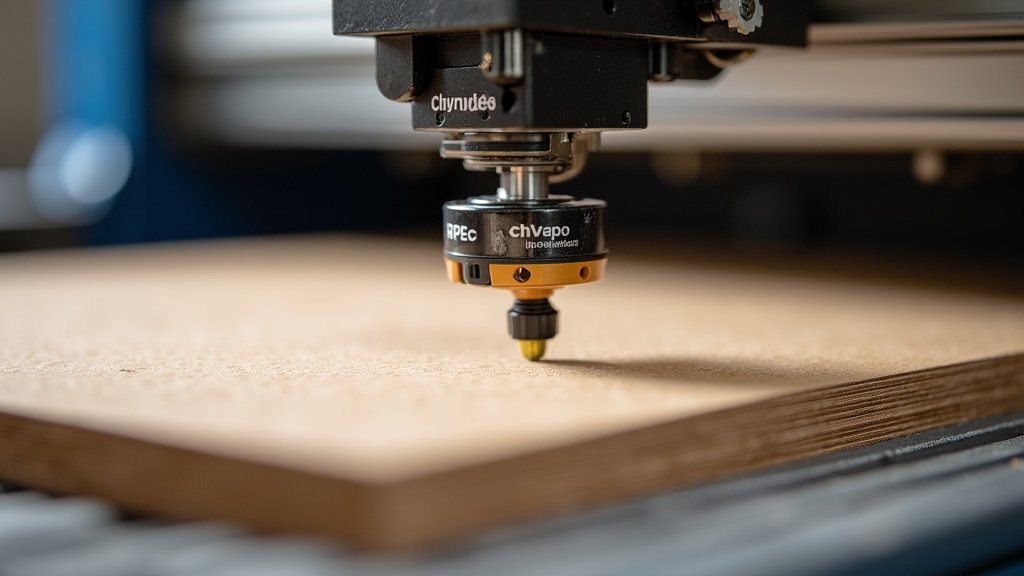
Typical Settings for Laser Cutting Chipboard
Every laser cutter is different, and so is every type of chipboard. However, we can give you some starting points. These are based on what many users have found effective for a 100-watt laser cutter. Always test on your specific machine!
| Chipboard Thickness | Power (%) | Speed (mm/s) | Frequency (PPI) | Air Assist |
|---|---|---|---|---|
| 1/16 inch (approx 1.5mm) | 30-50% | 8-12 mm/s | 300-500 | Medium-High |
| 1/8 inch (approx 3mm) | 50-70% | 5-8 mm/s | 200-400 | High |
| 1/4 inch (approx 6mm) | 70-90% | 3-5 mm/s | 200-300 | High |
Remember, these are just guidelines. You might need more or less power, or a different speed. Pay attention to the charring and the completeness of the cut. If the laser goes through cleanly on the first pass and there’s only light charring, you’re likely in the right ballpark. Many laser hobbyists suggest that a good cut should sound like a crisp ‘snap’ rather than a dull ‘thump’.
Troubleshooting Common Laser Cutting Issues
Even with the best preparation, you might run into a few snags. Don’t worry, these are common issues that most laser users face at some point. We’ve found that understanding these problems helps you fix them quickly.
Excessive Charring and Scorching
This is perhaps the most common issue with chipboard. If your edges are turning black and sooty, it’s usually a sign that your power is too high or your speed is too slow. Try reducing the power slightly, increasing the speed, or ensuring your air assist is strong enough. Using masking tape on the surface also helps prevent surface scorching.
Incomplete Cuts
If the laser isn’t cutting all the way through, you’ll need to increase the laser’s power or decrease the cutting speed. Make sure your laser lens is clean and that the material is properly focused. Sometimes, a slightly thicker chipboard requires a second pass from the laser. However, for the cleanest results, aim for a single, clean pass.
Flaming and Fire
This is the most serious issue. Chipboard is combustible! Always use your air assist at a sufficient level. Never leave your laser cutter unattended when cutting chipboard. Keep a fire extinguisher rated for Class A fires nearby, just in case. If you notice small flames, try pausing the job and letting the air assist work. For persistent flames, you might need to reduce power or increase speed.
Warping During Cutting
If your chipboard is significantly warped, it can lead to uneven cuts. Ensure your material is as flat as possible before cutting. Using magnets or tape to hold it down is crucial. Some thicker chipboards may require a heavier hold-down mechanism. If warping is a persistent problem, consider using a honeycomb bed with clamps.
Here’s a quick checklist to keep your chipboard cutting smooth:
- Always perform test cuts on scrap material.
- Ensure your air assist is working effectively.
- Secure your chipboard firmly to the laser bed.
- Use masking tape on the surface to minimize scorch marks.
- Keep a fire extinguisher nearby and never leave unattended.
- Clean your laser lens regularly for optimal performance.
Conclusion
You’ve got the knowledge to successfully laser cut chipboard! We’ve seen that with the right laser settings for power, speed, and frequency, alongside proper preparation like masking and securing your material, you can achieve fantastic results. Remember that air assist is your best friend for safety and clean cuts. Don’t be afraid to perform test cuts; they’re the key to dialing in perfect settings for your specific machine and chipboard thickness. Now, go ahead and start creating your amazing chipboard projects!
Frequently Asked Questions
How thick can chipboard be for laser cutting?
Chipboard thickness can vary greatly. While thinner boards like 1/16 inch are easiest to cut, you can often cut thicker materials up to 1/4 inch or more. Thicker chipboard will require more power and slower speeds. Always start with test cuts to find the right settings for your specific thickness.
Will laser cutting chipboard catch fire?
Yes, chipboard is combustible and can catch fire. It’s essential to always use an adequate air assist when laser cutting chipboard. Never leave your laser cutter unattended during operation. Keep a fire extinguisher rated for Class A fires nearby as a safety precaution.
What’s the best way to avoid scorch marks on chipboard?
Masking your chipboard with low-tack masking tape or specialized laser mask before cutting is the best method. This protective layer significantly reduces scorch marks and smoke residue on the surface. You’ll peel it off after cutting for a clean finish.
Can I cut intricate designs in chipboard with a laser?
Absolutely! Laser cutters excel at creating precise and intricate designs. The key is using the correct settings and ensuring your material is stable. For very fine details, you might need to use slightly higher frequencies and ensure your laser’s focus is spot-on.
What should I do if my chipboard cuts aren’t clean?
If your cuts are incomplete or rough, start by checking your laser’s focus and ensuring the lens is clean. You may need to increase your laser’s power or decrease its speed. A stronger air assist can also help clear debris and produce a cleaner edge. Always perform test cuts to fine-tune these parameters.
