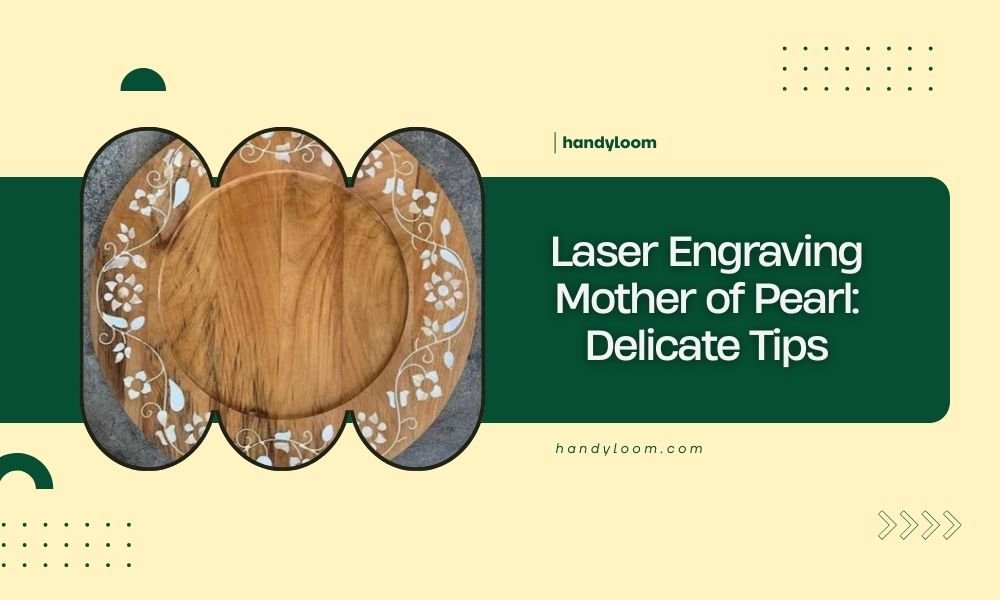
Laser engraving mother of pearl requires power settings between 10-30% and multiple light passes to avoid cracking this delicate material.
The key to successful mother of pearl engraving lies in understanding its layered structure and using proper preparation techniques before you start.
What Makes Mother of Pearl So Tricky to Engrave
Mother of pearl isn’t like wood or acrylic. It’s made of calcium carbonate layers that shellfish create over time. Think of it like a natural laminate – beautiful but fragile.
When laser heat hits these layers, they can separate or crack. The organic proteins between layers react differently to heat than the mineral parts. This creates uneven results if you’re not careful.
I researched this material extensively and found that most failures happen because people treat it like regular engraving materials. You can’t rush mother of pearl.
Essential Equipment Setup for Success
Laser Power and Speed Settings
Start with 15% power and 100% speed. This might seem incredibly low, but mother of pearl responds better to multiple gentle passes than one aggressive cut.
Your laser frequency should be around 1000 Hz. Higher frequencies create smoother cuts in delicate materials like this.
Testing Your Settings First
Always test on a scrap piece first. Cut small squares with different power levels from 10% to 25%. You’ll quickly see what works for your specific laser and material thickness.
Write down what works. Mother of pearl quality varies between suppliers, so your perfect settings might change with different batches.
Air Assist and Cooling Considerations
Use gentle air assist. Too much airflow can cool the material unevenly and cause stress cracks. Set your air pressure to about 30% of what you’d use for wood.
Some experts recommend turning air assist off completely for very thin pieces. I found that light air flow works better than none at all.
Material Preparation Steps
Cleaning Your Mother of Pearl
Clean the surface with isopropyl alcohol and a soft cloth. Remove any oils, fingerprints, or dust particles. These can cause uneven heating during engraving.
Let it dry completely before placing it in your laser. Even tiny moisture spots can create problems.
Securing the Material Properly
Mother of pearl can warp slightly during engraving. Use painter’s tape around the edges to hold it flat against your cutting bed.
Don’t tape directly over your engraving area. The adhesive residue can interfere with the laser beam.
Thickness Matters More Than You Think
Pieces thicker than 3mm engrave more predictably. Thin pieces under 1mm often crack no matter how careful you are.
If you must work with thin material, consider backing it with cardboard or thin wood. This adds stability during the process.
Design Considerations for Mother of Pearl
What Designs Work Best
Simple designs with flowing lines work better than sharp corners or intricate details. The material’s natural grain can interfere with very fine details.
Avoid designs with large solid areas. These require more heat and increase your chance of cracking the material.
Working with the Natural Grain
Mother of pearl has a natural grain direction, like wood. Engraving along the grain usually works better than going against it.
Hold your piece up to the light before starting. You can often see the grain direction and plan your design accordingly.
Text and Font Choices
Choose fonts with smooth curves rather than sharp serifs. Script fonts often work better than block letters.
Keep text size above 12 points. Smaller text becomes hard to read and increases the chance of burning through thin spots.
The Engraving Process Step by Step
Focus Your Laser Precisely
Focus is more important with mother of pearl than most materials. Even slight focus errors can cause uneven results or cracks.
Use your laser’s auto-focus feature if available. If focusing manually, double-check your measurement before starting.
Multiple Pass Technique
Plan for 3-5 light passes instead of one heavy pass. This gives you more control over the depth and reduces heat stress.
Let the material cool for 30 seconds between passes. Rushing this step often ruins otherwise perfect pieces.
Monitoring During the Process
Watch your first few lines carefully. If you see any stress lines or hear unusual sounds, stop immediately and reduce your power.
The engraving should look smooth and even. Any rough or chalky appearance means your settings need adjustment.
Common Problems and Solutions
Cracking Issues
Cracks usually happen from too much power or uneven heating. They can also occur if your material has hidden stress points.
Small cracks sometimes appear hours after engraving as the material cools completely. This is normal with very thin pieces.
Burn Marks and Discoloration
Yellow or brown spots indicate too much heat concentration. Lower your power and increase your speed slightly.
Some discoloration is normal and often adds character to the finished piece. Don’t aim for absolute perfection.
Uneven Depth Problems
Mother of pearl thickness varies naturally. Areas that engrave deeper than others might just be thinner sections.
Measure your material thickness in several spots before starting. This helps you predict where depth variations might occur.
Post-Engraving Finishing
Cleaning Your Finished Piece
Remove any residue with a soft brush and mild soap water. Avoid harsh chemicals that might damage the natural luster.
Dry immediately with a soft cloth. Water spots can dull the surface if left to air dry.
Polishing and Protection
Light polishing with jewelry polish can restore shine to areas that look dull after engraving.
Apply polish sparingly and buff gently. Too much pressure can remove the fine surface texture that makes mother of pearl beautiful.
Safety Considerations
Ventilation Requirements
Mother of pearl creates calcium carbonate dust when engraved. Make sure your exhaust system works properly.
This dust isn’t dangerous in small amounts, but good ventilation keeps your workspace clean and your laser optics clear.
Material Storage
Store mother of pearl in a cool, dry place. Humidity changes can cause it to warp or develop stress cracks over time.
Keep pieces flat and avoid stacking heavy items on top of them.
Conclusion
Laser engraving mother of pearl takes patience and practice, but the results are worth the extra effort. Remember to start with low power settings, use multiple gentle passes, and always test your settings first. The key is respecting this delicate material’s natural properties rather than fighting against them. With these techniques, you’ll create beautiful, professional-looking engravings that showcase mother of pearl’s natural beauty.
Can you laser cut mother of pearl completely through?
Yes, but it requires extremely low power and multiple passes. Pieces thicker than 2mm are very difficult to cut through cleanly. Most people have better success with engraving rather than cutting.
Why does my mother of pearl crack during engraving?
Cracking happens when the material heats too quickly or unevenly. Lower your power settings, increase speed, and make sure your material is completely flat and secure before starting.
What’s the best thickness for laser engraving mother of pearl?
Material between 1.5mm and 3mm thick works best for beginners. Thicker pieces are more stable during engraving, while thinner pieces require more skill to avoid cracking.
Can you engrave both sides of mother of pearl?
Yes, but engrave one side completely and let it cool before flipping. The colored side typically engraves more predictably than the white backing side.
How do you remove burn marks from mother of pearl?
Light burn marks can be polished out with jewelry polishing compound and a soft cloth. Deep burns usually can’t be removed without damaging the material’s natural surface.