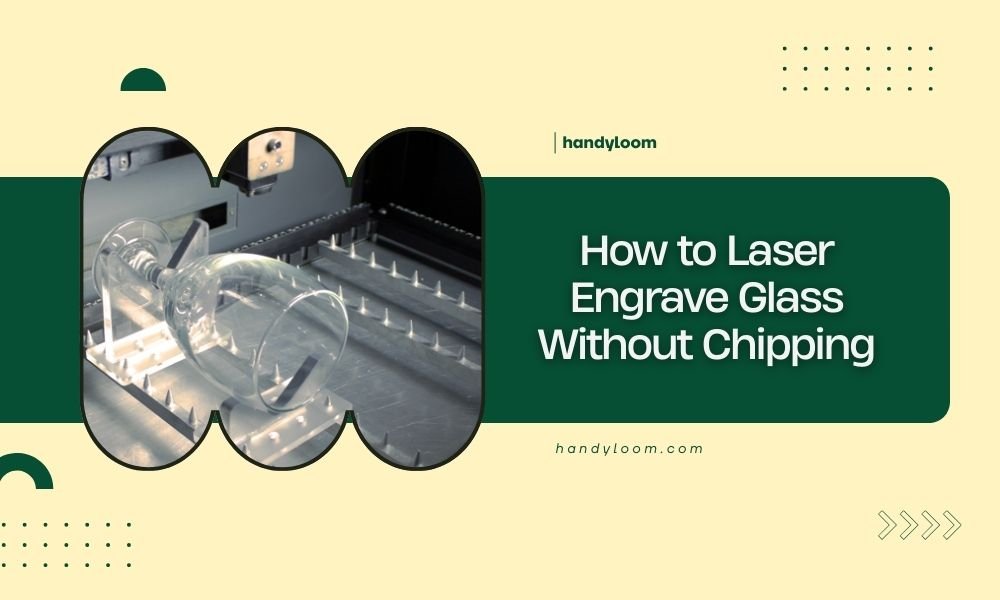
To laser engrave glass without chipping, use low power settings (10-20%), slow speeds, and apply painter’s tape or soap solution to the glass surface before engraving.
The key is controlling heat buildup through proper settings and surface preparation, which prevents thermal stress that causes glass to crack and chip during laser engraving.
Understanding Why Glass Chips During Laser Engraving
Glass breaks when it heats up too fast. Think of it like putting a cold glass into hot water – the sudden temperature change creates stress.
Your laser creates the same problem. It heats tiny spots on the glass surface really quickly. The hot areas try to expand while the cool areas stay the same size.
This creates tension. Too much tension means cracks and chips. That’s why you need to control the heat carefully.
Types of Glass That Work Best
Not all glass handles laser engraving the same way. I found that some types work much better than others.
Float glass (regular window glass) works well for beginners. It’s cheap and forgiving. Borosilicate glass handles heat changes better but costs more.
Avoid tempered glass completely. It’s designed to shatter when stressed. Thin glass under 3mm also chips easily.
Essential Equipment Setup
Your laser settings make or break your glass engraving project. Get these wrong and you’ll have expensive glass pieces to throw away.
Power Settings That Work
Start with 10-15% power. This sounds low, but glass needs gentle heat. High power creates too much thermal shock.
I researched many forums and found that most successful glass engravers use 20% power maximum. You can always make multiple passes if needed.
Speed Settings for Clean Results
Slow down your laser. Fast speeds concentrate heat in small areas. This creates hot spots that crack the glass.
Try speeds around 300-500 mm/minute for your first attempts. Slower speeds let the heat spread out more evenly.
Focus and Distance Settings
Focus your laser slightly above the glass surface. This creates a softer beam that spreads the heat out more.
Raise your focus point by 2-3mm above perfect focus. This reduces the intensity at any single point on the glass.
Surface Preparation Methods
Protecting your glass surface prevents most chipping problems. These methods create barriers that control heat transfer.
Painter’s Tape Method
Cover your glass with painter’s tape before engraving. The tape absorbs some laser energy and protects the glass edges.
Use thin tape, not thick masking tape. Press it down well to avoid air bubbles. Remove the tape slowly after engraving.
Soap Solution Technique
Mix dish soap with water to make a thick paste. Spread it evenly over your glass surface.
The soap creates a protective layer that helps control heat. It also makes cleanup easier after engraving.
Newspaper Masking
Wet newspaper works as another masking option. Soak newspaper sheets and apply them smoothly to the glass.
This method works well for large pieces. The wet paper prevents burning and protects the glass surface.
Step-by-Step Engraving Process
Follow this process every time for consistent results without chips or cracks.
Pre-Engraving Checklist
Clean your glass with alcohol first. Any dirt or oils can cause uneven heating.
Check that your glass lies completely flat. Curved or bent glass focuses the laser beam differently in spots.
Apply your chosen surface protection method evenly across the entire engraving area.
During Engraving
Watch for any signs of cracking as you engrave. Stop immediately if you see cracks forming.
Let the glass cool between passes if doing multiple layers. Rushing creates heat buildup.
Air Assist Settings
Use low air assist pressure. High pressure can push glass chips around and scratch your surface.
Some engravers turn off air assist completely for glass work. Test both ways to see what works for your setup.
Multiple Pass Strategy
Make several light passes instead of one heavy pass. This builds up your engraving gradually without shocking the glass.
Wait 30 seconds between passes. This lets the glass return to room temperature.
Troubleshooting Common Problems
Even with perfect settings, problems can happen. Here’s how to fix the most common issues.
Micro-Cracks Around Edges
These tiny cracks usually mean your power is still too high. Drop your power by 5% and try again.
Edge cracks also happen when your focus is too tight. Raise your focus point slightly higher above the glass.
Uneven Engraving Depth
This often comes from uneven glass surface or inconsistent masking material.
Check that your glass is perfectly flat and your tape or soap coverage is even everywhere.
Cloudy or Rough Finish
A rough engraved surface means your speed is too fast or power too low for your chosen settings.
Try slowing down by 50 mm/minute or increasing power by 2-3%. Make small adjustments until you get smooth results.
Safety Considerations
Glass engraving creates unique safety challenges you need to handle properly.
Ventilation Requirements
Glass engraving produces different fumes than wood or plastic. Make sure your exhaust system works well.
The masking materials also create smoke that needs to be removed from your work area.
Handling Sharp Edges
Engraved glass can have microscopic sharp particles. Wear gloves when handling freshly engraved pieces.
Clean your work area carefully after each project. Glass dust can be hard to see but sharp to touch.
Advanced Techniques
Once you master basic glass engraving, these advanced methods can improve your results even more.
Temperature Control Methods
Some experts recommend warming your glass slightly before engraving. This reduces thermal shock from the laser.
A hair dryer on low heat for 30 seconds can pre-warm smaller pieces. Don’t make it hot, just slightly warm to touch.
Specialized Glass Types
Optical glass engraves beautifully but needs even lower power settings. Start at 8% power with this expensive material.
Colored glass behaves differently than clear glass. Dark colors absorb more laser energy and need reduced power.
Optimal Settings Reference
| Glass Type | Power (%) | Speed (mm/min) | Passes |
|---|---|---|---|
| Float Glass (3-6mm) | 15-20 | 400-500 | 1-2 |
| Borosilicate | 10-15 | 300-400 | 2-3 |
| Optical Glass | 8-12 | 200-300 | 3-4 |
| Colored Glass | 12-18 | 350-450 | 1-2 |
Conclusion
Laser engraving glass without chipping comes down to patience and proper technique. Low power, slow speeds, and good surface preparation prevent most problems.
Start with cheap practice glass and work your way up to expensive pieces. Each laser behaves slightly differently, so you’ll need to find your perfect settings through testing.
Remember that glass engraving is more art than science. Take your time, use light touches, and let the glass cool between passes. With practice, you’ll create beautiful engravings without a single chip or crack.
What happens if I use too much power on glass?
Too much power creates thermal shock that instantly cracks or shatters the glass. You’ll see spider web cracks spreading from the engraving area. Always start with lower power and increase gradually if needed.
Can I engrave glass without any surface protection?
While possible, unprotected glass is much more likely to chip or crack. The masking materials help distribute heat and protect edges from thermal stress. It’s worth the extra step for better results.
How do I know if my focus is set correctly for glass?
For glass engraving, focus slightly above the surface rather than directly on it. Test on a corner piece – proper focus creates smooth, even engraving without harsh edges or micro-cracks around the design.
Why does my engraved glass look cloudy instead of clear?
Cloudy engraving usually means your settings are creating tiny surface fractures. Try reducing power by 5% or slowing your speed. The goal is smooth melting rather than fracturing the glass surface.
Is it safe to engrave drinking glasses and bottles?
Yes, but only on the outside surfaces and away from areas that contact lips. Laser engraving can create microscopic glass particles, so never engrave inside surfaces of items used for food or drinks.