
Yes, you can laser engrave laminate, but it’s important to do it the right way. Laser engraving laminate is a popular method for creating durable, detailed markings. The key is using the correct laser settings and understanding how the materials react to heat. You’ll want to focus on achieving clean results without damaging the underlying layers of the laminate.
When laser engraving laminate, the laser essentially burns away the top layer to reveal the color underneath. This process is fantastic for creating custom designs, signage, and labels. We’ve found that proper ventilation is also absolutely essential due to the fumes produced. It’s a rewarding process when you get the settings dialed in correctly.
- Laminate can be laser engraved.
- Use the correct laser settings for best results.
- Ventilation is very important during the process.
- Engraving reveals the color beneath the top layer.
- This method is great for signage and labels.
Let’s walk through what you need to know to successfully laser engrave laminate and get those amazing results you’re looking for.
“`htmlExploring Laser Engraving on Laminate Materials
Yes, you can definitely laser engrave laminate! It’s a fantastic way to add custom designs and markings to a variety of items. The key is understanding how different types of laminate react to the laser and using the right settings. You’ll want to achieve a clean, crisp engraving that reveals the color beneath the surface layer without causing damage.
Laser engraving works by using a high-powered laser beam to vaporize or melt away a material. When it comes to laminate, the laser essentially burns off the top protective or decorative layer. This reveals a different color or material underneath, creating a permanent mark. It’s a process that requires a bit of practice, but the results can be incredibly professional.
Understanding Laminate Types for Laser Engraving
Not all laminates are created equal when it comes to laser engraving. The composition of the laminate plays a big role in how it will engrave. You’ll encounter a few common types, and knowing them will save you a lot of frustration.
Plastic Laminates: The Most Common Choice
When people talk about laser engraving laminate, they’re usually referring to plastic-based laminates. These are often used for signage, name tags, and decorative surfaces. Common examples include acrylic-based laminates and those made from materials like ABS (acrylonitrile butadiene styrene).
Engraving Acrylic-Based Laminates
Acrylic laminates are very popular for laser engraving. They tend to engrave cleanly and produce a frosted or white appearance on the engraved areas, depending on the laser’s power and speed. You’ll find these used extensively for custom awards and detailed signage. They generally offer a predictable engraving experience, which is great when you’re starting out.
Working with ABS Laminates
ABS laminates are also quite common. These often have a colored top layer and a different colored core. When you engrave ABS, you’re removing the top color to expose the core color. This can create a beautiful contrast. However, research has shown that ABS can produce fumes that are more unpleasant than other plastics, so good ventilation is absolutely non-negotiable.
Paper-Based Laminates: A Different Approach
You might also come across laminates that are essentially paper or wood veneer sealed with a clear plastic coating. Think of the surface on some furniture or decorative panels. These can be laser engraved, but the process is different. The laser needs to be set to a lower power to avoid burning through the material or creating excessive smoke. The engraving will often appear darker, like a burn mark.
Engraving Wood Veneers and Decorative Papers
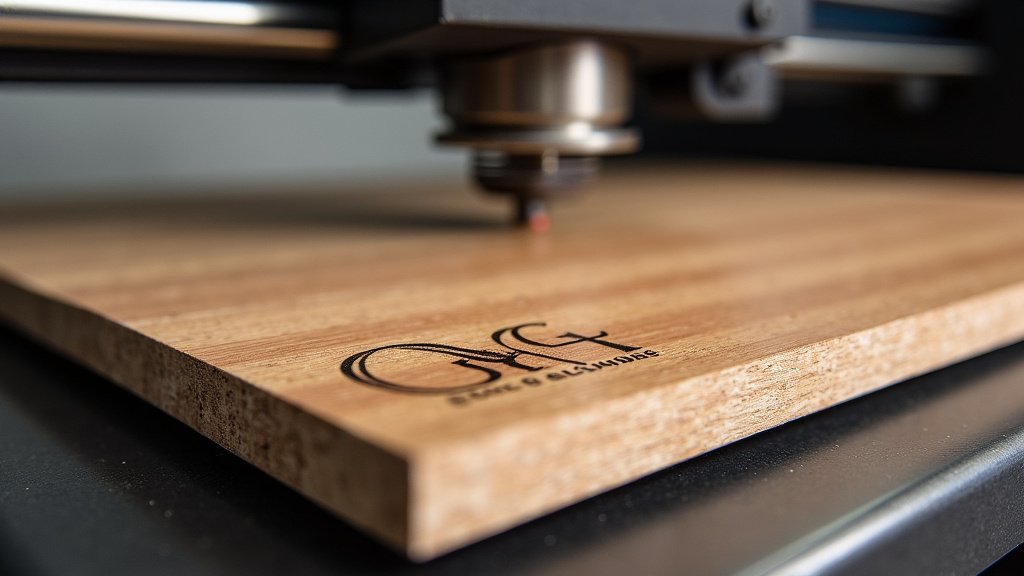
If your laminate has a decorative paper or thin wood veneer layer, the laser will essentially char that layer. This results in a darker, more organic-looking engraving. You’ll need to experiment with speed and power settings to achieve the desired depth and color without scorching the material. Many find success using a higher speed and a moderate power setting for these types of laminates.
Key Factors for Successful Laser Engraving
Achieving a perfect laser engraving on laminate isn’t just about pointing the laser at it. Several factors need your attention. Getting these right will make all the difference between a stunning piece and a ruined one.
Choosing the Right Laser Settings is Paramount
This is where the magic happens, or doesn’t, if the settings are off. Laser cutters come with power and speed controls, and sometimes frequency. These settings will vary wildly depending on your laser type (CO2, diode, fiber), its wattage, and the specific laminate you’re using.
Power vs. Speed: The Balancing Act
Generally, you’ll use higher power and slower speeds for deeper engravings, and lower power with faster speeds for shallower engravings. For many plastic laminates, a common approach is to use moderate power and a relatively fast speed. This removes the top layer cleanly without melting the plastic too much. You’re aiming to vaporize, not melt. If the material melts, you’ll get sticky residue and a messy result. For paper-based laminates, you might use lower power and slower speeds to achieve a burn effect.
Understanding Frequency (PPI/Hz)
Frequency, often measured in pulses per inch (PPI) or Hertz (Hz), controls how many laser pulses hit the material per second. A higher frequency can sometimes lead to a cleaner cut or engraving, especially on certain plastics. Many users find that a frequency between 300-600 PPI works well for engraving plastic laminates. Again, experimentation is key.
Ventilation: Your Safety First!
This cannot be stressed enough. When you laser engrave plastics, especially ABS, they can release harmful fumes. These fumes are not just unpleasant; they can be toxic. Your laser cutter absolutely must be connected to a proper exhaust system that vents fumes directly outside. Many laser engraving machines have built-in exhaust fans, but you might need a more robust system for consistent use.
Why Proper Ventilation is Non-Negotiable
Beyond personal safety, these fumes can also deposit a sticky residue on your laser’s optics and internal components, which can damage your machine over time. Think of it like trying to see through a dirty window – your laser will struggle to perform. Numerous safety guidelines, including those from laser safety organizations, highlight the importance of adequate ventilation (CDC).
Focusing Your Laser: Sharpness Matters
Just like focusing a camera, your laser needs to be focused correctly on the surface of the laminate. An out-of-focus beam will result in a blurry, indistinct engraving. Most laser cutters have an adjustable focal lens. You’ll want to ensure the laser beam is as fine and sharp as possible on the material’s surface for the cleanest lines and most detailed results.
Material Preparation: Cleanliness Counts
Before you start engraving, make sure the surface of your laminate is clean and free from dust, oils, or fingerprints. These contaminants can get burned into the material, leaving unsightly marks. A quick wipe down with a microfiber cloth and an appropriate cleaner (like isopropyl alcohol, but check manufacturer recommendations first!) can make a big difference.
Best Practices for a Flawless Finish
Once you have the basics down, there are a few extra tips that can help you achieve truly professional-looking results. These are the kinds of things that separate good engravings from great ones.
Test Engravings on Scrap Material
Before committing to your final piece, always do a test engraving on a scrap piece of the exact same laminate material. This is your chance to dial in the perfect settings. You can engrave a small square or a test pattern and adjust power, speed, and frequency until you’re happy with the contrast, depth, and clarity. This step saves you from ruining expensive materials.
Cleaning After Engraving
After engraving, you’ll likely have some residue or dust on the surface. For plastic laminates, a damp cloth or a soft brush often works well to remove this. For more stubborn residue, a bit of isopropyl alcohol can be effective. Always be gentle to avoid scratching the surrounding surface. For paper-based laminates, a soft brush is usually sufficient.
Consider the Color Contrast
Remember that laser engraving works by revealing the color beneath the top layer. If you have a black laminate with a white core, you’ll get white text. If you have a blue laminate with a yellow core, you’ll get yellow text. Think about the final aesthetic you want and choose your laminate material accordingly. The contrast is what makes your engraving visible and appealing.
Artwork Preparation is Key
The quality of your engraving is directly related to the quality of your artwork. Use high-resolution vector graphics for the sharpest results. Simple, bold designs often engrave better than very fine, detailed images, especially on less forgiving materials. Ensure your design has good contrast within itself if you’re engraving a grayscale image.
Checklist for Successful Laminate Engraving
- Always use proper ventilation.
- Test your settings on scrap material first.
- Ensure your laser is correctly focused.
- Clean your laminate surface before engraving.
- Prepare high-quality vector artwork.
- Adjust power and speed for the desired effect.
Conclusion
You’ve learned that laser engraving laminate is entirely achievable, bringing your creative visions to life. The key lies in understanding your laminate type and mastering your laser settings, especially power and speed. Always remember that proper ventilation is non-negotiable for your safety and your machine’s longevity. By testing on scrap material and preparing your artwork well, you’re set up for success. Now, go ahead and experiment with confidence to create those professional-looking engraved pieces you’ve imagined!
Frequently Asked Questions
Can I laser engrave any type of laminate?
While many laminates can be engraved, plastic-based ones like acrylic and ABS are most common and predictable. Paper-based laminates can also be engraved, but they tend to char, giving a darker, burnt look rather than revealing an underlying color.
What happens if I don’t use proper ventilation when engraving laminate?
Failing to use proper ventilation can expose you to harmful fumes, especially from plastics like ABS. These fumes can also build up residue on your laser’s optics, potentially damaging the machine and reducing its performance over time.
How do I know the right power and speed settings for my laminate?
There’s no single answer, as it depends on your specific laser and laminate. We strongly recommend testing on scrap material first. Start with moderate settings and adjust power and speed incrementally until you achieve a clean engraving without melting or excessive charring.
Why does my laser engraving look melted or gooey?
A melted or gooey engraving typically means your laser’s power is too high, or the speed is too slow, causing the plastic to melt rather than vaporize. Try reducing the power or increasing the speed to achieve a cleaner burn.
How do I clean my engraved laminate piece?
After engraving, gently wipe away dust and residue with a soft cloth or brush. For stubborn marks on plastic laminates, a bit of isopropyl alcohol on a cloth can help, but always be careful not to scratch the surface.
