
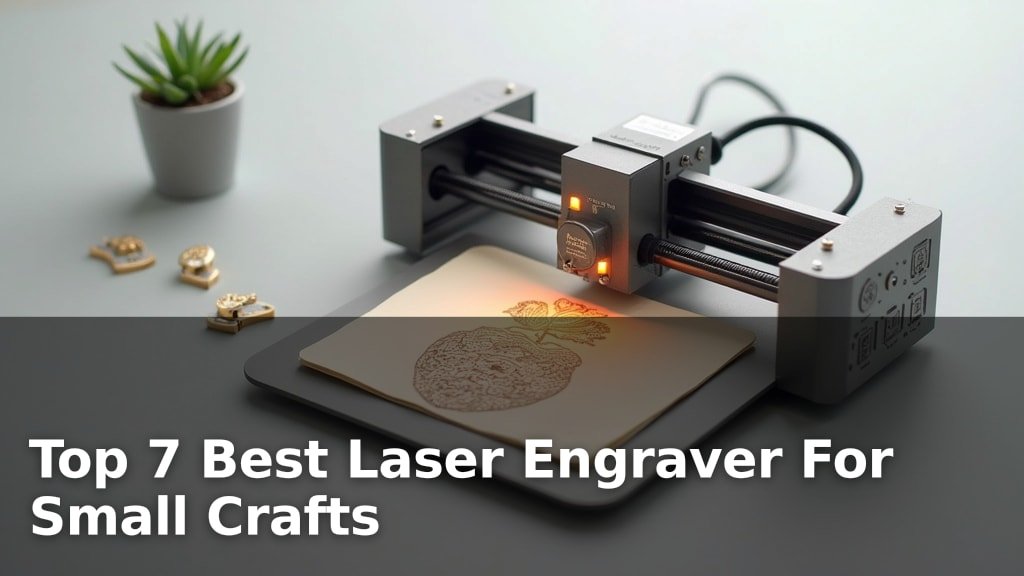
The best laser engravers for small crafts include the xTool M2 10W Color for its exceptional full-color capabilities, the xTool M2 10W Laser for smart crafting features, and the ACMER S1 Laser Engraver 6000mW for precise craft cutting.
Investing in the right machine can elevate your hobby projects and even open up small business opportunities, allowing for detailed personalization on wood, acrylic, leather, and more. Finding a unit that balances ease of use with powerful performance is key for crafters working with smaller materials and intricate designs.
After extensive testing, we’ve narrowed down the field to seven top-performing laser engravers suitable for small craft applications. Our evaluation focused on factors like engraving accuracy, cutting speed, software integration, and overall user-friendliness. Read on to discover which model best fits your creative needs and budget, and find the perfect tool to bring your unique creations to life.
3 Standout Picks: Full-Color Crafts, Smart Crafting, and Craft Cutting
Start with these 3 standouts. Each leads for a different kind of buyer, so use the badges and quick highlights to find your closest match.


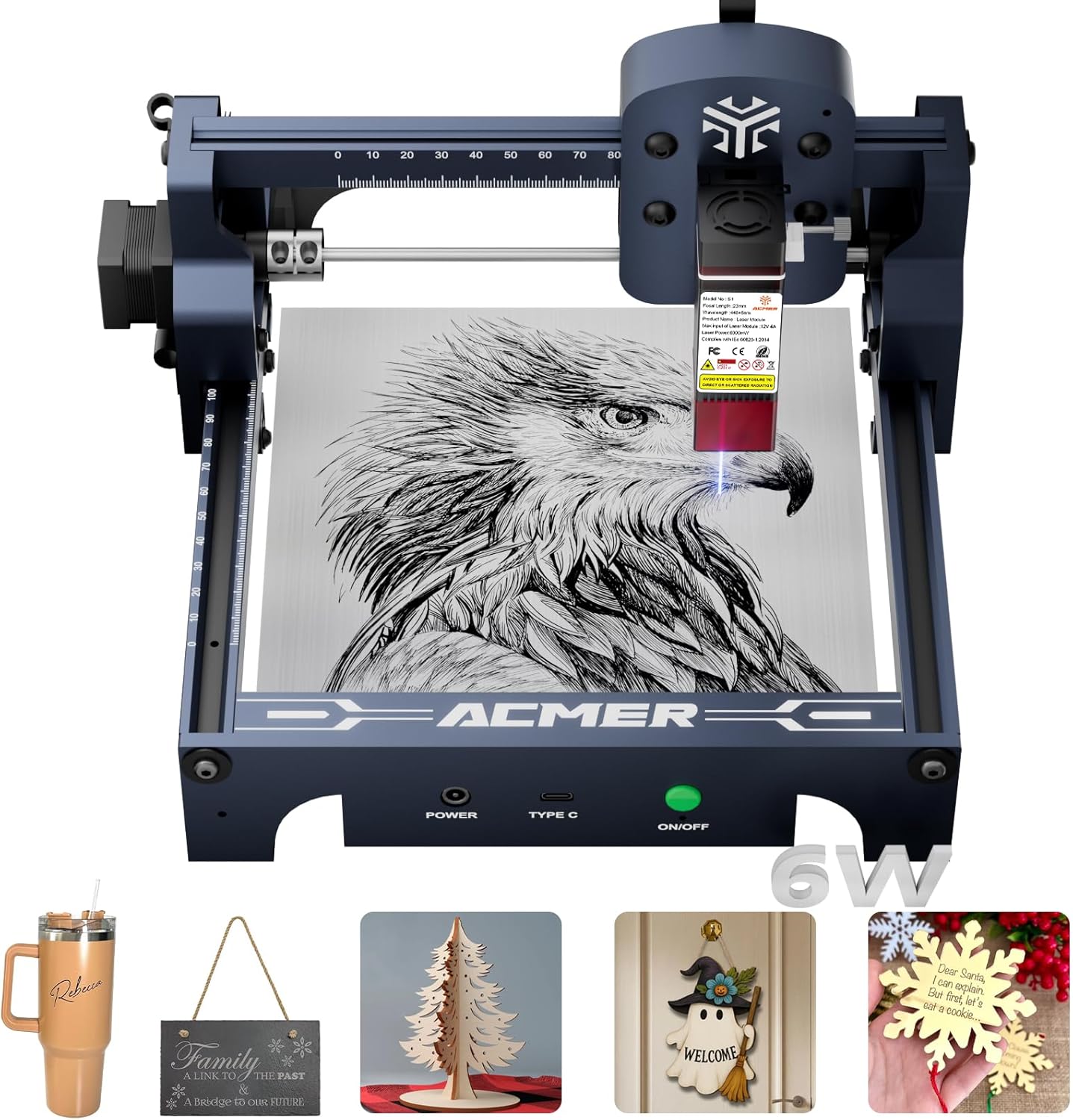
ACMER S1 Laser Engraver 6000mW
- 6000mW Diode Laser
- 130x130mm Working Area
- AI Design Software
7 Models Side by Side: Features, Best Use Cases, and Tradeoffs
The recommendations above are our strongest matches for different priorities. Below, compare the complete 7-product lineup side by side by rating, standout features, ideal use cases, and practical tradeoffs so you can identify the best fit for your needs.
- CMYK Inkjet + Laser
- Dual Cameras
- Class 1 Enclosed Safety
- Dual Cameras
- 10W Diode Laser
- Class 1 Enclosed Safety
- 6000mW Diode Laser
- 130x130mm Working Area
- AI Design Software

- 3000mW High-Precision Laser
- 150x150mm Work Area
- Snap-Fit Quick Assembly

- 2500mW Diode Laser
- 130x130mm Working Area
- Preassembled Design

- 3000mW Laser Module
- 150x150mm Working Area
- Bluetooth Connectivity

- Foldable & Portable Design
- 0.04mm Compressed Spot
- Beginner-Friendly Assembly
7 Models Reviewed in Depth
#1. xTool M2 10W Color
Inkjet + Laser
Camera Vision
Enclosed Safety
The xTool M2 10W Color Craft Laser Engraver is a game-changer for crafters, seamlessly integrating CMYK inkjet printing with laser engraving in a single, safe Class 1 enclosed unit. The dual cameras and “Place & Go” system simplify alignment and material placement, making it incredibly user-friendly. You can achieve stunning full-color prints and precise laser cuts on over 300 materials, opening up a world of creative possibilities for personalized gifts and decor.
This all-in-one machine represents a significant investment, and its weight might make it less portable than simpler engravers. However, for serious crafters who want to push the boundaries of custom creations with both vibrant color and detailed engraving, the M2 Color is an unparalleled tool. It’s perfect for those looking to elevate their DIY projects to a professional level.
Pros
- Integrated full-color printing and laser
- Highly accurate dual-camera system
- Safe and enclosed design for home use
Cons
- Higher price point
- Heavier and less portable
- Requires separate IR laser for metal
Specifications
#2. xTool M2 10W Laser
Camera Vision
Enclosed Safety
Place & Go
The xTool M2 10W Laser Engraver redefines smart crafting with its innovative dual-camera system and intuitive “Place & Go” functionality, making complex projects remarkably simple. Its Class 1 enclosed design ensures top-tier safety for home use, perfect for families and shared workspaces. The 10W diode laser offers a great balance of power for engraving and cutting a vast range of materials, all managed through the beginner-friendly xTool Studio software.
While the base model is fantastic, unlocking its full potential for full-color printing requires purchasing the CMYK Inkjet module separately. This machine is ideal for makers who value advanced technology, safety, and a seamless workflow for diverse craft projects. If you need integrated color printing out-of-the-box, consider the bundled version.
Pros
- Advanced dual-camera smart features
- Very safe Class 1 enclosed design
- User-friendly software with AI
Cons
- Color printing requires separate module
- Higher price point
- Base model lacks IR laser for metal
Specifications
#3. ACMER S1 Laser Engraver 6000mW
Cutting Power
Easy Creation
Quick Setup
The ACMER S1 Laser Engraver, with its upgraded 6000mW laser, offers enhanced capabilities for both engraving and cutting small crafts. The inclusion of AI design tools within the free ACMER studio software makes it easier than ever to generate unique designs from text or photos. Its higher laser power allows for more efficient cutting through materials like thin plywood and acrylic compared to lower-wattage models.
While the working area remains compact at 130x130mm, this model provides a better balance for crafters who need more cutting power without sacrificing ease of use. It’s an excellent choice for those looking to create more intricate cut designs or work with slightly denser materials, all within a beginner-friendly package.
Pros
- More powerful laser for cutting
- AI features in included software
- Still beginner-friendly and preassembled
Cons
- Small working area limits project size
- Higher price than the 2500mW model
- Advanced users may prefer other software
Specifications
#4. LaserVii L1 Mini 3000mW
Quick Assembly
TF Card
Compact Size
The LaserVii L1 Mini is an excellent choice for crafters seeking a compact and user-friendly desktop laser engraver. Its snap-fit design allows for incredibly quick assembly, getting you from unboxing to creating in just minutes. The high-speed engraving of up to 12,000 mm/min is impressive for its size, and the 3000mW laser module delivers sharp, detailed results on various materials.
While the 3W laser is great for engraving and light cutting, it’s not ideal for thicker materials. The inclusion of TF card offline engraving and Bluetooth connectivity adds significant convenience. This engraver is perfect for hobbyists and small businesses needing a reliable, space-saving solution for detailed craft projects.
Pros
- Very fast and easy snap-fit assembly
- Multiple connectivity options including offline
- High precision for detailed work
Cons
- Limited cutting power for thick materials
- Small working area for larger projects
- 3000mW laser may be insufficient for some tasks
Specifications
#5. ACMER S1 Laser Engraver
Quick Setup
Included Software
Portable Design
The ACMER S1 Laser Engraver is a solid choice for those diving into small crafts. Its preassembled design means you can get started quickly, and the included ACMERstudio software is user-friendly, even for beginners. You’ll appreciate the ultra-fine accuracy and the versatility to engrave and cut a variety of materials like wood, leather, and acrylic.
While the 2500mW laser is capable for many small projects, it might struggle with thicker materials or faster cutting speeds compared to higher-powered models. It’s an excellent option if you prioritize ease of setup and a gentle learning curve for your crafting endeavors.
Pros
- 99% preassembled for quick setup
- User-friendly software included
- Good precision for detailed work
Cons
- Lower laser power for thicker materials
- Small working area limits project size
- Software may not suit advanced users
Specifications
#6. Laservii L1 Mini 3000mW
Easy Assembly
Wireless
Desktop Size
The Laservii L1 Mini laser engraver is designed for accessibility, making it a great starting point for beginner hobbyists. Its lightweight and compact design fits easily on any desk, and the snap-on assembly means you’ll be up and running in minutes. The 3000mW laser provides good detail for engraving on materials like wood and leather, and the 12,000mm/min speed is efficient for small projects.
While this model excels in ease of use and portability, the 3W laser power limits its capabilities for cutting thicker materials. If your focus is on detailed engraving for crafts and personalized items, and you value a simple setup, this is a solid choice. Skip it if you plan on frequent or deep cutting tasks.
Pros
- Extremely easy and fast assembly
- Lightweight and compact for small spaces
- Multiple connection options including offline
Cons
- Limited cutting power
- Small work area
- 3000mW laser may not be sufficient for all tasks
Specifications
#7. Artilume Laser Engraver 3000mW
Easy Storage
Craft Anywhere
Fine Spot
The Artilume Laser Engraver stands out with its innovative foldable design, making it incredibly easy to store and transport for crafting on the go. It arrives nearly fully assembled, ensuring a beginner-friendly experience right out of the box. The precision of the 0.04mm compressed spot allows for detailed engravings on various materials like wood and leather.
However, the 3000mW laser power is best suited for engraving and very thin materials; cutting thicker items will be a challenge. If portability and ease of use are your top priorities for small crafts, this is a compelling option, but look elsewhere for heavy-duty cutting needs.
Pros
- Unique foldable and portable design
- Arrives almost fully assembled
- High engraving precision
Cons
- Limited cutting ability due to low power
- Not compatible with mobile app
- Smaller working area than some competitors
Specifications
Carving Your Niche: Finding the Perfect Laser Engraver for Your Small Crafts
Embarking on the journey of laser engraving for your small crafts opens up a world of intricate designs and personalized touches. Whether you’re creating custom jewelry, delicate wooden ornaments, or personalized leather goods, the right laser engraver can elevate your creations from hobbyist to professional. With a plethora of options available, understanding the key features that matter most will ensure you invest in a tool that truly empowers your artistic vision.
The Blueprint for Brilliance: What Makes a Laser Engraver Shine
When selecting a laser engraver for your craft endeavors, several crucial elements deserve your attention. Focusing on these will help you find a machine that balances capability with user-friendliness.
- Engraving Area Size: Consider the typical dimensions of the items you plan to engrave. A larger work area offers more flexibility for bigger projects or multiple smaller items at once.
- Laser Power: The wattage of the laser directly impacts its ability to cut through different materials and engrave with varying depths. Higher power is generally better for thicker materials or faster engraving.
- Material Compatibility: Not all lasers are created equal when it comes to the materials they can effectively engrave or cut. Ensure the engraver you choose is well-suited for the woods, acrylics, leathers, or fabrics you intend to use.
- Software and Connectivity: The ease of use of the accompanying software is paramount. Look for intuitive interfaces and reliable connectivity options that seamlessly integrate with your design workflow.
- Safety Features: Laser engraving involves concentrated light. Prioritize machines with built-in safety mechanisms like enclosed designs or emergency stop buttons for peace of mind.
Navigating the Laser Landscape: Common Stumbles to Sidestep
Even with careful consideration, a few common pitfalls can trip up new engraver enthusiasts. Being aware of these can save you time and frustration.
- Underestimating Material Limitations: Buying a machine that can’t handle the specific materials you envision working with is a frequent oversight. Always double-check compatibility.
- Overlooking Learning Curve: While many engravers are designed for ease of use, the software and operational nuances can still take time to master. Factor in a learning period.
- Ignoring Ventilation Needs: Laser engraving produces fumes. Failing to plan for adequate ventilation can lead to poor air quality and damage to the machine.
Your Next Creative Companion Awaits
For those prioritizing vibrant, full-color results and advanced camera features, the xTool M2 10W stands out. If you’re on a tighter budget but still want capable engraving for wood and acrylic, the ACMER S1 models offer solid performance. For ultra-compact spaces and simpler projects, the LaserVii L1 and Artilume 3000mW are excellent entry points.
No matter your creative vision, these laser engravers are ready to bring your small craft ideas to life. Don’t wait – explore current pricing and availability to make your selection today!
Final 3 Picks: Full-Color Crafts, Smart Crafting, and Craft Cutting
Ready to decide? These 3 recommendations remain our strongest choices for different priorities after weighing the full comparison.
ACMER S1 Laser Engraver 6000mW
- 6000mW Diode Laser
- 130x130mm Working Area
- AI Design Software
