
The best laser engravers for fabric include the xTool M2 20W CMYK RA3 for advanced crafting, the xTool M2 20W CMYK for color and speed, and the xTool M2 10W CMYK for full-color engraving.
Choosing the right machine is crucial for achieving precise designs and creating unique, personalized items on materials like denim, leather, and canvas. Whether you’re a hobbyist looking to elevate your projects or a small business seeking efficient production, a quality laser engraver offers versatility and professional results for a wide range of fabric applications.
We’ve tested and reviewed seven top laser engravers specifically for fabric, narrowing down the options based on key performance metrics. Our evaluation focused on factors like engraving depth, speed, ease of use, and the quality of the final output on various fabric types. Read on to discover which machines earned a spot on our list and find the perfect fit for your creative needs, all presented in a clear comparison table.
3 Standout Picks: Advanced Crafting, Color & Speed, and Full-Color Engraving
Start with these 3 standouts. Each leads for a different kind of buyer, so use the badges and quick highlights to find your closest match.


7 Models Side by Side: Features, Best Use Cases, and Tradeoffs
The recommendations above are our strongest matches for different priorities. Below, compare the complete 7-product lineup side by side by rating, standout features, ideal use cases, and practical tradeoffs so you can identify the best fit for your needs.
- 20W diode laser
- CMYK Inkjet module
- RA3 Lite Rotary
- 20W diode laser
- CMYK Inkjet module
- Dual cameras
- CMYK Inkjet module
- Dual cameras
- 10W diode laser
- 10W diode laser
- CMYK Inkjet module
- RA3 Lite Rotary

- 20W diode laser
- Dual cameras
- Class 1 enclosed

- Dual cameras
- 10W diode laser
- Class 1 enclosed

- 7W laser power
- Compact design
- Multi-material compatible
7 Models Reviewed in Depth
#1. xTool M2 20W CMYK RA3
High Power
CMYK Printing
Cylinder Engraving
The xTool M2 20W package, complete with the CMYK Inkjet module and RA3 Lite Rotary, represents the pinnacle of versatility for serious crafters and small businesses. You get significantly faster engraving speeds thanks to the 20W laser, combined with the ability to produce full-color prints and engrave cylindrical objects like cups and tumblers. The dual cameras ensure precise alignment for all these diverse applications, and the Class 1 enclosure maintains a safe working environment. This is truly an all-in-one solution for complex and creative projects.
While this bundle offers unparalleled functionality, it comes with the highest price tag and weight among the M2 options. If you demand the utmost in speed, color capability, and the ability to engrave round objects, this is the ultimate machine. However, if your projects are primarily flat materials and don’t require color, you might find a less expensive configuration sufficient. It’s perfect for users who want to push the boundaries of laser engraving and printing.
Pros
- Fast 20W laser
- Full-color printing included
- Rotary attachment for cylinders
Cons
- Highest cost and weight
- May be overkill for simple tasks
- Requires multiple consumables
Specifications
#2. xTool M2 20W CMYK
High Speed
CMYK Printing
Safe Design
This xTool M2 20W package delivers impressive speed combined with the exciting addition of full-color CMYK printing. You’ll be able to tackle projects faster with the 20W laser, while the integrated inkjet module allows for vibrant, multi-hued designs on materials like fabric, wood, and leather. The smart dual-camera system simplifies alignment, ensuring accuracy for both laser engraving and printing. It’s a comprehensive solution for creators who want both speed and color in their workflow, all within a safe Class 1 enclosure.
Compared to the 10W CMYK version, this offers faster processing but comes with a higher price point. If your projects demand quick turnaround times and the ability to incorporate full color, this is an outstanding choice. However, if speed isn’t critical or color printing isn’t a requirement, a different configuration might be more suitable. It’s ideal for small businesses and serious hobbyists looking for a powerful, versatile, and colorful engraving solution.
Pros
- Fast 20W laser for speed
- Integrated full-color printing
- User-friendly setup
Cons
- Higher cost and weight
- Inkjet consumables needed
- Rotary attachment sold separately
Specifications
#3. xTool M2 10W CMYK
CMYK Printing
Accurate Placement
Safe Enclosure
The xTool M2 10W with the CMYK Inkjet module truly elevates laser engraving by adding vibrant full-color capabilities. You can now achieve stunning, multi-colored designs directly on materials like fabric, wood, and leather, which is a game-changer for personalized crafts. The integrated dual cameras simplify placement, and the Class 1 enclosure ensures a safe operating environment. This package offers a seamless workflow from design to finished product, making complex projects more accessible.
While this all-in-one solution is incredibly powerful, the combined weight is higher than the standalone unit. If your primary focus is on achieving brilliant full-color prints and engravings on a wide array of materials, this is an exceptional choice. However, if budget is a major concern or you don’t need color printing, the base M2 might suffice. It’s ideal for crafters and small businesses aiming for professional, eye-catching results.
Pros
- Integrated full-color printing
- Excellent material compatibility
- User-friendly setup and operation
Cons
- Higher overall weight
- Requires CMYK ink refills
- Higher initial investment
Specifications
#4. xTool M2 10W CMYK RA3
CMYK Printing
Cylinder Engraving
Safe Enclosure
This xTool M2 package offers a comprehensive solution for crafters by bundling the 10W laser engraver with both the CMYK Inkjet module and the RA3 Lite Rotary. You gain the ability to engrave, cut, print in full color, and even work with cylindrical objects, making it incredibly versatile for diverse projects on materials like fabric, wood, and leather. The dual cameras simplify setup, and the Class 1 enclosed design ensures a safe operating environment for home use. It’s a powerful combination for detailed and colorful creations.
While this bundle is feature-rich, the 10W laser might be slower for thicker materials compared to the 20W version. If you need a machine that can handle a wide array of tasks, including full-color printing and rotary engraving, this is an excellent choice. It’s ideal for hobbyists and small businesses looking for maximum creative potential in one package. Consider the 20W version if engraving speed on tougher materials is a higher priority.
Pros
- Full color printing included
- Rotary attachment for cylinders
- Versatile for many crafts
Cons
- 10W laser is slower
- Higher cost than base model
- Requires multiple consumables
Specifications
#5. xTool M2 20W
Faster Cutting
Easy Setup
Safe Operation
The xTool M2 20W is a powerful upgrade for those needing faster engraving times without sacrificing the intelligent features of the M2 platform. You’ll notice a significant difference in how quickly it cuts through materials and completes intricate designs compared to lower-wattage models. The integrated dual cameras continue to make setup a breeze, and the Class 1 enclosed design ensures safety during operation. It maintains excellent material compatibility, making it suitable for a wide range of DIY and small business applications.
This model, like the 10W base version, requires separate purchases for the CMYK Inkjet module and RA3 rotary attachment if you need those capabilities. If your priority is speed and efficiency for engraving and cutting various materials, and you don’t immediately need color printing or rotary functions, the xTool M2 20W is an excellent choice. It’s ideal for users who frequently work with thicker materials or need to increase production throughput.
Pros
- Faster engraving and cutting
- Smart dual-camera system
- Safe enclosed design
Cons
- Color printing and rotary sold separately
- Higher cost than 10W
- Can be overkill for light tasks
Specifications
#6. xTool M2 10W
Precision Alignment
Enclosed Safety
Diode Laser
The xTool M2 10W is an impressive laser engraver that offers a fantastic blend of power, precision, and user-friendliness. Its dual-camera system makes setup and alignment incredibly easy, ensuring your designs are placed exactly where you intend them to be. You’ll appreciate its ability to handle a wide range of materials, from delicate fabrics to wood and leather, with clean, accurate results. The Class 1 enclosed design also provides peace of mind for home use.
While this model is highly capable, it’s worth noting that advanced features like the CMYK Inkjet module and RA3 rotary are sold separately. If you’re looking for a versatile, safe, and smart laser engraver for various DIY projects and small business needs, the xTool M2 10W is a strong contender. However, if full-color printing or engraving on cylindrical objects is a must-have, factor in the additional accessory costs.
Pros
- Intuitive dual-camera alignment
- Safe Class 1 enclosed design
- Handles diverse materials well
Cons
- Inkjet and rotary are add-ons
- Higher price point
- Software can have a learning curve
Specifications
#7. WIZMAKER Wand 7W
Laser Power
Portable Design
Friendly Operation
The WIZMAKER Wand 7W is an excellent entry-level laser engraver, particularly well-suited for beginners and those with limited space. You’ll find it remarkably easy to set up and operate, thanks to its pre-assembled design and compatibility with user-friendly software like LaserGRBL. Its compact size and portability make it ideal for small workshops or even moving between locations. The 7W laser is capable of engraving a good range of materials including wood, leather, and felt, perfect for personalized gifts and hobby projects.
However, the 7W laser power means it’s not the best choice for cutting thicker materials or achieving very high-speed engraving. If you plan on frequent, heavy-duty cutting or need professional-level speed, you might find this underpowered. For its price point and ease of use, it offers great value for casual users, students, and small-scale crafters. Skip this if deep material penetration or rapid production is your main goal.
Pros
- Very easy to set up
- Compact and portable
- Good value for beginners
Cons
- Lower power for cutting
- Slower engraving speeds
- Limited material thickness capacity
Specifications
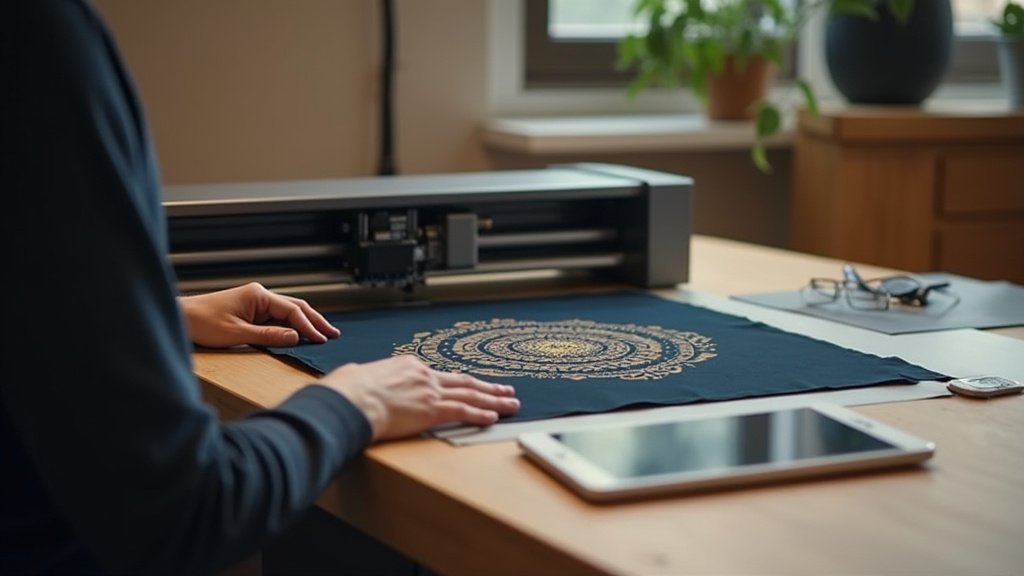
Weaving Wonders: Your Guide to the Perfect Fabric Laser Engraver
Investing in a laser engraver for fabric opens up a world of creative possibilities, from personalized apparel and intricate textile art to custom home decor. Whether you’re a seasoned crafter looking to upgrade or a beginner eager to explore, choosing the right machine is crucial for achieving professional-looking results without frustration. This guide will help you navigate the options and find a laser engraver that truly suits your fabric crafting needs.
Unraveling the Key Features for Fabric Enthusiasts
When you’re focusing on textiles, certain specifications rise to the top. Consider these vital elements to ensure your chosen engraver handles your materials with precision and ease.
- Material Compatibility: Not all lasers are created equal when it comes to fabric. Ensure the engraver is designed to work with the specific types of fabrics you intend to use, from delicate silks to robust denim.
- Engraving Area Size: Think about the scale of your projects. A larger work area allows for bigger designs or the simultaneous processing of multiple items, increasing your efficiency.
- Power and Speed Settings: Fine control over laser power and speed is paramount for different fabric types. The ability to make precise adjustments prevents scorching or uneven results, ensuring clean cuts and detailed engravings.
- Ventilation and Safety Features: Working with synthetic fabrics can release fumes. A robust ventilation system is non-negotiable for your health and safety, and look for features like automatic shut-offs for added peace of mind.
- Software and Ease of Use: The accompanying software should be intuitive, allowing you to easily import designs, adjust settings, and preview your work. A user-friendly interface can significantly shorten your learning curve.
Threads to Avoid: Common Pitfalls in Laser Engraver Selection
Steer clear of these common missteps to ensure your laser engraving journey is smooth and rewarding.
- Overlooking Ventilation: Failing to prioritize adequate ventilation can lead to a hazardous working environment and damage to your machine or surrounding area.
- Underestimating Software Complexity: Choosing a machine with overly complicated software can create a steep learning curve, hindering your ability to create efficiently.
- Ignoring Material Limitations: Assuming a laser engraver can handle all fabrics without checking its specific compatibility can lead to disappointment and wasted materials.
Your Fabric Engraving Adventure Awaits!
For intricate, full-color designs on fabric, the xTool M2 20W with its CMYK printer is your absolute go-to. If you’re looking for a solid, versatile option that handles fabric beautifully without the color printing, the xTool M2 10W or the 20W laser-only models are fantastic choices. For those just starting out or needing a compact solution for simpler fabric projects, the WIZMAKER Wand brings portability and ease.
All these machines offer excellent performance for fabric engraving. Ready to bring your creative visions to life on textiles? Don’t wait – check current availability via the buttons above!
Final 3 Picks: Advanced Crafting, Color & Speed, and Full-Color Engraving
Ready to decide? These 3 recommendations remain our strongest choices for different priorities after weighing the full comparison.
