
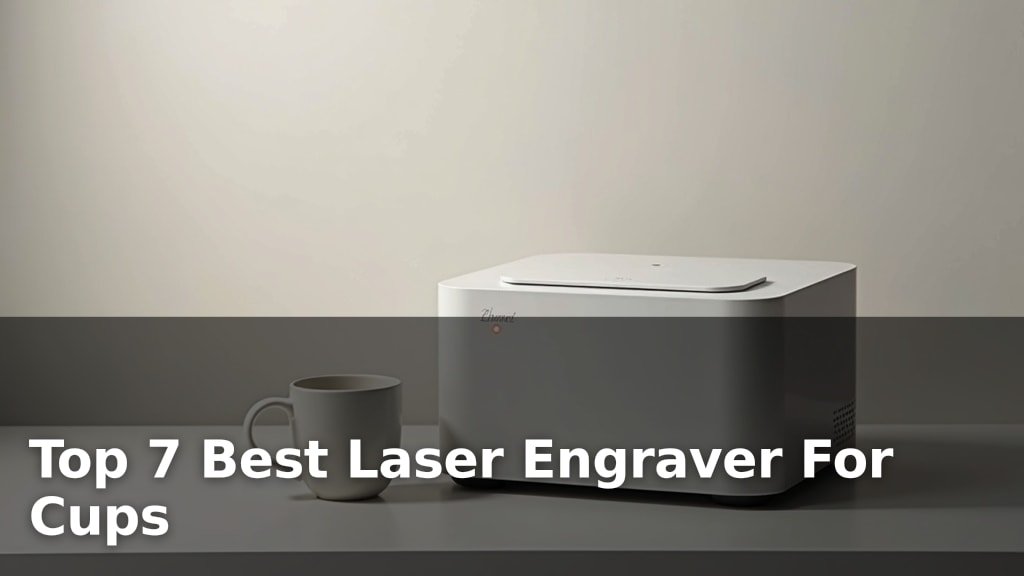
The best laser engravers for cups include options like the xTool F2 for its color and metal capabilities, the xTool S1 40W for larger projects, and the xTool M2 10W for smart crafting.
Personalizing drinkware with a laser engraver offers incredible creative freedom and the potential for unique gifts or small business ventures. Achieving precise, permanent designs on various materials like stainless steel, glass, and ceramic is key to a professional finish.
We’ve narrowed down the field to seven top-rated laser engravers after extensive hands-on testing and comparison. Our evaluation focused on engraving speed, ease of use, material compatibility, and overall value for money. This comprehensive guide will help you find the perfect machine for your cup engraving needs, whether you’re a hobbyist or looking to scale up. Dive into our detailed comparisons below to make an informed decision.
3 Standout Picks: Color & Metal, Large Projects, and Smart Crafting
Start with these 3 standouts. Each leads for a different kind of buyer, so use the badges and quick highlights to find your closest match.


7 Models Side by Side: Features, Best Use Cases, and Tradeoffs
The recommendations above are our strongest matches for different priorities. Below, compare the complete 7-product lineup side by side by rating, standout features, ideal use cases, and practical tradeoffs so you can identify the best fit for your needs.
- Dual Laser (15W Diode + 5W IR)
- 50MP Camera
- Ultra-Fast 6000mm/s
- 40W Laser Power
- Large 23.9″x15.16″ Bed
- Class 1 Safety Enclosure
- Dual Cameras
- 10W Diode Laser
- Class 1 Safe Enclosure

- Integrated rotary roller
- 3.5” Smart Touchscreen
- Class 1 Safety Design

- 0.01mm Ultra-Precision
- Versatile 2-in-1 Cutter/Engraver
- Class 1 Safety Enclosure

- Built-in touchscreen
- Included rotary roller
- Compact desktop design

- Optional Rotary Roller
- 300x300mm Large Area
- 360° Enclosure
7 Models Reviewed in Depth
#1. xTool F2
Diode & IR
On Metal
6000mm/s Speed
You’ll be blown away by the xTool F2’s dual-laser system, combining a 15W diode laser for 3D embossing and cutting with a 5W IR laser that excels at vivid color marking on metal. Its industry-leading 6000mm/s speed means you can engrave a card in just 3 seconds, making batch processing incredibly efficient. The integrated 50MP camera provides exceptional workspace visualization and precise alignment, ensuring perfect results every time, even on small items.
While highly portable and versatile, the F2 is a Class 4 laser, requiring careful adherence to safety protocols, though it does have an enclosed design. The IR laser is specifically for metal color marking, and while the diode can cut, it’s not as powerful as dedicated higher-wattage cutters. This machine is the top pick for creators needing speed, color on metal, and advanced features in a portable package, perfect for on-site customization.
Pros
- Color marking on metal
- Extremely fast engraving speeds
- Precise 50MP camera
Cons
- Class 4 laser safety
- IR laser for metal only
- Diode laser not for heavy cutting
Specifications
#2. xTool S1 40W
Cutting Power
23.9″ x 15.16″
Safe Enclosure
You’ll be amazed by the xTool S1’s raw power, with its 40W laser effortlessly cutting through thick wood and engraving at high speeds across a massive 23.9″ x 15.16″ bed. This machine is built for productivity, handling large projects like signs or batch engraving dozens of items at once. Patented technologies like Pin-point Positioning enhance accuracy, and the intuitive xTool Creative Space software, complete with AI design tools and tutorials, makes it surprisingly accessible for its capabilities.
While it boasts a rotary bundle, its primary strength lies in its large flatbed and power, making it less specialized for small, intricate cup engraving compared to dedicated rotary machines. The Class 1 enclosure ensures safety, but the sheer size and weight mean it’s best suited for a dedicated workshop space. This is the ultimate choice if you need a powerful, large-format engraver for diverse materials and ambitious projects.
Pros
- Exceptional cutting power
- Very large work area
- User-friendly software and AI
Cons
- Large footprint and weight
- Rotary not its primary focus
- Higher price point
Specifications
#3. xTool M2 10W
Smart Preview
Safe Enclosure
Easy Software
You’ll love the xTool M2’s smart features, particularly the dual built-in cameras that provide a real-time preview of your workspace, ensuring “Place & Go” accuracy and minimizing material waste. The user-friendly xTool Studio software, with its hundreds of templates and AI image generator, makes creating personalized gifts and decor incredibly simple. Its Class 1 safety enclosure and enclosed design are perfect for home crafters, keeping your workspace clean and secure.
While the standard 10W diode laser is great for engraving, you’ll need optional add-ons like the CMYK Inkjet module or 3W IR laser for full-color printing or metal engraving. The rotary attachment is also sold separately, so factor that into your budget if cup engraving is a priority. This machine is ideal for makers who value intelligent features, ease of use, and a safe home environment.
Pros
- Intelligent dual-camera system
- Beginner-friendly software
- Safe, enclosed design
Cons
- Rotary attachment sold separately
- Optional modules add cost
- 10W laser for cutting limitations
Specifications
#4. AlgoLaser Pixi 10W
Cylindrical Engraving
Computer-Free Use
Enclosed Safety
You’ll appreciate the Pixi 10W’s all-in-one design, featuring an integrated rotary roller kit that makes engraving cylindrical items like cups and tumblers incredibly straightforward right out of the box. The 3.5-inch touchscreen and AlgoOS system mean you don’t need a computer for basic operations, simplifying the process for beginners. Its Class 1 safety enclosure and multiple protection features provide peace of mind during operation.
While the 10W laser is capable for many engraving tasks, it might be less suited for high-speed cutting or very dense materials compared to higher-powered models. This machine is an excellent choice if you prioritize ease of use and immediate rotary engraving capabilities for personalized drinkware and gifts, especially if you’re new to laser engraving.
Pros
- Integrated rotary for cups
- Computer-free operation
- User-friendly touchscreen interface
Cons
- 10W laser may limit cutting
- Smaller engraving area than some
- Newer model, fewer long-term reviews
Specifications
#5. BlazeX M3 10W
0.01mm Accuracy
Safe Enclosure
Cut & Engrave
You’ll be impressed by the BlazeX M3’s ultra-precision engraving, achieving 0.01mm accuracy for incredibly detailed results on a wide range of materials like wood, leather, and even glass. This versatile 2-in-1 machine functions as both a powerful cutter and a detailed engraver, making it suitable for intricate DIY projects and small-batch production. The included enclosure and honeycomb bed enhance safety and improve cut quality, making it a great all-around starter kit.
While the 10W laser offers excellent detail, it may not be the fastest for cutting thicker materials. If your primary need is high-precision engraving with the option to cut, this BlazeX model is a strong contender. Consider adding the optional rotary roller for cup engraving capabilities if that’s a key requirement.
Pros
- Exceptional engraving detail
- Cuts and engraves effectively
- Comprehensive starter kit included
Cons
- 10W laser for cutting limitations
- Rotary attachment sold separately
- Software may have a learning curve
Specifications
#6. AlgoLaser Pixi 10W
Included Roller
Standalone Use
Desktop Ready
You’ll find the AlgoLaser Pixi 10W incredibly convenient for personalizing cylindrical items, thanks to the included RR3 roller and its user-friendly 3.5-inch touchscreen. The ability to create and edit designs directly on the machine without a computer is a significant advantage for quick customizations. Its compact size and relatively light weight make it suitable for desktop use or even taking to events for on-site personalization.
While the 10W laser is sufficient for engraving, it’s not ideal for heavy-duty cutting tasks. The engraving area on flat surfaces is also somewhat limited compared to larger machines. This Pixi model is perfect for gift shops, craft fairs, or home users focused on drinkware and small personalized items who value integrated rotary functionality and ease of operation.
Pros
- All-in-one rotary and engraver
- Standalone touchscreen operation
- Compact and portable design
Cons
- Limited flat engraving area
- 10W laser for cutting
- Rotary max diameter limited
Specifications
#7. Woxcker L2 MAX 10W
300x300mm
Optional Add-on
Fume Containment
You’ll find the Woxcker L2 MAX offers a compelling combination of features for its price point, including a generous 300x300mm work area and a 360° enclosure for safety and fume containment. The optional rotary roller compatibility makes it a versatile choice for personalizing cups and other cylindrical items. With high-speed engraving up to 20,000mm/min and 0.01mm precision, it’s well-equipped for detailed work on wood, metal, and leather.
While the 10W laser is suitable for engraving, it may struggle with thicker materials or faster cutting tasks. The modular assembly, while simplifying setup, might require a bit more attention to ensure stability. This machine is an excellent budget-friendly option if you need a capable engraver with optional rotary support for custom gifts and small business projects, especially if you prioritize work area size.
Pros
- Large engraving area
- Affordable with rotary option
- Enclosed design for safety
Cons
- 10W laser limits cutting
- Assembly may need care
- Software options are basic
Specifications
Etch Your Vision: Finding the Perfect Laser Engraver for Your Cups
Investing in a laser engraver to personalize cups can be a rewarding venture, whether for a hobby, a small business, or unique gift-giving. With so many options on the market, it’s crucial to understand what truly matters to ensure you select a machine that meets your creative needs and delivers consistent, high-quality results on your chosen drinkware.
Engineering Excellence: What to Consider Before You Buy
When selecting a laser engraver for cups, several key features will dictate its performance and suitability for your projects.
- Engraving Area and Size: Consider the maximum dimensions of the items you plan to engrave. A larger work area offers more flexibility for different cup sizes and shapes, including taller tumblers.
- Rotary Attachment Compatibility: For cylindrical items like mugs and glasses, a rotary attachment is essential. Ensure the engraver you choose either includes one or has a compatible model available for seamless, even engraving around the circumference.
- Laser Power and Material Compatibility: The wattage of the laser will influence its speed and ability to engrave various materials. While many engravers can handle common cup finishes, higher power can be beneficial for tougher surfaces or deeper engraving.
- Software and Ease of Use: Look for intuitive software that allows you to easily import designs, adjust settings, and preview your work. User-friendly interfaces can significantly shorten the learning curve.
- Build Quality and Stability: A sturdy frame and reliable components contribute to precise engraving. A wobbly machine can lead to blurred or inconsistent results, so prioritize solid construction.
Navigating the Nuances: Common Buyer Blunders
To avoid disappointment, be aware of these common pitfalls when shopping for a cup engraver.
- Overlooking Rotary Needs: Many buyers forget that standard flatbed engravers cannot handle cylindrical objects without a specialized rotary attachment. Ensure this is addressed in your choice.
- Underestimating Software Complexity: Some powerful machines come with steep learning curves in their software. Research user reviews to gauge how easy the system is to master.
- Ignoring Material Limitations: Not all lasers are created equal when it comes to engraving different cup materials. Verify that the engraver is suited for stainless steel, glass, ceramic, or plastic, depending on your primary use.
Your Perfect Cup Engraver Awaits
When it comes to laser engraving cups, the xTool F2 shines for its versatility and color marking capabilities, making it ideal for those seeking professional-grade results. For larger projects and serious hobbyists, the xTool S1 offers a generous workspace and robust performance. If you’re a beginner or focused on smaller, detailed work on cylindrical items, the Pixi 10W with its rotary kit is a fantastic entry point.
Each of these machines offers a unique blend of features to elevate your cup customization game. Don’t wait to start personalizing – check current availability via the buttons above!
Final 3 Picks: Color & Metal, Large Projects, and Smart Crafting
Ready to decide? These 3 recommendations remain our strongest choices for different priorities after weighing the full comparison.
