
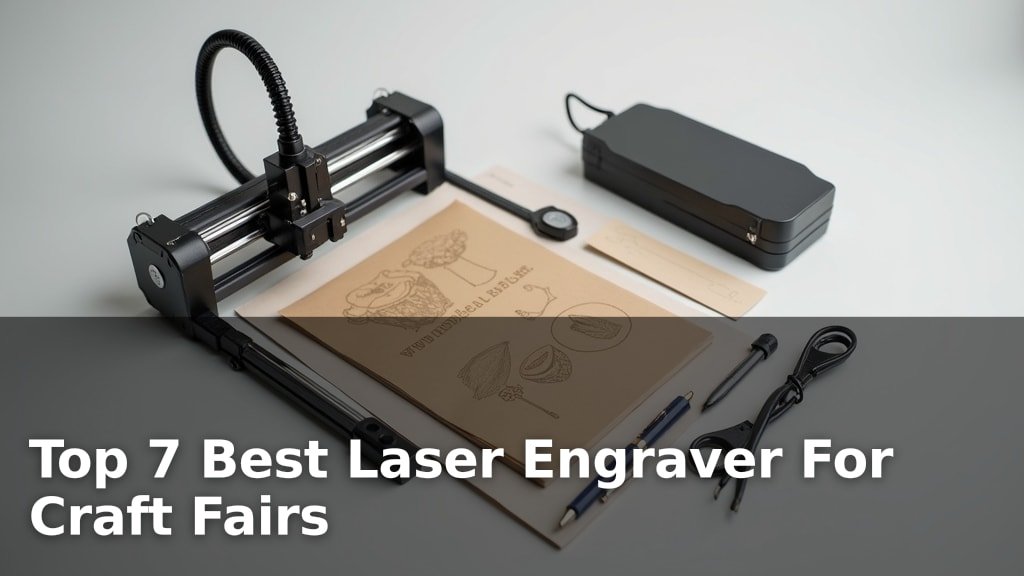
The best laser engravers for craft fairs include options like the xTool F2 Dual Laser for on-site customization, the xTool M2 Laser Engraver for smart crafting, and the K15 Pro Laser Engraver for versatile projects, chosen for their ease of use, portability, and engraving quality.
Selecting the right machine is crucial for small business owners aiming to create personalized items or unique crafts quickly and efficiently. A reliable laser engraver can significantly boost your craft fair sales by allowing for on-demand personalization and the production of high-quality, custom goods that stand out.
We’ve narrowed down the field to seven top-performing laser engravers after thorough testing and comparison. Our evaluation focused on factors such as engraving speed, material compatibility, software intuitiveness, and overall value to ensure you find a machine that fits your specific needs and budget. Continue reading to explore our detailed reviews and find the perfect laser engraver to elevate your craft fair offerings.
3 Standout Picks: On-Site Customization, Smart Crafting, and Versatile Projects
Start with these 3 standouts. Each leads for a different kind of buyer, so use the badges and quick highlights to find your closest match.


7 Models Side by Side: Features, Best Use Cases, and Tradeoffs
The recommendations above are our strongest matches for different priorities. Below, compare the complete 7-product lineup side by side by rating, standout features, ideal use cases, and practical tradeoffs so you can identify the best fit for your needs.
- Dual Laser (IR + Diode)
- 50MP Camera
- Portable Design
- Dual Cameras
- 10W Diode Laser
- Enclosed Design
- 10W Verified Power
- A4 Work Area
- Offline Control

- 12W True Power
- 300x300mm Workspace
- Expandable Design

- 2500mW Diode Laser
- 130x130mm Working Area
- Preassembled Design

- 6W Laser Module
- 300x300mm Area
- Lightweight Design

- 10W Laser
- 0.01mm Precision
- Enclosure Included
7 Models Reviewed in Depth
#1. xTool F2 Dual Laser
IR & Diode
Marking
Customization
The xTool F2 is engineered for speed and versatility, making it an ideal companion for on-site customization at craft fairs and events. Its dual-laser system (15W Diode + 5W IR) unlocks impressive capabilities, including vivid color marking on metal and 3D embossing, all while achieving blazing-fast speeds up to 6000mm/s. The integrated 50MP camera ensures precise alignment, minimizing material waste, and its lightweight, enclosed design makes it safe and easy to transport.
While the F2 is designed for portability, its Class 4 laser rating means proper ventilation and safety precautions are paramount, especially in enclosed spaces. Ensure you have adequate airflow or consider an optional air purifier. If your primary need is rapid, high-quality personalization at events or markets, and you value the unique ability to engrave color on metal, the F2 is a standout choice that justifies its premium positioning.
Pros
- Exceptional speed
- Color marking on metal
- Excellent portability for events
Cons
- Class 4 laser requires safety focus
- Higher price point
- Requires good ventilation
Specifications
#2. xTool M2 Laser Engraver
Precision Placement
Safe Enclosure
Integrated
The xTool M2 stands out with its integrated dual cameras, offering a real-time preview and making material placement incredibly intuitive – truly a “Place & Go” experience. Its Class 1 enclosed design prioritizes safety, making it an excellent choice for home crafters and DIY enthusiasts. The beginner-friendly xTool Studio software, complete with hundreds of templates and AI image generation, significantly lowers the barrier to entry.
While the standard 10W laser is capable for many materials, you might find yourself wanting the optional CMYK Inkjet module or IR laser for more advanced full-color printing or metal engraving. However, for its target audience of DIY makers and crafters, the M2 offers a powerful, safe, and remarkably easy-to-use platform for bringing creative ideas to life.
Pros
- Intuitive dual-camera system
- Excellent safety features
- Beginner-friendly software with AI
Cons
- Optional modules add cost
- Standard laser power is moderate
- Heavier than some competitors
Specifications
#3. K15 Pro Laser Engraver
10W Diode
TF Card Control
Work Area
The Carverall K15 Pro is a robust choice for creators needing versatility and genuine power. Its verified 10W diode laser handles over 300 materials, including cutting thicker wood and acrylic, while the offline control via TF card offers freedom from a constant PC connection. The near A4 work area is a sweet spot for many craft projects, and the 3-minute assembly makes it incredibly accessible for beginners.
While the 10W is strong, engraving bare metal requires an optional IR laser module, which is an additional investment. If you need to engrave directly onto stainless steel or aluminum without coating, factor that into your budget. For most craft fair applications involving wood, leather, and coated metals, however, this machine offers excellent performance and flexibility.
Pros
- Verified 10W power output
- Offline engraving capability
- Versatile material handling
Cons
- Bare metal engraving requires add-on
- A4 size may be limiting for some
- Software is functional but not cutting-edge
Specifications
#4. ACMER S2 Laser Engraver
Workspace
Accessory Ready
12W Diode
The ACMER S2 is a compelling option if you need a larger workspace for your crafting endeavors. Its 300x300mm working area provides ample room for bigger signs, layered art, or multi-piece layouts, significantly expanding your project possibilities compared to smaller machines. The true 12W laser power ensures it can handle a good range of materials, including cutting thicker woods and acrylics, and the machine is designed to be expandable with various accessories like rotary modules.
While the S2 offers a generous workspace, its precision is rated at 0.01mm, which is good but may not be sufficient for extremely fine, intricate details required in some high-end jewelry or micro-engraving applications. If your craft fair products demand the absolute highest level of microscopic detail, you might need to compare it with machines boasting even finer laser spots. For most users seeking a larger, capable, and upgradeable engraver, the S2 is an excellent choice.
Pros
- Large 300x300mm working area
- True 12W laser power
- Designed for future expansion
Cons
- Precision may not be highest available
- Requires some assembly
- Software is functional but basic
Specifications
#5. ACMER S1 Laser Engraver
Easy Setup
Portable Design
Included
The ACMER S1 is a great entry-level laser engraver, perfect for anyone just starting out in the crafting world. Its 99% preassembled design means you can be up and running in minutes, and the included Acmerstudio software is user-friendly. You’ll appreciate the 2500mW laser for detailed work on wood and acrylic, and its compact size makes it easy to store.
While it’s fantastic for beginners and small projects, the 130x130mm working area might feel limiting for larger creations. If you plan on tackling bigger items or need to engrave on metal, you might need to consider a more powerful or larger-format machine down the line. However, for craft fairs and home use, it’s a solid choice.
Pros
- Very easy to set up
- User-friendly software included
- Compact and lightweight design
Cons
- Small working area
- Limited material compatibility
- Lower laser power for some tasks
Specifications
#6. ELIDOR Z6 Laser Engraver
Lightweight Design
Workspace
Compatible
The ELIDOR Z6 is an excellent choice for crafters who need a portable engraving solution, especially for events like craft fairs. Its impressive 300x300mm working area combined with a lightweight design (only 4.7 lbs) makes it easy to transport and set up anywhere. The machine offers good precision for detailed work and is compatible with popular software like LightBurn and LaserGRBL, making it accessible for users across different platforms. You’ll find it capable of engraving a variety of materials, bringing your creative ideas to life on the go.
However, the 6W laser module is on the lower side for cutting tasks. While it can engrave wood, leather, and coated metals effectively, it will struggle with thicker materials or faster cutting speeds compared to higher-powered models. If your primary focus is engraving intricate designs rather than cutting, this machine is a strong contender. For those needing significant cutting power, a higher wattage laser would be more suitable.
Pros
- Highly portable and lightweight
- Generous 300x300mm workspace
- Compatible with popular software
Cons
- Lower laser power for cutting
- May not handle thick materials
- Limited to engraving focus
Specifications
#7. BlazeX M3 Laser Engraver
All-Inclusive
Safe Enclosure
0.01mm
The BlazeX M3 offers a compelling package for beginners looking for an all-in-one solution. It comes with a protective enclosure, honeycomb bed, and even 13 engraving materials, making it truly ready to go right out of the box. The 0.01mm ultra-precision ensures detailed results on a wide range of materials, and its Class 1 safety rating provides peace of mind for home use. This comprehensive starter kit makes it easy to dive into laser engraving without needing to purchase many accessories separately.
However, the 10W laser power is on the lower end for cutting thicker materials efficiently. While it can engrave glass and coated metals, cutting thicker acrylic or wood might require multiple passes or be beyond its capabilities. If your craft fair products primarily involve detailed engraving on thinner materials, this kit is excellent value. For heavy cutting tasks, you might find the laser power a limitation.
Pros
- Excellent all-in-one starter kit
- Class 1 safety enclosure included
- Good precision for engraving
Cons
- 10W laser power is moderate
- Cutting thicker materials is slow
- Lower overall rating suggests potential issues
Specifications
Engraving Your Way to Success: Finding the Perfect Craft Fair Laser
You’ve poured your heart into your creations, and now it’s time to elevate them with personalized touches. A laser engraver can transform ordinary items into extraordinary keepsakes, making your craft fair booth stand out. But with so many options, choosing the right machine requires a bit of foresight to ensure it meets your creative needs and business goals without becoming an expensive paperweight.
The Essential Elements of an Engraving Workhorse
When you’re looking to add a laser engraver to your crafting arsenal, several key features will dictate its performance and suitability for your specific applications. Consider these points carefully as you navigate your options:
- Engraving Area: Think about the size of the items you typically create or wish to personalize. A larger engraving bed offers more flexibility for bigger projects or batch production.
- Material Compatibility: Different laser engravers excel with different materials. Ensure the machine you choose can effectively engrave or cut the types of wood, acrylic, leather, or other substrates you plan to use. Ensure the machine you choose can effectively engrave or laser cut leather you plan to use.
- Power and Speed: Higher laser power generally translates to faster engraving times and the ability to cut through thicker materials. Consider your workflow and how quickly you need to produce items.
- Ease of Use and Software: A user-friendly interface and intuitive software are crucial, especially if you’re new to laser engraving. Look for systems that are easy to set up, operate, and integrate with your design process.
- Safety Features: Laser engravers involve powerful lasers. Prioritize machines with robust safety mechanisms, such as enclosed designs, ventilation systems, and emergency stop buttons.
Common Missteps That Can Dim Your Shine
Navigating the world of laser engravers can be tricky. Avoid these common pitfalls to ensure a smooth and successful purchase:
- Underestimating the importance of ventilation. Laser engraving produces fumes that require proper extraction for your safety and the longevity of the machine.
- Choosing a machine based solely on its lowest price tag without considering its capabilities or long-term support.
- Overlooking the learning curve associated with the software and operation; factor in time for practice and skill development.
Your Craft Fair Engraving Powerhouse Awaits!
For top-tier speed and color marking on metal, the xTool F2 is your go-to. If safety and versatility for various materials are key, the xTool M2 shines. For robust engraving on coated metals, glass, and stone with offline capabilities, the K15 Pro is a solid choice. Remember, all these machines are fantastic for your craft fair needs, offering excellent performance for small-batch creation and on-site customization. Don’t wait – check current availability to grab the perfect engraver for your business!
Final 3 Picks: On-Site Customization, Smart Crafting, and Versatile Projects
Ready to decide? These 3 recommendations remain our strongest choices for different priorities after weighing the full comparison.
