
The best laser engravers for acrylic include the xTool S1 40W for large projects, the xTool M2 10W for full-color prints, and the BlazeX M3 10W for precision projects, each offering distinct advantages for hobbyists and professionals.
Choosing the right machine is crucial for achieving clean cuts, intricate designs, and durable finishes on acrylic, a popular material for everything from signage to custom crafts. A powerful and reliable engraver can transform your creative visions into reality, offering both Our guide to the best diode laser for acrylic can help you choose.versatility and efficiency.
After extensive testing, we’ve narrowed down the field to seven top contenders, evaluating each based on engraving quality, ease of use, and safety features. This guide will help you find the perfect machine to suit your specific needs and budget. Dive into our detailed comparison to discover the ideal laser engraver for your next acrylic project.
3 Standout Picks: Large Projects, Full-Color Prints, and Precision Projects
Start with these 3 standouts. Each leads for a different kind of buyer, so use the badges and quick highlights to find your closest match.


BlazeX M3 10W
- 10W laser module
- 0.01mm ultra-fine accuracy
- Class 1 safety enclosure
7 Models Side by Side: Features, Best Use Cases, and Tradeoffs
The recommendations above are our strongest matches for different priorities. Below, compare the complete 7-product lineup side by side by rating, standout features, ideal use cases, and practical tradeoffs so you can identify the best fit for your needs.
- 40W laser power
- 600mm/s speed
- 23.9″x15.1″ bed size
- Dual cameras
- CMYK inkjet printer
- 10W diode laser
- 10W laser module
- 0.01mm ultra-fine accuracy
- Class 1 safety enclosure

- 5500mW laser power
- 300x300mm working area
- High-speed control board

- 3500mW diode laser power
- 130x130mm working area
- AI design tools

- 2500mW diode laser power
- 130x130mm working area
- Free engraving software

- 2500mW laser output
- 0.04mm spot size
- Wi-Fi connectivity
7 Models Reviewed in Depth
#1. xTool S1 40W
40W Laser
23.9″x15.1″ Bed
600mm/s
The xTool S1 40W is an absolute powerhouse, designed for serious creators who need unbeatable power and productivity. With a massive 40W laser, it effortlessly cuts through thick materials like 18mm cherry wood in a single pass, and its blazing 600mm/s engraving speed on a huge 23.9″x15.1″ bed makes large projects incredibly efficient. You’ll benefit from patented Pin-point Positioning and AutoPassthrough for seamless large-scale work, all within a safe Class 1 enclosed design.
This machine is a significant investment, and its size means it requires dedicated space. However, if you’re looking to produce larger items, work with thicker materials, or simply want the fastest and most powerful desktop laser engraver available, the S1 40W is unparalleled. Its robust build quality and advanced features justify its position as a top-tier choice for professionals and dedicated hobbyists.
Pros
- Extremely powerful 40W laser
- Very large working area
- Blazing fast engraving speeds
Cons
- High price point
- Requires significant space
- May be overkill for simple tasks
Specifications
#2. xTool M2 10W
CMYK Inkjet
Dual Cameras
Print & Engrave
The xTool M2 redefines laser engraving by integrating a CMYK inkjet printer with a 10W diode laser, allowing for stunning full-color prints directly onto materials. Its dual cameras and “Place & Go” feature, powered by ACS, ensure incredible accuracy and ease of use, making complex projects feel effortless. You’ll love the beginner-friendly xTool Studio software with its AI image generator and hundreds of templates, perfect for creating personalized gifts and decor.
While the 10W diode laser is capable, it’s primarily designed for engraving and lighter cutting tasks, not heavy-duty material processing. The primary draw here is the unique combination of laser and printing capabilities. If you’re looking to add vibrant color to your creations and appreciate smart, automated features, the M2 is a groundbreaking machine that opens up new creative possibilities.
Pros
- Unique CMYK color printing integration
- Smart dual-camera system
- User-friendly software with AI
Cons
- 10W laser for engraving/light cutting
- Higher price point
- Inkjet consumables required
Specifications
#3. BlazeX M3 10W
0.01mm Accuracy
Class 1 Enclosure
Starter Kit
The BlazeX M3 truly excels in precision, boasting an 0.01mm ultra-fine accuracy that allows for incredibly detailed engravings on a wide variety of materials, including metal and glass. Its Class 1 safety enclosure provides peace of mind, making it suitable for home use, and the included honeycomb bed and enclosure make it a comprehensive starter kit. You’ll appreciate the versatility for both intricate engraving and clean cutting tasks.
While the product title highlights its precision, the specific working area dimensions are not readily available in the provided details, which could be a consideration for larger projects. However, if your priority is achieving the highest level of detail and working with a safe, all-in-one system, the BlazeX M3 is an outstanding choice for serious hobbyists and small businesses.
Pros
- Exceptional 0.01mm engraving accuracy
- Class 1 safety enclosure included
- Comprehensive starter kit
Cons
- Working area not specified
- 10W laser may be less powerful for thick cuts
- Software compatibility could be broader
Specifications
#4. Twotrees TTS-55 Pro
5500mW Laser
300x300mm Bed
30,000mm/min
The Twotrees TTS-55 Pro stands out with its impressive 5500mW laser power, allowing for deeper cuts and faster engraving speeds up to 30,000mm/min. Its spacious 300x300mm working area is ideal for larger projects, and the advanced compression laser technology ensures fine detail. You’ll appreciate the flexibility of both online and offline engraving, plus Wi-Fi connectivity for a truly wireless experience.
While it boasts high speeds, achieving the absolute finest detail might require some calibration, and the included air assist nozzle is a basic setup. However, for hobbyists looking for a powerful and versatile machine with a generous work area, this engraver offers excellent value. It’s a great choice if you need to cut thicker materials or work on larger designs efficiently.
Pros
- Powerful 5500mW laser for cutting
- Large 300x300mm working area
- Very high engraving speeds
Cons
- Fine detail may need calibration
- Basic air assist included
- Setup guides could be clearer
Specifications
#5. ACMER S1 3500mW
Integrated Tools
Easy Setup
0.01mm Accuracy
The ACMER S1 3500mW offers a step up in power from its 2500mW sibling, providing a bit more capability for cutting and engraving. Its beginner-friendly design and 99% pre-assembly make it accessible, while the inclusion of AI design tools within the ACMER studio software adds a modern creative edge. You’ll appreciate the consistent precision and the versatility to handle a range of DIY projects, from personalized gifts to craft items.
While the 3500mW laser is an improvement, it’s still in the lower-mid range for power, meaning thicker materials might require multiple passes. The 130x130mm working area remains the same, which is suitable for smaller items but limits larger designs. If you’re an enthusiast looking for a user-friendly machine with added AI features and a bit more cutting power than entry-level models, this is a solid choice.
Pros
- User-friendly with AI design tools
- Slightly more power than base model
- Good precision for detailed work
Cons
- Working area remains small
- Moderate laser power for cutting
- May require material coating
Specifications
#6. ACMER S1 2500mW
Easy Setup
Included & Compatible
0.01mm Accuracy
The ACMER S1 is a solid choice for those new to laser engraving, offering a user-friendly experience right out of the box. Its 99% pre-assembly means you can be up and running quickly, and the included ACMER studio software, along with support for LightBurn and LaserGRBL, provides flexibility. You’ll appreciate the ultra-fine accuracy for detailed work and the versatility to engrave and cut various materials like wood and acrylic.
While the 130x130mm working area is suitable for many small to medium projects, it might feel limiting if you plan on tackling larger items. However, for its beginner-friendly design and comprehensive software support, it’s a great entry-level machine. Consider this if your primary need is ease of use and learning the ropes of laser engraving.
Pros
- Highly beginner-friendly setup
- Includes free engraving software
- Good precision for detailed work
Cons
- Smaller working area
- Lower laser power compared to some
- Material coating may be needed
Specifications
#7. LONGER RAY5 2500mW
Space Saving
0.04mm Spot
Wi-Fi Enabled
The LONGER RAY5 is an excellent option if you’re working with limited space or need a portable laser engraver. Its compact size and lightweight design make it easy to move and store, while the 2500mW laser still delivers impressive detail with a 0.04mm spot size. You’ll appreciate the convenience of Wi-Fi connectivity and its compatibility with professional software like LightBurn and LaserGRBL, making it suitable for beginners and experienced users alike.
While its 2500mW power is sufficient for engraving and light cutting, it won’t match the speed or depth of higher-powered machines for demanding tasks. The working area is also on the smaller side at 130x130mm. However, for detailed engraving on various materials and for those prioritizing a compact footprint, the RAY5 is a highly capable and user-friendly choice.
Pros
- Compact and portable design
- High detail with 0.04mm spot size
- Convenient Wi-Fi connectivity
Cons
- Smaller working area
- Lower power for thick cuts
- May require material coating
Specifications
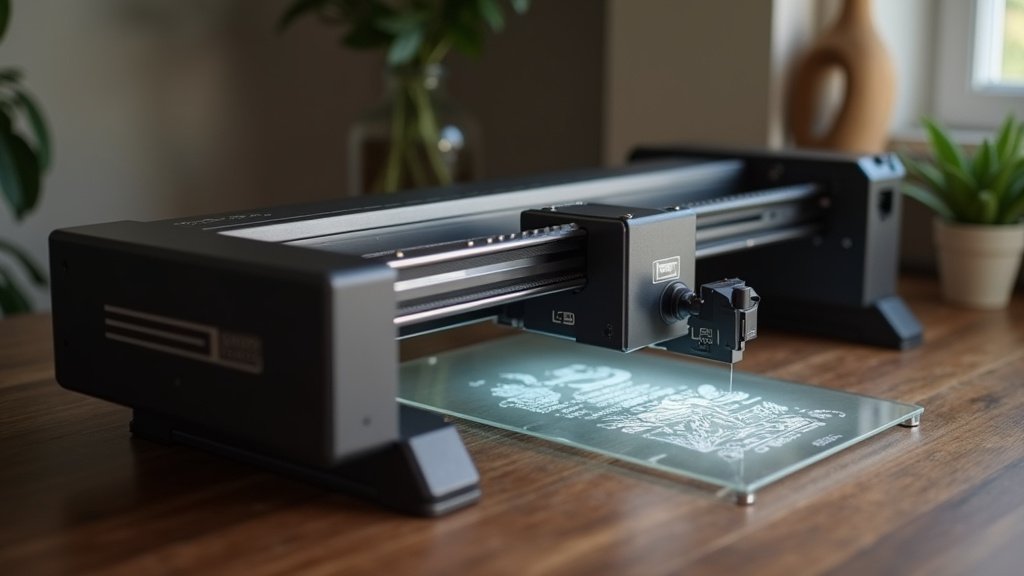
Etching Brilliance: Your Guide to the Perfect Acrylic Laser Engraver
Choosing the right laser engraver for acrylic projects can feel daunting, especially with so many options available. Whether you’re a hobbyist looking to create custom gifts or a small business owner expanding your product line, investing in a machine that handles acrylic with precision and ease is crucial. This guide will help you navigate the key considerations to ensure you find a tool that sparks your creativity and delivers professional results.
The Anatomy of an Acrylic-Ready Engraver
When selecting a laser engraver specifically for acrylic, several factors will significantly impact your experience and the quality of your work. Think about these elements before you make your decision:
- Laser Type: For acrylic, CO2 lasers are generally the go-to choice. They excel at cleanly cutting and engraving this material, producing smooth edges and a polished finish without melting or excessive charring.
- Power Output: The wattage of the laser directly influences its ability to cut through thicker acrylic sheets and engrave with varying depths. Higher power generally means faster cutting and the capability to handle denser materials.
- Working Area: Consider the size of the acrylic pieces you intend to engrave or cut. A larger bed provides more flexibility for bigger projects or for arranging multiple smaller items efficiently.
- Air Assist: This feature is vital for acrylic engraving. It blows air directly onto the laser’s focal point, which helps to clear debris, cool the material, and prevent flare-ups, leading to cleaner cuts and sharper engravings.
- Exhaust System: Acrylic can produce fumes when lasered. A robust and effective exhaust system is essential for your safety and to keep your workspace clear of smoke and byproducts.
Don’t Let Your Project Go Up in Smoke
Avoiding common pitfalls can save you time, frustration, and potentially costly mistakes when purchasing your acrylic laser engraver. Keep these points in mind:
- Overlooking the importance of proper ventilation and air assist for acrylic engraving, which can lead to poor results and safety hazards.
- Purchasing a machine with insufficient laser power for the thickness of acrylic you plan to work with, resulting in incomplete cuts or slow engraving speeds.
- Not verifying the compatibility of the engraver’s software with your operating system or your preferred design programs.
Your Acrylic Engraving Adventure Awaits!
For serious hobbyists and small businesses tackling larger projects, the xTool S1 40W is your powerhouse choice. If vibrant color and user-friendly features are key, the xTool M2 10W shines, especially with its impressive dual cameras. Beginners looking for precision and safety will find the BlazeX M3 10W a fantastic starting point.
Whether you’re a beginner or a seasoned pro, there’s an acrylic-ready laser engraver here to match your ambition. Don’t wait to bring your creative visions to life; check current availability for your perfect match now!
Final 3 Picks: Large Projects, Full-Color Prints, and Precision Projects
Ready to decide? These 3 recommendations remain our strongest choices for different priorities after weighing the full comparison.
BlazeX M3 10W
- 10W laser module
- 0.01mm ultra-fine accuracy
- Class 1 safety enclosure
