
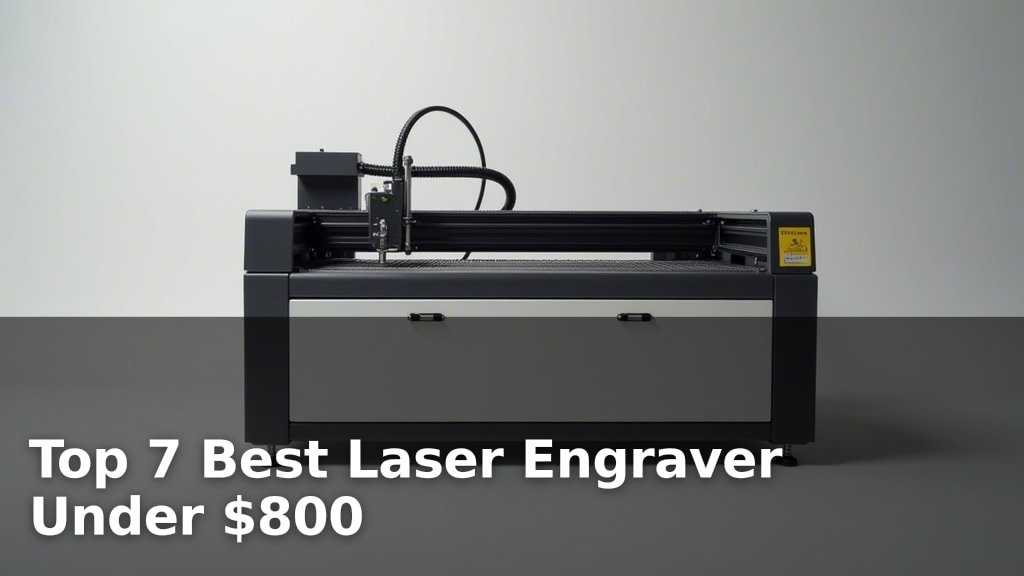
The best laser engravers for hobbyists and small businesses include options like the xTool M2 10W for its versatile crafting capabilities, the CREALITY FALCON 10w for metal and tumbler engraving, and the Twotrees TTS-55 Pro for high-speed engraving.
These machines offer a fantastic way to personalize items, create custom signage, or even start a small business, providing precision and creative freedom for a range of projects. Choosing the right engraver depends on your specific needs, whether that’s working with various materials or achieving faster results.
We’ve tested and reviewed several models to bring you our top 7 picks, all available for under $800. Our evaluation focused on factors like ease of use, engraving quality, material compatibility, and overall value. Read on for a detailed comparison to help you find the perfect laser engraver for your workshop.
3 Standout Picks: Versatile Crafting, Metal & Tumbler Engraving, and High-Speed Engraving
Start with these 3 standouts. Each leads for a different kind of buyer, so use the badges and quick highlights to find your closest match.

xTool M2 10W
- Dual cameras for preview
- Class 1 enclosed design
- 10W diode laser power


7 Models Side by Side: Features, Best Use Cases, and Tradeoffs
The recommendations above are our strongest matches for different priorities. Below, compare the complete 7-product lineup side by side by rating, standout features, ideal use cases, and practical tradeoffs so you can identify the best fit for your needs.
- Dual cameras for preview
- Class 1 enclosed design
- 10W diode laser power
- 10W laser output
- Rotary roller included
- Air assist system
- 5500mW laser power
- 30,000mm/min speed
- Wi-Fi connectivity

- Smart camera guidance
- Class 1 safety enclosure
- 0.01mm ultra-precision

- Pocket-sized and portable
- App-controlled operation
- Engraves wood, leather

- 1kg portable design
- 36,000mm/min speed
- Engraves coated metals

- 2500mW diode laser
- Preassembled design
- ACMER Studio software
7 Models Reviewed in Depth
#1. xTool M2 10W
Precision Preview
Enclosed Safety
Diode Laser
The xTool M2 10W offers impressive versatility for a wide range of DIY projects and crafts. Its dual-camera system provides real-time previews, making alignment and “place & go” functionality incredibly accurate and reducing material waste. The user-friendly xTool Studio software, complete with templates and an AI image generator, ensures a smooth experience even for beginners, allowing you to create personalized gifts and decor with ease.
While this model is a standout for its safety features and smart capabilities, remember that advanced modules like the CMYK Inkjet or IR laser are sold separately. It’s an excellent choice if you’re looking for a safe, enclosed engraver that can grow with your needs, but consider the additional costs for expanded functionality.
Pros
- Excellent dual-camera system
- Class 1 safety enclosure
- Beginner-friendly software
Cons
- Advanced modules sold separately
- Higher price point
- Not ideal for heavy metal engraving
Specifications
#2. CREALITY FALCON 10w
Laser Power
Cylindrical Engraving
Clean Cuts
The CREALITY FALCON 10w is a powerful and versatile laser engraver, particularly excelling with its included rotary roller for cylindrical objects like tumblers and its robust 10W laser for engraving on metal. The integrated air assist system is a significant plus, ensuring cleaner cuts and smoother finishes by effectively removing smoke and dust. With a high output power and speed, it can handle demanding tasks like cutting thicker wood and acrylic efficiently, making it suitable for both hobbyists and small businesses looking to expand their creative capabilities.
While the FALCON 10W is highly capable, its Class 4 laser rating means safety precautions are paramount; always use the provided eye protection and ensure proper ventilation. The assembly process, though described as 10-20 minutes, might require some attention to detail. If you’re specifically looking to engrave tumblers, metal, or require a powerful machine for diverse materials, this engraver offers excellent value and performance.
Pros
- Excellent for tumblers and metal
- Powerful 10W laser
- Includes air assist and rotary
Cons
- Class 4 laser requires caution
- Assembly may need care
- Can be noisy without enclosure
Specifications
#3. Twotrees TTS-55 Pro
High Speed
Laser Power
Wireless Control
The Twotrees TTS-55 Pro stands out with its impressive speed, capable of engraving at up to 30,000mm/min, making it ideal for projects where time is a factor. The 5500mW laser offers a good balance of power for cutting through materials like 5mm plywood and 3mm acrylic, while the advanced compression laser technology ensures fine detail. With Wi-Fi connectivity for wireless control and support for popular software like LightBurn and LaserGRBL, it offers a modern and efficient engraving experience.
While its speed and power are significant advantages, the TTS-55 Pro’s laser class is II, which requires more caution than Class 1 enclosed units. Ensure you use appropriate safety measures, including eye protection and ventilation. If you prioritize rapid production and wireless convenience for your crafting or small business needs, this engraver is a strong contender, provided you maintain strict safety protocols.
Pros
- Extremely fast engraving speed
- Wireless control via Wi-Fi
- Good cutting capability
Cons
- Laser Class II (requires caution)
- Air assist not standard
- Software setup can be complex
Specifications
#4. BlazeX M3 10W
Ultra-Precision
Enclosed Safety
Accurate Preview
The BlazeX M3 10W laser engraver impresses with its exceptional 0.01mm ultra-precision, ensuring incredibly detailed results on a wide range of materials including metal and glass. The integrated smart camera, which syncs with software like LightBurn, allows for precise design preview directly on the material, virtually eliminating errors and material waste. Its Class 1 safety enclosure provides a secure and quiet working environment, making it an excellent choice for homes, studios, or educational settings where safety is a top priority.
While the BlazeX M3 offers outstanding precision and safety, its setup might require a bit more time compared to simpler models, and the included accessories, while comprehensive, add to the overall cost. If you value accuracy above all else and need a safe, enclosed system for detailed engraving and cutting, this machine is a top-tier option. However, if budget is a primary concern or you need a highly portable unit, other options might be more suitable.
Pros
- Exceptional 0.01mm precision
- Class 1 safety enclosure
- Smart camera for accurate placement
Cons
- Setup can be involved
- Higher price point
- Less portable than handhelds
Specifications
#5. LaserPecker LP1 Plus
Portable Design
Quick Start
Smart Control
The LaserPecker LP1 Plus redefines portability in laser engraving. Its incredibly compact and lightweight design means you can take your creative projects anywhere, powered even by a power bank. Setup is virtually non-existent – you can go from unboxing to your first engraving in under two minutes. The intuitive mobile app makes importing designs and starting the engraving process as simple as using social media, perfect for on-the-go personalization of wood, leather, and acrylic items.
It’s important to note that the LP1 Plus is designed for convenience and portability, not heavy-duty work; it does not support metal engraving. If your primary need is a compact, easy-to-use engraver for smaller projects and you value the ability to create anywhere, this is an excellent choice. However, if you require metal engraving capabilities or a larger working area, you’ll need to look elsewhere.
Pros
- Extremely portable and lightweight
- Very fast setup
- Simple app control
Cons
- Does not engrave metal
- Limited working area
- Requires mobile app
Specifications
#6. LaserPecker LP2 Handheld
Handheld Design
Fast Engraving
Micro-Spot Precision
The LaserPecker LP2 Handheld engraver is designed for ultimate portability and speed, weighing just 1kg and capable of engraving at an impressive 36,000 mm/min. Its handheld nature, combined with a simple app interface, makes it incredibly easy to use for quick projects anywhere. The precision of the 0.05 mm micro-spot laser allows for detailed work on materials like wood, leather, and even coated metals, making it a versatile tool for creators on the move.
While its portability and speed are major advantages, the LP2’s working area is limited, and it requires surface treatment for pure or highly reflective metals. If you need to engrave large items or frequently work with bare metals, this might not be the ideal solution. However, for personalized gifts, on-the-go crafting, or adding custom touches to items quickly and easily, the LP2 is an excellent, user-friendly option.
Pros
- Extremely portable and lightweight
- Very fast engraving speed
- Good for detailed work
Cons
- Limited working area
- Requires metal surface treatment
- App-dependent operation
Specifications
#7. ACMER S1 Laser Engraver
Diode Laser
Quick Setup
Studio Software
The ACMER S1 is a solid choice for hobbyists and beginners looking for an accessible laser engraver. Its near-complete assembly means you can be up and running in minutes, and the included ACMER Studio software is user-friendly. The 2500mW laser provides good detail for engraving on wood, leather, and plastics, and it can handle cutting thinner materials like acrylic and plywood, making it versatile for various craft projects.
While its 2500mW power is suitable for many tasks, it won’t be the fastest or most powerful option for thicker materials or demanding cuts. If you need to frequently cut dense materials or require very high-speed engraving, you might find its capabilities limiting. However, for its price point and ease of use, it’s a great entry-level machine.
Pros
- Very easy to assemble
- User-friendly software included
- Good for detailed engraving
Cons
- Lower laser power
- Limited cutting capacity
- Smaller working area
Specifications
Ignite Your Creativity: Finding the Right Laser Engraver for Your Projects
Embarking on the journey of laser engraving can unlock a world of personalized creations, from custom gifts to intricate craft projects. With a budget of under $800, you can access capable machines that offer a fantastic entry point into this exciting hobby. Making an informed choice now will ensure your engraving adventures are rewarding and frustration-free, setting you up for success with your new creative tool.
Decoding the Engraver’s Engine: What to Prioritize
When you’re looking to bring your designs to life with precision, several key elements deserve your attention. Understanding these will help you navigate the options and select a machine that aligns with your creative ambitions and practical needs.
- Engraving Area Size: Consider the maximum dimensions of the materials you plan to work with. A larger bed offers more flexibility for bigger projects, while a smaller one might suffice for detailed, compact designs.
- Power Output: The power of the laser directly influences its ability to cut through different materials and engrave at varying depths. Higher power generally means faster engraving and the capability to tackle denser materials.
- Connectivity and Software: Seamless integration with your computer is crucial. Look for user-friendly software that supports your preferred design programs and offers intuitive control over the engraving process.
- Safety Features: Laser engraving involves a powerful light source. Prioritize machines with built-in safety mechanisms, such as emergency stop buttons and protective enclosures, to ensure a secure working environment.
- Sticking to your budget: Many excellent machines fall within the sub-$800 range. Focus on the core functionalities that matter most for your intended use rather than getting swayed by features you might not need.
Common Stumbles on the Engraving Path
Even with careful planning, a few common oversights can lead to disappointment. Being aware of these potential pitfalls can help you sidestep them and ensure a smoother experience.
- Underestimating Material Compatibility: Not all lasers are created equal when it comes to the variety of materials they can engrave or cut. Research which machines are best suited for the specific woods, acrylics, leathers, or other media you intend to use.
- Overlooking Ventilation Needs: Laser engraving produces fumes and particulate matter. Failing to plan for adequate ventilation can create an unhealthy workspace and potentially damage your machine.
- Ignoring Community Support: A strong online community or readily available customer support can be invaluable for troubleshooting, learning new techniques, and finding inspiration.
Your Laser Engraving Journey Starts Now!
For the ultimate DIY craft experience with top-notch safety, the xTool M2 shines. If you’re looking to tackle a wider range of materials, including cylindrical objects, the CREALITY FALCON 10w is your go-to. For a solid, budget-friendly option that still packs a punch, the Twotrees TTS-55 Pro is a fantastic choice. And for incredible precision and versatility, especially for those who value smart camera features, the BlazeX M3 is hard to beat. Even the super-portable LaserPecker options and the ACMER S1 offer great value for beginners and specific project needs.
Rest assured, all these excellent laser engravers fall comfortably within the under $800 budget. Ready to bring your creative visions to life? Click through to check current availability and snag the perfect machine for your projects!
Final 3 Picks: Versatile Crafting, Metal & Tumbler Engraving, and High-Speed Engraving
Ready to decide? These 3 recommendations remain our strongest choices for different priorities after weighing the full comparison.
xTool M2 10W
- Dual cameras for preview
- Class 1 enclosed design
- 10W diode laser power
