
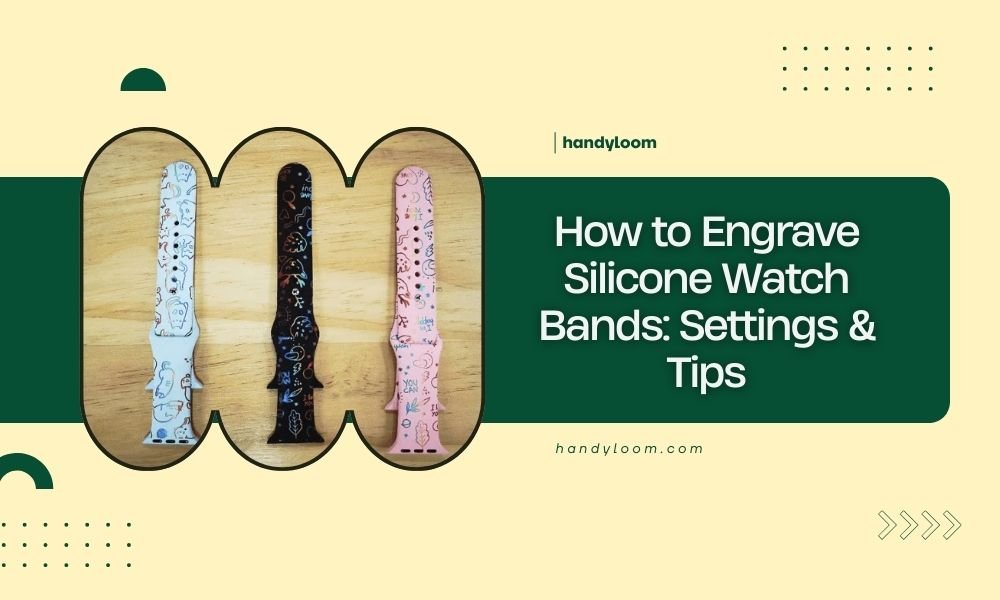
You can engrave silicone watch bands using a laser engraver with specific settings: 10-15% power, 800-1200 mm/min speed, and multiple light passes to avoid melting the material.
The key to successful silicone engraving lies in using low heat settings and proper ventilation, as silicone produces toxic fumes when heated.
Understanding Silicone as an Engraving Material
Silicone behaves differently from wood or acrylic when you engrave it. Think of it like butter under heat – too much power and it melts instead of creating clean lines.
I researched various laser cutting forums and found that silicone has a low melting point. This means your usual engraving settings won’t work here. You need a gentler approach.
Why Silicone Requires Special Settings
Regular engraving materials like wood or leather burn away cleanly. Silicone melts and can create messy, raised edges if you use too much heat.
The material also releases potentially harmful fumes. Many safety experts recommend excellent ventilation when working with silicone.
Essential Equipment and Safety Setup
Laser Engraver Requirements
Any CO2 laser engraver can handle silicone watch bands. Diode lasers work too, but they take longer due to lower power output.
You don’t need expensive equipment. Even entry-level machines work fine with the right settings.
Safety Equipment You Need
- Proper ventilation system or fume extractor
- Safety glasses rated for your laser wavelength
- Heat-resistant work surface
- Fire extinguisher nearby
Ventilation is Non-Negotiable
From what I read in safety guidelines, silicone fumes can be toxic. Never engrave silicone without proper airflow. Open windows aren’t enough – you need active ventilation.
Optimal Laser Settings for Silicone Watch Bands
Power Settings
Start with 10% power on CO2 lasers. For diode lasers, begin around 15-20%. These numbers sound low, but silicone needs gentle treatment.
I found online discussions where people used 25% power and melted their bands. Better to start low and increase gradually.
Speed Settings
Run your laser at 800-1200 mm/min. Faster speeds prevent heat buildup that causes melting.
Think of it like cooking – high heat and slow movement burns food. Same principle applies here.
Multiple Pass Strategy
Instead of one deep pass, use 3-5 light passes. Each pass should barely mark the surface.
This technique builds up your engraving depth without overheating the material. It takes longer but gives much better results.
Step-by-Step Engraving Process
Preparing Your Watch Band
Clean the band with alcohol first. Oils and dirt can cause uneven engraving.
Lay the band flat on your laser bed. Use painter’s tape to hold it in place if needed.
Positioning Tips
Engrave the outer curve of the band, not the side that touches your wrist. The outer surface gives you more working room and better visibility.
Creating Your Design
Keep designs simple. Fine details don’t show well on silicone’s flexible surface.
Bold text works better than script fonts. Aim for line widths of at least 0.5mm.
Design Software Recommendations
Most laser software works fine. LightBurn, RDWorks, and even free options like Inkscape handle silicone projects well.
Vector graphics work better than raster images. They give you cleaner edges on the flexible material.
Running Your First Test
Always test on a small, hidden area first. The buckle end works well for testing.
Run a small line or dot with your planned settings. Check the depth and edge quality before doing the full design.
Common Problems and Solutions
Melted or Raised Edges
This happens when your power is too high or speed too slow. Reduce power by 2-3% and increase speed by 100-200 mm/min.
I came across forum posts where users fixed this by switching to more passes at lower power.
Shallow or Invisible Engraving
Your power might be too low, or you need more passes. Increase power by 1-2% or add another pass.
Focusing Issues
Silicone bands have curves. Make sure your laser stays in focus across the entire engraving area.
Some people use tape to create a flatter surface for engraving.
Uneven Results
This usually means the band moved during engraving. Secure it better with tape or clamps.
Inconsistent material thickness can also cause this. Cheaper bands often have thickness variations.
Advanced Techniques and Tips
Color Fill Methods
You can fill engraved areas with acrylic paint for contrast. The engraved grooves hold paint well.
Let the paint dry completely, then wipe the surface clean. Paint stays in the engraved areas.
Paint Selection
Acrylic paints work best on silicone. They flex with the material and don’t crack easily.
Working with Different Band Colors
Dark bands show engravings better than light ones. Black silicone gives the most contrast.
Light-colored bands might need deeper engraving to be visible.
Testing Color Combinations
| Band Color | Best Engraving Depth | Visibility Rating |
|---|---|---|
| Black | Light (1-2 passes) | Excellent |
| Dark colors | Medium (2-3 passes) | Good |
| Light colors | Deep (3-5 passes) | Fair |
Batch Processing Multiple Bands
You can engrave several bands at once if they’re the same thickness. Space them at least 10mm apart to prevent heat transfer.
Use the same settings for consistency across all bands in a batch.
Maintenance and Longevity
Cleaning Engraved Bands
Regular soap and water work fine. The engraved areas might collect dirt, so use a soft brush occasionally.
Avoid harsh chemicals that might affect the silicone material.
Durability Expectations
Properly engraved silicone bands last as long as non-engraved ones. The engraving doesn’t weaken the material significantly.
I found reports of engraved bands lasting 2-3 years with daily wear.
Troubleshooting Specific Issues
Fume Management
Silicone creates more fumes than wood or acrylic. Your ventilation system needs to handle this extra load.
Some users report a rubber-like smell that lingers. Good ventilation minimizes this issue.
Air Assist Settings
Use moderate air assist. Too much air can cool the laser spot and reduce engraving quality.
Material Warping
Thin bands might warp from laser heat. Use lower power and more passes to reduce heat buildup.
Let bands cool completely before removing them from the laser bed.
Conclusion
Engraving silicone watch bands requires patience and the right approach. Start with low power settings, use multiple light passes, and always prioritize safety with proper ventilation. The key is treating silicone gently – it’s not like other materials you might have engraved before.
Remember that every laser and silicone type behaves slightly differently. Take time to test your settings, and don’t rush the process. With practice, you’ll create professional-looking engravings that last as long as the band itself.
Can you engrave all types of silicone watch bands?
Most silicone bands work well for laser engraving, but avoid bands with metal threads or fabric backing. Pure silicone gives the best results, while bands with additives might produce different fumes or engraving quality.
How deep should you engrave silicone watch bands?
Aim for 0.1-0.3mm depth maximum. Going deeper weakens the band and might cause tears at the stress points. Multiple light passes give you better control over depth than trying to cut deep in one pass.
What happens if you use too much laser power on silicone?
Excessive power melts the silicone instead of cleanly removing it. This creates raised, messy edges and can produce toxic fumes. The melted material often resolidifies in an uneven pattern that’s difficult to fix.
Do engraved silicone bands attract more dirt?
The engraved grooves can collect slightly more dirt than smooth surfaces, but regular cleaning with soap and a soft brush keeps them looking good. The difference is minimal with normal daily wear.
Can you engrave both sides of a silicone watch band?
Yes, but engrave the outer side that faces away from your wrist. The inner side touches your skin and experiences more flexing, which could cause engraved areas to crack or wear faster over time.
