
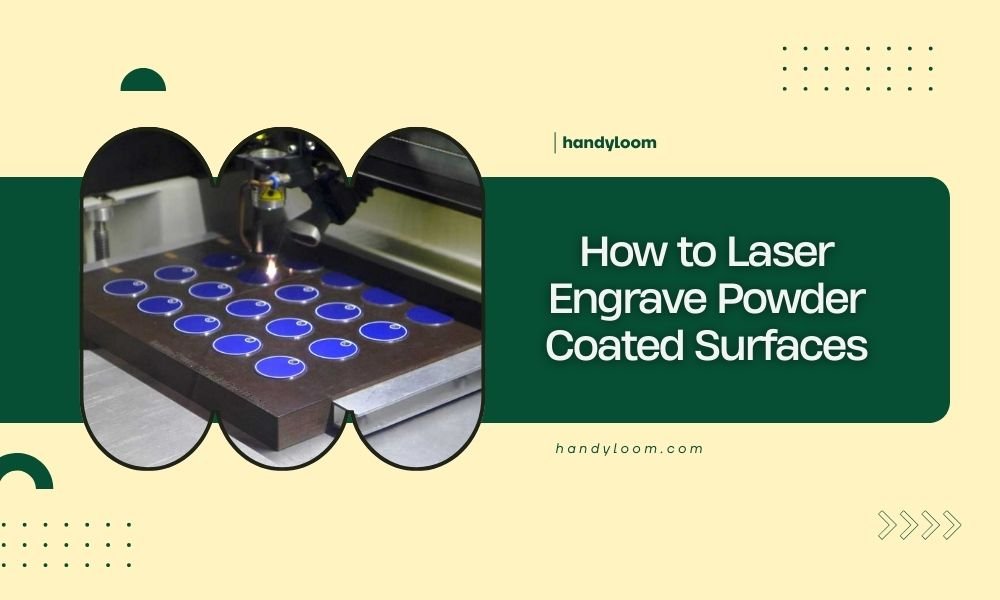
You can laser engrave powder coated surfaces by adjusting your laser settings to remove the coating layer and reveal the substrate beneath.
The key is using the right power and speed settings to burn through the powder coating without damaging the base material underneath.
Understanding Powder Coated Surfaces
Powder coating creates a thick, durable finish on metal surfaces. Think of it like a protective shell that’s much thicker than regular paint.
When you laser engrave this surface, you’re essentially melting and vaporizing that coating layer. The laser heat burns through the powder coating to expose the raw metal below.
What Makes Powder Coating Different
Regular paint is thin and easy to remove. Powder coating can be 2-5 times thicker. This means you need more laser power to get through it.
The coating also tends to melt rather than vaporize cleanly. You might see some bubbling or rough edges if your settings aren’t right.
Best Laser Types for Powder Coating
CO2 lasers work best for powder coated surfaces. They produce the right wavelength to heat and remove the coating effectively.
Fiber lasers can work too, but they’re better suited for marking the coating surface rather than removing it completely.
CO2 Laser Advantages
CO2 lasers create clean, precise engravings. They vaporize the coating material instead of just melting it.
You get better contrast between the exposed metal and the remaining coating. The edges stay sharp and professional looking.
Diode Laser Limitations
Diode lasers often lack the power needed for thick powder coatings. They work better on thin painted surfaces.
If you only have a diode laser, try multiple passes at lower speeds. This gives the coating more time to heat up and burn away.
Setting Up Your Laser Parameters
Start with these baseline settings and adjust based on your results. Every powder coating thickness is different.
| Coating Thickness | Power (%) | Speed (mm/min) | Passes |
|---|---|---|---|
| Thin (2-3 mils) | 60-70 | 800-1000 | 1 |
| Medium (3-5 mils) | 70-80 | 600-800 | 1-2 |
| Thick (5+ mils) | 80-90 | 400-600 | 2-3 |
Power Settings Explained
Higher power burns through coating faster. But too much power can damage the metal underneath.
Start at 60% power and increase gradually. Watch for the coating to turn black and vaporize, not just char.
Speed Considerations
Slower speeds give the coating more time to heat up and burn away. Fast speeds might only scorch the surface.
I found that speeds around 600-800 mm/min work well for most powder coatings. Anything faster tends to leave coating residue behind.
Testing Your Settings
Always test on a hidden area first. Cut a small square or line to check your results.
Look for complete coating removal with clean, sharp edges. The exposed metal should be bright and clear.
Preparing Your Workspace
Powder coating creates more smoke and debris than regular engraving. Make sure your ventilation system is working properly.
Clean your laser lens before starting. Powder coating residue can build up quickly and reduce laser power.
Material Preparation
Wipe down the surface with a clean, dry cloth. Remove any grease, dirt, or fingerprints that might affect laser absorption.
Secure your workpiece firmly. Powder coated items can be heavier than expected, and movement during engraving ruins the results.
Safety Precautions
Powder coating fumes can be toxic when burned. Always use proper ventilation and consider wearing a respirator.
Keep a damp cloth nearby to wipe away debris between passes. Hot coating residue can stick to your laser bed.
Common Problems and Solutions
Even with perfect settings, you might run into issues. Here’s how to fix the most common problems.
Incomplete Coating Removal
If you still see coating in your engraved areas, increase power by 10% or slow down your speed.
Multiple light passes often work better than one heavy pass. This prevents heat buildup that can warp thin metals.
Rough or Melted Edges
This usually means your laser is moving too slowly or using too much power. The coating is melting instead of vaporizing.
Try increasing speed by 20% while keeping the same power level. This gives the material less time to heat up and melt.
Discolored Metal Underneath
Heat discoloration happens when too much laser energy reaches the base metal. Reduce power or increase speed.
Some metals like aluminum are more sensitive to heat than others. Start with lower power settings on softer metals.
Uneven Engraving Depth
This often means your powder coating thickness varies across the surface. Industrial coatings are usually more consistent than DIY applications.
Use multiple passes with lower power settings. This gives you more control over the final depth.
Design Considerations
Powder coating engraving works best with simple, bold designs. Fine details can get lost in the coating removal process.
Text should be at least 12-point size for good readability. Smaller text tends to blur together when the coating melts.
Color Contrast Tips
Dark powder coatings on light metals give the best contrast. Black coating on aluminum creates a striking white-on-black effect.
Light coatings can work too, but the contrast is more subtle. Consider your viewing distance when choosing designs.
Vector vs Raster Engraving
Vector engraving creates clean lines and sharp edges. It’s perfect for text and simple graphics.
Raster engraving can create grayscale effects by varying the coating removal depth. But it takes much longer to complete.
Post-Processing Steps
After engraving, you’ll need to clean up the results. Powder coating leaves more residue than other materials.
Use compressed air to blow away loose debris. Follow up with a soft brush to remove stubborn particles.
Cleaning the Engraved Area
Wipe the engraved areas with a damp cloth to remove any remaining coating residue. Some materials benefit from a light degreasing.
Avoid harsh chemicals that might damage the exposed metal. Mild soap and water usually work fine.
Protective Finishing
The exposed metal area is now unprotected. Consider applying a clear coat if the item will be used outdoors.
For indoor items, the natural oxide layer that forms on most metals provides adequate protection.
Material-Specific Tips
Different base metals respond differently to laser engraving. Here’s what I found works best for common materials.
Aluminum Substrates
Aluminum conducts heat quickly, so use higher speeds to prevent heat buildup. The exposed aluminum creates excellent contrast with most coating colors.
Be careful with thin aluminum pieces. They can warp if too much heat builds up during engraving.
Steel Substrates
Steel handles heat better than aluminum. You can use slower speeds and higher power without damage concerns.
Stainless steel creates beautiful contrast when engraved through powder coating. The bright steel really pops against dark coatings.
Iron and Carbon Steel
These materials can rust quickly once the coating is removed. Consider sealing the engraved area if corrosion is a concern.
The rust process actually creates interesting color effects over time. Some people use this as a design feature.
Troubleshooting Advanced Issues
Sometimes standard solutions don’t work. Here are fixes for trickier problems.
Coating Won’t Remove Completely
Some powder coatings are formulated to be extra durable. Military and aerospace coatings can be particularly stubborn.
Try using a higher frequency setting if your laser supports it. This creates more pulses per second and can break down tough coatings better.
Coating Bubbles During Engraving
This happens when the coating heats up faster than it can vaporize. Reduce power and increase speed to fix this.
You can also try using multiple light passes instead of one heavy pass. This prevents excessive heat buildup.
Conclusion
Laser engraving powder coated surfaces requires the right balance of power, speed, and patience. Start with conservative settings and work your way up until you get clean, complete coating removal.
Remember that every powder coating is different. What works perfectly on one piece might need adjustment for another. Keep detailed notes of your successful settings for future reference.
With practice, you’ll be able to create professional-looking engravings that stand out beautifully against the original coating. The contrast between exposed metal and powder coating creates some of the most striking laser engraving results you can achieve.
Can you laser engrave over powder coating without removing it?
Yes, you can mark the surface of powder coating without removing it completely. Use lower power settings around 30-40% with faster speeds. This creates a color change in the coating rather than burning through to the metal beneath.
What happens if you use too much laser power on powder coating?
Excessive power can melt the coating instead of vaporizing it cleanly, creating rough edges and bubbling. It can also heat-treat or discolor the base metal underneath. Start with lower power and gradually increase until you get clean removal.
How thick can powder coating be for successful laser engraving?
Most powder coatings range from 2-8 mils thick and can be successfully laser engraved. Thicker coatings above 10 mils may require multiple passes or specialized laser settings. Industrial coatings can sometimes be much thicker and more challenging to engrave.
Do different powder coating colors affect laser engraving results?
Yes, darker colors absorb laser energy more efficiently and engrave more easily than light colors. White and yellow coatings often require higher power settings or multiple passes. Black coatings typically engrave with the least amount of laser energy.
How do you prevent powder coating debris from sticking to your laser bed?
Use a sacrificial material like cardboard or thin wood between your workpiece and the laser bed. Keep the bed temperature cool and clean debris frequently during long engraving jobs. Some operators apply a light coating of release agent to the bed surface.
