
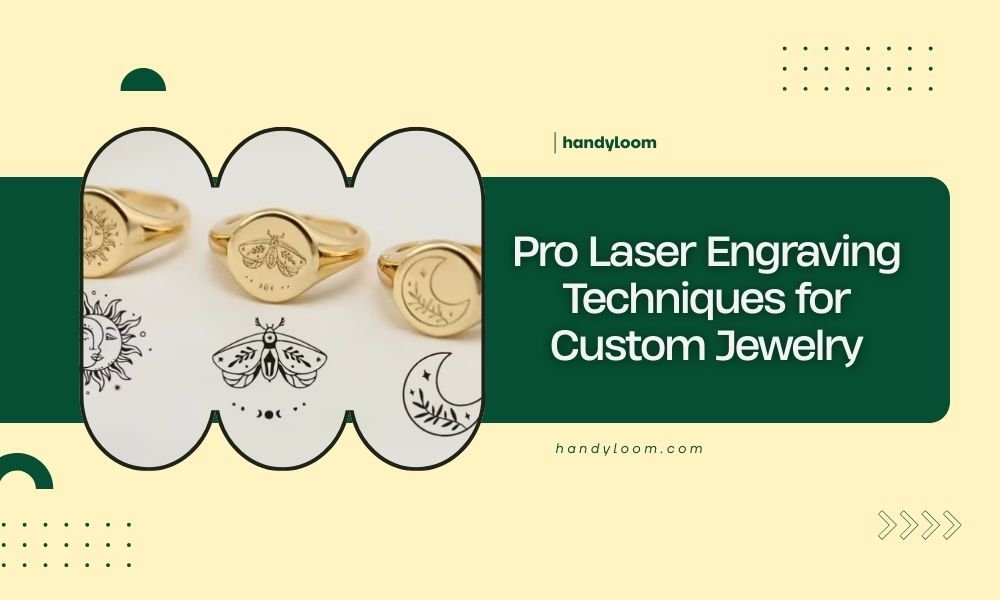
Pro laser engraving techniques for custom jewelry include using low power settings for delicate metals, proper focus calibration, and multi-pass engraving for deeper impressions.
Start with test pieces to dial in your settings, then use vector paths for clean lines and raster patterns for detailed textures on rings, pendants, and bracelets.
Getting Your Laser Settings Right
Your laser settings make or break your jewelry projects. Too much power burns through thin metals. Too little barely scratches the surface.
I found through research that most jewelry metals need 15-30% power with multiple passes. This gives you clean, controlled engraving without heat damage.
Power Settings by Metal Type
Different metals react differently to laser energy. Here’s what works best:
- Sterling silver: 20-25% power, 100mm/min speed
- Gold (14k or higher): 15-20% power, 80mm/min speed
- Stainless steel: 25-35% power, 60mm/min speed
- Titanium: 30-40% power, 50mm/min speed
Focus Distance Matters More Than You Think
Your focus point controls how sharp your engravings look. Most people set it wrong.
Set your focus exactly on the metal surface. Not above it, not below it. Use a focus gauge or test card to get this right every time.
Quick Focus Test Method
Run a small test pattern at different focus heights. The sharpest, cleanest lines show your perfect focus point.
Design Preparation for Jewelry Engraving
Good engraving starts with smart design choices. Your laser can’t fix a poorly prepared file.
Vector vs Raster: When to Use Each
Vector lines create smooth, professional edges. Use vectors for text, borders, and geometric patterns.
Raster fills add texture and depth. Perfect for background patterns or photo engraving on larger pieces.
Line Weight Guidelines
Keep your vector lines between 0.1mm and 0.3mm wide. Thinner lines might not show up. Thicker ones look clunky on small jewelry pieces.
Text Size and Font Selection
Tiny text looks great on screen but disappears on metal. Stick to 8-point font minimum for readable results.
Sans-serif fonts work better than fancy scripts. The laser cuts cleaner lines without decorative flourishes.
Best Fonts for Laser Engraving
- Arial Bold
- Helvetica
- Impact (for bold statements)
- Times New Roman (for traditional looks)
Surface Preparation Techniques
Clean metal equals clean engravings. Oils, fingerprints, and tarnish create uneven results.
Cleaning Methods That Actually Work
Use denatured alcohol and lint-free cloths. Soap leaves residue that affects laser absorption.
For heavily tarnished pieces, try metal polish first. Then clean with alcohol before engraving.
Masking for Protection
Apply thin masking tape to protect non-engraved areas from heat discoloration. Remove it immediately after engraving while the metal is still warm.
Advanced Multi-Pass Techniques
Single-pass engraving rarely gives professional results on jewelry. Multiple light passes beat one heavy pass every time.
Building Depth Gradually
Start with 15% power for your first pass. Increase by 5% for each additional pass until you reach desired depth.
This prevents overheating and gives you better control over the final appearance.
Pass Timing Strategies
Let the metal cool for 30 seconds between passes. Hot metal reflects laser energy differently than cool metal.
Working with Curved Surfaces
Rings and curved pendants need special attention. The laser beam hits at different angles across the curve.
Rotary Attachment Setup
A rotary attachment keeps curved surfaces perpendicular to the laser beam. This gives consistent engraving depth across the entire curve.
Set your rotary speed to match your linear speed settings. Most software calculates this automatically.
Manual Curve Compensation
Without a rotary, increase power by 10-15% at the curve edges where the beam hits at an angle.
Texture and Pattern Applications
Texture adds visual interest that plain engraving can’t match. Think beyond just text and simple shapes.
Creating Custom Textures
Use low-resolution raster patterns (150-300 DPI) for subtle textures. Higher resolution creates muddy results on small jewelry pieces.
| Texture Type | DPI Setting | Power % | Speed |
|---|---|---|---|
| Fine stipple | 300 | 20 | 100mm/min |
| Cross-hatch | 200 | 25 | 80mm/min |
| Wood grain | 150 | 30 | 60mm/min |
Layering Patterns for Depth
Combine vector outlines with raster fills. Engrave the raster pattern first, then add vector details on top.
Quality Control and Finishing
Your engraving is only as good as your finishing work. Raw laser cuts need attention.
Removing Heat Discoloration
Light oxidation wipes off with metal polish. Heavier discoloration needs fine steel wool or polishing compound.
Work gently in circular motions. You want to remove oxidation without scratching the surrounding metal.
Final Polish Techniques
Use progressively finer polishing compounds. Start with 400-grit, move to 800-grit, then finish with jeweler’s rouge.
Troubleshooting Common Problems
Even experienced operators hit snags. Here’s how to fix the most common issues quickly.
Uneven Engraving Depth
This usually means focus problems or warped metal. Check your focus at multiple points across the work piece.
For slightly warped pieces, use masking tape to hold them flat against your work surface.
Rough or Jagged Edges
Slow down your cutting speed or clean your lens. Dirty optics create rough, inconsistent cuts.
Conclusion
Pro laser engraving for custom jewelry comes down to preparation and patience. Start with proper settings, prepare your surfaces well, and use multiple light passes instead of single heavy ones.
Test your settings on scrap metal before working on finished pieces. Keep your optics clean and your focus precise. With these techniques, you’ll create professional-quality engravings that your customers will treasure.
What’s the best laser power for engraving wedding rings?
Use 15-20% power with 3-4 passes at 80mm/min speed. This prevents heat damage to the metal while creating clean, readable text inside the band.
How do you prevent tarnishing during laser engraving on silver?
Keep power settings below 25% and use multiple light passes. Clean the silver thoroughly before engraving and work in short sessions to minimize heat buildup.
Can you laser engrave gemstones safely?
Only certain gemstones work safely with lasers. Diamonds and sapphires handle laser engraving well, but opals and emeralds can crack from heat stress. Always test on sample stones first.
What file format works best for jewelry laser engraving?
SVG files preserve crisp vector lines at any size. DXF also works well for simple geometric designs. Avoid JPEG or PNG for text and line work.
How deep should jewelry engravings be for durability?
Aim for 0.1-0.2mm depth on most jewelry pieces. Deeper engravings weaken thin metal sections, while shallower ones wear away with daily use.
