
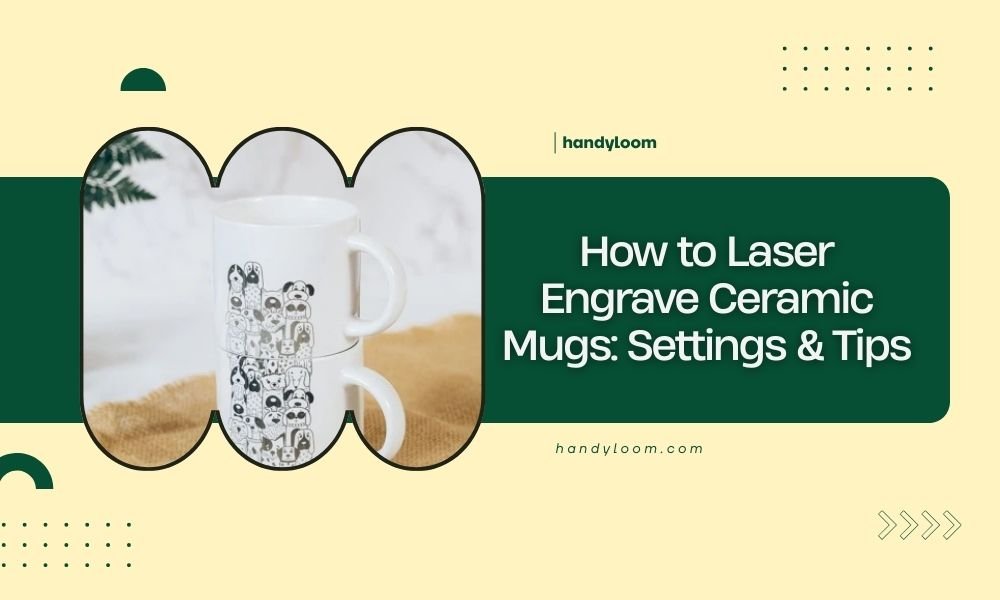
To laser engrave ceramic mugs, set your laser to 30-50% power with 60-80% speed and use multiple passes at 200-300 DPI resolution for best results.
The key to successful ceramic laser engraving is using proper settings, applying marking spray, and choosing the right ceramic material that responds well to laser heat.
Understanding Ceramic Laser Engraving Basics
Ceramic laser engraving works differently than wood or acrylic. The laser doesn’t cut through ceramic. Instead, it creates color changes by altering the surface chemistry through heat.
You’ll see the best results on glazed ceramics. The glaze reacts to laser heat and creates darker marks. Unglazed ceramic can work too, but results vary more.
How Laser Energy Affects Ceramic
When your laser hits ceramic, it heats the surface quickly. This thermal shock creates micro-fractures and chemical changes that show up as darker areas.
Think of it like a controlled burn. Too little heat won’t create visible marks. Too much heat can crack or damage your mug.
Essential Equipment and Materials
You’ll need more than just your laser to get professional results on ceramic mugs.
Laser Requirements
- CO2 laser (works better than diode lasers for ceramics)
- Minimum 40W power output recommended
- Rotary attachment for round mugs
- Air assist system to remove debris
Required Supplies
- Ceramic marking spray or paste
- Masking tape
- Clean cloths
- Isopropyl alcohol
- Safety glasses
Choosing the Right Mugs
Not all ceramic mugs engrave equally well. White or light-colored glazed mugs work best. Dark mugs won’t show contrast as clearly.
Avoid mugs with metallic accents or special coatings. These can damage your laser or create poor results.
Step-by-Step Preparation Process
Proper prep work makes the difference between amateur and professional-looking results.
Cleaning Your Mug
Start with a completely clean surface. Wipe down your mug with isopropyl alcohol. Remove any dust, oils, or residue.
Even fingerprints can affect how evenly your design engraves. Take your time with this step.
Applying Marking Compound
Ceramic marking spray is your secret weapon. It helps create darker, more visible marks on light ceramics.
Spray a thin, even coat over your engraving area. Let it dry completely before laser engraving. This usually takes 2-3 minutes.
Alternative Marking Methods
Some people use wet newspaper instead of marking spray. Place wet newspaper on the ceramic, let it dry, then peel it off. This leaves a thin residue that helps with marking.
Optimal Laser Settings for Ceramic Mugs
Getting your settings right prevents cracked mugs and creates clean, readable engravings.
Power Settings
Start with 30-40% power for your first test. Ceramic needs less power than you might think. High power creates heat stress that can crack your mug.
If your marks are too light, increase power by 5% increments. Never jump straight to high power settings.
Speed and Resolution Settings
| Setting Type | Recommended Range | Notes |
|---|---|---|
| Speed | 60-80% | Slower speeds create darker marks |
| Resolution (DPI) | 200-300 | Higher DPI for detailed designs |
| Passes | 2-4 | Multiple light passes work better than one heavy pass |
Testing Your Settings
Always test on a practice mug first. Use the same type of ceramic as your final project. Settings that work on one ceramic type might not work on another.
Create a small test square in an inconspicuous area. Check for proper darkness and no cracking before running your full design.
Design Considerations for Ceramic
Your design choices affect how well your engraving turns out on ceramic surfaces.
Best Design Types
Simple, bold designs work best on ceramic. Thin lines and tiny details often don’t show up well or look messy.
Text should be at least 12-point size. Anything smaller becomes hard to read on the textured ceramic surface.
Image Preparation Tips
Convert photos to high-contrast black and white images. Grayscale photos rarely look good on ceramic because the laser can’t create true gray tones.
Use image editing software to increase contrast and remove fine details that won’t engrave clearly.
Vector vs. Raster Designs
Vector designs (lines and shapes) usually engrave cleaner than raster images (photos) on ceramic. The clean edges of vector graphics translate better to the ceramic surface.
Using Rotary Attachments
Most mugs are round, so you’ll need a rotary attachment to engrave around the curved surface.
Setting Up Your Rotary
Secure your mug firmly in the rotary chuck. Loose mugs create wavy, uneven engraving lines.
Test the rotation before starting. Your mug should turn smoothly without wobbling or shifting.
Calibrating Rotary Settings
Your laser software needs to know the exact diameter of your mug. Measure carefully and enter this into your rotary settings.
Wrong diameter settings cause stretched or compressed designs. Double-check your measurements.
Common Rotary Problems
If your design looks wavy, your mug might be slipping in the chuck. Tighten the grip or add rubber padding for better hold.
Safety Precautions
Laser engraving ceramic creates unique safety concerns you need to address.
Ventilation Requirements
Ceramic engraving produces fine dust particles. Make sure your exhaust system is working properly.
The marking spray also creates fumes when burned. Good ventilation protects both you and your laser equipment.
Heat Management
Ceramic retains heat longer than wood or acrylic. Let your mug cool completely before handling it.
Rapid temperature changes can crack ceramic. Don’t rush the cooling process by using fans or cold water.
Eye Protection
Always wear proper laser safety glasses. Ceramic surfaces can reflect laser light unexpectedly.
Post-Engraving Cleanup
Your mug isn’t ready to use straight off the laser bed.
Removing Marking Residue
Wash off any remaining marking spray with warm water and dish soap. Use a soft cloth to avoid scratching the engraved areas.
Some residue might need gentle scrubbing. Avoid abrasive cleaners that could damage your engraving.
Final Inspection
Check your engraving under good light. Look for any areas that need touch-up work or additional passes.
Small imperfections are normal, but major gaps or light spots might need rework.
Troubleshooting Common Issues
Even experienced users run into problems. Here’s how to fix the most common issues.
Light or Invisible Marks
If you can barely see your engraving, increase power by 5-10% or slow down your speed. Try additional passes before changing power settings.
Make sure you’re using marking spray. It makes a huge difference in mark visibility.
Cracked or Damaged Ceramic
Cracks mean too much heat too quickly. Reduce power and increase speed. Use more passes instead of higher power.
Let the ceramic cool between passes if doing multiple runs.
Uneven Engraving Depth
Inconsistent results often come from uneven marking spray application or dirty ceramic surfaces. Clean thoroughly and apply marking compound evenly.
Advanced Techniques
Once you master basic ceramic engraving, try these advanced methods.
Color-Fill Techniques
You can fill your engraved lines with paint or colored wax for enhanced visibility. Clean the engraving first, then carefully apply filler material.
Acrylic paint works well. Apply it, let dry, then sand lightly to remove excess from the surface.
Multi-Pass Shading
Create depth by varying the number of passes in different areas. More passes create darker regions.
Plan your shading carefully. You can always add more passes, but you can’t remove them.
Conclusion
Laser engraving ceramic mugs requires patience and practice, but the results are worth the effort. Start with proper settings around 30-50% power and 60-80% speed, and always use marking spray for best visibility.
Remember that ceramic responds differently than other materials. Multiple light passes work better than single heavy passes. Take time to prep your surface properly and test your settings before committing to your final design.
With these techniques and settings, you’ll create professional-looking engraved mugs that make great gifts or products. Keep practicing and adjusting your approach based on the specific ceramics you’re working with.
Can you laser engrave any type of ceramic mug?
Not all ceramic mugs work equally well. Glazed ceramic mugs with light colors produce the best results. Avoid mugs with metallic decorations, special coatings, or very dark colors as these can interfere with the laser or produce poor contrast.
Do I need special software to engrave curved mugs?
Your standard laser software should work fine with a rotary attachment. You’ll need to enable rotary mode in your software settings and input the correct mug diameter. Most laser software packages include rotary support features.
How long does ceramic marking spray last on the shelf?
Most ceramic marking sprays have a shelf life of 1-2 years when stored properly in a cool, dry place. Shake the can before each use and check that it sprays evenly. Old or separated spray can cause uneven engraving results.
Is it safe to drink from laser-engraved ceramic mugs?
Yes, laser-engraved ceramic mugs are safe for drinking when properly cleaned after engraving. The laser only affects the surface glaze and doesn’t create harmful chemicals. Wash thoroughly with soap and water before first use to remove any marking spray residue.
Why do some areas of my engraving look lighter than others?
Uneven engraving usually comes from inconsistent marking spray application, dirty ceramic surfaces, or variations in the ceramic glaze itself. Clean your mug thoroughly, apply marking spray evenly, and consider that some ceramic pieces have natural variations in how they respond to laser heat.
