
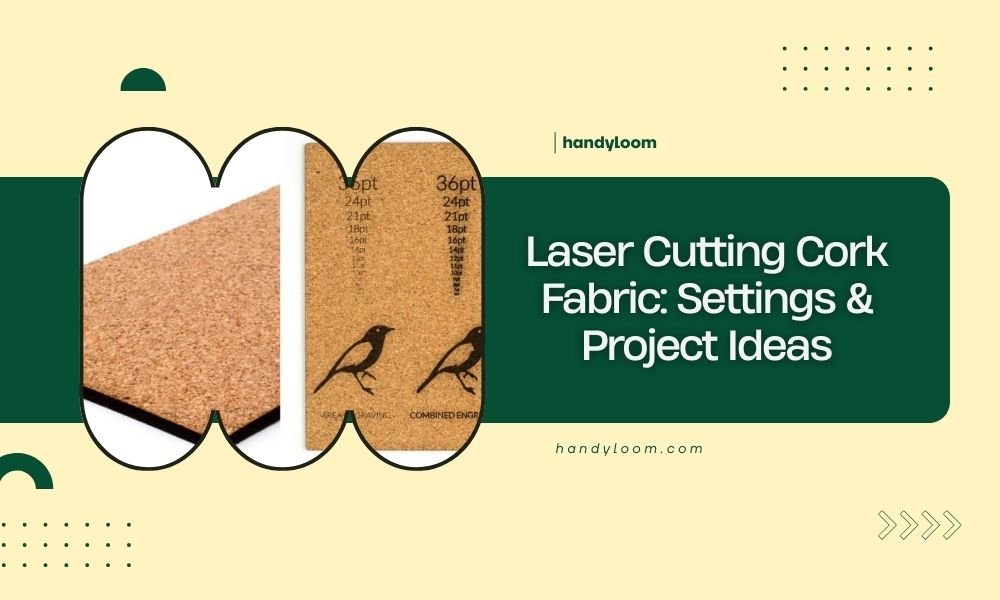
Laser cutting cork fabric requires low power settings of 10-20% and slow speeds of 100-200 mm/min to prevent burning and achieve clean cuts.
Cork fabric works best with 40-60W CO2 lasers, and you can create wallets, coasters, bags, and jewelry with precise laser cutting techniques.
Why Cork Fabric is Perfect for Laser Cutting
Cork fabric feels like leather but cuts cleaner than most materials. You get smooth edges without fraying or melting. The natural texture adds character to your projects.
I found that cork fabric responds better to laser cutting than traditional cork sheets. The fabric backing gives it stability while the cork surface provides that rustic appeal.
What Makes Cork Fabric Different
Cork fabric combines thin cork layers with textile backing. This combo gives you flexibility without losing the cork’s natural beauty.
Regular cork crumbles. Cork fabric bends and folds like leather. You can make curved designs and complex shapes that regular cork can’t handle.
Essential Laser Settings for Cork Fabric
Getting your settings right saves material and time. Too much power burns the edges. Too little power leaves incomplete cuts.
Power Settings That Work
Start with 15% power for most cork fabrics. Thin cork fabric (under 1mm) needs only 10-12% power. Thicker pieces may need up to 20%.
I researched various forums and found that most crafters stick to this low-power range. High power creates charred edges that look unprofessional.
Testing Your Power Level
Cut a small square first. Check the back – you should see a clean cut through both cork and fabric layers. No burning, no incomplete cuts.
Speed Settings for Clean Cuts
Slow speeds give better results with cork fabric. Set your speed between 100-200 mm/min for most projects.
Fast cutting creates heat buildup. Heat makes cork edges look burned and rough. Patience pays off with cork materials.
Finding Your Sweet Spot
Try 150 mm/min as your starting speed. Adjust up or down based on your material thickness and desired finish quality.
Air Assist and Ventilation
Cork creates fine dust when cut. Good air assist blows particles away from your cut line. This prevents buildup that causes rough edges.
Keep your workspace ventilated. Cork dust is natural but you don’t want to breathe it constantly during long cutting sessions.
Preparing Cork Fabric for Cutting
Preparation makes the difference between perfect cuts and wasted material. Take time to set up properly.
Cleaning Your Material
Wipe cork fabric with a damp cloth before cutting. Remove any surface dust or debris. Let it dry completely – wet cork burns unevenly.
Securing the Fabric
Cork fabric can curl or shift during cutting. Use masking tape on corners to hold it flat against your cutting bed.
Don’t tape over your cut lines. The adhesive can gum up your laser beam path and create uneven cuts.
Checking Material Thickness
Measure your cork fabric thickness with calipers. Even small variations affect your laser settings. Adjust power up for thicker spots.
Best Project Ideas for Cork Fabric
Cork fabric works great for accessories and home decor. The natural texture adds warmth to any design.
Fashion Accessories
Wallets and purses top the list for cork fabric projects. The material feels premium and ages beautifully with use.
Jewelry pieces like earrings and pendants showcase cork’s unique grain patterns. Lightweight cork won’t weigh down your ears.
Belt and Strap Projects
Cork fabric makes excellent watch bands and camera straps. It’s comfortable against skin and naturally antimicrobial.
Home Decor Applications
Coasters are perfect starter projects. Simple shapes, quick cuts, and immediately useful results.
Wall art panels create texture and visual interest. Layer different cork colors for depth and contrast.
Kitchen and Dining Items
Placemats and trivets protect surfaces while adding natural style. Cork handles heat well and cleans easily.
Tech Accessories
Phone cases and laptop sleeves benefit from cork’s natural shock absorption. Your devices get protection with style.
Cable organizers and cord wraps use cork’s flexibility. Roll them up and they stay put without clips or ties.
Troubleshooting Common Issues
Even with perfect settings, problems can pop up. Here’s how to fix the most common cork cutting issues.
Burned or Charred Edges
Black edges mean too much power or too slow speed. Reduce power by 2-3% and try again on a test piece.
Clean your lens before cutting. Dirty optics focus poorly and create hot spots that burn your material.
Preventing Edge Burning
Use multiple light passes instead of one heavy cut. Two passes at 8% power often work better than one pass at 15%.
Incomplete Cuts
When your cork doesn’t cut all the way through, resist cranking up the power immediately. Check your focus first.
Proper focus puts the laser’s narrowest point right at your material surface. Poor focus spreads the beam and reduces cutting power.
Material Movement Problems
If pieces shift during cutting, your hold-down method needs work. Use more tape points or invest in a vacuum table.
Design Tips for Cork Projects
Cork fabric has unique properties that affect your design choices. Work with the material instead of against it.
Working with Cork’s Natural Grain
Cork has visible grain patterns that add character. Orient your designs to highlight these natural features.
Avoid tiny details in areas with heavy grain. The texture can overwhelm small design elements.
Size Considerations
Cork fabric comes in limited widths. Plan your projects around standard fabric dimensions to minimize waste.
Color and Finish Options
Natural cork ranges from light tan to dark brown. Some suppliers offer dyed versions in various colors.
Laser cutting may slightly darken cut edges. Factor this into your color scheme when planning multi-piece projects.
| Project Type | Recommended Thickness | Best Power Setting | Ideal Speed |
|---|---|---|---|
| Jewelry | 0.5-1mm | 10-12% | 200mm/min |
| Accessories | 1-2mm | 15-18% | 150mm/min |
| Home Decor | 2-3mm | 18-20% | 100mm/min |
Safety and Maintenance
Cork fabric creates less fumes than synthetic materials, but you still need proper safety measures.
Ventilation Requirements
Run your exhaust fan during cork cutting. Natural doesn’t mean harmless when it comes to airborne particles.
Many experts recommend treating cork dust like any wood dust – don’t breathe it regularly (OSHA guidelines).
Equipment Care
Clean your laser lens after every few cork projects. Cork residue builds up faster than you might expect.
Conclusion
Laser cutting cork fabric opens up a world of eco-friendly project possibilities. Start with low power settings around 15% and slow speeds near 150 mm/min. Test on scraps first to dial in your settings.
The key to success lies in patience and proper preparation. Clean cuts come from clean setups and conservative power levels. Whether you’re making wallets, coasters, or home decor, cork fabric delivers that premium natural look that customers love.
Remember to keep your workspace ventilated and your equipment clean. With these basics down, you’ll create beautiful cork projects that showcase both your skills and this amazing sustainable material.
What type of laser works best for cork fabric cutting?
CO2 lasers in the 40-60W range work best for cork fabric. Diode lasers struggle with cork’s density and often produce uneven cuts with burned edges.
Can you engrave on cork fabric before cutting?
Yes, but engrave first, then cut. Use very low power (5-8%) for engraving to avoid burning through the cork layer. The fabric backing helps prevent complete burn-through.
How do you join pieces of laser-cut cork fabric together?
Contact cement works best for permanent bonds. For removable connections, try heavy-duty velcro or snap fasteners. Avoid regular fabric glue as it doesn’t bond well to cork surfaces.
Does cork fabric need special storage after laser cutting?
Store cut cork fabric flat in low humidity areas. High moisture can cause the fabric backing to separate from the cork layer over time. Avoid direct sunlight which fades natural cork colors.
What software settings help optimize cork fabric cutting files?
Use vector files with 0.1mm or thinner line weights. Set your software to “cut” mode rather than “engrave” mode. Avoid hairline fonts and details smaller than 2mm for best results.
