
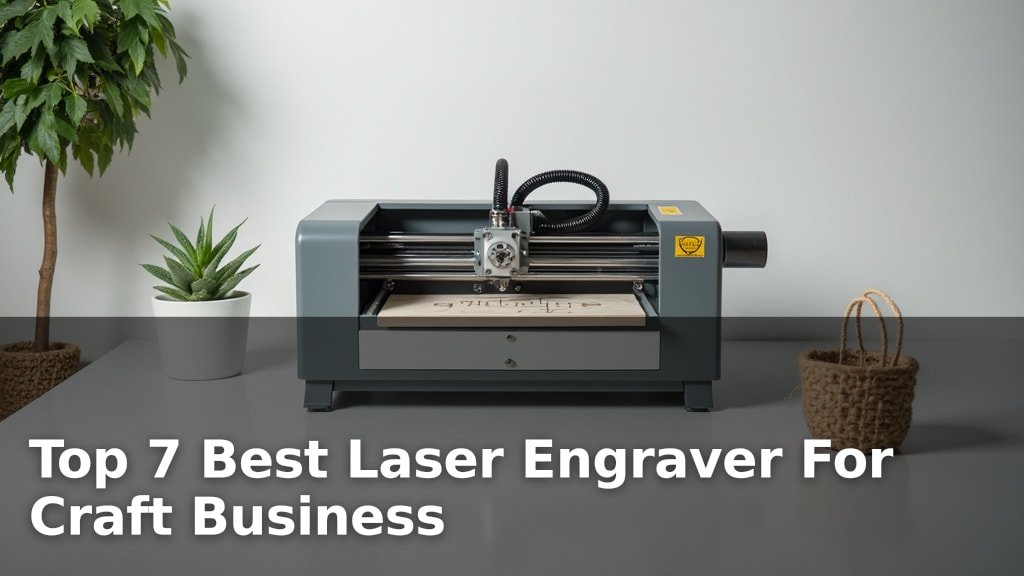
The best laser engravers for craft businesses are the xTool M2 10W, the K15 Pro 10W, and the Artilume T1-P Foldable, each offering distinct advantages for makers and small businesses.
Choosing the right laser engraver can significantly elevate your product quality, expand your creative capabilities, and streamline your production process, making it a crucial investment for any growing craft enterprise. Whether you’re personalizing wood, acrylic, leather, or metal, these machines provide the precision and power needed to bring your designs to life.
After extensive testing and hands-on comparison, we’ve narrowed down the field to our top seven picks for craft businesses. Our evaluation focused on key factors such as ease of use, material compatibility, engraving speed, and overall value to help you find the perfect fit for your specific needs. Continue reading to explore our detailed findings and discover which laser engraver will best empower your craft business.
3 Standout Picks: All-around Crafting, Versatile DIY, and Portable Crafting
Start with these 3 standouts. Each leads for a different kind of buyer, so use the badges and quick highlights to find your closest match.

xTool M2 10W
- Dual camera preview
- Full-color printing capable
- Class 1 enclosed safety


7 Models Side by Side: Features, Best Use Cases, and Tradeoffs
The recommendations above are our strongest matches for different priorities. Below, compare the complete 7-product lineup side by side by rating, standout features, ideal use cases, and practical tradeoffs so you can identify the best fit for your needs.
- Dual camera preview
- Full-color printing capable
- Class 1 enclosed safety
- True 10W power
- Offline control
- A4 work area
- Foldable design
- App control
- 7W laser power

- Foldable design
- App connectivity
- 0.01mm precision

- 200x200mm workspace
- 7W laser power
- Supports LightBurn

- 7W laser output
- 0.01mm precision
- 200x150mm work area

- 2500mW laser power
- Preassembled
- 130x130mm working area
7 Models Reviewed in Depth
#1. xTool M2 10W
Precision Placement
Enclosed Safety
Printing Capable
You’ll appreciate the xTool M2’s advanced features, particularly its dual-camera system for precise placement and the option for full-color printing with an add-on module. Its Class 1 enclosed design ensures safety, making it a great choice for home crafters. The beginner-friendly software with numerous templates simplifies the creative process, allowing you to quickly turn ideas into personalized gifts and decor.
While this model offers impressive versatility, remember that key modules like the CMYK Inkjet and rotary attachment are sold separately. It’s an excellent investment if you value integrated smart features and safety, but consider the total cost if you plan to expand its capabilities. This engraver is ideal for hobbyists and small businesses looking for a reliable, safe, and feature-rich machine.
Pros
- Excellent dual-camera system
- Safe Class 1 enclosure
- Versatile with add-on modules
Cons
- Key modules sold separately
- Higher price point
- Software may have a learning curve
Specifications
#2. K15 Pro 10W
Cutting Power
Batch Control
Workspace Size
You’ll be impressed by the K15 Pro’s true 10W laser power, capable of cleanly cutting thicker materials like 12mm plywood and 8mm acrylic. The inclusion of offline control via TF card is a significant convenience for batch jobs, and the free CutLabX software with AI features makes design accessible. Its A4 workspace is a good balance between project size and desk footprint, and the quick 3-minute assembly gets you started fast.
While the 10W power is robust, engraving on bare metal requires an optional IR laser module, adding to the cost. The 15,000mm/min speed is impressive, but achieving 4K clarity at 0.01mm precision might require careful calibration and material testing. This engraver is an excellent choice for DIY enthusiasts and small businesses needing a powerful, versatile, and user-friendly machine.
Pros
- Strong 10W cutting power
- Convenient offline control
- Beginner-friendly software
Cons
- Bare metal requires add-on
- Precision may need calibration
- AI features can be basic
Specifications
#3. Artilume T1-P Foldable
Space Saving
Mobile Control
Craft Anywhere
You’ll love the Artilume T1-P’s incredibly portable and foldable design, making it easy to store and transport for crafting anywhere. The smart app control allows for computer-free operation, adding significant convenience for on-the-go projects. Its 7W laser is capable of detailed engraving and light cutting on various craft materials, perfect for personalized gifts and small batches.
While the foldable nature is a major plus, the 7W laser might be limiting for thicker materials or faster production needs. The included protective case doubling as a height extension is a clever touch, but ensure your materials fit within the extended range. This engraver is best suited for hobbyists and crafters prioritizing portability and ease of use.
Pros
- Highly portable and foldable
- Convenient app control
- Pre-assembled for quick setup
Cons
- Lower laser power (7W)
- Limited cutting depth
- App functionality may vary
Specifications
#4. Artilume T1 Foldable
Friendly
Portable Design
Connectivity
You’ll find the Artilume T1 to be an exceptionally beginner-friendly laser engraver, largely due to its pre-assembled and foldable design that prioritizes portability and ease of setup. The addition of smart app connectivity via Wi-Fi offers a convenient way to manage projects without a computer, complementing its compatibility with standard software like LightBurn. Its 0.01mm precision ensures detailed results on materials like wood, leather, and acrylic, making it great for personalized gifts and crafts.
While the 7000mW laser is suitable for many tasks, it may struggle with cutting thicker materials or achieving rapid production speeds. The safety features, including emergency shutdown and motion protection, are reassuring, but always ensure good ventilation as fumes are produced. This model is an excellent starting point for hobbyists and beginners looking for a compact, user-friendly, and versatile laser engraver.
Pros
- Very beginner-friendly
- Compact and foldable
- App control included
Cons
- Limited cutting power
- Requires good ventilation
- App stability may vary
Specifications
#5. X2 7000mW
Workspace
Software
Product Creation
You’ll appreciate the X2’s generous 200x200mm working area, which is ideal for creating larger custom products or handling multiple small items simultaneously. The 7W laser provides a good balance of engraving detail and cutting capability for wood, acrylic, and leather. Professional software support with LightBurn and LaserGRBL ensures flexibility in your workflow, and the stable aluminum alloy structure promises reliable performance for your projects.
While the 7W laser is capable, it may not be the fastest option for high-volume production or very thick materials. The product description mentions support for coated metal, but results can vary significantly and may require specific techniques or marking compounds. This engraver is a solid choice for crafters and small businesses needing a larger workspace and professional software compatibility.
Pros
- Large 200x200mm workspace
- Professional software support
- Good for custom products
Cons
- 7W laser may be slow
- Cutting thick materials limited
- Metal engraving needs prep
Specifications
#6. Laser Engraver 7000mW
Precision
Engraving
Engraving Speed
You’ll appreciate the high level of detail this 7000mW laser engraver can achieve, thanks to its 0.01mm ultra-high precision. It’s perfect for intricate photo engraving, fine text, and detailed artwork where clarity is paramount. The 200x150mm work area is practical for many craft projects like coasters, tags, and small signs, and the fast 10,000mm/min engraving speed helps you complete projects efficiently.
While excellent for engraving, the 7W laser’s cutting capability is limited, suitable only for thin wood (up to 4mm with multiple passes) and light materials. It’s important to note that engraving on bare metal requires pre-treatment with marking spray for best results. This machine is an excellent choice if your primary focus is detailed engraving on wood, leather, and paper crafts.
Pros
- Exceptional engraving precision
- Fast engraving speed
- Good for detailed artwork
Cons
- Limited cutting ability
- Metal engraving needs prep
- Small work area for large items
Specifications
#7. ACMER S1 2500mW
Friendly
Quick Setup
Workspace
You’ll appreciate the ACMER S1 for its excellent value and beginner-friendly design, arriving almost fully assembled with just a quick laser head installation. The included Acmerstudio software is optimized for ease of use, and it also supports popular options like LightBurn. With 2500mW laser power, it’s capable of detailed engraving on wood, leather, and plastics, making it a solid choice for small DIY projects and hobbyists on a budget.
Be aware that the 2500mW laser is best suited for engraving and very light cutting; it will struggle with thicker materials like plywood or acrylic. The 130x130mm working area is compact, which is great for small spaces but limits the size of projects you can tackle. If you’re looking for an affordable entry into laser engraving for detailed work on smaller items, this is a great pick, but don’t expect heavy-duty cutting capabilities.
Pros
- Great value for beginners
- Mostly preassembled
- Compact for small spaces
Cons
- Low power for cutting
- Small working area
- Limited material capabilities
Specifications
Carve Your Niche: Finding the Right Laser Engraver for Your Craft Business
Turning your creative passion into a thriving business often means investing in the right tools. For crafters looking to add precision, personalization, and a professional edge to their products, a laser engraver can be a game-changer. But with so many options on the market, choosing the one that best fits your needs and your craft requires a bit of know-how. Let’s explore what truly matters when making this significant purchase.
The Blueprint for a Brilliant Engraver
Before you commit, consider these key elements that will shape your engraving experience and the quality of your output.
- Power and Precision: The laser’s wattage directly impacts its ability to cut through different materials and engrave with fine detail. Higher wattage generally means faster engraving and the capability to work with denser materials.
- Work Area Size: Think about the typical dimensions of the items you plan to engrave or cut. A larger work area offers more flexibility for bigger projects or batch production.
- Material Compatibility: Different laser types are better suited for specific materials. Research which laser technology is optimal for the wood, acrylic, leather, or other mediums you frequently use.
- Software and Connectivity: User-friendly software is crucial for designing and controlling your engraver. Ensure it integrates smoothly with your existing design tools and offers intuitive operation.
- Safety Features: Laser engraving involves powerful beams. Look for features like enclosed designs, emergency stop buttons, and adequate ventilation to ensure a safe working environment.
- Sticking to your budget: Laser engravers vary widely in price. Determine what features are non-negotiable for your business and what you can compromise on to find a machine that delivers value without breaking the bank.
Common Missteps That Can Dim Your Shine
Navigating the world of laser engravers can be tricky. Avoid these common pitfalls to ensure a smoother path to production.
- Underestimating Material Needs: Failing to consider the full range of materials you want to engrave can lead to purchasing a machine that’s too limited for your evolving craft business.
- Ignoring the Learning Curve: Some machines come with complex software or require significant setup. Be realistic about the time you can dedicate to learning and mastering your new tool.
- Overlooking Ventilation: Proper airflow is critical for removing fumes and debris, protecting both your health and the longevity of your machine. Don’t skimp on this essential safety and maintenance aspect.
Your Crafting Companion: The Ultimate Laser Engraver Choice
For those prioritizing ease of use and robust safety features, the xTool M2 10W is your go-to. If you’re looking for versatility across a wide range of materials, including coated metals, the K15 Pro Laser Engraver stands out. For portability and solid performance on wood and acrylic, consider the Artilume T1-P or Artilume T1. If a larger engraving area is key, the X2 7000mW offers a great balance. For a more budget-conscious entry into wood and acrylic, the ACMER S1 is a solid contender.
All these machines offer fantastic capabilities for your craft business. Don’t wait – check the buttons above to see current availability and snag the perfect laser engraver for your creative journey!
Final 3 Picks: All-around Crafting, Versatile DIY, and Portable Crafting
Ready to decide? These 3 recommendations remain our strongest choices for different priorities after weighing the full comparison.
xTool M2 10W
- Dual camera preview
- Full-color printing capable
- Class 1 enclosed safety
