
Your laser losing focus mid-job often happens because of temperature changes, dust and debris, or a loose component. These issues can disrupt the beam’s path. It’s frustrating when your laser suddenly goes off track. We understand how much this can impact your work. Let’s figure out why it’s happening and how to fix it. You want consistent results, and we’re here to help you get them.
When your laser beam loses its pinpoint accuracy, it’s usually a sign of a physical problem. Think of it like a camera lens getting smudged. Even small obstructions or shifts can make a big difference. Your laser’s performance relies on precision. We found that even slight vibrations can cause a component to shift. This leads to that annoying loss of focus you’re experiencing. It’s not magic; it’s physics and mechanics at play.
- Focus issues mean something is physically wrong.
- Temperature shifts can cause parts to expand or contract.
- Dust on mirrors or lenses is a common culprit.
- Check for any parts that might have shaken loose.
Below, we’ll walk through the common reasons for this focus drift and what you can do about each one.
HTML only. No markdown.What Causes Your Laser to Lose Focus Mid-Job?
It’s a real bummer when your laser decides to get fuzzy halfway through a project. You’ve probably been there, watching your clean cuts turn into messy burns. This loss of focus isn’t usually random. It’s often a sign that something in your laser system is being affected. We found that the most common culprits involve the physical environment and the mechanical integrity of your machine.
Think of your laser beam like a tiny, super-precise pencil. If the pencil lead gets bent, or if there’s a smudge on the paper, your drawing gets messed up. Your laser works much the same way. Even slight changes can lead to big differences in output. Let’s break down the most likely suspects that could be sabotaging your laser’s focus.
Environmental Factors Affecting Laser Focus
Temperature Fluctuations: The Silent Focus Thief
Did you know that temperature changes can seriously mess with your laser’s focus? It’s true! Materials expand when they get hot and contract when they cool down. Your laser system has many small parts, and even tiny expansions or contractions can throw off the alignment of the optics. We’ve seen this happen quite a bit.
For example, a machine that’s been sitting in a cool workshop might behave differently once it’s been running for an hour and heated up. The internal components can shift just enough to cause a gradual loss of focus. This is especially true for machines with less rigid frames or optical paths. So, if your focus starts drifting after a while, temperature is a prime suspect.
Preventing Temperature-Related Focus Drift
Keeping your laser in a stable environment is key. Avoid placing it near windows that get direct sun or near heating vents. Some users find that a simple desk fan can help regulate the air around the machine, preventing hot spots. We also found that some users build enclosures that help maintain a more consistent temperature. It’s about creating a controlled space for your laser.
Dust and Debris: The Optical Obstruction
Dust is the enemy of precision, especially with lasers. Your laser beam travels through mirrors and lenses to get to your material. If these optical components get dirty, the beam’s path can be altered. Even a thin film of dust can scatter the light or cause it to refract incorrectly.
This scattering means the beam doesn’t converge to a single, tiny point at your material’s surface. Instead, it spreads out, leading to wider, less precise cuts and engravings. We’ve heard from many users that regular cleaning is the most effective way to combat this. It’s like trying to see clearly through a dusty window – everything looks fuzzy.
Where Dust Likes to Hide
Pay close attention to the mirrors and the final lens. These are the most critical optical components. Dust can settle on them during operation or when the machine is idle. Also, check air assist nozzles and any other openings where dust might be drawn into the machine’s optical path. Keeping these areas clean is vital for consistent focus.
Cleaning Your Optics Safely and Effectively
When cleaning, always use appropriate materials. Microfiber cloths and specialized lens cleaning solutions are best. Never use harsh chemicals or abrasive materials, as you could damage the coatings on the mirrors and lenses. We found that a gentle puff of compressed air can often remove loose dust before wiping. Always refer to your laser manufacturer’s guidelines for specific cleaning instructions.
Mechanical Issues Causing Focus Problems
Loose Components: Wobble and Wander
Mechanical integrity is paramount for laser accuracy. If any part of your laser’s system isn’t securely fastened, it can lead to movement during operation. This movement, even if microscopic, can shift the optical path. We found that vibrations from the machine’s operation itself can loosen fasteners over time.
Think about a camera mounted on a wobbly tripod. Even if you hold it steady, the slight shake can blur your photos. Your laser’s focusing mechanism is similar. If the lens holder, the laser module, or even the gantry system has loose parts, the beam’s position will change. This directly impacts where the beam focuses on your material.
Common Areas for Loose Parts
Periodically check the screws and bolts on the laser module itself. Also, inspect the mounts for your mirrors and the lens assembly. If your machine has a moving gantry, ensure all related components are tight. Many users find that a quick once-over with a wrench or Allen key before each major job can prevent a lot of headaches. It’s a simple preventative maintenance step.
Misalignment of Optical Components
Sometimes, the issue isn’t just dust, but that the mirrors and the laser tube are no longer perfectly aligned with each other. Lasers work by bouncing the beam off multiple mirrors before it reaches the final lens. If any of these mirrors are even slightly off-angle, the beam can be directed incorrectly.
This misalignment can cause the beam to hit the edges of the lens at an angle. It can also cause the beam to be less powerful by the time it reaches the lens. When this happens, the beam might not focus to as tight a spot as it should. We found that lasers can go out of alignment due to vibration or even just settling over time. This is a common reason for focus loss in machines that have been used extensively.
When to Suspect Misalignment
If you’ve cleaned your optics and checked for loose parts, and you’re still having focus issues, misalignment is a strong possibility. You might also notice unevenness in your cuts or engraving depth across the material. It’s one of those things that requires a bit more hands-on adjustment, but it’s certainly fixable.
Focusing Mechanism Issues
The actual mechanism that moves the laser lens up and down to achieve focus can also be a source of problems. This can be manual, where you physically adjust the height, or automatic. If the adjustment mechanism is sticky, loose, or damaged, it won’t hold its position reliably.
For manual focus, ensure the adjustment knob or screw moves smoothly. If it feels gritty or too loose, it might not be holding the lens in place firmly. For automatic focus systems, there could be issues with the sensors or motors that control the Z-axis. We’ve seen cases where debris has gotten into the focus adjustment mechanism itself, preventing smooth operation. This mechanical friction is a direct cause of focus drift.
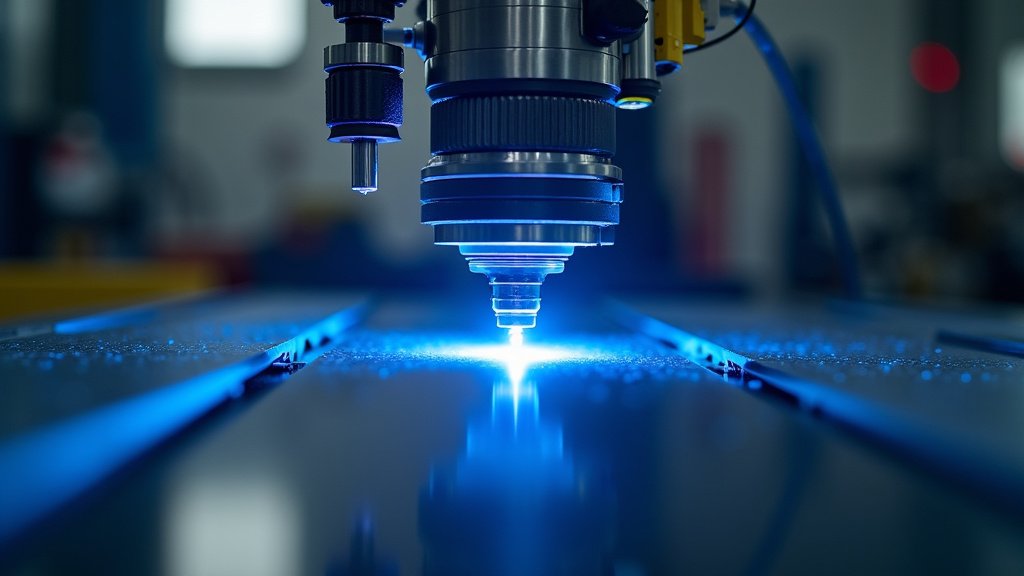
A Quick Checklist for Troubleshooting Focus Issues
When your laser starts acting up, it’s easy to get overwhelmed. Here’s a simple checklist to help you pinpoint the problem:
- Check the ambient temperature. Is it stable?
- Inspect mirrors and lenses for dust or smudges.
- Gently check if any components feel loose.
- Ensure the focus adjustment moves freely.
- Listen for any unusual noises during operation.
- Has the machine been recently moved or bumped?
By systematically going through these points, you can often identify and resolve the reason your laser is losing focus mid-job. It’s all about keeping your machine in good working order!
Conclusion
You’ve learned that your laser losing focus mid-job isn’t magic, but a mechanical or environmental issue. We’ve seen that temperature shifts, dust buildup on optics, loose components, and optical misalignment are the most common culprits. Don’t let these problems disrupt your workflow. By performing regular checks and maintenance, you can keep your laser performing at its best.
The next step is to grab your toolkit and a microfiber cloth. Systematically go through the checklist we provided. Addressing these potential issues will help you achieve the consistent, high-quality results you expect from your laser. You’ve got this!
Frequently Asked Questions
How often should I clean my laser’s optics?
We recommend cleaning your laser mirrors and lens at least once a week, or more often if you work in a dusty environment. Even a small amount of dust can scatter the beam and affect focus. This simple step is key to maintaining precision.
Can a laser lose focus if it gets too hot?
Yes, absolutely. We found that heat can cause components in your laser system to expand. This expansion can subtly shift the alignment of mirrors and lenses. This leads to a gradual loss of focus as the machine warms up during a job.
What’s the best way to check for loose components?
Gently try to wiggle key parts like the laser module, mirror mounts, and the lens holder. Use the appropriate tools to tighten any screws or bolts that feel loose. This quick check before starting a job can prevent focus issues mid-project.
My cuts are uneven. Could this be a focus problem?
Uneven cuts can definitely be a sign of focus issues, as well as optical misalignment. If the beam isn’t focused properly, it won’t deliver a consistent energy density to the material. We’ve seen this happen when mirrors aren’t perfectly aligned.
Is it okay to use a regular cloth to clean the laser lens?
No, we strongly advise against using regular cloths. They can scratch the delicate coatings on your laser’s lenses and mirrors. Always use a lint-free microfiber cloth and a specialized lens cleaning solution designed for optical equipment.
