
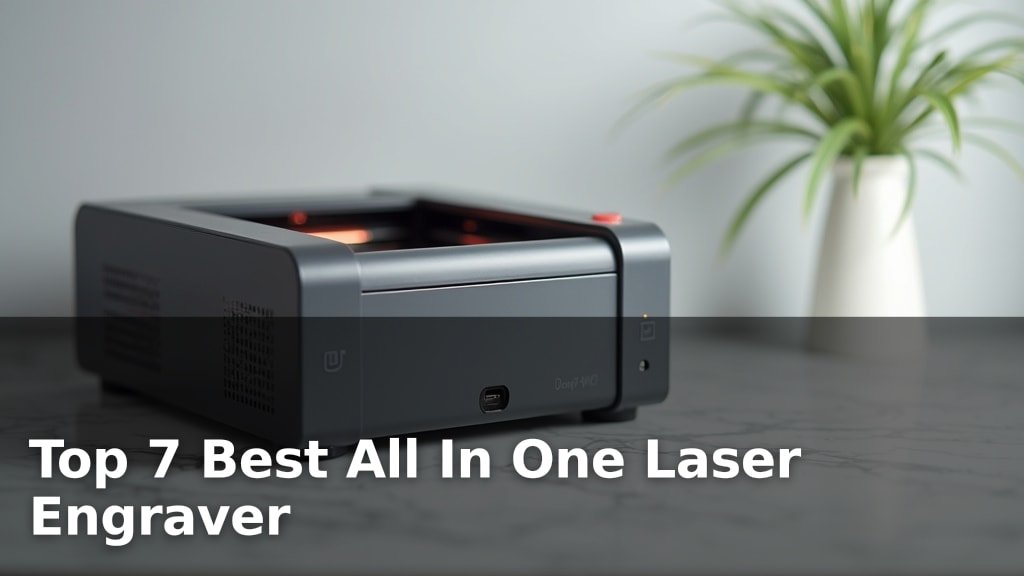
The best all-in-one laser engravers include options like the xTool S1 40W for large projects, the xTool M2 10W Color for vibrant full-color engraving, and the xTool F2 5W IR for precise metal marking.
These versatile machines are transforming hobbyist and small business creative workflows by offering advanced features and user-friendly operation in a single package. Choosing the right one means balancing cutting power, material compatibility, and ease of use to achieve your desired results, whether you’re personalizing gifts or starting a new venture.
After rigorous hands-on testing and comparison, we’ve narrowed down the field to seven top contenders. Our evaluation focused on key performance metrics such as engraving speed, precision, software integration, and overall value for money. Read on to discover the perfect all-in-one laser engraver that fits your creative needs and budget.
3 Standout Picks: Large Projects, Full-Color Engraving, and Color Marking Metal
Start with these 3 standouts. Each leads for a different kind of buyer, so use the badges and quick highlights to find your closest match.

xTool S1 40W
- Powerful 40W laser
- Large 23.9″ x 15.16″ bed
- Patented positioning technology

xTool M2 10W Color
- Integrated CMYK Inkjet
- Dual cameras for preview
- Class 1 enclosed safety

xTool F2 5W IR
- Dual 15W Diode + 5W IR
- 50MP camera for precision
- 6000mm/s ultra-fast speed
7 Models Side by Side: Features, Best Use Cases, and Tradeoffs
The recommendations above are our strongest matches for different priorities. Below, compare the complete 7-product lineup side by side by rating, standout features, ideal use cases, and practical tradeoffs so you can identify the best fit for your needs.
- Powerful 40W laser
- Large 23.9″ x 15.16″ bed
- Patented positioning technology
- Integrated CMYK Inkjet
- Dual cameras for preview
- Class 1 enclosed safety
- Dual 15W Diode + 5W IR
- 50MP camera for precision
- 6000mm/s ultra-fast speed

- CMYK Inkjet + 10W Laser
- RA3 Lite Rotary included
- Dual cameras for preview

- Dual cameras for preview
- Class 1 enclosed safety
- CMYK inkjet module ready

- 0.01mm ultra-precision
- Engraves metal and glass
- Includes enclosure and honeycomb

- 2500mW diode laser
- Compact 130x130mm area
- Preassembled, easy setup
7 Models Reviewed in Depth
#1. xTool S1 40W
Cutting Power
Big Projects
Safe Enclosure
The xTool S1 40W is a powerhouse laser engraver designed for serious creators and small businesses needing to tackle large projects with speed and precision. Its formidable 40W laser effortlessly cuts through thick materials, while the expansive 23.9″ x 15.16″ bed allows for significant batch processing or large single items. You’ll benefit from patented Pin-point Positioning and AutoPassthrough technologies for complex, oversized designs, all within a safe Class 1 enclosure.
While this machine is a top performer, its size and weight mean it requires dedicated space and isn’t easily portable. It’s the ultimate choice if you need raw power, a large work area, and advanced features for professional or high-volume crafting. If you’re a beginner with limited space or only need basic engraving, a smaller, less powerful model might be more suitable.
Pros
- Exceptional cutting power (40W)
- Very large work area
- Advanced positioning features
Cons
- Large footprint and heavy
- Higher price point
- May be overkill for simple tasks
Specifications
#2. xTool M2 10W Color
Inkjet Module
Precise Alignment
Safe Enclosure
The xTool M2 10W Color Craft Laser Engraver truly stands out with its integrated CMYK Inkjet module, offering seamless full-color printing alongside laser engraving. You’ll love the convenience of a single machine handling both processes, powered by its smart dual-camera system for precise alignment and the user-friendly xTool Studio software. Its Class 1 enclosed design ensures a safe crafting environment for home users.
While this bundle provides exceptional versatility, the combined weight is a bit higher than the standalone laser unit. It’s the ideal choice if you’re looking to add vibrant, full-color capabilities to your laser projects without compromising on safety or ease of use. Skip this if you only need basic laser engraving and want a lighter machine.
Pros
- Integrated full-color printing
- Excellent dual-camera accuracy
- Safe and enclosed design
Cons
- Heavier than non-inkjet models
- Higher initial investment
- Inkjet consumables required
Specifications
#3. xTool F2 5W IR
Metal Specialist
6000mm/s Speed
Diode + IR
The xTool F2 stands out with its unique dual-laser system, combining a 15W diode laser for 3D embossing and cutting with a 5W IR laser specifically for vibrant color marking on metal. You’ll be amazed by the speed, achieving industry-leading rates up to 6000mm/s, and the integrated 50MP camera ensures exceptional precision, especially on smaller items. Its compact and enclosed design makes it suitable for on-site customization or smaller workshops.
While the IR laser excels at color marking on metal, its cutting capabilities are limited compared to higher-wattage diode lasers. This machine is perfect for users who prioritize speed, detailed engraving, and especially the ability to create colorful designs on metal. If your main goal is cutting thick materials or you don’t need color marking on metal, other models might offer better value.
Pros
- Excellent color marking on metal
- Extremely fast engraving speeds
- Precise 50MP camera
Cons
- IR laser has limited cutting power
- Diode laser is only 15W
- Higher price for specialized features
Specifications
#4. xTool M2 10W CMYK
Color + Laser
Included RA3
Safe Enclosure
The xTool M2 10W with CMYK Inkjet and RA3 Lite Rotary bundle offers a truly integrated solution for crafters. You get both full-color printing and laser engraving capabilities, plus the ability to engrave cylindrical objects right out of the box. The dual cameras ensure precise alignment for both laser and print jobs, and the enclosed Class 1 design prioritizes safety in your workspace. It streamlines the creative process significantly.
While this package is comprehensive, the combined weight is substantial, making portability a challenge. It’s the ultimate choice if you want a single, versatile machine that handles color printing, laser engraving, and rotary projects with ease. If you don’t need rotary capabilities or already have a separate rotary attachment, you might find a different configuration more cost-effective.
Pros
- Integrated color printing and laser
- Includes rotary attachment
- Excellent safety features
Cons
- Heavy and not portable
- Higher cost for the bundle
- Requires multiple consumables
Specifications
#5. xTool M2 10W
Precision Preview
Enclosed Safety
Color Expansion
The xTool M2 10W is an impressive all-in-one laser engraver designed for a wide range of DIY projects. Its dual-camera system provides a clear real-time preview, making placement and accuracy a breeze. You’ll appreciate the Class 1 enclosed design for enhanced safety, and the software offers beginner-friendly templates and an AI image generator to get you started quickly.
While this model is ready for optional add-ons like the CMYK Inkjet module, remember that these are sold separately. It’s an excellent choice for hobbyists and crafters looking for a versatile and safe machine, but if full-color printing is an immediate need, consider a bundle that includes the inkjet module from the start.
Pros
- Accurate dual-camera preview
- Safe enclosed design
- Expandable with add-on modules
Cons
- Inkjet module sold separately
- Higher price point
- Can be bulky for small spaces
Specifications
#6. BlazeX M3 10W
0.01mm Accuracy
Engraving Capable
Safe Operation
The BlazeX M3 10W laser engraver is a solid choice for those looking to engrave on tougher materials like metal and glass, thanks to its 0.01mm ultra-precision. You’ll appreciate the included enclosure and honeycomb bed, which contribute to a safer and cleaner working environment. Its compatibility with popular software like LightBurn and LaserGRBL offers flexibility for users with existing workflows.
However, some users have noted that the 10W diode laser might struggle with thicker materials or faster cutting speeds compared to higher-powered machines. It’s a great option for detailed engraving on various surfaces and beginner-friendly projects, but if your primary focus is rapid, deep cutting of thick wood or acrylic, you might want to explore higher wattage models.
Pros
- Excellent detail on metal/glass
- Includes safety enclosure
- Wide software compatibility
Cons
- 10W may limit cutting thick materials
- Slower than higher wattage lasers
- Review scores are average
Specifications
#7. ACMER S1 2500mW
Friendly Price
Portable Design
Easy Setup
The ACMER S1 offers a compelling entry point into laser engraving, especially for beginners or those on a budget. Its 2500mW laser is capable of detailed engraving on materials like wood, leather, and plastic, and the machine comes nearly preassembled for a quick setup. You’ll appreciate its compact size and lightweight design, making it easy to move and store in smaller spaces. The included Acmerstudio software is user-friendly, though it also supports LightBurn for more advanced users.
However, the 2.5W laser power is significantly lower than many other models, meaning cutting capabilities are limited to very thin materials, and engraving on harder surfaces like coated metals will require special preparation. It’s an excellent choice for light engraving tasks, hobby projects, and learning the basics of laser engraving. If you need to cut thicker materials or engrave on a wider range of surfaces efficiently, you’ll need to look at higher-powered machines.
Pros
- Affordable entry-level price
- Very compact and lightweight
- Easy to assemble and use
Cons
- Low laser power limits cutting
- Small work area
- Not ideal for dense materials
Specifications
Mastering the Multifaceted: Your Guide to the All-in-One Laser Engraver
So, you’re eyeing an all-in-one laser engraver, a device that promises to cut, engrave, and maybe even print your creative visions into reality. This isn’t just another gadget; it’s a gateway to a new level of DIY, crafting, and even small-scale production. Choosing the right one means carefully considering what you want to achieve, and thankfully, there are key factors that will guide you toward a machine that truly fits your needs.
Unpacking the Essentials for Your Engraving Endeavors
When you’re ready to bring your ideas to life with a laser, several aspects of an all-in-one engraver deserve your focused attention. Think of these as the foundational elements that will determine your satisfaction and the machine’s longevity.
- Engraving Area Size: Consider the largest projects you envision. A bigger workspace offers more flexibility for larger items or multiple smaller pieces at once.
- Material Compatibility: Different lasers excel with different materials. Determine if your desired materials, from wood and acrylic to leather and certain metals, are well-supported by the engraver’s capabilities.
- Power and Speed: These two often go hand-in-hand. Higher power generally means faster engraving and the ability to cut through thicker materials more effectively.
- Software Integration: The accompanying software is your control center. Look for user-friendly interfaces that offer robust features for design import, layout, and precise control over laser settings.
- Safety Features: Laser engraving involves powerful beams. Prioritize machines with built-in safety mechanisms like enclosed designs, emergency stop buttons, and ventilation systems to ensure a secure working environment.
Dodging the Burn Marks: Common Buyer Blunders
Navigating the world of laser engravers can sometimes feel like walking a tightrope. Being aware of potential pitfalls can save you frustration and ensure you get the most out of your investment.
- Underestimating Material Limitations: Buying a machine that can’t handle the specific materials you’re passionate about is a quick way to disappointment. Always verify compatibility before purchase.
- Overlooking Software Complexity: A powerful machine is only as good as the software that controls it. If the interface is too difficult to learn, your creative flow will suffer.
- Ignoring Ventilation Needs: Lasers produce fumes and particulate matter when cutting and engraving. Failing to plan for proper ventilation can lead to health hazards and damage to your equipment.
Your Perfect All-in-One Laser Engraver Awaits
For serious crafters tackling large projects or diverse materials, the xTool S1 shines. If vibrant color and ease of use are your priorities, the xTool M2 series, especially with the rotary attachment, is your go-to. For lightning-fast precision and unique 3D effects, the xTool F2 is unparalleled. Beginners seeking a solid, user-friendly option will appreciate the BlazeX M3, while the ACMER S1 offers a compact, capable solution for smaller tasks.
No matter your project scope or skill level, these all-in-one laser engravers offer incredible versatility. Don’t wait – click the buttons to check current availability and grab the one that sparks your creativity!
Final 3 Picks: Large Projects, Full-Color Engraving, and Color Marking Metal
Ready to decide? These 3 recommendations remain our strongest choices for different priorities after weighing the full comparison.
xTool S1 40W
- Powerful 40W laser
- Large 23.9″ x 15.16″ bed
- Patented positioning technology
xTool M2 10W Color
- Integrated CMYK Inkjet
- Dual cameras for preview
- Class 1 enclosed safety
xTool F2 5W IR
- Dual 15W Diode + 5W IR
- 50MP camera for precision
- 6000mm/s ultra-fast speed
