
Yes, you absolutely can laser cut wood veneer! In fact, it’s a popular choice for many crafters and woodworkers. This thin sheet of wood can produce incredibly detailed and delicate designs when cut with a laser. You’ll be amazed at the precision you can achieve with this technique.
Wood veneer laser cutting offers a fantastic way to add a touch of natural beauty and intricate detail to your projects. It’s a more affordable way to work with beautiful wood grains compared to solid wood. Many find it provides a satisfying balance between ease of use and stunning results, perfect for everything from custom signage to decorative inlays.
- Yes, laser cutters can cut wood veneer.
- It’s great for detailed designs and inlays.
- Choose the right settings for clean cuts.
- Veneer offers a cost-effective way to use wood.
Ready to see how this works and what you’ll need to get started? Let’s walk through the details so you can get cutting your own beautiful wood veneer creations.
Laser Cutting Wood Veneer: What You Need to Know
So, you’re wondering if your laser cutter can handle wood veneer? The short answer is a resounding yes! Wood veneer is a fantastic material for laser cutting, opening up a world of possibilities for your projects. Think delicate inlays, custom signage, or even personalized gifts. It’s a great way to get the look and feel of real wood without the cost and thickness of solid lumber.
Getting Started with Wood Veneer Laser Cutting
Choosing the Right Wood Veneer Type
Not all wood veneers are created equal when it comes to laser cutting. You’ll find a wide variety, and some will perform better than others. Generally, you’ll want to stick with hardwood veneers for the cleanest cuts. Maple, cherry, walnut, and oak are excellent choices. They tend to char less and produce sharper edges.
Softer woods, like pine or poplar veneer, can sometimes burn more easily. This doesn’t mean you can’t use them, but you’ll likely need to adjust your laser settings more carefully. We found that softer woods might require a lower power setting and a slower speed to prevent excessive burning. Always do a small test cut first!
Understanding Veneer Thickness
Wood veneer is typically very thin, usually ranging from 1/40th of an inch to 1/8th of an inch. This thinness is precisely what makes it so well-suited for laser cutting. Thinner veneers will cut through more easily, requiring less power and speed from your laser. Thicker veneers might need a few passes or a slightly more powerful laser.
For beginners, we recommend starting with veneers that are around 1/16th of an inch thick. This thickness offers a good balance. It’s robust enough to handle a bit of manipulation but thin enough for most hobbyist and professional lasers to cut cleanly. You’ll get beautiful results without too much hassle.
Preparing Your Wood Veneer for Cutting
Before you send your design to the laser, a little preparation goes a long way. First, ensure your veneer is flat and smooth. If it’s curled or warped, it might not sit evenly on your laser bed. This can lead to uneven cuts or your laser missing parts of the design altogether. You can often flatten veneer by placing it under heavy books for a few days or by gently ironing it on a low setting (with a protective cloth, of course!).
Next, consider any backing your veneer might have. Some veneers come with a paper or fabric backing. This backing can sometimes affect the cut. If it’s paper, it will likely burn away. Fabric backings might require different settings. We found that removing any backing material prior to cutting can often lead to cleaner edges and reduce the chance of unwanted charring. Just peel it off carefully.
Setting Up Your Laser Cutter for Veneer
Key Laser Settings to Consider
This is where the magic happens! Getting your laser settings right is crucial for successful wood veneer cutting. The main settings you’ll adjust are power, speed, and frequency (or PPI – pulses per inch). These will vary greatly depending on your specific laser cutter, the type of wood veneer, and its thickness.
A good starting point for most 40-60 watt lasers and 1/16th inch hardwood veneer is around 50-70% power, a speed of 100-150 mm/second, and a frequency of 200-300 PPI. Remember, this is just a guideline. Always perform test cuts on a scrap piece of the exact same veneer you’ll be using for your project. This is non-negotiable!
Power and Speed Balance
Think of power and speed as a dance. If you increase the power, you’ll likely need to increase the speed to prevent burning. If you slow down the speed, you’ll need to reduce the power. Finding that sweet spot ensures a clean cut without scorching the edges or leaving behind un-cut material. We found that a slightly slower speed with lower power often yields a cleaner edge than high power and high speed.
Understanding Frequency (PPI)
Frequency (or PPI) controls how many laser pulses hit the material per inch of movement. A higher frequency means more pulses, which can lead to a smoother cut but also more heat. For delicate cuts on veneer, a moderate frequency is usually best. Too low, and you might get choppy edges. Too high, and you risk burning. Around 200-300 PPI is often a good range to start experimenting with.
Ventilation is Non-Negotiable
When you laser cut wood, it produces smoke and fumes. This isn’t just unpleasant; it can be hazardous. Proper ventilation is absolutely essential for your safety and for the longevity of your laser cutter. Make sure your laser cutter is connected to an effective exhaust system that vents outdoors or through a suitable filter. Always run your laser in a well-ventilated area.
We found that the amount of smoke can vary significantly between wood types. Some veneers produce more smoke than others. Good ventilation not only keeps your workspace clean but also prevents smoke from accumulating inside your laser, which can damage the optics and electronics over time. Think of it as giving your machine a clean breath of air!
Using a Honeycomb or Slat Bed
The surface your material rests on inside the laser cutter matters. A honeycomb bed is generally preferred for laser cutting wood. It allows the cut material to fall through, preventing frustrating back-splatter and ensuring a clean cut all the way through. If you have a slat bed, you might want to consider placing a thin sheet of scrap metal or a sacrificial layer of MDF underneath your veneer to catch any stray laser beams and prevent damage to the bed itself.
When placing your veneer on the bed, ensure it’s as close to the surface as possible. This minimizes the distance the laser beam has to travel and helps maintain focus, leading to sharper cuts. You might also want to use masking tape around the edges of your veneer to help reduce burning and soot marks. We found that applying masking tape to the top surface can protect the wood grain from discoloration during the laser process.
Achieving Clean Edges and Avoiding Burn Marks
The Importance of Focus
Getting your laser cutter perfectly focused on the surface of your wood veneer is key to achieving precise cuts. An out-of-focus laser beam will be wider, leading to less defined edges and potentially more burning. Most laser cutters have an adjustable focal lens. You want the laser beam to be a tiny, sharp point right on the surface of the veneer.
Different materials and thicknesses might require slight adjustments to your focus. Always double-check your focus before starting a new project, especially if you’ve changed materials. We found that using a focus tool that comes with your laser cutter is the most reliable way to ensure accuracy. A well-focused beam is your best friend for clean results.
Masking Tape: Your Best Friend for Soot Prevention
Wood veneer, especially certain species, can be prone to developing soot or burn marks around the cut edges. A simple and highly effective trick is to cover the entire surface of your veneer with blue painter’s tape or masking tape before cutting. This tape acts as a protective layer, absorbing some of the heat and preventing smoke residue from settling on the wood’s surface.
After cutting, you simply peel off the tape, and voilà! You’ll often find much cleaner edges with significantly less charring. You might need to adjust your laser settings slightly when cutting through tape, perhaps by increasing the power a little or slowing down slightly. It’s always best to test this on a scrap piece first. This technique is a real game-changer for achieving professional-looking results.
Post-Cut Finishing Touches
Even with the best settings, you might find a few minor imperfections after cutting. Don’t worry! A bit of light sanding can often clean up any slightly charred edges. Use a fine-grit sandpaper (like 220 or higher) to gently smooth the edges. You can also use a soft brush or compressed air to remove any loose debris or dust.
For engraved designs, you might want to lightly sand the engraved areas as well. Sometimes, a damp cloth can help remove any fine dust. We found that a light wipe with a tack cloth after sanding leaves the surface perfectly clean and ready for finishing, like applying oil, stain, or varnish. Always work in the direction of the wood grain for the best results.
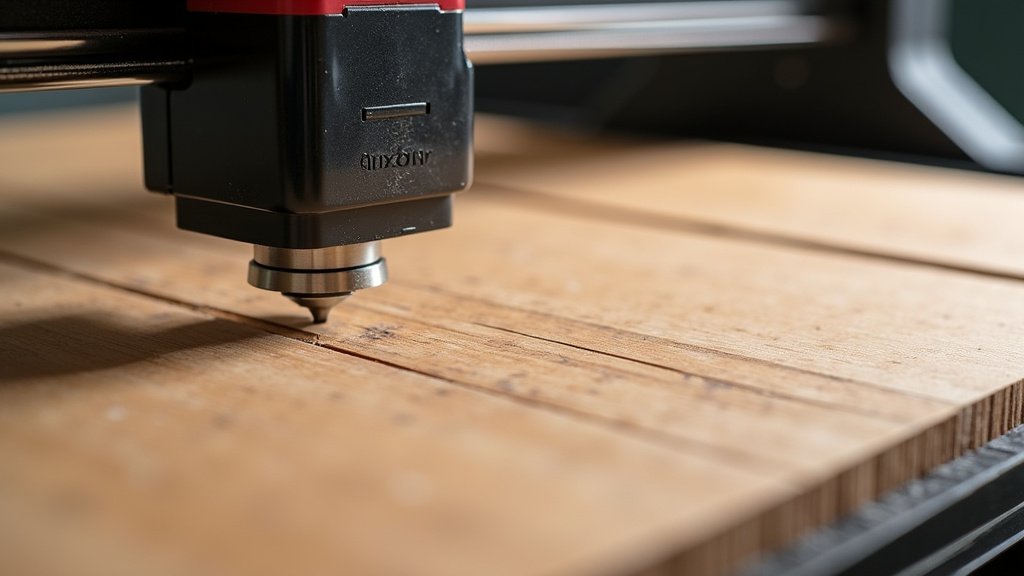
Best Wood Veneers for Laser Cutting: A Quick Guide
To help you get started, here’s a quick look at some popular wood veneers and how they generally perform with laser cutting. Keep in mind that results can still vary based on specific types and your laser settings.
| Veneer Type | Characteristics for Laser Cutting | Typical Use Cases |
|---|---|---|
| Maple | Hard, tight grain. Cuts cleanly with minimal charring. Light color shows details well. | Inlays, detailed designs, decorative pieces. |
| Cherry | Medium hardness, beautiful grain. Cuts well, might show slight reddish-brown char. | Jewelry, coasters, small boxes, signage. |
| Walnut | Rich color, medium hardness. Cuts smoothly. Darker color can make intricate details pop. | High-end projects, contrasting inlays, luxury items. |
| Oak | Hardwood, pronounced grain. Can be slightly more prone to scorching due to open grain. | Larger signs, rustic decor, items where grain is a feature. |
| Birch | Hard, fine grain. Cuts very cleanly, similar to maple. Very light color. | Craft projects, model making, layered designs. |
Safety First: What You Need to Remember
Laser cutting wood veneer involves heat and produces smoke. Your safety and the safety of your workspace are the top priorities. Here’s a quick checklist to keep in mind:
- Always use proper ventilation to remove smoke and fumes.
- Never leave your laser cutter unattended while it’s running.
- Keep a fire extinguisher rated for Class A fires nearby.
- Wear safety glasses designed for laser protection.
- Perform test cuts on scrap material before cutting your final project.
- Ensure your laser cutter is properly maintained and cleaned.
By following these guidelines and experimenting with your settings, you’ll be well on your way to creating beautiful and intricate designs with wood veneer. Happy cutting!
Conclusion
You’ve learned that laser cutting wood veneer is totally achievable and a fantastic way to bring beautiful wood designs to your projects. By understanding veneer types, preparing your material, and dialing in your laser settings, you can achieve stunning results. Remember to always prioritize safety with proper ventilation and test cuts. Now, you’re ready to experiment and create your own unique wood veneer masterpieces. So, grab your veneer and get ready to see your designs come to life!
Frequently Asked Questions
What kind of wood veneer is best for laser cutting?
Hardwood veneers like maple, cherry, and walnut generally perform best. They tend to char less and offer cleaner cuts compared to softer woods. Always do a test cut with your specific veneer and laser settings to find what works best for you.
Do I need to remove the backing from wood veneer before laser cutting?
It’s often recommended. Paper backings usually burn away, but fabric backings can affect the cut. Removing any backing material beforehand can lead to cleaner edges and reduce the risk of unwanted charring on your veneer.
How do I prevent burn marks on my wood veneer when laser cutting?
Applying blue painter’s tape or masking tape to the surface of your veneer before cutting is a highly effective trick. This acts as a protective layer to minimize charring and soot. Proper focus and balanced laser settings also play a big role.
Can I laser cut very thin wood veneer (like 1/40th inch)?
Yes, you can! Thinner veneers require less power and speed from your laser, making them easier to cut cleanly. Just be extra careful with settings and focus to avoid burning through too quickly or damaging the delicate material.
What are the most important safety precautions when laser cutting wood veneer?
Always ensure you have excellent ventilation to clear smoke and fumes. Never leave your laser unattended while it’s running, and keep a suitable fire extinguisher nearby. Wearing laser-rated safety glasses is also essential for eye protection.
