
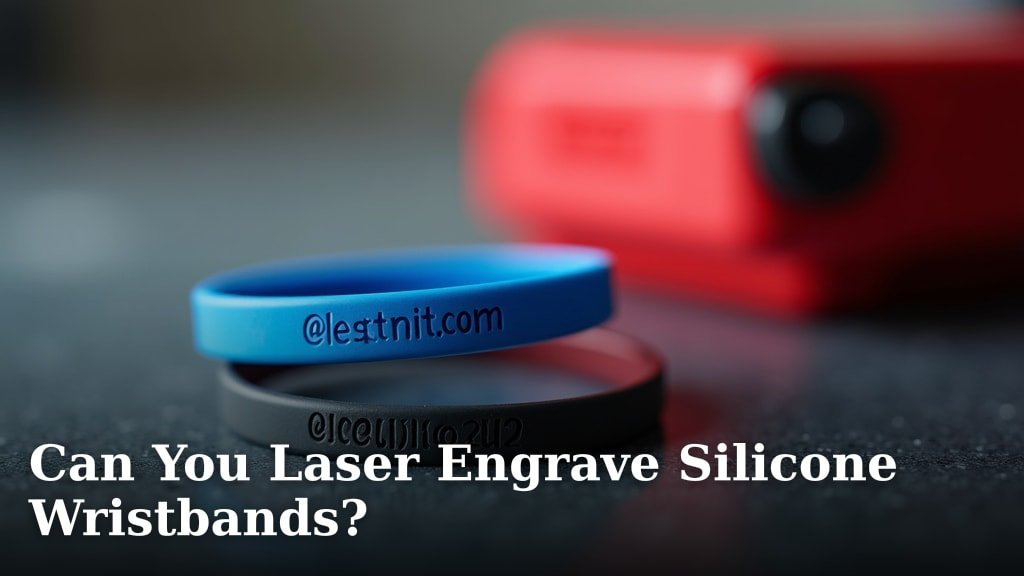
Yes, you absolutely can laser engrave silicone wristbands, but with a few important caveats. It’s not as simple as lasering wood or metal. You need the right laser settings and often specific types of silicone to get a clean mark. Trying with the wrong setup can lead to melting or no mark at all.
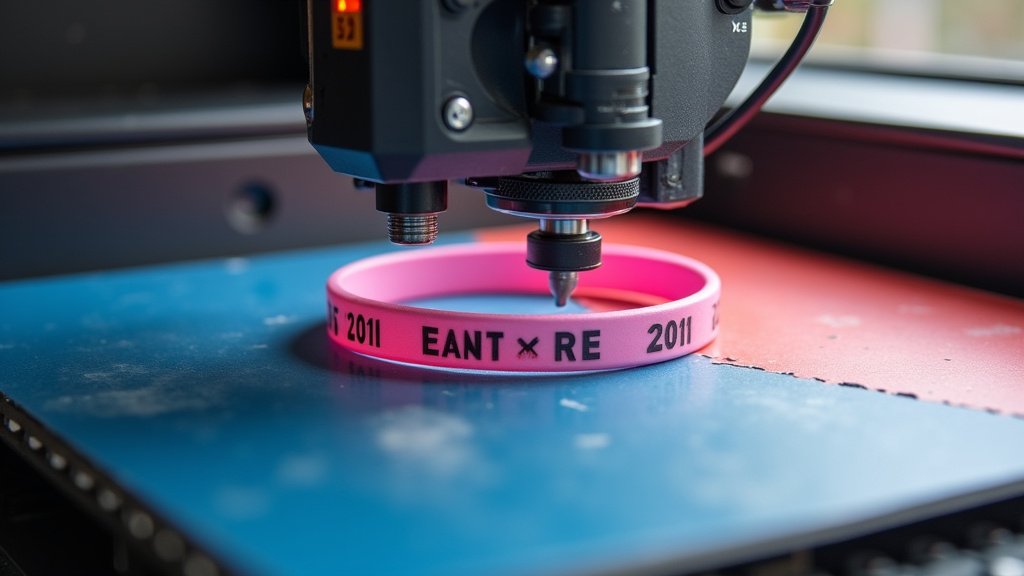
When laser engraving silicone, the goal is typically to create a debossed or etched effect rather than a burnished one. This often means using a CO2 laser with specific settings. Many manufacturers recommend testing on scrap pieces first. You’ll want to find a balance between marking the surface and causing damage.
- Silicone wristbands can be laser engraved.
- It requires specific laser settings.
- CO2 lasers are commonly used.
- Testing is crucial for best results.
- Aim for an etched or debossed look.
Let’s walk through what you need to know about laser engraving these popular wristbands.
So, can you actually use a laser to engrave silicone wristbands? The short answer is a resounding yes, but it’s not quite as straightforward as pointing a laser at a piece of wood. It requires a bit of finesse, the right equipment, and some careful adjustments to your laser settings. Get it wrong, and you might end up with a melted mess or absolutely no mark at all. We’re going to guide you through what you need to know.
Laser Engraving Silicone: What You Need to Know
Laser engraving silicone wristbands can create a unique and permanent mark. Instead of adding ink, you’re actually altering the surface of the silicone itself. This usually results in a debossed or etched effect, which can look quite sophisticated. It’s a popular method for personalizing event wristbands, promotional items, or even custom-designed fashion pieces.
The key here is understanding that silicone behaves differently under a laser than many other materials. It has a lower melting point and can be quite flexible. This means you need to be precise with your laser’s power and speed settings to avoid damaging the material. Think of it like trying to toast a marshmallow just right – too much heat, and it’s a burnt mess; too little, and it’s still raw.
Choosing the Right Laser for Silicone
For engraving silicone, a CO2 laser is generally your best bet. These lasers are well-suited for working with organic materials and plastics, which silicone falls under. CO2 lasers use a gas mixture to produce a beam of light that can precisely vaporize or alter the material’s surface. Fiber lasers, which are excellent for metals, typically aren’t the ideal choice for silicone engraving.
The wavelength of a CO2 laser is more effectively absorbed by silicone. This absorption helps in creating a clean mark without excessive heat buildup that could lead to melting or distortion. You’ll want a CO2 laser that offers good control over its power output and speed settings. This level of control is what allows you to achieve that perfect etched effect.
Understanding Silicone Types and Laser Compatibility
Not all silicone is created equal, and this matters when you’re trying to laser engrave it. Silicone is a polymer, and its exact composition can vary. Some silicones contain additives that might react unpredictably under a laser. Often, a higher-purity silicone will engrave more cleanly.
We’ve found that silicones specifically designed for laser engraving or those with fewer fillers tend to yield the best results. Some manufacturers might even mention laser compatibility. If you’re unsure about the specific silicone you have, it’s always a good idea to contact the supplier. They can often provide guidance on whether their product is suitable for laser engraving.
Setting Up Your Laser: Power, Speed, and Frequency
This is where the real magic (and potential frustration) happens. Getting the laser settings right is absolutely critical. Too much power or too slow a speed will melt the silicone, creating a gummy, distorted mess. Too little power or too fast a speed will result in a mark that’s too faint or not visible at all.
Many laser engraving experts recommend starting with a low power setting and a medium to high speed. You’ll likely need to experiment. A common approach is to use a frequency of around 500-1000 Hz. For power, you might start in the 10-30% range. Speed could be anywhere from 200-500 mm/s.
The Importance of Test Engravings
Before you load your valuable wristbands, take the time to test on scrap pieces. This is the golden rule of laser engraving, especially with materials like silicone. Grab a spare wristband or a small piece of similar silicone material. Use this to dial in your settings. You’re looking for a clean line, a distinct mark, and no signs of melting or charring.
Make small adjustments between tests. Change one setting at a time – either power, speed, or frequency. Document your settings and the results. This way, you’ll build a profile of what works for that specific silicone and your laser machine. It’s a bit like conducting a science experiment, but the reward is a perfect engraving!
Achieving the Desired Engraving Effect
When you laser engrave silicone, you’re typically aiming for one of two effects: a debossed mark or a slightly altered surface texture. A debossed mark is like a shallow indentation. This is achieved by vaporizing a small amount of the surface material.
Alternatively, some settings can create a frosted or slightly lighter appearance on the silicone surface. This happens when the laser energy causes a slight chemical change or oxidation on the surface. The specific outcome often depends on the silicone’s composition and the laser parameters you use.
Debossed vs. Frosted Marks
A debossed mark is usually deeper and more tactile. It feels like you can run your finger over the engraved area and feel the difference. This is often preferred for a high-quality, permanent look. It’s like carving your initials into a tree – you can feel the groove.
A frosted mark is more subtle. It might appear lighter in color or have a matte finish compared to the surrounding shiny silicone. This can be elegant and understated. Think of it like a subtle watermark on paper – noticeable but not overpowering. You can usually achieve this by using slightly less power or a higher frequency.
Safety Considerations When Laser Engraving Silicone
Working with lasers, especially when engraving materials like silicone, always comes with safety precautions. When silicone is heated, it can release fumes. Proper ventilation is absolutely essential to ensure these fumes are safely removed from your workspace. Most laser engravers have an exhaust system, but you may need to enhance it.
We strongly recommend using a fume extraction system that filters the air. This protects you and anyone nearby from inhaling potentially harmful byproducts. Always wear safety glasses designed for laser operation to protect your eyes from any stray beams or reflections. Your safety is the top priority.
Ventilation and Fume Extraction
The fumes produced when lasering silicone can be irritating or even harmful. A good ventilation setup will draw these fumes away from the laser bed and out of your room. Many desktop laser engravers come with a small exhaust fan. For more frequent or intense use, consider a more robust system with activated carbon filters.
The Material Safety Data Sheet (MSDS) for the specific silicone you are using can provide detailed information about potential fumes and recommended safety measures. Always consult these documents when available. Following guidelines from organizations like the Occupational Safety and Health Administration (OSHA) regarding laser safety and ventilation is a good practice.
Eye Protection and Personal Safety
Never look directly at the laser beam, even when it’s reflecting off the material. The concentrated light can cause serious eye damage very quickly. Ensure your laser enclosure has appropriate shielding. If you need to look closely, use safety goggles that are rated for the specific wavelength of your CO2 laser. These typically have an orange or red tint.
Beyond eye protection, keep your workspace clear of flammable materials. Ensure your laser machine is properly grounded to prevent static discharge. Always know where your fire extinguisher is located, just in case. Being prepared is key to a safe and productive engraving session.
Troubleshooting Common Laser Engraving Issues
Encountering problems is part of the learning process with any new material. If you’re getting a melted or gummy surface, your power is likely too high, or your speed is too low. Try reducing the power or increasing the speed gradually.
If your mark is too faint, you might need to increase the power slightly or slow down the speed. Sometimes, adjusting the frequency can also make a difference in the mark’s depth and appearance. It’s all about finding that sweet spot.
Melted Edges and Poor Detail
This is a classic sign of excessive heat. The silicone is literally melting faster than the laser can vaporize it cleanly. Reduce your laser’s power significantly. If you’re still having issues, consider increasing the engraving speed. A higher frequency can sometimes help dissipate heat faster, leading to cleaner edges.
Faint or Invisible Marks
If you can barely see the engraving, your laser isn’t removing enough material. You’ll need to increase the laser power or decrease the engraving speed. Ensure your lens and mirrors are clean, as smudges can reduce the laser’s effective power. Also, check that your focus is set correctly; a slightly out-of-focus beam will engrave less effectively.
A Quick Checklist for Successful Silicone Engraving
Ready to give it a try? Keep these points in mind for a smoother experience:
- Confirm you have a CO2 laser.
- Always test on scrap silicone first.
- Start with low power and moderate speed.
- Ensure proper ventilation for fumes.
- Wear safety glasses rated for lasers.
- Make small adjustments to settings as needed.
Conclusion
Laser engraving silicone wristbands is definitely achievable, but it requires a thoughtful approach. You’ve learned that a CO2 laser is your best tool for this job. Getting the right settings for power, speed, and frequency is key to avoiding a melted mess. Remember, always start with scrap material for testing. This hands-on practice will save you frustration and ensure you get that clean debossed or frosted look you’re after. With careful setup and safety measures, you can create custom silicone wristbands that stand out.
Frequently Asked Questions
What kind of laser is best for engraving silicone?
For silicone, a CO2 laser is generally recommended. Its wavelength is better absorbed by silicone, allowing for more precise engraving. Fiber lasers, which are great for metals, typically aren’t the right choice for silicone.
Will all silicone wristbands engrave well?
Not all silicones engrave equally well. Higher-purity silicones without too many fillers tend to yield cleaner results. If you’re unsure, it’s a good idea to check with the manufacturer of your wristbands for compatibility.
What happens if my laser settings are wrong?
If your laser settings are incorrect, you risk two main outcomes. You could end up with a melted, gummy mess if the power is too high or speed is too low. Conversely, you might get a faint or invisible mark if the power is too low or speed is too fast.
How can I tell if I’m getting a good engraving?
A good engraving on silicone will be a clean, defined line or pattern. You should be able to either feel a slight indentation (debossed) or see a noticeable, consistent color change (frosted). There should be no signs of melting, charring, or distortion around the engraved area.
Is it safe to laser engrave silicone?
Yes, but you must prioritize safety. When silicone is heated, it can release fumes, so proper ventilation and a fume extraction system are essential. Always wear laser-rated safety glasses to protect your eyes.
