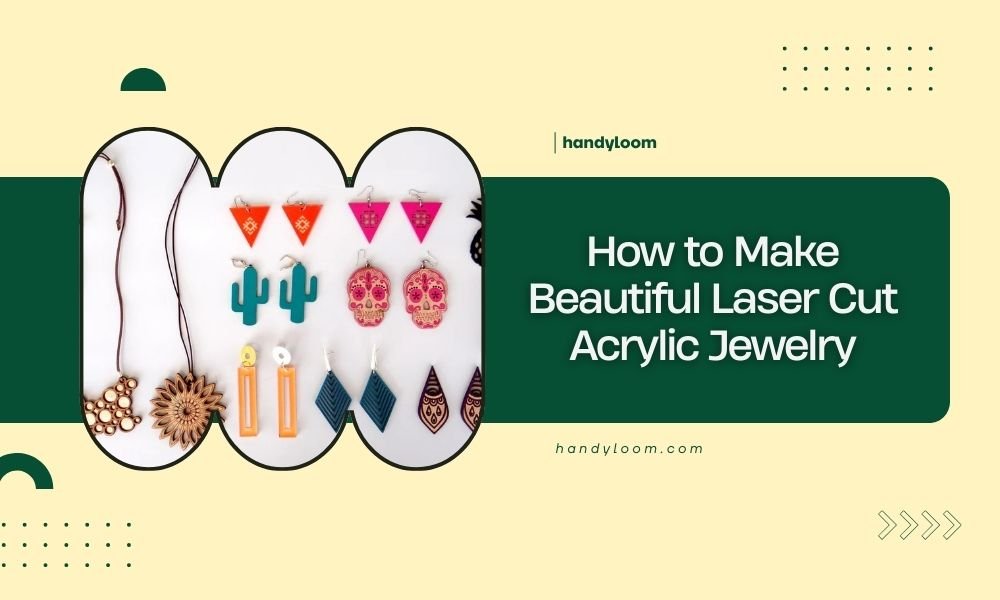
Making laser cut acrylic jewelry requires designing your pattern, choosing the right acrylic thickness, and using proper cutting settings for clean edges.
You can create stunning acrylic jewelry pieces at home with basic laser cutting knowledge and the right materials.
What Makes Acrylic Perfect for Jewelry Making
Acrylic stands out as the top choice for laser cut jewelry. This material cuts cleanly without melting or chipping when you use the right settings.
The material comes in endless colors and finishes. You’ll find clear, frosted, metallic, and even color-changing options. Each type gives your jewelry a different look and feel.
Weight matters when wearing jewelry all day. Acrylic weighs much less than metal or glass. Your customers will love how comfortable these pieces feel.
Best Acrylic Types for Jewelry
Cast acrylic works better than extruded for jewelry making. Cast acrylic has a more consistent thickness and cuts with smoother edges.
I found that 3mm thickness gives the best balance for most jewelry pieces. Thinner acrylic can crack easily. Thicker pieces look bulky when worn.
Color Selection Tips
Clear and translucent colors show off intricate cut patterns beautifully. Light passes through the material and creates interesting shadows.
Solid colors work great for bold statement pieces. Black and white remain popular choices that match any outfit.
Essential Tools and Equipment You Need
A CO2 laser cutter gives you the best results for acrylic jewelry. These machines handle the material smoothly and create polished edges.
You don’t need the most expensive laser cutter to start. Many hobbyists get great results with desktop models that cost under $500.
Software for Design Creation
Vector graphics software is a must-have tool. Adobe Illustrator leads the pack, but free alternatives like Inkscape work just as well.
Your laser cutter probably came with its own software too. Learning both gives you more design flexibility.
Additional Supplies to Stock Up On
- Jump rings and clasps for connecting pieces
- Earring hooks and posts
- Chain for necklaces and bracelets
- Polishing compound for finishing edges
- Masking tape to protect surfaces during cutting
Step-by-Step Design Process
Start with simple shapes when you’re learning. Circles, hearts, and geometric patterns work well for beginners.
Your design needs to account for how jewelry moves and bends. Sharp corners can poke or catch on clothing.
Creating Your First Pattern
Open your design software and set up a document. Use millimeters as your measurement unit since jewelry requires precision.
Draw your main shape first. Then add any decorative cut-outs or engraving details. Keep cut-out areas at least 2mm wide so they don’t break.
Planning Connection Points
Every jewelry piece needs a way to connect to findings or other components. Plan small holes or loops into your design.
Make holes slightly larger than your jump rings. This gives you room to work during assembly.
Testing Your Design
Always cut a test piece before making multiples. Use scrap acrylic to check sizing and fit.
Hold the test piece where it would sit when worn. Does it feel comfortable? Does it move naturally?
Laser Cutting Settings That Work
Getting your laser settings right makes the difference between success and frustration. Too much power melts the edges. Too little power leaves rough cuts.
| Acrylic Thickness | Power Setting | Speed Setting | Number of Passes |
|---|---|---|---|
| 2mm | 75% | 15mm/min | 1 |
| 3mm | 85% | 12mm/min | 1 |
| 5mm | 95% | 8mm/min | 1-2 |
Fine-Tuning Your Machine
Every laser cutter behaves slightly differently. Start with these settings and adjust based on your results.
Clean cuts should have smooth, clear edges that look almost polished. Rough or melted edges mean you need to adjust your settings.
Air Assist Makes a Big Difference
Turn on your air assist system if your machine has one. This blows away melted material and prevents flame-polished edges from forming.
Without air assist, you might get slight melting that actually looks good on jewelry. Try both ways to see which you prefer.
Cutting Techniques for Best Results
Leave the protective film on your acrylic while cutting. This prevents scratches and keeps your pieces looking perfect.
Place your acrylic flat on the cutting bed. Any warping or movement during cutting creates uneven edges.
Managing Heat Buildup
Acrylic can warp if it gets too hot during cutting. Cut smaller batches instead of filling your entire bed with pieces.
Let the material cool between passes if you’re doing multiple cuts on thick acrylic.
Ventilation Keeps Things Safe
Cutting acrylic releases fumes that you shouldn’t breathe. Make sure your exhaust fan works properly.
Research from safety organizations shows that proper ventilation prevents health issues during laser cutting.
Finishing and Assembly Methods
Most laser cut acrylic edges come out smooth enough to use right away. Sometimes you might want to polish them even more.
Use fine polishing compound and a soft cloth to make edges crystal clear. Work slowly to avoid scratching the surface.
Attaching Findings and Hardware
Jump rings connect your acrylic pieces to clasps, chains, and ear wires. Open jump rings sideways, not by pulling them apart.
This keeps the ring round and makes it close properly. Pliers designed for jewelry work make this job much easier.
Adding Color and Effects
You can paint acrylic pieces after cutting if you want different colors. Use acrylic paint for the best adhesion.
Alcohol inks create beautiful translucent effects on clear acrylic. They flow and blend in interesting ways.
Common Problems and Quick Fixes
Cracking happens when your design has sharp internal corners or thin connecting areas. Round off corners slightly to reduce stress points.
Melted edges usually mean your laser power is too high or cutting speed too slow. Lower the power by 5-10% and try again.
When Pieces Don’t Fit Together
Laser cutting can be very precise, but acrylic expands and contracts with temperature. Build in tiny tolerances for moving parts.
If holes are too small for your findings, you can carefully enlarge them with a drill bit.
Storage Prevents Scratches
Keep finished pieces separated with tissue paper or soft cloth. Acrylic scratches easily when pieces rub together.
Store flat pieces in boxes with dividers. Hang curved pieces so they don’t get bent out of shape.
Design Ideas to Get You Started
Geometric patterns never go out of style. Try hexagons, triangles, or art deco-inspired shapes.
Nature motifs work beautifully in acrylic. Leaves, flowers, and organic curves show off the material’s versatility.
Layering Creates Depth
Cut multiple pieces in different colors and layer them with small spacers. This creates a 3D effect that catches light beautifully.
Clear pieces over colored backgrounds let you play with transparency and shadow.
Personalization Sells Well
Engraved names, dates, or short messages make pieces special for customers. Keep text at least 2mm tall so it cuts cleanly.
Safety Tips You Must Follow
Never leave your laser cutter unattended while it’s running. Acrylic can catch fire if something goes wrong.
Keep a fire extinguisher nearby that’s rated for electrical and plastic fires. Water won’t work on these types of fires.
Protecting Your Eyes and Lungs
Wear safety glasses designed for your laser’s wavelength. Even reflected laser light can damage your vision.
Good ventilation isn’t optional. The fumes from cutting acrylic can cause headaches and breathing problems.
Conclusion
Making laser cut acrylic jewelry combines creativity with precision technology. You can start with simple designs and basic equipment, then grow your skills and tools over time.
The key to success lies in understanding your materials and machine settings. Take time to test and practice before jumping into complex projects. With patience and practice, you’ll create beautiful jewelry pieces that people love to wear.
Remember that safety comes first in any workshop. Proper ventilation, eye protection, and fire prevention let you enjoy this hobby for years to come.
What thickness of acrylic works best for lightweight earrings?
Use 2mm thick acrylic for earrings to keep them comfortable for all-day wear. Anything thicker becomes too heavy and pulls on the ears. Thinner acrylic can crack easily with the stress of movement.
Can you laser cut acrylic without leaving melted edges?
Yes, using lower power settings with multiple passes often eliminates melted edges. Air assist also helps blow away melted material. Some crafters prefer the polished look that slight melting creates.
How do you prevent acrylic from cracking during cutting?
Keep internal corners rounded rather than sharp, and avoid thin connecting areas between cut sections. Let the material cool between passes on thick pieces, and ensure your acrylic lies completely flat on the cutting bed.
What’s the best way to attach metal findings to acrylic pieces?
Cut small holes in your design slightly larger than jump rings, then connect findings through these holes. Avoid gluing metal to acrylic since temperature changes can break the bond and make repairs difficult.
How long does a laser cut acrylic jewelry piece typically last?
Well-made acrylic jewelry can last for years with proper care. The material resists fading and doesn’t tarnish like metal. Store pieces separately to prevent scratching, and clean gently with soap and water when needed.