
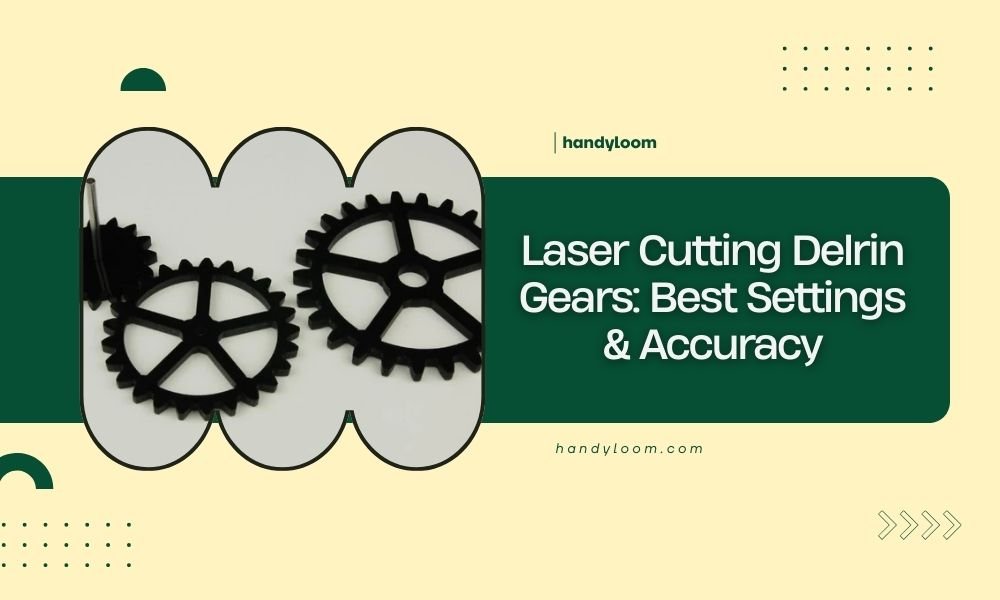
Laser cutting Delrin gears requires speeds of 150-300 mm/min and power settings between 60-80% for clean, accurate cuts.
The key to perfect Delrin gear cutting lies in proper ventilation, multiple passes, and keeping material temperatures below 200°C to prevent melting.
Why Delrin Makes Excellent Gears
You picked a smart material for your gear project. Delrin offers low friction, high strength, and amazing wear resistance. It machines beautifully and holds tight tolerances.
But here’s the catch – Delrin melts easily under heat. That’s why your laser settings matter so much. Get them wrong, and you’ll end up with gooey edges instead of precision gears.
Essential Laser Settings for Delrin Gears
Power and Speed Balance
Start with 60% power and 200 mm/min speed for 3mm Delrin. This gives you a good baseline without overheating the material.
Thicker material needs more passes, not more power. I found that multiple light passes beat one heavy cut every time.
Power Settings by Thickness
- 1-2mm Delrin: 50-60% power
- 3-4mm Delrin: 60-70% power
- 5-6mm Delrin: 70-80% power
- Above 6mm: Multiple passes at 60-70%
Speed Recommendations
Keep your speeds between 150-300 mm/min. Slower speeds give cleaner cuts but risk melting. Faster speeds might leave rough edges.
Test on scraps first. Every laser behaves differently, and your perfect settings might vary slightly from these starting points.
Air Assist and Ventilation
Crank up that air assist to maximum. Delrin releases formaldehyde when heated – not something you want to breathe.
Good airflow also prevents heat buildup. Think of air assist as your cooling system for precision cuts.
Achieving Gear Accuracy
Kerf Compensation
Your laser beam has width, typically 0.1-0.2mm. This means your cut removes material, making holes bigger and outside dimensions smaller.
For gear teeth, this matters a lot. Compensate by adjusting your design outward by half the kerf width.
Testing Your Kerf
Cut a 20mm square and measure it. The difference tells you your actual kerf. Use this number for all future gear designs.
Multiple Pass Strategy
Want the cleanest gear teeth? Use 2-3 light passes instead of one heavy cut. This keeps heat low and edges sharp.
Set your first pass at 40% power, second at 30%, and final pass at 20%. Each pass cleans up the previous one.
Common Problems and Solutions
Melted Edges
Seeing melted plastic around your gear teeth? Your settings are too hot. Drop the power by 10% and try again.
Sometimes slowing down helps too. Counterintuitive, but true – the extra air assist time can cool things down.
Quick Fix Checklist
- Reduce power by 10%
- Increase air assist
- Check ventilation system
- Try multiple lighter passes
Rough Cut Quality
Rough edges usually mean your laser needs attention. Check your lens for dirt or scratches. Clean optics make clean cuts.
Also verify your material flatness. Warped Delrin gives inconsistent cuts across the gear.
Material Preparation Tips
Store Delrin flat and at room temperature. Cold material can crack, while warm material cuts unevenly.
Remove protective film before cutting. The adhesive can create nasty residue when heated.
Advanced Techniques for Perfect Gears
Pulse Settings
If your laser has pulse control, try 1000-2000 Hz for Delrin. Higher frequencies give smoother cuts on curved gear teeth.
Lower frequencies work better for straight cuts and can reduce heat buildup.
Bed Temperature Control
Some laser cutters let you control bed temperature. Keep it around 20-25°C for Delrin. Cooler is better than hotter.
Cooling Between Parts
Let your laser bed cool between gear cuts. Hot metal can pre-heat your Delrin and mess up your settings.
Quality Control and Testing
Measuring Gear Accuracy
Use calipers to check tooth spacing and overall diameter. Your gears should match design specs within 0.05mm for smooth operation.
Test fit gears together before calling the job done. Sometimes dimensions look perfect but don’t mesh properly.
Surface Finish Inspection
Run your finger along gear teeth. You should feel smooth, consistent surfaces without burrs or melted spots.
Light sanding with 400-grit paper can clean up minor imperfections without affecting gear function.
Safety Considerations
Ventilation Requirements
Delrin releases formaldehyde when heated. Always use proper ventilation and consider wearing a respirator for long cutting sessions.
From what I read, formaldehyde exposure guidelines suggest keeping workspace air moving constantly (OSHA).
Fire Prevention
Delrin burns if overheated. Keep a fire extinguisher nearby and never leave your laser unattended during cuts.
Troubleshooting Guide
| Problem | Likely Cause | Solution |
|---|---|---|
| Melted edges | Too much power/heat | Reduce power 10-20% |
| Incomplete cuts | Too little power | Increase power or add passes |
| Rough finish | Dirty optics | Clean lens and mirrors |
| Warped gears | Heat stress | More air assist, slower speed |
Conclusion
Getting perfect Delrin gears takes practice, but these settings give you a solid starting point. Remember – multiple light passes beat one heavy cut every time. Keep your power around 60-70%, speed at 150-300 mm/min, and air assist on maximum.
Test your settings on scraps first. Every laser behaves differently, and small adjustments can make huge differences in gear quality. With patience and proper technique, you’ll cut precision gears that mesh perfectly and last for years.
Can I cut Delrin gears without air assist?
No, you really need air assist for Delrin. Without it, the material overheats quickly and releases harmful fumes. Air assist prevents melting and keeps your cuts clean.
What’s the thickest Delrin I can cut for gears?
Most hobby lasers handle up to 6mm Delrin in single passes. For thicker material, use multiple passes with reduced power settings to prevent heat buildup.
Why do my gear teeth have burrs?
Burrs usually come from dull laser optics or incorrect focus. Clean your lens, check the focal point, and try slightly lower power with more passes.
How do I prevent gear warping during cutting?
Keep material flat, use proper hold-downs, and avoid excessive heat. Multiple light passes work better than single heavy cuts for preventing thermal stress.
Should I remove protective film before laser cutting?
Yes, always remove protective film first. The adhesive can create residue and affect cut quality when heated by the laser beam.
