
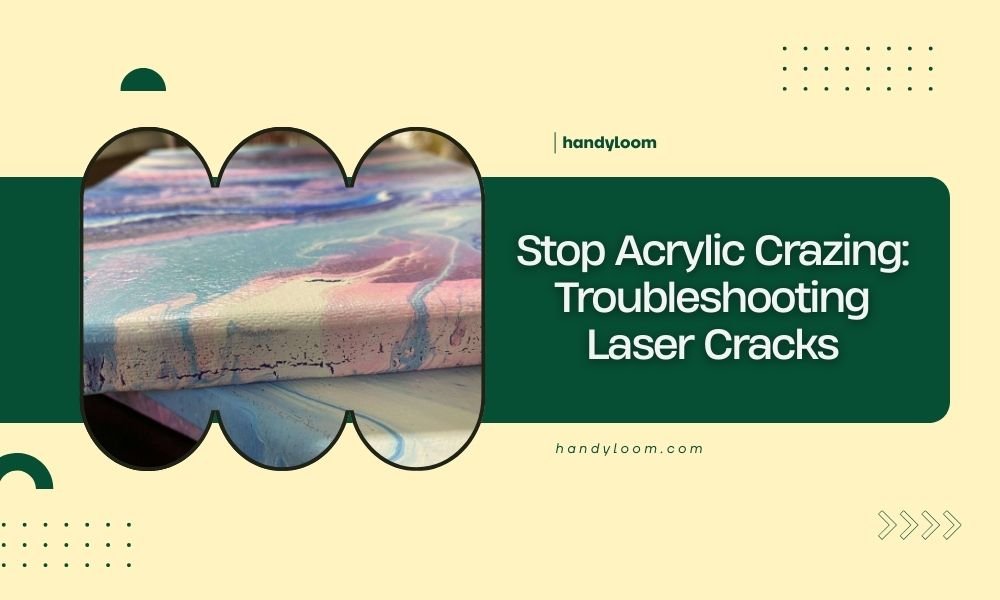
Acrylic crazing happens when your laser cuts create stress fractures that look like spider webs in the material. You can prevent laser cracks by using proper power settings, slower cutting speeds, and ensuring your acrylic is at room temperature before cutting.
The main causes of acrylic crazing include excessive heat buildup, cutting too fast, using dull laser optics, and temperature differences in your material.
What Causes Acrylic to Crack During Laser Cutting?
Heat stress is your biggest enemy when laser cutting acrylic. Think of it like heating glass too quickly – the material expands unevenly and creates tiny fractures.
Your laser beam creates intense heat in a very small area. If that heat doesn’t have time to dissipate, it builds up stress in the acrylic structure. This stress shows up as those annoying crack patterns we call crazing.
Temperature Shock Effects
Cold acrylic is especially prone to cracking. When you take material straight from a cold storage area and hit it with a hot laser beam, you’re asking for trouble.
I found that experts recommend letting acrylic reach room temperature before cutting. This simple step prevents thermal shock and reduces crack formation significantly.
Power and Speed Imbalances
Too much power with too little speed creates excessive heat. Your laser essentially “cooks” the acrylic instead of cleanly cutting through it.
On the flip side, too little power forces you to make multiple passes. Each pass adds more heat stress to the same area.
How to Identify Different Types of Acrylic Damage
Stress Crazing vs Heat Damage
Stress crazing looks like tiny spider webs radiating from cut edges. The cracks are usually very fine and follow predictable patterns.
Heat damage shows up as melted or bubbled areas along cut lines. You might also see discoloration or a glossy, overheated appearance.
Material Quality Issues
Sometimes the problem isn’t your settings – it’s your acrylic. Lower quality materials have internal stresses from manufacturing that make them crack-prone.
Cast acrylic generally performs better than extruded acrylic for laser cutting. Cast material has fewer internal stresses built in during production.
Optimal Laser Settings for Crack Prevention
Power Settings That Work
Start with lower power than you think you need. For most CO2 lasers, begin around 60-70% power for 3mm acrylic and adjust from there.
I researched typical settings and found that many professionals use multiple light passes rather than one heavy cut. This approach distributes heat more evenly.
Speed Considerations
Slower speeds give heat more time to build up, but they also create cleaner cuts. Find the sweet spot where you cut through completely without overheating.
For thin acrylic (under 6mm), try starting at 15-20mm per second. Thicker materials may need even slower speeds.
Testing Your Settings
Always test on scrap material first. Cut small squares with different power and speed combinations until you find settings that work.
Keep notes on what works for each thickness and type of acrylic you use. This saves time and prevents waste on future projects.
Environmental Factors That Prevent Cracking
Temperature Control
Room temperature matters more than most people realize. Cold workshops can cause thermal shock when your laser heats the material.
If possible, store your acrylic in the same room where you’ll be cutting. This eliminates temperature differences that cause stress.
Humidity Effects
Very dry air can make acrylic more brittle. While you can’t control humidity perfectly, be aware that winter heating can create conditions that promote cracking.
Air Flow and Cooling
Good ventilation helps remove heat from your cutting area. Just make sure air flow isn’t so strong that it affects your laser beam path.
Some laser cutters use air assist to blow away debris and cool the cut area. This can help prevent heat buildup if set up properly.
Material Preparation Techniques
Proper Storage Methods
Store acrylic sheets flat and supported to prevent warping. Warped material creates uneven cutting conditions that can lead to stress cracks.
Keep protective film on both sides until you’re ready to cut. This prevents scratches that can become crack starting points.
Pre-Cutting Inspection
Look for existing stress marks or scratches before you start cutting. These weak spots will almost certainly crack when heated by your laser.
Hold sheets up to the light to spot internal stresses. You’ll see them as slight color variations or stress patterns in the material.
Edge Preparation
Sand or polish rough edges before cutting intricate designs nearby. Rough edges concentrate stress and can start crack patterns.
Maintenance Issues That Cause Problems
Dirty or Misaligned Optics
Dirty lenses scatter laser energy and create uneven heating. This uneven heat distribution is a major cause of stress cracking.
Clean your lenses regularly with appropriate cleaners. I found online that most laser manufacturers recommend specific cleaning solutions and techniques.
Focus Problems
Incorrect focus creates a larger beam spot that spreads heat over a wider area. This might seem good, but it actually makes cutting less efficient.
When you have to use more power to compensate for poor focus, you create more overall heat and stress in your material.
Mechanical Issues
Worn rails or belts can cause vibration during cutting. These tiny movements create uneven cuts that are more prone to cracking.
Check your machine’s mechanical components regularly. Smooth, consistent movement produces cleaner cuts with less stress.
Advanced Troubleshooting Methods
Multi-Pass Cutting Strategies
Instead of trying to cut through thick acrylic in one pass, use several lighter passes. Each pass should cut about 30-40% deeper than the previous one.
This technique spreads heat over time and prevents the intense thermal stress that causes crazing.
Kerf Width Adjustments
Wider kerfs (cut lines) remove more material but also spread heat over a larger area. Sometimes this trade-off prevents cracking in problem materials.
You can increase kerf width by slightly defocusing your laser or using multiple overlapping passes.
Cooling Time Between Cuts
When cutting multiple pieces or complex designs, give your material time to cool between cuts. This prevents heat accumulation that leads to stress cracking.
| Problem | Quick Fix | Long-term Solution |
|---|---|---|
| Spider web cracks | Reduce power 10-15% | Optimize speed/power ratio |
| Edge melting | Increase cutting speed | Improve air assist setup |
| Incomplete cuts | Slow down cutting speed | Check focus and optics |
When to Replace Your Acrylic
Sometimes the material itself is the problem. Old acrylic becomes brittle and crack-prone over time, especially if stored in temperature extremes.
If you’re getting cracks despite perfect settings and technique, try a fresh sheet from a different supplier. Quality varies significantly between manufacturers.
Conclusion
Preventing acrylic crazing comes down to managing heat and stress during laser cutting. Use appropriate power settings, maintain consistent temperatures, and keep your equipment clean and properly focused.
Remember that patience pays off with acrylic. Taking time to test settings and allow cooling prevents the frustration of cracked projects. With the right approach, you can achieve clean, crack-free cuts every time.
Why does my acrylic crack even with low power settings?
Low power settings can still cause cracking if your cutting speed is too slow, allowing heat to build up. Try increasing speed while maintaining the same power level, or check if your acrylic has internal stresses from poor storage conditions.
Can I repair acrylic that has already developed stress cracks?
Small surface cracks can sometimes be polished out with fine abrasives, but deep stress cracks usually mean the piece needs to be replaced. Prevention is much more effective than trying to fix crazing after it occurs.
Does the color of acrylic affect its tendency to crack during laser cutting?
Clear acrylic generally cuts with fewer problems than colored varieties. Some pigments and dyes can create internal stress points or affect how the material absorbs laser energy, making colored acrylic slightly more crack-prone.
How long should I wait between cuts to prevent heat buildup?
For thin materials under 6mm, waiting 10-15 seconds between complex cuts is usually enough. Thicker acrylic may need 30-60 seconds cooling time, especially if you’re cutting intricate patterns with many direction changes.
Is extruded or cast acrylic better for preventing laser cutting cracks?
Cast acrylic performs better for laser cutting because it has fewer internal stresses from the manufacturing process. While extruded acrylic costs less, it’s more prone to stress cracking and may require more careful parameter tuning.
